A drawing can suggest a whole game before it has a single rule: somewhere to explore, a creature worth following, a door you want to open. The hard part is keeping that feeling once the image has to respond to a player.
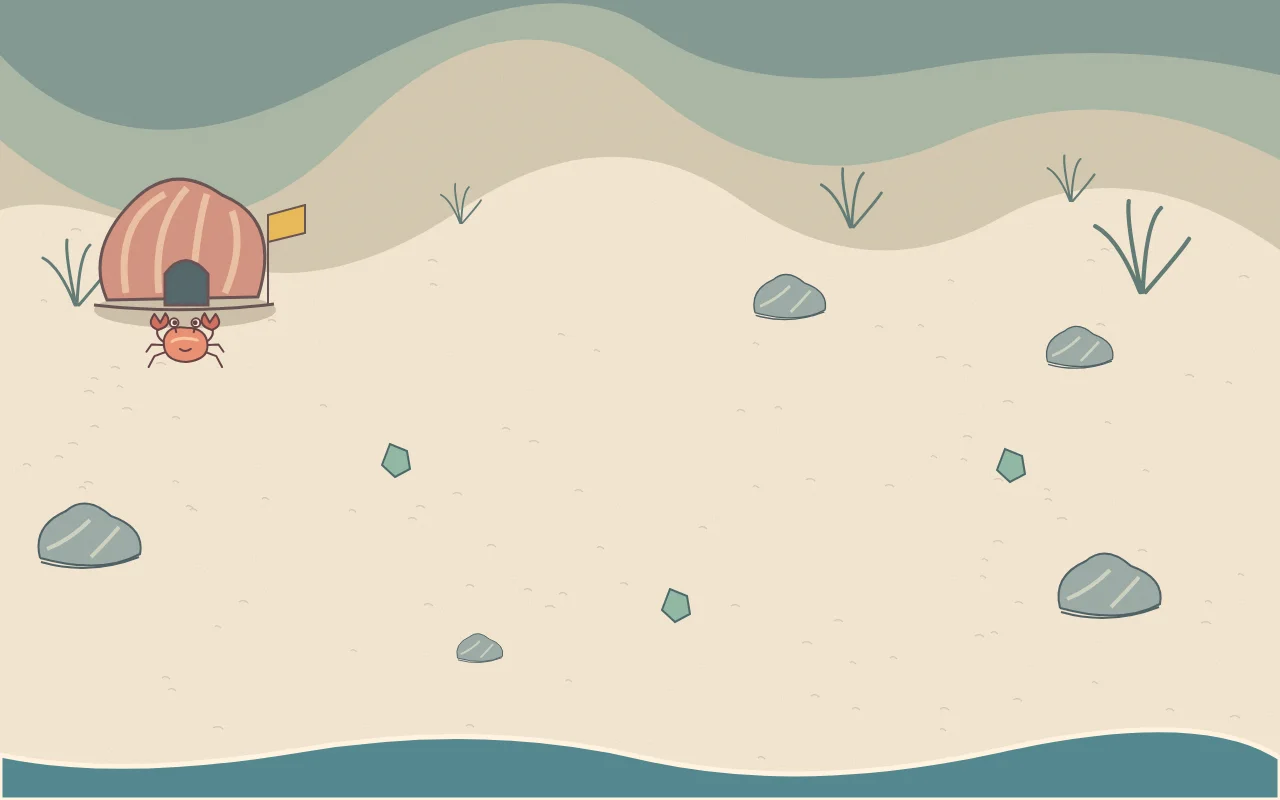
For this tutorial, we made Little Tide, a tiny browser game from an original SVG beach illustration. You guide a crab, gather three pieces of sea glass and return to a shell house as the water rises. The sand, shell, palette and crab survive the conversion. The rules make the picture playable.
Description / transcript
The crab leaves the shell house, crosses the beach to collect three sea-glass pieces, then returns home. Water rises from the bottom of the scene.
Download the complete drawing and game. The download runs by opening index.html; it needs no build step.
Give the drawing one playable idea
Start with a short loop the picture already suggests. A beach invites exploration and changing water. A shell house gives the player somewhere to return. Three visible objects give the trip a purpose.
Leave shops and extra levels for later. First find out whether this outing is worth playing.
Use this reusable brief with your own image:
Turn this drawing into a small playable browser game. Preserve its
palette, outlines, proportions and atmosphere. First identify the
player, the destination and one interaction the picture suggests.

Build one complete loop: start, move, collect three objects, return,
win and restart. Support arrow keys/WASD and pointer or touch movement.
Keep the whole scene visible. Make the objective readable without
an explanation from me. Keep every source file editable.
Our input is a digital illustration drawn with SVG paths, not a photographed paper sketch. That gives us clean shapes to reuse. With a scan, first straighten the page, remove the surrounding desk and separate the character from the background. Keep a copy of the untouched drawing so the extraction does not quietly become a redesign.
Separate what you see from what you can touch
Separate the static beach, crab, collectibles and moving water. The shell house stays painted into the background; an invisible delivery circle around its doorway decides when the player is home.
The thin grass strokes and irregular rock outlines do not all need to become obstacles. Little Tide keeps them decorative. The crab moves freely across the sand, and collection checks use distance from each sea-glass piece.
Simple circles or rectangles often make better collision shapes than tracing every painted edge. MDN's collision guide explains these basic hitboxes. Here, generous pickup circles let you enjoy the scene without having to align a tiny claw with a tiny object.
Keep visual artwork and collision rules separate. Extract the player
as its own transparent layer. Use a forgiving pickup radius around
each collectible and a clear delivery area at the doorway. Leave
small decorative marks non-solid. Do not redraw the entire scene
when you only need to change a hitbox.
SVG and PNG layers can be drawn onto a browser canvas; the Canvas image guide covers how. We reuse the same SVG beach and crab in the drawing and the game, so changing movement does not regenerate the artwork.
Make the movement and the tide feel fair
Normalize diagonal movement so holding two directions does not make the crab faster. Stop movement when the browser loses focus. On touch screens, let the player hold and drag toward a destination instead of squeezing a miniature keyboard over the art.
The tide is a repeating boundary, not a video playing behind the game. The same wave function draws the foam and checks whether the crab is in the water. That keeps the visible edge and the rule connected.
A wave carries the crab home after a short grace period. Collected glass stays collected. This is a small exploration game, so a mistake should invite another walk rather than erase the outing.
Make the rules match the visible scene. Use the same tide position
for rendering and the water check. Allow a brief grace period at the
edge. If the tide catches the player, return them home and keep their
collected objects. Verify that all three objects remain reachable.
Take the working game into Voyager
Open the project folder in Voyager and keep this browser version as the existing engine. The useful next step is a focused playtest and revision: can someone understand the incoming tide before it catches them?
The first warning used the tide’s direction alone. That made it say “low tide” while the water was still high but receding. The revised game checks water height too, adds a tide meter and countdown, and keeps the warning active until the beach is safe.
That is a useful revision to ask for in Voyager: connect the visible feedback to the rule that already controls the game, then replay the affected moment. The downloadable version contains the revised JavaScript; the prompt below is a reusable way to continue from it.
Open Little Tide and check the complete play loop. Improve the tide
warning so I can judge when to head back. Keep the illustration,
movement speed and collection rules unchanged. Then play through
collection, return, win and restart using actual controls. Save the
updated source and show the running result.
Finish the loop before adding another level
Try it on a phone, miss an object, let a wave catch you and restart after winning. Landscape gives this wide beach more room on a phone.
A successful conversion preserves something recognizable about the drawing while giving the player a reason to act. For Little Tide, that is a small creature venturing away from home and returning with something found. Start with an equally clear promise in your own picture, make it playable, and let the next rule earn its place.
Make your next project in Voyager
Create an account, download Voyager, and start making.