A wave can make someone stop scrolling. The last frame needs to make them remember the product.
We made this ten-second AI product reveal around a fictional amber perfume bottle. A clear wave breaks into droplets, then clears to leave the glass and brass cap alone. The useful constraint is one product, one transformation, one readable ending.
Description / transcript
A clear wave rolls behind an amber glass bottle with a brass cap, breaks into droplets and falls away. The bottle stays in the same composition as the last ripples settle.
This fits a launch teaser, social ad or campaign mood board. You can use the same sequence in any image and video workflow. Below is the example we made in Voyager, including the input and prompts you can reuse.
Make the product readable before it moves
For a real product, start with a clear three-quarter image and identify the features that must stay accurate: silhouette, cap, finish and label. A reference guides a video model; it does not lock those pixels. Keep essential small print and exact branding in a real packshot or editable overlay.
Our bottle is a concept, so we generated the opening image with Nano Banana 2.1 at 2K. The cap, front face and base are visible; the thickest water sits behind them.
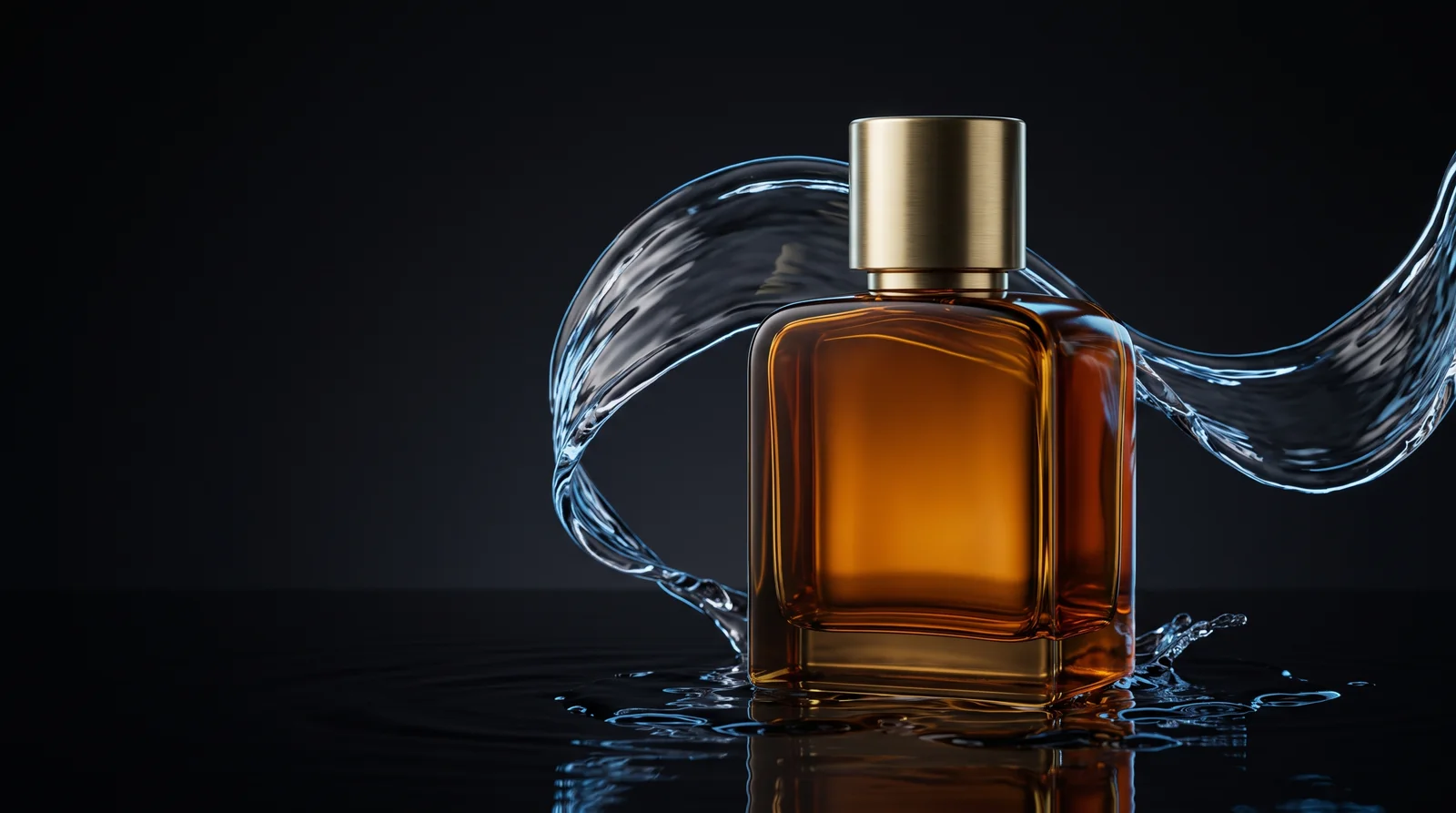
Use this brief for your own composition:
Make a photorealistic product still of one amber glass perfume bottle
with a brushed-brass cylindrical cap. Use a squat rectangular bottle,
rounded shoulders, straight edges and a thick glass base. No lettering.

Stand it upright at center-right on a dark wet studio surface.
Curve one clear-water ribbon behind the bottle and around its sides.
Keep its whole front, cap and base visible. Add warm light through
the amber glass and a cool rim on the water against a nearly black
background. Leave dark breathing room on the left. Make a 16:9 image.
Inspect that still before spending on motion. If the wave hides the object, ask for less water in front, not more dramatic animation. If you have an existing product photo, attach it and replace the fictional bottle description with the details of your actual product.
Give the water a destination
We animated the approved still with MiniMax H3 Max, requesting ten seconds at its 1080P setting. The bottle stays still while the water supplies the movement. That removes two competing jobs from the model: redesigning the object and moving the camera.
The core motion direction was:
Make one continuous locked-off studio shot. Keep the amber bottle
and brass cap stationary, solid and unchanged.

From 0 to 3 seconds, the water ribbon rolls gently and breaks into
a sparse arc of droplets. From 3 to 7 seconds, the droplets fall
down and outward into the puddle. By 8 seconds, clear the airborne
water and hold the unobstructed product for the final two seconds.

Preserve the silhouette, glass thickness, straight edges and cap.
No spinning, floating, lettering, new objects or scene cuts.
Use restrained liquid ripples and delicate drops, with a quiet,
spacious musical texture that resolves as the product settles.
The MiniMax H3 prompting guide separates picture direction, soundscape and music. Our download includes the complete submitted prompts, model settings and opening image, so you can inspect those fields or make a different take.
Review the glass, not just the splash
Watch the cap and outside edges throughout the shot. Then watch the water separately. Does it pass continuously around the object? Does the bottle remain the same shape? Does the ending actually give the viewer time to recognize it?
In this take, the moving water creates a dark diagonal distortion through the amber glass before breaking into droplets. It reads as a stylized generated effect, not a fluid simulation. The cap and outside silhouette stay coherent, and the ending clears to a recognizable bottle.
If a take changes the product, simplify the action:
Keep the opening composition and preserve this take. Make a new
version with a smaller wave behind the stationary bottle. Let only
the liquid move, and leave the bottle's front unobstructed.
A finished-looking frame is not enough; inspect the transitions too. We removed a brief scale jump at the very start of our generated take before exporting the ten-second film.
Keep the good take editable in Voyager
Download the opening image, film and complete generation recipe. Open the folder as a Voyager project. Reuse the included still to test different motion, or change the still brief first for another product. A new generation can vary; the included film is the result shown here.
Once a take works, ask Voyager for a shorter cut, a final-frame still and exact brand text as separate editable elements. A new price or headline should not require generating the bottle again.
Make the entrance memorable and the ending useful. If someone remembers the water but cannot identify the product, reduce the water.
Make your next project in Voyager
Create an account, download Voyager, and start making.