Voyager, our desktop agent harness for creative work, is built on a fork of T3 Code. We started from T3 Code because it already had the hardest part of a desktop agent app done well: a fast, carefully designed workspace that runs the coding agents people already pay for, such as Claude Code and Codex. We kept that foundation and spent our time on two things T3 Code was never meant to be: a production environment for video, design, music and 3D, and a set of harness features (memory, scheduled work, background jobs, conversations that hand work to each other) that matter for creative work and turn out to matter for coding too.
The short version: if you write code with agents, T3 Code is excellent and you should try it. If you make videos, product demos, motion graphics, music or 3D with agents, Voyager is T3 Code's workspace with a creative studio and a longer-running harness built around it.
This post credits what came from T3 Code, describes the other foundations we looked at, and lists what we added. The comparison is with the T3 Code snapshot we forked in mid-September 2026, not with T3 Code as it is today; T3 Code ships constantly, and some of what follows may exist upstream now. T3 Code's figures were read from its site and repository on 19 October 2026.
What T3 Code is
T3 Code describes itself as an "agent harness control surface": a desktop app (built on Electron), a web app and iOS and Android apps that control the coding agents installed on your machine. It works with your existing subscriptions to Claude Code, Codex, Cursor, Grok Build, OpenCode and Google Antigravity (T3 Code README). It does not resell tokens; you sign in to each agent with the credentials you already have (t3.codes).
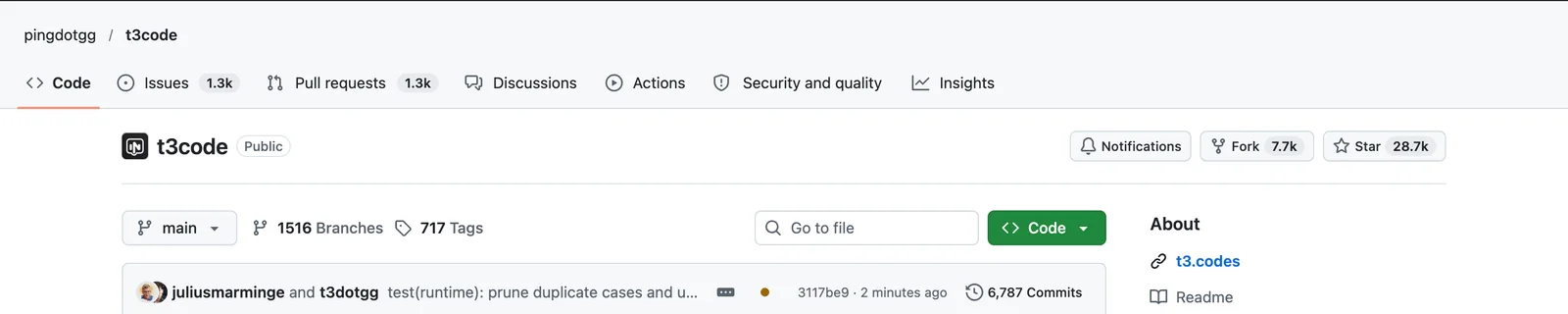
It comes from Theo Browne's company, T3 Tools, with Julius Marminge as its most active committer by a wide margin (GitHub contributors). Theo announced general availability on 6 March 2026, when it was built on top of the Codex CLI (Theo on X). By 19 October 2026 the repository had 28.7k stars, 7.7k forks and more than 6,700 commits.
The README is candid about why it exists: the team was "inspired by existing solutions like the Codex desktop app, Conductor, Claude Desktop and Cursor Glass, but none met our bar" (T3 Code README). It also warns that the project is "very very early" and to expect bugs.
What people like about T3 Code
The praise is unusually specific, and most of it is about the feel of the app rather than features on a list.
Speed, in an Electron app. "Might say alpha but T3 code is pretty awesome, really fast too," wrote Dev Ed shortly after launch (X). Another user put it as "T3 Code is proof electron apps don't have to suck" (X). A Better Stack walkthrough found it "noticeably responsive: switching between projects and long threads is instant, and running multiple agents in parallel does not degrade the interface" (Better Stack).
Build quality. David Khourshid described it as "like Claude Code if they didn't vibe-code the entire thing" (X).
A reason to leave the terminal. Ryan Hughes wrote that he had "finally found the one AI harness to steal me away from the terminal" (X). On Hacker News, one user said it was the "first time in a while I'm actually excited to use a desktop UI instead of the terminal", and liked switching between Claude and Codex subscriptions in one app (Hacker News).
Remote and mobile that feel local. Rhys Sullivan said it "takes what I liked so much about codex's remote setup and improves upon it" on both desktop and mobile (X). Ryan Hughes, coding from his phone on a flight: "On T3 Code, it felt like LAN" (X).
Workflow details for parallel agents. Each agent thread can work in its own Git worktree, which one Hacker News commenter recommended because it "makes running multiple agents at once much easier" (Hacker News). The per-turn diff view and one-button commit, push and pull request flow get similar credit (Better Stack, t3.codes).
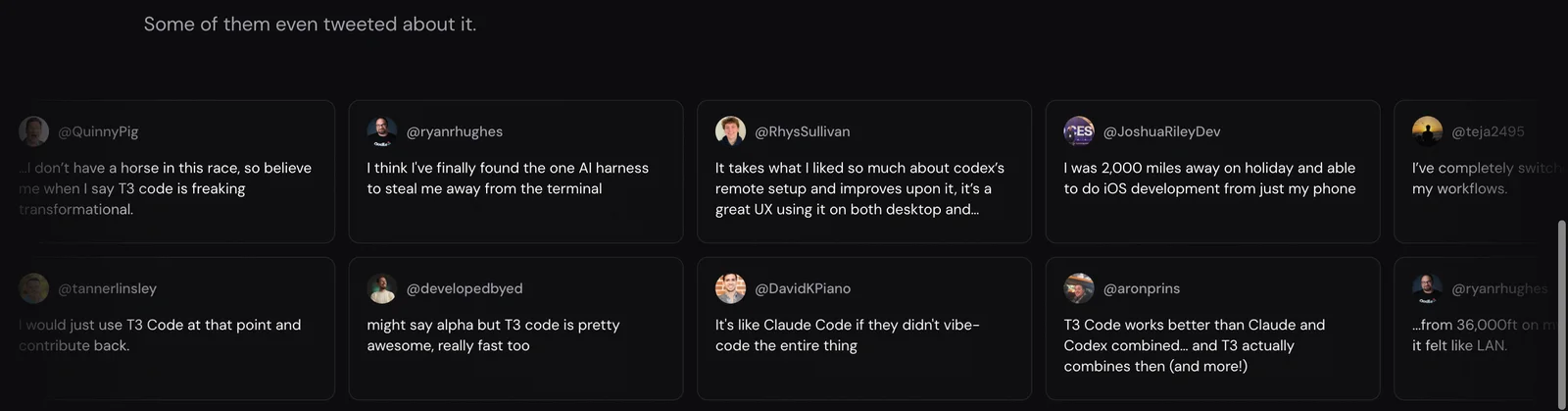
Even Corey Quinn, who opened by noting that Theo would naturally favor his own product, called it "freaking transformational" (X).
Why it was the right starting point
Voyager needed a polished desktop app where people could use the agent they already like, Claude Code or Codex, on creative work: footage, images, audio, project files and the apps they live in. We did not want to build a chat client, provider integrations, a project sidebar and a file browser from scratch, and we did not want our own engineering to be the reason Claude Code or Codex behaved worse inside Voyager than outside it.
T3 Code matched that shape closely. When we read its source in September 2026, its project and thread navigation, file browser, editable file preview and browser panel lined up with what we planned to build. Underneath, it had a real provider boundary: native integrations for Claude and Codex that keep each agent's own approvals, tool events and sessions intact, instead of flattening every agent into one generic chat. That boundary is the part that is hardest to get right and easiest to underestimate.
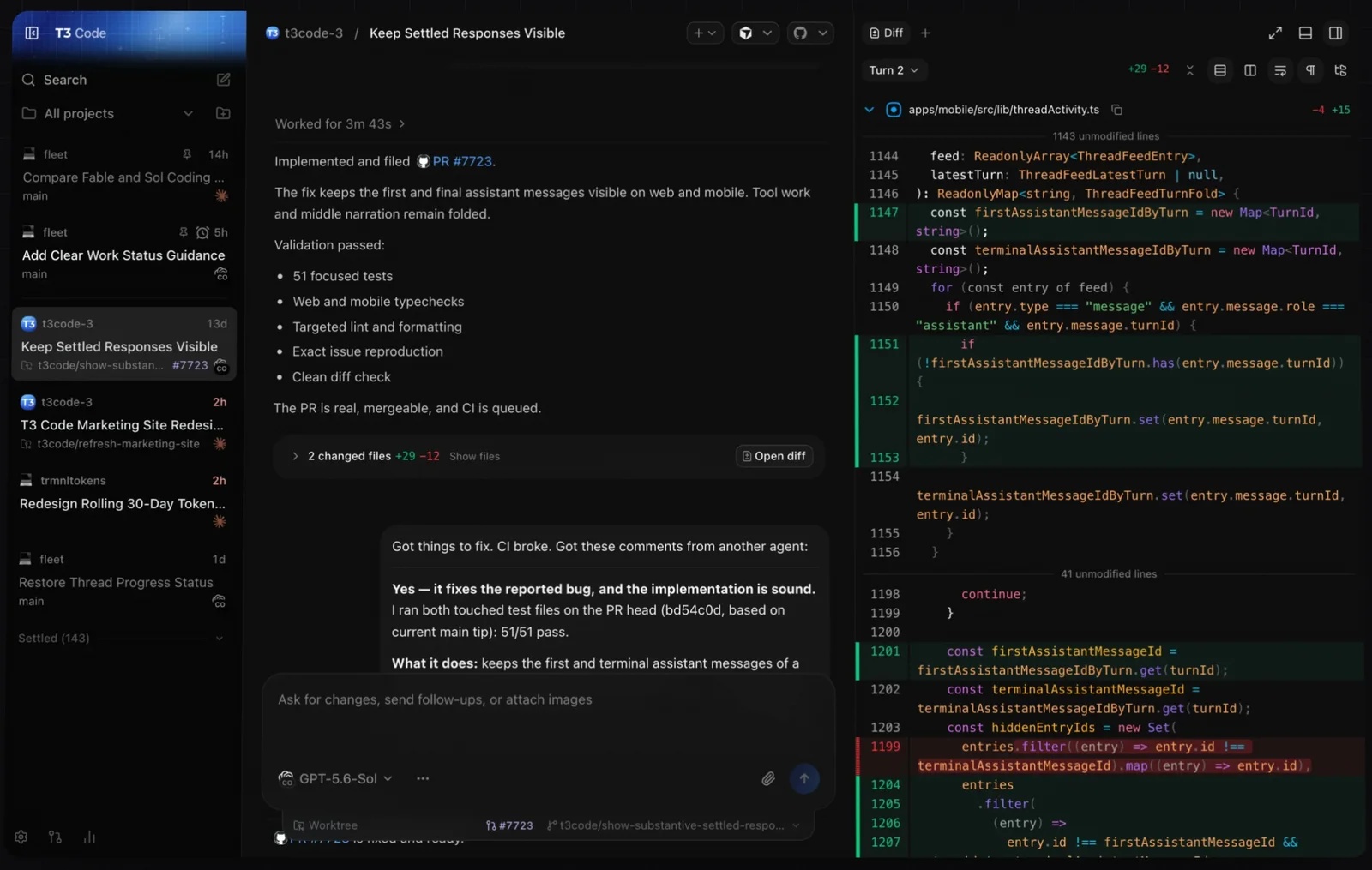
So we forked it and kept that layout. What T3 Code supplied, and what Voyager still runs on:
- the Electron and React desktop app and its overall workspace design;
- conversation orchestration: how threads, turns, approvals and events are stored and replayed;
- the provider adapter foundation, including native Claude and Codex support;
- basic chat, the desktop shell, the project and thread sidebar, the file browser and editor, and the browser panel.
None of those are Voyager inventions. We also keep taking fixes from T3 Code after the fork. Signing in to Codex with a ChatGPT account, for example, came from T3 Code's pull request #14290, and reliability fixes for database writes, worker recovery and Windows launches have come across the same way.
The other foundations we looked at
T3 Code was not the only option, and some of the others are still part of Voyager in smaller ways.
| Project | What it is | Its shape | Where it shows up in Voyager |
|---|---|---|---|
| OpenCode | A coding agent from Anomaly that works with 75+ model providers | A server with clients: a terminal interface, a desktop app and IDE extensions | Our first prototype ran on its desktop app. It still executes Voyager's own models and API-key models |
| Hermes Agent | Nous Research's self-improving agent | An always-on personal agent reached through Telegram, Discord, Slack, WhatsApp, Signal, email and the command line | Its memory and skill-learning patterns shaped ours |
| OpenClaw | A personal AI assistant that runs on your own computer | Reached through the chat apps you already use, with native apps on desktop and mobile | Its show_widget tool was a reference for our in-chat widgets |
Sources: OpenCode and its server documentation, Hermes Agent and its repository, OpenClaw's README and widget documentation, read 19 October 2026.
OpenCode is a coding agent whose terminal interface is one client of a local server; opencode serve runs that server on its own, and a published API and SDK let other apps drive it (OpenCode server docs). That client and server design made it a strong base for our very first prototype, which used OpenCode's desktop app as its shell. T3 Code's workspace was closer to the product we wanted to build, so we moved the app onto T3 Code. OpenCode did not leave: it is still the engine that runs Voyager's own models and the API models you connect with a key, and T3 Code supports it as a provider too.
Hermes Agent is built to be one agent that "lives everywhere": a single memory across messaging apps and the command line, natural-language scheduling that runs unattended, isolated subagents and sandboxed backends from local to Docker, SSH and Modal (Hermes Agent). It is a personal agent first, and Voyager needed a desktop workspace where the agent you already use works on files and creative apps in front of you. Hermes did shape Voyager's memory: bounded memory files loaded at the start of a conversation, skills saved as ordinary skill files, and background review of finished work for lessons worth keeping all come from studying how Hermes does it (Hermes memory documentation).
OpenClaw is "your assistant, on your devices, in your chats": it runs on your computer and meets you in Discord, iMessage, Slack, Teams, Telegram, WhatsApp and more than twenty other channels, and treats models and harnesses such as Claude and Codex as swappable plugins (OpenClaw README). Like Hermes, it is shaped around an assistant you message, where Voyager is shaped around a workspace you sit in. Its approach to self-contained interactive widgets in chat was one of the references for Voyager's.
We also read the source of Emdash, a desktop environment for running several coding agents in parallel, mainly for its approach to editors and worktrees.
What we added for creative work
The first bucket is a creative production layer: everything between "make a launch video" and a finished, revisable piece. This is more than a reskin or a folder of prompts.
| Area | What Voyager adds |
|---|---|
| Creative workflow knowledge | Bundled workflows for films, product demos, motion graphics, design, music, voice, 3D and games that cover planning, choosing models and tools, production, review and revision, not just generating one asset |
| Media generation and accounts | Discovers each media model's capabilities and inputs; generates images, video, audio and 3D; uploads references; estimates cost; routes through your connected accounts or Voyager credits; keeps billing receipts and never silently repeats an uncertain paid submission |
| Production engines and app control | Voyager's own Video, Design and DAW engines; assembly with bundled FFmpeg; render workflows for Remotion, HyperFrames and Blender; DaVinci Resolve commands and workflows for other creative apps. Editable source stays next to every export |
| Review and feedback | Video and audio players with scrubbing and waveforms, comments on a moment or a range, regions marked on a frame, stills reels and playable voice auditions. Feedback reaches the agent with the source version and timing attached |
| Projects built around outputs | Folder projects that do not need Git, project briefs, brand kits, saved design directions, consistent character assets and presented deliverables grouped into versions |
| Capture, assets and compute | Screen, camera and audio recording; search across footage by what is said or shown; asset-library access; 3D previews; and GPU machines for heavier production. An experimental Demo Mac records product walkthroughs in a separate macOS desktop so yours stays free |
The visible result is that a new conversation in Voyager starts from a creative brief rather than a repository.
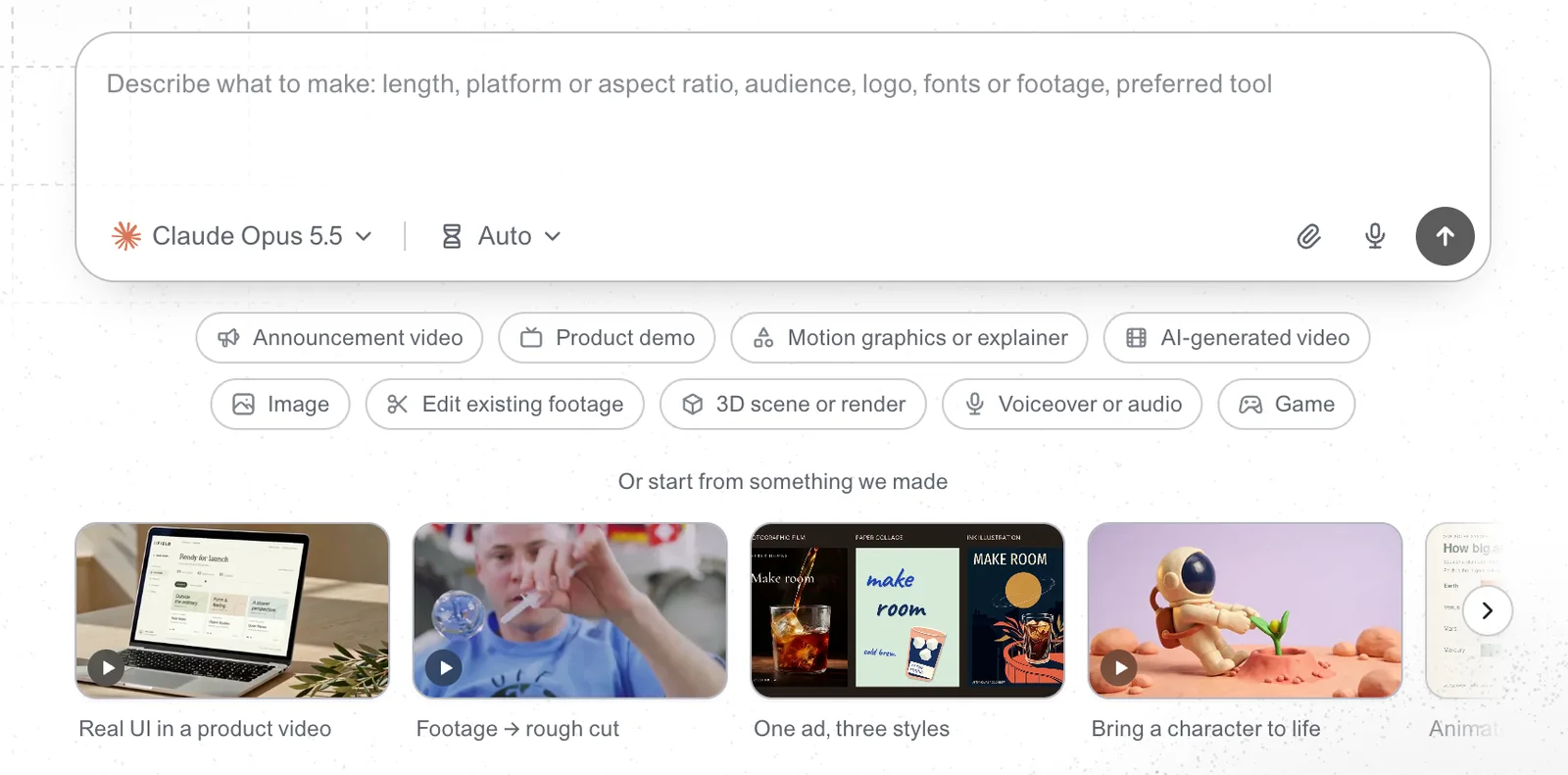
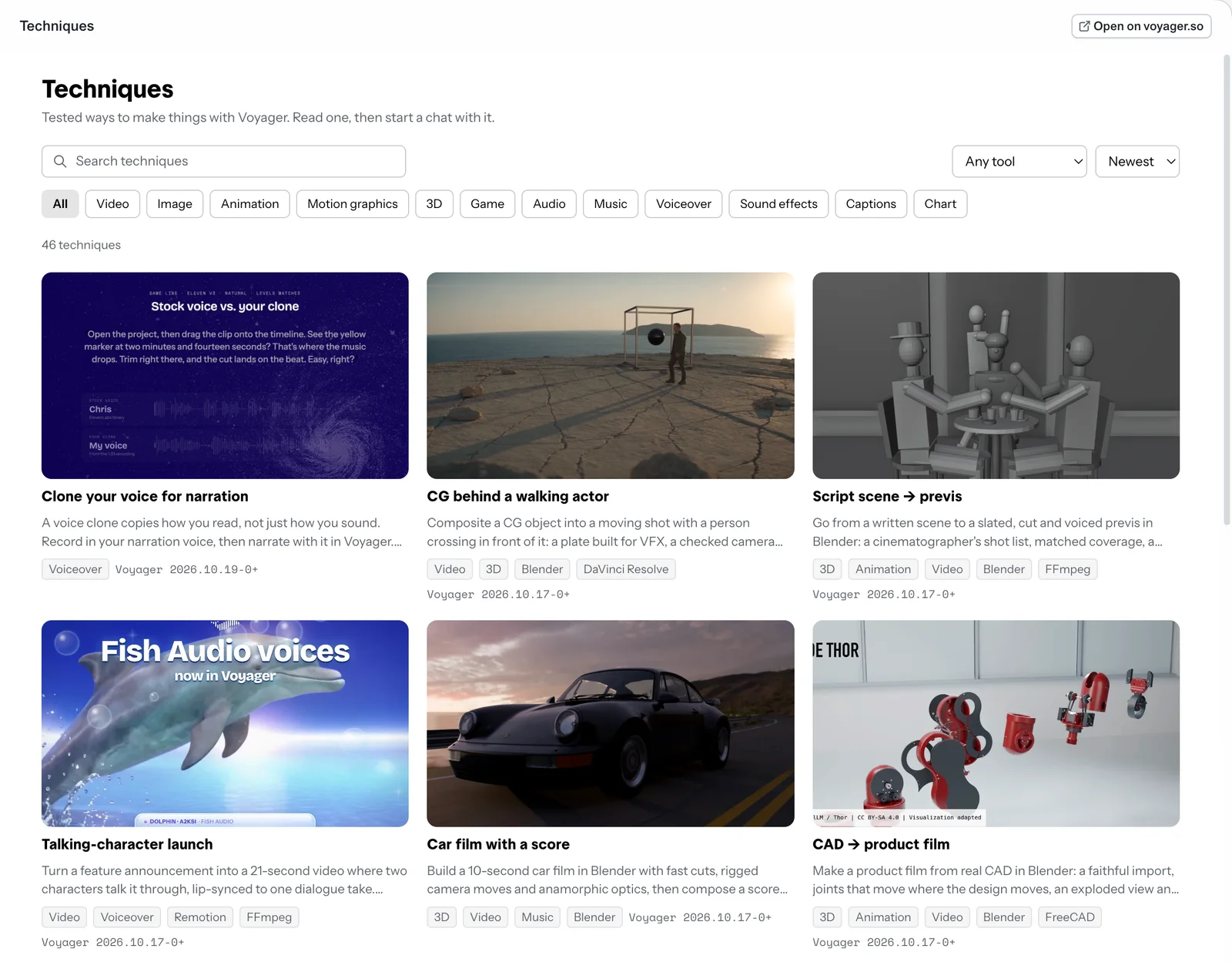
The Techniques page at the top of this post is the same idea at a larger scale: 46 worked examples on 19 October 2026, each of which opens as a new chat with its starter brief and suggested skills.
What we added to the harness itself
The second bucket is less visible and, to us, just as important. Creative work runs longer than a coding turn, comes back across days, and depends on remembering decisions. Those needs pushed us to extend the harness in ways that apply just as well to code or any other work.
| Area | What Voyager adds |
|---|---|
| Memory and learning | Project memories, search and recall across past conversations, reusable skills learned from your own work, and controls over what gets saved |
| Scheduled and background work | Routines that run a prompt on a schedule. Tracked jobs that finish after the agent ends its turn and wake the conversation to continue; local commands and external jobs can be tracked the same way |
| Conversations that work together | An app-level layer for one conversation to delegate a task to another and get the result back, with delivery state, limits and cancellation. This goes beyond exposing a provider's own subagents |
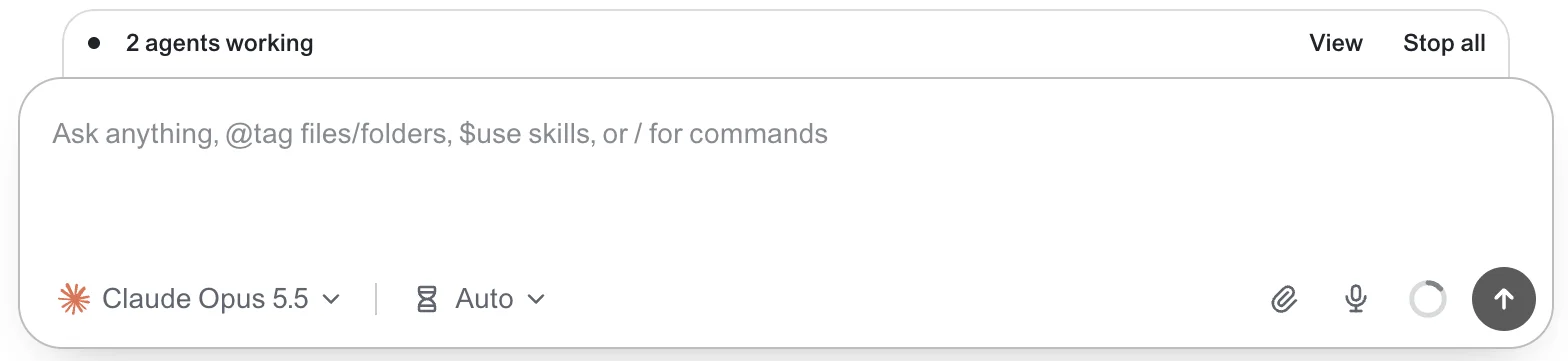
| Interaction and visibility | Interactive widgets in chat, richer question cards, expandable tool details, and one Background panel for agents, jobs and shells. Queue, Stop and Send now controls, and composing while a conversation compacts |
| Connectors and settings | Personal service connectors, MCP servers managed across providers, choosing which existing extensions to use, secure cards for entering API keys, and settings an agent can change through validated tools and a command-line interface |
| Browser and desktop | Extended browser controls, recording, uploads, touch and mobile emulation, localhost links and recovery when the browser host fails; native computer control on supported platforms |
| Reliability and polish | Provider and session recovery, approval handling, child-process cleanup, restart behavior, database and event-loop performance, incremental rendering of long threads, installation and update recovery, diagnostics, localization and accessibility. Some of this is Voyager's own work and some is documented fixes taken from T3 Code |
Where the two buckets overlap
The line between creative features and harness features is not always clean. Tracked jobs exist because renders and video generations outlive a single agent turn, but waking a conversation when a long job finishes is just as useful for a test suite or a deployment. Memory is general infrastructure; remembering a client's approved brand direction is its creative use. We built most of the harness work because creative projects needed it first, and kept it general on purpose.
If you are choosing between them
Both apps run the agent you already pay for. Voyager uses the official Claude Code and Codex runtimes and your existing sign-ins, and also offers its own models on a Voyager plan (Voyager docs). Use T3 Code if your work is code: it is built around Git, worktrees, diffs and pull requests, and its mobile and remote experience is a large part of why people love it. Use Voyager if your work is a film, a product demo, a soundtrack, a design system or a 3D scene, and you want the agent to work in the files and apps that work lives in. Voyager runs on Apple silicon Macs with macOS 15 or later, with alpha builds for Windows 11 and Linux (Voyager requirements).
We are grateful to the T3 Code team. Starting from their work let us spend our time on the parts of Voyager that are new, instead of rebuilding a desktop agent app that already existed and was already very good.
Frequently asked questions
What is T3 Code? T3 Code is a desktop, web and mobile app from T3 Tools for controlling coding agents such as Claude Code, Codex, Cursor, Grok Build, OpenCode and Google Antigravity with your existing subscriptions (T3 Code README). It is known for its speed, its interface and features for running agents in parallel, such as a Git worktree per thread and a built-in diff view.
Is Voyager a fork of T3 Code? Yes. Voyager's desktop app, conversation orchestration and provider adapters come from a fork of T3 Code made in mid-September 2026, and we continue to bring over fixes from T3 Code. The creative production layer and the harness extensions described above were added on top.
Does Voyager still work with Claude Code and Codex? Yes. Voyager runs Claude through Claude Code and ChatGPT through Codex, signed in with your subscription or an API key, and it can also use Voyager's own models or your own Anthropic, OpenAI, Gemini or xAI key (Voyager docs). Media generation is billed separately from your chat subscription.
How is Voyager different from T3 Code? T3 Code is built for coding: Git, worktrees, diffs, pull requests and remote access. Voyager keeps T3 Code's workspace and adds creative workflows, media generation, its own video, design and music engines, control of creative apps such as DaVinci Resolve and Blender, review tools for video and audio, and harness features such as memory, routines and background jobs.
Did Voyager consider OpenCode or Hermes Agent instead? Yes. Our first prototype ran on OpenCode's desktop app, and OpenCode still executes Voyager's own models. Hermes Agent and OpenClaw are personal agents you reach through messaging apps; Voyager borrowed ideas from both, for memory and for in-chat widgets, but needed a desktop workspace as its foundation.
Voyager is a desktop AI agent for creative work
Describe what you want to make; Voyager plans it, uses your apps and tools, and keeps everything editable.