
ByteDance · Desktop 9.6
CapCut and AI: API, MCP servers and agent limits
AI agents can prepare media for CapCut or use version-sensitive community tools to edit compatible draft files. CapCut has no public desktop editing API; its official Codex plugin and built-in AI features are separate routes with their own requirements.
Best route: Use a compatible app-created draft for community file tools, or import prepared media and finish manually. There is no public desktop editing API.


Ravi Parikh, Co-founder, Voyager
Can an AI agent drive CapCut?
We rate CapCut low because every route an agent can use today is either unofficial or region-limited. The draft-file route works and covers real jobs (assembling shorts, captions, retiming, cutting pauses), but the format is reverse engineered, changes with app updates that you cannot pin, and the terms of service prohibit reverse engineering and automated interaction. The official Codex plugin is the first sanctioned route, but it is not available in the US and its tools are not documented publicly.
Price: Freemium: the editor is free, and Standard, Pro, Ultra and Teams subscriptions add cloud storage, AI credits and Pro-badged features; prices vary by country, platform and promotion.
ByteDance publishes no editing or rendering API for CapCut and no developer portal on capcut.com.
There is no scripting language or macro system inside CapCut on any platform.
CapCut has no command line and no headless render.
CapCut does not load third-party plugins or extensions, and we found no plugin SDK documented on a ByteDance domain.
ByteDance ships no CapCut MCP server.
Desktop projects are folders of JSON under com.lveditor.draft: draft_content.json or draft_info.json holds tracks, segments and materials in microseconds, and builds from 9.2 also keep a Timelines/ copy the app reads first.
5 we would consider; we lead with VectCutAPI.
CapCut has a large set of built-in AI tools: captions, voices, translation, avatars, background removal and credit-billed video generation with ByteDance's Seedance models.
What an AI agent can do in CapCut
14 jobs people ask for, checked against what CapCut’s interfaces expose: 4 fully, 6 in part, 4 not at all.
| Job | Agent can do it? | How, or why not |
|---|---|---|
| Assemble a vertical short from clips, a voiceover and an SRT | Yes | VectCutAPI's MCP tools or capcut-cli's quickstart build a new draft with every track editable; you copy or open it in CapCut desktop. |
| Read an existing project's timeline | Partly | JmsLdrn's server and capcut-cli read CapCut International drafts; JianYing 6.0 and later encrypt app-written drafts, which these tools refuse to decrypt.capcut-cli: JianYing encryption, read |
| Move, trim, split or delete clips in an existing project | Partly | JmsLdrn's MCP server and capcut-cli edit the draft in place while CapCut is closed; builds from 9.2 read a nested Timelines/ copy, so a tool that only writes the root file can appear to change nothing. |
| Add, restyle or retime captions | Yes | VectCutAPI adds SRT subtitles to new drafts; capcut-cli imports SRT, restyles and translates captions in existing drafts with a .bak backup. |
| Remove pauses and duplicate takes from a talking-head video | Yes | SmartCut reads CapCut's own auto captions to find gaps and repeated takes and cuts them in place, with no backup. |
| Batch-produce variants (hooks, aspect ratios, languages) | Yes | VectCutAPI's HTTP API or capcut-cli's JSONL serve mode run in a loop without a model call per item. |
| Apply CapCut effects, transitions, stickers and text animations | Partly | VectCutAPI exposes the effect and animation IDs its templates know; anything newer in CapCut's library needs the ID copied from a draft the app wrote. |
| Export or render the final MP4 | No | CapCut has no headless export; you export in the app, and capcut-cli's render command is an ffmpeg proxy that reports which effects it leaves out.capcut-cli changelog: render fidelity, read |
| Run CapCut's AI tools (auto captions, background removal, Seedance video) | No | These run in the app or on ByteDance's servers and no tool exposes them to an agent; capcut-cli's experimental caption --cloud calls the private captioning endpoint and uploads your audio. |
| Edit projects on CapCut mobile or CapCut web | No | Mobile and web keep projects in an app sandbox or cloud space with no file access or API; edit on desktop and let cloud sync carry the project. |
| Use a CapCut template from the template library | No | Template discovery and use are mobile-first and region-dependent, and no agent route reaches the template library.CapCut: use and export templates, read |
| Generate a captioned draft from raw footage with CapCut's own agent | Partly | The official CapCut plugin for Codex does this in the ChatGPT desktop app, outside the US only as of 23 October 2026. |
| Watch the result and judge the edit | Partly | Draft JSON carries no pixels; an agent needs rendered frames (capcut-cli render, ffmpeg) or screenshots of the running app to check its work. |
| Click through the CapCut interface itself | Partly | Screen control (computer use) can operate the running desktop app, slowly and only while the interface stays as the agent expects. |
What AI can’t do in CapCut yet
No official API, scripting or plugin system; every file route depends on a reverse-engineered draft format.
Workaround: Use the community tools with a backup of com.lveditor.draft, or the official Codex plugin where it is available.
CapCut Terms of Service, read
CapCut 8.4 and later refuse drafts built from old templates ("This draft comes from an unconventional path"), and 10.x builds are reported to reject tool-written drafts as corrupted.
Workaround: Create an empty project in CapCut, quit, and have the tool write into it (capcut-cli 0.23 and later seed from your newest app-made project by default).
The app updates itself and migrates drafts it opens; there is no documented way to pin a version.
Workaround: Keep the installer of the version you validated, turn off automatic updates where your store allows it, and use a tool that warns on version drift (capcut-cli does).
Writing while CapCut is open gets overwritten by its autosave or corrupts the project.
Workaround: Quit CapCut before saving; JmsLdrn's server and capcut-cli refuse to write while the app is running.
JianYing, the Chinese build, encrypts drafts from 6.0, so an agent cannot read projects the app wrote.
Workaround: Use CapCut International, whose drafts stay plain JSON, or generate new plaintext drafts, which JianYing 11.4 opens and upgrades.
The draft-file tools listed here do not expose CapCut’s built-in AI, template library or final export. Voyager can attempt UI-only desktop finishing steps with your permission.
Workaround: Let the agent build the timeline, then run auto captions, apply templates and export in the app yourself.
CapCut MCP shortlist
For installation, verification and troubleshooting, use our CapCut MCP setup guide. The reference below covers the wider app and edition requirements.
- VectCutAPI
Start here to generate new shorts from clips, voiceover and captions; it does not read or edit projects you already have. Requirements: A clone of the repository with Python 3.10+, its requirements.txt and requirements-mcp.txt installed, FFmpeg, and CapCut desktop to open the result.
- JmsLdrn capcut-mcp
The one to try for editing an existing CapCut project in conversation; a single-commit project, so back up the drafts folder first. Requirements: Node 18+, ffmpeg and ffprobe on PATH, CapCut desktop closed while saving, and CAPCUT_TEMPLATE_DRAFT set to one of your own drafts that has a text layer for adding text.
- SmartCut (capcut-ai-editor)
Good for one job, rough-cutting talking-head recordings; it writes with no backup, so duplicate the project in CapCut first. Requirements: Python 3.10+, the package installed into a virtual environment with pip install -e ., and auto captions already generated in CapCut for the project; OPENAI_API_KEY is optional.
- capcut-mcp-server
Widely listed in MCP directories but untouched since January 2026; VectCutAPI's own MCP server does the same job with one fewer process. Requirements: VectCutAPI's HTTP server (capcut_server.py) running on port 9001, plus a local build of this TypeScript project.
- capcut-mcp-server-extended
Worth a look if you want preset caption styles for vertical shorts from Claude Code; same VectCutAPI dependency and no updates since March. Requirements: VectCutAPI's HTTP server running on port 9001, plus a local build of this project.
Connect CapCut to Claude, ChatGPT, Codex and other assistants
Pick your assistant. Each setup panel leads with VectCutAPI and has the config for every other CapCut server underneath.
Voyager Built in
Voyager normally prepares trimmed clips, voiceover, music, SRT captions and edit notes for CapCut. If you explicitly approve computer control, it can also operate the CapCut window for finishing steps on macOS or Windows. SRT import works in CapCut desktop and web, but not its phone app.
Requirements: Import the prepared media into your own CapCut edit. Window operation requires your explicit permission, the running Voyager desktop app on macOS or Windows, and desktop permissions. It does not promise a native CapCut project handoff. Windows and Linux Voyager builds are alpha; computer control is unavailable on Linux.
Claude desktop app Config below
Does Claude desktop app work with CapCut?
Yes, through VectCutAPI, a community MCP server by sun-guannan (VectCut)
ByteDance publishes no CapCut connector in Claude's connector directory; Claude Desktop uses the community stdio servers, which must run on the same machine as CapCut.
VectCutAPI · config in claude_desktop_config.json (Settings > Developer > Edit Config), which is ~/Library/Application Support/Claude/ on macOS and %APPDATA%\Claude\ on Windows
First: A clone of the repository with Python 3.10+, its requirements.txt and requirements-mcp.txt installed, FFmpeg, and CapCut desktop to open the result.
{
  "mcpServers": {
    "capcut": {
      "command": "python3",
      "args": [
        "/path/to/VectCutAPI/mcp_server.py"
      ],
      "env": {
        "PYTHONPATH": "/path/to/VectCutAPI"
      }
    }
  }
}
This server installs from source: replace the placeholder path with where you cloned or installed it.
›The other 4 CapCut MCP servers in Claude desktop app
JmsLdrn capcut-mcp
First: Node 18+, ffmpeg and ffprobe on PATH, CapCut desktop closed while saving, and CAPCUT_TEMPLATE_DRAFT set to one of your own drafts that has a text layer for adding text.
{
  "mcpServers": {
    "capcut": {
      "command": "node",
      "args": [
        "/ABSOLUTE/PATH/TO/capcut-mcp/src/server.js"
      ],
      "env": {
        "CAPCUT_DRAFTS_DIR": "",
        "CAPCUT_TEMPLATE_DRAFT": ""
      }
    }
  }
}
This server installs from source: replace the placeholder path with where you cloned or installed it.
SmartCut (capcut-ai-editor)
First: Python 3.10+, the package installed into a virtual environment with pip install -e ., and auto captions already generated in CapCut for the project; OPENAI_API_KEY is optional.
{
  "mcpServers": {
    "capcut": {
      "command": "/path/to/capcut-ai-editor/venv/bin/python",
      "args": [
        "-m",
        "smartcut.server"
      ],
      "env": {}
    }
  }
}
This server installs from source: replace the placeholder path with where you cloned or installed it.
capcut-mcp-server
First: VectCutAPI's HTTP server (capcut_server.py) running on port 9001, plus a local build of this TypeScript project.
{
  "mcpServers": {
    "capcut": {
      "command": "node",
      "args": [
        "/absolute/path/to/capcut-mcp-server/dist/index.js"
      ],
      "env": {
        "CAPCUT_API_URL": "http://localhost:9001"
      }
    }
  }
}
This server installs from source: replace the placeholder path with where you cloned or installed it.
capcut-mcp-server-extended
First: VectCutAPI's HTTP server running on port 9001, plus a local build of this project.
{
  "mcpServers": {
    "capcut": {
      "command": "node",
      "args": [
        "/absolute/path/to/capcut-mcp-server/dist/index.js"
      ],
      "env": {
        "CAPCUT_API_URL": "http://localhost:9001"
      }
    }
  }
}
This server installs from source: replace the placeholder path with where you cloned or installed it.
Quit and reopen the app after editing the config file; it is read at launch. Remote connectors are reached from Anthropic's cloud, not your computer, so a server on localhost or behind a VPN will not connect as a custom connector. Requires: a custom connector for remote servers, which Free plans limit to one and which an Owner adds on Team and Enterprise; local servers need only the desktop app. Claude desktop app docs.
Claude Code Config below
Does Claude Code work with CapCut?
Yes, through VectCutAPI, a community MCP server by sun-guannan (VectCut)
Besides MCP, capcut-cli loads into Claude Code as a plugin with /plugin marketplace add renezander030/capcut-cli and /plugin install capcut-cli@capcut-cli, and Claude Code can then drive the CLI from its shell.
VectCutAPI · config in ~/.claude.json for user scope (%USERPROFILE%\.claude.json on Windows), or .mcp.json in the project root for project scope
First: A clone of the repository with Python 3.10+, its requirements.txt and requirements-mcp.txt installed, FFmpeg, and CapCut desktop to open the result.
claude mcp add --scope user -e PYTHONPATH=/path/to/VectCutAPI --transport stdio capcut -- python3 /path/to/VectCutAPI/mcp_server.pyThis server installs from source: replace the placeholder path with where you cloned or installed it.
›The other 4 CapCut MCP servers in Claude Code
JmsLdrn capcut-mcp
First: Node 18+, ffmpeg and ffprobe on PATH, CapCut desktop closed while saving, and CAPCUT_TEMPLATE_DRAFT set to one of your own drafts that has a text layer for adding text.
claude mcp add --scope user -e CAPCUT_DRAFTS_DIR='' -e CAPCUT_TEMPLATE_DRAFT='' --transport stdio capcut -- node /ABSOLUTE/PATH/TO/capcut-mcp/src/server.jsThis server installs from source: replace the placeholder path with where you cloned or installed it.
SmartCut (capcut-ai-editor)
First: Python 3.10+, the package installed into a virtual environment with pip install -e ., and auto captions already generated in CapCut for the project; OPENAI_API_KEY is optional.
claude mcp add --scope user --transport stdio capcut -- /path/to/capcut-ai-editor/venv/bin/python -m smartcut.serverThis server installs from source: replace the placeholder path with where you cloned or installed it.
capcut-mcp-server
First: VectCutAPI's HTTP server (capcut_server.py) running on port 9001, plus a local build of this TypeScript project.
claude mcp add --scope user -e CAPCUT_API_URL=http://localhost:9001 --transport stdio capcut -- node /absolute/path/to/capcut-mcp-server/dist/index.jsThis server installs from source: replace the placeholder path with where you cloned or installed it.
capcut-mcp-server-extended
First: VectCutAPI's HTTP server running on port 9001, plus a local build of this project.
claude mcp add --scope user -e CAPCUT_API_URL=http://localhost:9001 --transport stdio capcut -- node /absolute/path/to/capcut-mcp-server/dist/index.jsThis server installs from source: replace the placeholder path with where you cloned or installed it.
Options go before the name and the -- keeps the server's own flags away from Claude Code; a name placed straight after -e is read as another variable, hence --transport between them. Check with claude mcp list or /mcp inside a session. Claude Code docs.
ChatGPT Not directly
Does ChatGPT work with CapCut?
Not directly. ChatGPT only connects to remote MCP servers over HTTPS, and VectCutAPI runs on your own computer. To use it from ChatGPT you would have to expose it at a public URL through a tunnel or bridge, which also exposes CapCut to the internet.
CapCut's agent integration lives in Codex inside the ChatGPT desktop app, not in the ChatGPT apps directory in the browser, and is outside the US only as of 23 October 2026. Otherwise ChatGPT reaches CapCut only through a custom MCP connector.
VectCutAPI · config in ChatGPT's settings on the web (Apps, shown as Plugins on newer accounts); there is no config file
ChatGPT only connects to remote MCP servers over HTTPS, and VectCutAPI runs on your own computer. To use it from ChatGPT you would have to expose it at a public URL through a tunnel or bridge, which also exposes CapCut to the internet.
›The other 4 CapCut MCP servers in ChatGPT
JmsLdrn capcut-mcp
ChatGPT only connects to remote MCP servers over HTTPS, and JmsLdrn capcut-mcp runs on your own computer. To use it from ChatGPT you would have to expose it at a public URL through a tunnel or bridge, which also exposes CapCut to the internet.
SmartCut (capcut-ai-editor)
ChatGPT only connects to remote MCP servers over HTTPS, and SmartCut (capcut-ai-editor) runs on your own computer. To use it from ChatGPT you would have to expose it at a public URL through a tunnel or bridge, which also exposes CapCut to the internet.
capcut-mcp-server
ChatGPT only connects to remote MCP servers over HTTPS, and capcut-mcp-server runs on your own computer. To use it from ChatGPT you would have to expose it at a public URL through a tunnel or bridge, which also exposes CapCut to the internet.
capcut-mcp-server-extended
ChatGPT only connects to remote MCP servers over HTTPS, and capcut-mcp-server-extended runs on your own computer. To use it from ChatGPT you would have to expose it at a public URL through a tunnel or bridge, which also exposes CapCut to the internet.
ChatGPT only reaches servers on the public internet over HTTPS. A local stdio server needs OpenAI's Secure MCP Tunnel (the tunnel-client daemon, an OpenAI Platform tunnel and API key), or a public tunnel such as ngrok, so most people use Codex or Claude for local apps. Requires: developer mode (beta) in ChatGPT on the web; OpenAI documents full MCP, including write actions, for Business, Enterprise and Edu workspaces, where an admin must allow it. ChatGPT docs.
Codex Official app
Does Codex work with CapCut?
Yes. CapCut for Codex is an official connection for Codex; its requirements are below. You can also use VectCutAPI, a community MCP server by sun-guannan (VectCut)
CapCut for Codex
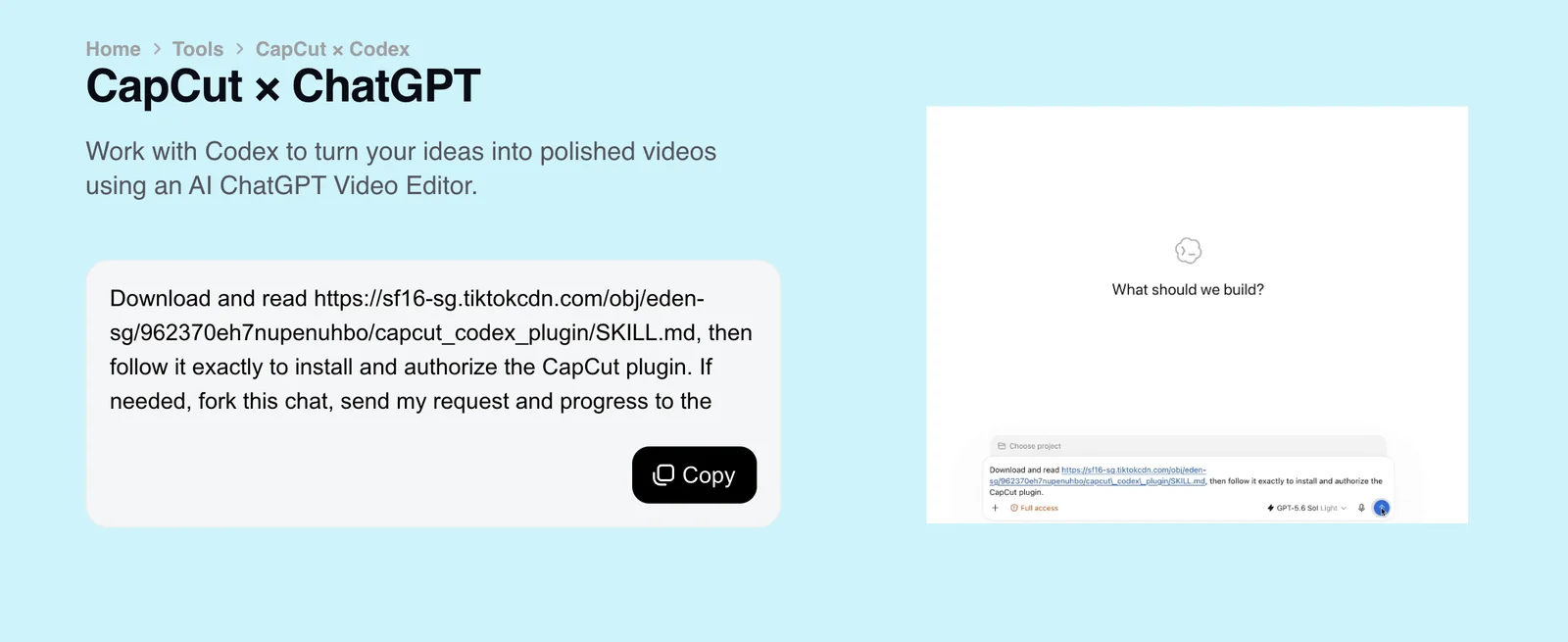
CapCut's own plugin for Codex in the ChatGPT desktop app takes uploaded footage to a draft edit with captions that you refine on a timeline; CapCut says it is available outside the US with a US launch coming soon, and that availability varies by app version, account and region.
CapCut: CapCut x Codex, read
CapCut ships its own plugin for Codex in the ChatGPT desktop app, installed from a prompt on CapCut's CapCut x Codex page; CapCut says it is not yet available in the US. capcut-cli's capcut-edit skill also installs into Codex with npx skills add renezander030/capcut-cli.
VectCutAPI · config in ~/.codex/config.toml (%USERPROFILE%\.codex\config.toml on Windows), shared by the Codex CLI, IDE extension and desktop app
First: A clone of the repository with Python 3.10+, its requirements.txt and requirements-mcp.txt installed, FFmpeg, and CapCut desktop to open the result.
[mcp_servers.capcut]
command = 'python3'
args = ["/path/to/VectCutAPI/mcp_server.py"]
env = { PYTHONPATH = "/path/to/VectCutAPI" }
This server installs from source: replace the placeholder path with where you cloned or installed it.
›The other 4 CapCut MCP servers in Codex
JmsLdrn capcut-mcp
First: Node 18+, ffmpeg and ffprobe on PATH, CapCut desktop closed while saving, and CAPCUT_TEMPLATE_DRAFT set to one of your own drafts that has a text layer for adding text.
[mcp_servers.capcut]
command = 'node'
args = ["/ABSOLUTE/PATH/TO/capcut-mcp/src/server.js"]
env = { CAPCUT_DRAFTS_DIR = "", CAPCUT_TEMPLATE_DRAFT = "" }
This server installs from source: replace the placeholder path with where you cloned or installed it.
SmartCut (capcut-ai-editor)
First: Python 3.10+, the package installed into a virtual environment with pip install -e ., and auto captions already generated in CapCut for the project; OPENAI_API_KEY is optional.
[mcp_servers.capcut]
command = '/path/to/capcut-ai-editor/venv/bin/python'
args = ["-m", "smartcut.server"]
env = {}
This server installs from source: replace the placeholder path with where you cloned or installed it.
capcut-mcp-server
First: VectCutAPI's HTTP server (capcut_server.py) running on port 9001, plus a local build of this TypeScript project.
[mcp_servers.capcut]
command = 'node'
args = ["/absolute/path/to/capcut-mcp-server/dist/index.js"]
env = { CAPCUT_API_URL = "http://localhost:9001" }
This server installs from source: replace the placeholder path with where you cloned or installed it.
capcut-mcp-server-extended
First: VectCutAPI's HTTP server running on port 9001, plus a local build of this project.
[mcp_servers.capcut]
command = 'node'
args = ["/absolute/path/to/capcut-mcp-server/dist/index.js"]
env = { CAPCUT_API_URL = "http://localhost:9001" }
This server installs from source: replace the placeholder path with where you cloned or installed it.
codex mcp add also takes a local server (name, then -- and the command), but it sets variables with --env KEY=VALUE rather than -e, so the config block is shown here. Run codex mcp list to check it is enabled, and codex mcp login with the server name for an OAuth server. Codex docs.
Cursor Config below
Does Cursor work with CapCut?
Yes, through VectCutAPI, a community MCP server by sun-guannan (VectCut)
VectCutAPI · config in ~/.cursor/mcp.json for every project (%USERPROFILE%\.cursor\mcp.json on Windows), or .cursor/mcp.json in one project
First: A clone of the repository with Python 3.10+, its requirements.txt and requirements-mcp.txt installed, FFmpeg, and CapCut desktop to open the result.
{
  "mcpServers": {
    "capcut": {
      "command": "python3",
      "args": [
        "/path/to/VectCutAPI/mcp_server.py"
      ],
      "env": {
        "PYTHONPATH": "/path/to/VectCutAPI"
      }
    }
  }
}
This server installs from source: replace the placeholder path with where you cloned or installed it.
›The other 4 CapCut MCP servers in Cursor
JmsLdrn capcut-mcp
First: Node 18+, ffmpeg and ffprobe on PATH, CapCut desktop closed while saving, and CAPCUT_TEMPLATE_DRAFT set to one of your own drafts that has a text layer for adding text.
{
  "mcpServers": {
    "capcut": {
      "command": "node",
      "args": [
        "/ABSOLUTE/PATH/TO/capcut-mcp/src/server.js"
      ],
      "env": {
        "CAPCUT_DRAFTS_DIR": "",
        "CAPCUT_TEMPLATE_DRAFT": ""
      }
    }
  }
}
This server installs from source: replace the placeholder path with where you cloned or installed it.
SmartCut (capcut-ai-editor)
First: Python 3.10+, the package installed into a virtual environment with pip install -e ., and auto captions already generated in CapCut for the project; OPENAI_API_KEY is optional.
{
  "mcpServers": {
    "capcut": {
      "command": "/path/to/capcut-ai-editor/venv/bin/python",
      "args": [
        "-m",
        "smartcut.server"
      ],
      "env": {}
    }
  }
}
This server installs from source: replace the placeholder path with where you cloned or installed it.
capcut-mcp-server
First: VectCutAPI's HTTP server (capcut_server.py) running on port 9001, plus a local build of this TypeScript project.
{
  "mcpServers": {
    "capcut": {
      "command": "node",
      "args": [
        "/absolute/path/to/capcut-mcp-server/dist/index.js"
      ],
      "env": {
        "CAPCUT_API_URL": "http://localhost:9001"
      }
    }
  }
}
This server installs from source: replace the placeholder path with where you cloned or installed it.
capcut-mcp-server-extended
First: VectCutAPI's HTTP server running on port 9001, plus a local build of this project.
{
  "mcpServers": {
    "capcut": {
      "command": "node",
      "args": [
        "/absolute/path/to/capcut-mcp-server/dist/index.js"
      ],
      "env": {
        "CAPCUT_API_URL": "http://localhost:9001"
      }
    }
  }
}
This server installs from source: replace the placeholder path with where you cloned or installed it.
Cursor has capped the number of MCP tools it sends the model (third-party guides cite 40 to 80), so disable tools you do not need in Settings > MCP. GUI apps do not inherit your shell PATH; use full paths for commands like uvx. Cursor docs.
VS Code with GitHub Copilot Config below
Does VS Code with GitHub Copilot work with CapCut?
Yes, through VectCutAPI, a community MCP server by sun-guannan (VectCut)
VectCutAPI · config in ~/.copilot/mcp-config.json for yourself (the Copilot Global destination), or .mcp.json in the workspace root for a team
First: A clone of the repository with Python 3.10+, its requirements.txt and requirements-mcp.txt installed, FFmpeg, and CapCut desktop to open the result.
{
  "mcpServers": {
    "capcut": {
      "command": "python3",
      "args": [
        "/path/to/VectCutAPI/mcp_server.py"
      ],
      "env": {
        "PYTHONPATH": "/path/to/VectCutAPI"
      }
    }
  }
}
This server installs from source: replace the placeholder path with where you cloned or installed it.
›The other 4 CapCut MCP servers in VS Code with GitHub Copilot
JmsLdrn capcut-mcp
First: Node 18+, ffmpeg and ffprobe on PATH, CapCut desktop closed while saving, and CAPCUT_TEMPLATE_DRAFT set to one of your own drafts that has a text layer for adding text.
{
  "mcpServers": {
    "capcut": {
      "command": "node",
      "args": [
        "/ABSOLUTE/PATH/TO/capcut-mcp/src/server.js"
      ],
      "env": {
        "CAPCUT_DRAFTS_DIR": "",
        "CAPCUT_TEMPLATE_DRAFT": ""
      }
    }
  }
}
This server installs from source: replace the placeholder path with where you cloned or installed it.
SmartCut (capcut-ai-editor)
First: Python 3.10+, the package installed into a virtual environment with pip install -e ., and auto captions already generated in CapCut for the project; OPENAI_API_KEY is optional.
{
  "mcpServers": {
    "capcut": {
      "command": "/path/to/capcut-ai-editor/venv/bin/python",
      "args": [
        "-m",
        "smartcut.server"
      ],
      "env": {}
    }
  }
}
This server installs from source: replace the placeholder path with where you cloned or installed it.
capcut-mcp-server
First: VectCutAPI's HTTP server (capcut_server.py) running on port 9001, plus a local build of this TypeScript project.
{
  "mcpServers": {
    "capcut": {
      "command": "node",
      "args": [
        "/absolute/path/to/capcut-mcp-server/dist/index.js"
      ],
      "env": {
        "CAPCUT_API_URL": "http://localhost:9001"
      }
    }
  }
}
This server installs from source: replace the placeholder path with where you cloned or installed it.
capcut-mcp-server-extended
First: VectCutAPI's HTTP server running on port 9001, plus a local build of this project.
{
  "mcpServers": {
    "capcut": {
      "command": "node",
      "args": [
        "/absolute/path/to/capcut-mcp-server/dist/index.js"
      ],
      "env": {
        "CAPCUT_API_URL": "http://localhost:9001"
      }
    }
  }
}
This server installs from source: replace the placeholder path with where you cloned or installed it.
VS Code now recommends the portable mcpServers file, which the Copilot harness reads directly and Copilot CLI shares; .vscode/mcp.json still works but uses "servers" and is labelled deprecated in the Add Server flow. MCP: Add Server in the Command Palette writes the same entry for you. Requires: a GitHub Copilot plan, and on Copilot Business or Enterprise the organization's "MCP servers in Copilot" policy, which is off by default. VS Code with GitHub Copilot docs.
Gemini CLI Config below
Does Gemini CLI work with CapCut?
Yes, through VectCutAPI, a community MCP server by sun-guannan (VectCut)
VectCutAPI · config in ~/.gemini/settings.json (%USERPROFILE%\.gemini\settings.json on Windows), or .gemini/settings.json in one project
First: A clone of the repository with Python 3.10+, its requirements.txt and requirements-mcp.txt installed, FFmpeg, and CapCut desktop to open the result.
gemini mcp add --scope user -e PYTHONPATH=/path/to/VectCutAPI capcut python3 -- /path/to/VectCutAPI/mcp_server.pyThis server installs from source: replace the placeholder path with where you cloned or installed it.
›The other 4 CapCut MCP servers in Gemini CLI
JmsLdrn capcut-mcp
First: Node 18+, ffmpeg and ffprobe on PATH, CapCut desktop closed while saving, and CAPCUT_TEMPLATE_DRAFT set to one of your own drafts that has a text layer for adding text.
gemini mcp add --scope user -e CAPCUT_DRAFTS_DIR='' -e CAPCUT_TEMPLATE_DRAFT='' capcut node -- /ABSOLUTE/PATH/TO/capcut-mcp/src/server.jsThis server installs from source: replace the placeholder path with where you cloned or installed it.
SmartCut (capcut-ai-editor)
First: Python 3.10+, the package installed into a virtual environment with pip install -e ., and auto captions already generated in CapCut for the project; OPENAI_API_KEY is optional.
gemini mcp add --scope user capcut /path/to/capcut-ai-editor/venv/bin/python -- -m smartcut.serverThis server installs from source: replace the placeholder path with where you cloned or installed it.
capcut-mcp-server
First: VectCutAPI's HTTP server (capcut_server.py) running on port 9001, plus a local build of this TypeScript project.
gemini mcp add --scope user -e CAPCUT_API_URL=http://localhost:9001 capcut node -- /absolute/path/to/capcut-mcp-server/dist/index.jsThis server installs from source: replace the placeholder path with where you cloned or installed it.
capcut-mcp-server-extended
First: VectCutAPI's HTTP server running on port 9001, plus a local build of this project.
gemini mcp add --scope user -e CAPCUT_API_URL=http://localhost:9001 capcut node -- /absolute/path/to/capcut-mcp-server/dist/index.jsThis server installs from source: replace the placeholder path with where you cloned or installed it.
Without --scope user the server is written to the current project's settings. Stdio servers only connect in a trusted folder; run gemini trust, then gemini mcp list to check. Requires: a Gemini API key or Vertex AI, since consumer Google sign-ins moved to Antigravity CLI on 18 June 2026. Gemini CLI docs.
Hermes Agent Config below
Does Hermes Agent work with CapCut?
Yes, through VectCutAPI, a community MCP server by sun-guannan (VectCut)
VectCutAPI · config in ~/.hermes/config.yaml (%LOCALAPPDATA%\hermes\config.yaml on native Windows)
First: A clone of the repository with Python 3.10+, its requirements.txt and requirements-mcp.txt installed, FFmpeg, and CapCut desktop to open the result.
mcp_servers:
  capcut:
    command: 'python3'
    args: ["/path/to/VectCutAPI/mcp_server.py"]
    env: {PYTHONPATH: "/path/to/VectCutAPI"}
This server installs from source: replace the placeholder path with where you cloned or installed it.
›The other 4 CapCut MCP servers in Hermes Agent
JmsLdrn capcut-mcp
First: Node 18+, ffmpeg and ffprobe on PATH, CapCut desktop closed while saving, and CAPCUT_TEMPLATE_DRAFT set to one of your own drafts that has a text layer for adding text.
mcp_servers:
  capcut:
    command: 'node'
    args: ["/ABSOLUTE/PATH/TO/capcut-mcp/src/server.js"]
    env: {CAPCUT_DRAFTS_DIR: "", CAPCUT_TEMPLATE_DRAFT: ""}
This server installs from source: replace the placeholder path with where you cloned or installed it.
SmartCut (capcut-ai-editor)
First: Python 3.10+, the package installed into a virtual environment with pip install -e ., and auto captions already generated in CapCut for the project; OPENAI_API_KEY is optional.
mcp_servers:
  capcut:
    command: '/path/to/capcut-ai-editor/venv/bin/python'
    args: ["-m", "smartcut.server"]
    env: {}
This server installs from source: replace the placeholder path with where you cloned or installed it.
capcut-mcp-server
First: VectCutAPI's HTTP server (capcut_server.py) running on port 9001, plus a local build of this TypeScript project.
mcp_servers:
  capcut:
    command: 'node'
    args: ["/absolute/path/to/capcut-mcp-server/dist/index.js"]
    env: {CAPCUT_API_URL: "http://localhost:9001"}
This server installs from source: replace the placeholder path with where you cloned or installed it.
capcut-mcp-server-extended
First: VectCutAPI's HTTP server running on port 9001, plus a local build of this project.
mcp_servers:
  capcut:
    command: 'node'
    args: ["/absolute/path/to/capcut-mcp-server/dist/index.js"]
    env: {CAPCUT_API_URL: "http://localhost:9001"}
This server installs from source: replace the placeholder path with where you cloned or installed it.
Start a new session or run /reload-mcp after editing; a running gateway picks up config.yaml changes within about a minute. For an OAuth-protected remote server, add auth: oauth under it and run hermes mcp login with the server name. Hermes Agent docs.
OpenClaw Config below
Does OpenClaw work with CapCut?
Yes, through VectCutAPI, a community MCP server by sun-guannan (VectCut)
VectCutAPI · config in ~/.openclaw/openclaw.json, under mcp.servers
First: A clone of the repository with Python 3.10+, its requirements.txt and requirements-mcp.txt installed, FFmpeg, and CapCut desktop to open the result.
{
  "mcp": {
    "servers": {
      "capcut": {
        "command": "python3",
        "args": [
          "/path/to/VectCutAPI/mcp_server.py"
        ],
        "env": {
          "PYTHONPATH": "/path/to/VectCutAPI"
        }
      }
    }
  }
}
This server installs from source: replace the placeholder path with where you cloned or installed it.
›The other 4 CapCut MCP servers in OpenClaw
JmsLdrn capcut-mcp
First: Node 18+, ffmpeg and ffprobe on PATH, CapCut desktop closed while saving, and CAPCUT_TEMPLATE_DRAFT set to one of your own drafts that has a text layer for adding text.
{
  "mcp": {
    "servers": {
      "capcut": {
        "command": "node",
        "args": [
          "/ABSOLUTE/PATH/TO/capcut-mcp/src/server.js"
        ],
        "env": {
          "CAPCUT_DRAFTS_DIR": "",
          "CAPCUT_TEMPLATE_DRAFT": ""
        }
      }
    }
  }
}
This server installs from source: replace the placeholder path with where you cloned or installed it.
SmartCut (capcut-ai-editor)
First: Python 3.10+, the package installed into a virtual environment with pip install -e ., and auto captions already generated in CapCut for the project; OPENAI_API_KEY is optional.
{
  "mcp": {
    "servers": {
      "capcut": {
        "command": "/path/to/capcut-ai-editor/venv/bin/python",
        "args": [
          "-m",
          "smartcut.server"
        ],
        "env": {}
      }
    }
  }
}
This server installs from source: replace the placeholder path with where you cloned or installed it.
capcut-mcp-server
First: VectCutAPI's HTTP server (capcut_server.py) running on port 9001, plus a local build of this TypeScript project.
{
  "mcp": {
    "servers": {
      "capcut": {
        "command": "node",
        "args": [
          "/absolute/path/to/capcut-mcp-server/dist/index.js"
        ],
        "env": {
          "CAPCUT_API_URL": "http://localhost:9001"
        }
      }
    }
  }
}
This server installs from source: replace the placeholder path with where you cloned or installed it.
capcut-mcp-server-extended
First: VectCutAPI's HTTP server running on port 9001, plus a local build of this project.
{
  "mcp": {
    "servers": {
      "capcut": {
        "command": "node",
        "args": [
          "/absolute/path/to/capcut-mcp-server/dist/index.js"
        ],
        "env": {
          "CAPCUT_API_URL": "http://localhost:9001"
        }
      }
    }
  }
}
This server installs from source: replace the placeholder path with where you cloned or installed it.
The key is mcp.servers, not mcpServers. The Gateway hot-reloads the file; run openclaw mcp doctor with the server name and --probe to confirm it answers. Interpreter and loader variables such as NODE_OPTIONS are stripped from a stdio server's env. OpenClaw docs.
Windsurf (Devin Desktop) Config below
Does Windsurf (Devin Desktop) work with CapCut?
Yes, through VectCutAPI, a community MCP server by sun-guannan (VectCut)
VectCutAPI · config in ~/.config/devin/mcp_config.json on macOS and Linux (%APPDATA%\devin\mcp_config.json on Windows); builds from before June 2026 used ~/.codeium/windsurf/mcp_config.json
First: A clone of the repository with Python 3.10+, its requirements.txt and requirements-mcp.txt installed, FFmpeg, and CapCut desktop to open the result.
{
  "mcpServers": {
    "capcut": {
      "command": "python3",
      "args": [
        "/path/to/VectCutAPI/mcp_server.py"
      ],
      "env": {
        "PYTHONPATH": "/path/to/VectCutAPI"
      }
    }
  }
}
This server installs from source: replace the placeholder path with where you cloned or installed it.
›The other 4 CapCut MCP servers in Windsurf (Devin Desktop)
JmsLdrn capcut-mcp
First: Node 18+, ffmpeg and ffprobe on PATH, CapCut desktop closed while saving, and CAPCUT_TEMPLATE_DRAFT set to one of your own drafts that has a text layer for adding text.
{
  "mcpServers": {
    "capcut": {
      "command": "node",
      "args": [
        "/ABSOLUTE/PATH/TO/capcut-mcp/src/server.js"
      ],
      "env": {
        "CAPCUT_DRAFTS_DIR": "",
        "CAPCUT_TEMPLATE_DRAFT": ""
      }
    }
  }
}
This server installs from source: replace the placeholder path with where you cloned or installed it.
SmartCut (capcut-ai-editor)
First: Python 3.10+, the package installed into a virtual environment with pip install -e ., and auto captions already generated in CapCut for the project; OPENAI_API_KEY is optional.
{
  "mcpServers": {
    "capcut": {
      "command": "/path/to/capcut-ai-editor/venv/bin/python",
      "args": [
        "-m",
        "smartcut.server"
      ],
      "env": {}
    }
  }
}
This server installs from source: replace the placeholder path with where you cloned or installed it.
capcut-mcp-server
First: VectCutAPI's HTTP server (capcut_server.py) running on port 9001, plus a local build of this TypeScript project.
{
  "mcpServers": {
    "capcut": {
      "command": "node",
      "args": [
        "/absolute/path/to/capcut-mcp-server/dist/index.js"
      ],
      "env": {
        "CAPCUT_API_URL": "http://localhost:9001"
      }
    }
  }
}
This server installs from source: replace the placeholder path with where you cloned or installed it.
capcut-mcp-server-extended
First: VectCutAPI's HTTP server running on port 9001, plus a local build of this project.
{
  "mcpServers": {
    "capcut": {
      "command": "node",
      "args": [
        "/absolute/path/to/capcut-mcp-server/dist/index.js"
      ],
      "env": {
        "CAPCUT_API_URL": "http://localhost:9001"
      }
    }
  }
}
This server installs from source: replace the placeholder path with where you cloned or installed it.
Windsurf became Devin Desktop in June 2026 and its default agent is now Devin Local; the legacy Cascade agent expects serverUrl instead of url for remote servers and allows at most 100 tools at once. Refresh the MCP panel after editing the file. Requires: MCP left on by a Teams or Enterprise admin, who can also allowlist servers (allowlisting one blocks all others). Windsurf (Devin Desktop) docs.
CapCut API, scripting and command line
CapCut API
NoByteDance publishes no editing or rendering API for CapCut and no developer portal on capcut.com. The GitHub projects named "CapCut API" are unofficial draft-file generators, and CapCut's terms prohibit reverse engineering and using automated scripts to interact with the Services.
CapCut Terms of Service, read
CapCut scripting
NoThere is no scripting language or macro system inside CapCut on any platform. The nearest thing is unofficial: Python libraries such as pyCapCut and pyJianYingDraft that generate draft folders for the app to open.
CapCut command line and headless mode
NoNode.jsJSONCapCut has no command line and no headless render. capcut-cli, an unofficial MIT-licensed Node tool (version 0.30.0, 16 October 2026), edits the desktop draft store from a shell with backups and a version guard, but export to MP4 still happens in the app.
npm install -g capcut-cli
capcut doctor
capcut quickstart my-first --video clip.mp4 --srt captions.srt
capcut-cli, a community tool not affiliated with ByteDance, builds an editable CapCut project from a clip and an SRT.
CapCut plugins and add-ons
NoCapCut does not load third-party plugins or extensions, and we found no plugin SDK documented on a ByteDance domain. Effects, templates and stickers come only from CapCut's own in-app library.
CapCut official MCP server
NoByteDance ships no CapCut MCP server. Its one agent integration is the CapCut plugin for Codex in the ChatGPT desktop app, which CapCut says is available outside the US with a US launch "coming soon"; its tools and protocol are not publicly documented.
CapCut: CapCut x Codex, read
CapCut project files
PartlyJSONDesktop projects are folders of JSON under com.lveditor.draft: draft_content.json or draft_info.json holds tracks, segments and materials in microseconds, and builds from 9.2 also keep a Timelines/ copy the app reads first. CapCut International drafts are plain JSON; JianYing (the Chinese build) encrypts them from 6.0. The format is undocumented and changes with app updates.
macOS:   ~/Movies/CapCut/User Data/Projects/com.lveditor.draft/<project>/
Windows: %LOCALAPPDATA%\CapCut\User Data\Projects\com.lveditor.draft\<project>\
  draft_content.json | draft_info.json   timeline: tracks, segments, materials
  draft_meta_info.json                   project metadata
  Timelines/<id>/draft_info.json          active timeline on 9.2 and later
Where CapCut desktop keeps a project, as documented by the community tools that read it.
Built-in AI in CapCut
CapCut has a large set of built-in AI tools: captions, voices, translation, avatars, background removal and credit-billed video generation with ByteDance's Seedance models. CapCut's help center ties the advanced ones (auto captions on desktop, AI avatars, camera tracking, generated images and video) to Pro, and generation draws on monthly AI credits.
Auto captions
Transcribes speech into editable, styled captions on the timeline.
Listed as free on CapCut's web caption tool; CapCut's help center lists auto captions among Pro features, and a Standard user who uses them is prompted to upgrade before export.
CapCut: Standard vs Pro, read
AI video generator (Seedance 2.5)
Generates video clips from text or images inside CapCut desktop and web, billed per second of output.
Pro and Ultra, paid from monthly AI credits (1,200 on Pro, 8,645 on Ultra); CapCut also mentions free daily credits for trying it.
AI avatars
Presenter avatars that read a script on screen.
Pro, according to CapCut's Standard vs Pro help page.
CapCut: Standard vs Pro, read
Text to speech
Turns on-screen text or a script into a voiceover from a library of AI voices.
In the editor on every platform; CapCut does not publish which voices or limits need Pro.
CapCut: AI tools, read
Script to video
Drafts a video from a written script or prompt, with stock or generated visuals, voiceover and captions.
Desktop and web; tier not stated by CapCut, and generated media draws on AI credits.
CapCut: AI video maker, read
Background removal and camera tracking
Cuts a subject out of a clip without a green screen, and tracks camera or object motion for overlays.
Pro, per CapCut's Standard vs Pro help page.
CapCut: Standard vs Pro, read
CapCut pricing
Freemium: the editor is free, and Standard, Pro, Ultra and Teams subscriptions add cloud storage, AI credits and Pro-badged features; prices vary by country, platform and promotion.
| Plan | Price | What it’s for |
|---|---|---|
| Free | $0 | Editing on mobile, desktop and web; projects that use Pro-badged features or materials need a subscription to export. |
| Standard | Regional pricing, mobile app only | About 100 GB of cloud storage and basic AI tools such as noise reduction; sold only in some regions and its benefits do not apply on desktop or web. |
| ProUnlocks automation | $19.99 a month or $179.99 a year (US) | Pro-badged editing and AI features on every platform, 1,200 AI credits a month and 1 TB of cloud storage. |
| UltraUnlocks automation | $79 a month or $900 a year (US) | Everything in Pro with 8,645 AI credits a month, for heavy use of credit-billed generation such as Seedance 2.5 video. |
| Teams | $12.49 per seat a month (US, displayed 2-seat selection; varies by seat count and promotion) | Shared team space with 1 TB of storage and 1,200 AI credits per seat a month. |
CapCut: pricing, read
Voyager
Use CapCut with Voyager
Voyager normally prepares trimmed clips, voiceover, music, SRT captions and edit notes for CapCut. If you explicitly approve computer control, it can also operate the CapCut window for finishing steps on macOS or Windows. SRT import works in CapCut desktop and web, but not its phone app. The agent can generate supporting media through your connected providers or Voyager credits. App licences and generation costs are separate.
Requirements: Import the prepared media into your own CapCut edit. Window operation requires your explicit permission, the running Voyager desktop app on macOS or Windows, and desktop permissions. It does not promise a native CapCut project handoff. Windows and Linux Voyager builds are alpha; computer control is unavailable on Linux.
Try asking
- “Prepare a three-second title card saying Day 1 in Lisbon and a clip-order note for my CapCut edit.”
- “With my permission to use the CapCut window, review my open project and report what you can verify visually.”
- “Prepare trimmed clips, audio and SRT captions for a 30-second CapCut edit.”
Frequently asked questions
Does CapCut have an API?
No. ByteDance publishes no editing or rendering API for CapCut and no developer portal on capcut.com. The GitHub projects called "CapCut API", such as VectCutAPI and capcut-mate, are unofficial tools that write CapCut draft files, and CapCut's terms prohibit reverse engineering and automated interaction with the Services.
Is there an official CapCut MCP server?
No. ByteDance does not ship an MCP server for CapCut. Its only agent integration is the CapCut plugin for Codex in the ChatGPT desktop app, available outside the US as of 23 October 2026. The CapCut MCP servers on GitHub (VectCutAPI, JmsLdrn's capcut-mcp, SmartCut and others) are community projects.
Which CapCut MCP server should I use?
Use VectCutAPI to generate new drafts from clips, audio and captions, JmsLdrn's capcut-mcp to read and edit projects you already have, and SmartCut only to cut pauses and repeated takes from talking-head recordings. All three run locally on the machine where CapCut is installed, and none exports the final video.
Can ChatGPT edit videos in CapCut?
Yes, outside the US: CapCut's own plugin for Codex in the ChatGPT desktop app turns uploaded footage into a captioned draft edit that you refine on a timeline. In the US, where CapCut says the plugin is coming soon, ChatGPT can only use a community MCP server through a custom connector.
Can Claude edit my CapCut projects?
Yes, through community tools and with CapCut closed. Claude Code or Claude Desktop can run JmsLdrn's capcut-mcp server to read a timeline, move, trim and split clips and add text, or drive capcut-cli from the shell; with VectCutAPI it builds new drafts instead. Claude cannot export the video or use CapCut's AI tools.
Does CapCut have a Python API or scripting?
No. CapCut has no built-in scripting language. Unofficial Python libraries, pyCapCut for CapCut and pyJianYingDraft for the Chinese build, generate draft folders that the app opens, and capcut-cli ships a Python wrapper (pip install capcut).
Can CapCut run from the command line or headless?
No. CapCut has no command line and cannot export without its interface. capcut-cli is a community CLI that edits the draft store from a terminal, but you still open the project in CapCut to export it.
What is draft_content.json in CapCut?
It is the file where CapCut desktop stores a project's timeline: tracks, segments and a materials list for video, audio, text and effects, with times in microseconds. Newer builds use draft_info.json and keep the active timeline in a Timelines/ subfolder, and the format is undocumented, so community tools track it version by version.
Are CapCut drafts encrypted?
Not on CapCut International. JianYing, ByteDance's Chinese build, has encrypted draft_content.json since version 6.0, which stops tools from reading projects the app wrote; JianYing still opens new plaintext drafts and encrypts them itself.
Why does CapCut say a draft comes from an unconventional path?
Because the draft was built from a template with version markers older than your CapCut, which 8.4 and later builds reject. The fix is to create an empty project in CapCut, quit, and let the tool write into that folder; capcut-cli does this by default from version 0.23.
Does CapCut have plugins?
No. CapCut does not load third-party plugins or extensions, and no plugin SDK is documented on a ByteDance domain. Its effects, templates and stickers come only from CapCut's own library, and the only official CapCut plugin goes the other way, into Codex.
Does CapCut have built-in AI?
Yes. CapCut includes auto captions, text to speech, AI avatars, background removal, video translation, script to video and video generation with ByteDance's Seedance 2.5. The advanced tools are Pro features, and generation is billed from monthly AI credits.
Are CapCut auto captions free?
Partly. CapCut's web caption tool is listed as free, but its help center lists auto captions among Pro features on the apps, and a project that uses Pro features needs a Pro subscription to export.
How much does CapCut Pro cost?
CapCut Pro costs $19.99 a month or $179.99 a year in the US as of October 2026, with 1,200 AI credits a month and 1 TB of cloud storage. Ultra is $79 a month with 8,645 credits, and prices vary by country, platform, taxes and promotions.
What is the difference between CapCut Standard and Pro?
Standard is a cheaper plan sold only in some regions whose benefits apply in the mobile app only, with about 100 GB of storage and basic AI tools. Pro works on mobile, desktop and web and adds the Pro-badged editing and AI features, 1,200 AI credits a month and 1 TB of storage.
Is CapCut free?
Yes, the editor is free on mobile, desktop and web. Pro-badged effects, materials and AI tools require a subscription to export, and AI generation uses credits.
Is CapCut available in the US?
Yes. CapCut returned to US app stores after its January 2025 shutdown, and since January 2026 it is operated in the US by the TikTok USDS Joint Venture, which lists TikTok, CapCut and Lemon8 as its US apps. CapCut's Codex plugin is the one product it says has not launched in the US yet.
Is it safe and allowed to automate CapCut through draft files?
It is unsupported. CapCut's terms prohibit reverse engineering and using automated scripts to interact with the Services, every draft tool depends on reverse engineering, and an app update can break a tool overnight. Back up com.lveditor.draft with CapCut closed before any tool writes to it.
Can AI edit CapCut projects on my phone?
No. CapCut for iOS and Android and CapCut web have no project files, API or automation hooks an agent can use. Edit on CapCut desktop, where the draft tools work, and let cloud sync carry the project to your phone.
Does Voyager work with CapCut?
Voyager supports this workflow, subject to the app, edition and platform requirements. Voyager normally prepares trimmed clips, voiceover, music, SRT captions and edit notes for CapCut. If you explicitly approve computer control, it can also operate the CapCut window for finishing steps on macOS or Windows. SRT import works in CapCut desktop and web, but not its phone app. Requirements: Import the prepared media into your own CapCut edit. Window operation requires your explicit permission, the running Voyager desktop app on macOS or Windows, and desktop permissions. It does not promise a native CapCut project handoff. Windows and Linux Voyager builds are alpha; computer control is unavailable on Linux.
Go further
Guides on Voyager
Related apps


Models that pair with CapCut
- Seedance 2.5 · ByteDance's July 2026 model: one continuous shot up to 30 seconds, 50 references, about $2.30 for five seconds at 720p.
- Seedance 2.0 · ByteDance's February 2026 model: native audio, up to 15 seconds and 4K, about $1.50 for five seconds at 720p.
How this page is made
Every fact on this page links to the vendor documentation, pricing page, repository or announcement it was read from, with the date it was read. MCP server stars and activity are read from GitHub on the date shown. Setup steps for each AI assistant are generated from that assistant’s documented config format and the server’s own install instructions. Anything we could not verify is marked as unverified rather than guessed. Trademarks belong to their owners; Voyager isn’t affiliated with or endorsed by them.