Muse Image
Muse Image is Meta's first image generation model from Meta Superintelligence Labs, launched in Meta AI on 7 July 2026. Meta says it reasons about complex prompts, plans the layout and looks up real-time web context before generating, blends several photos into one picture, renders text cleanly, and edits by instruction or markup over a conversation. It powers image features in Instagram and WhatsApp, and fal offers it to developers through Meta's Model API, as separate text-to-image and edit endpoints. You choose only a ratio: Muse renders at its own fixed size of about 2.5 megapixels.

Anvisha Pai, Co-founder & CEO, Voyager
Meta · released
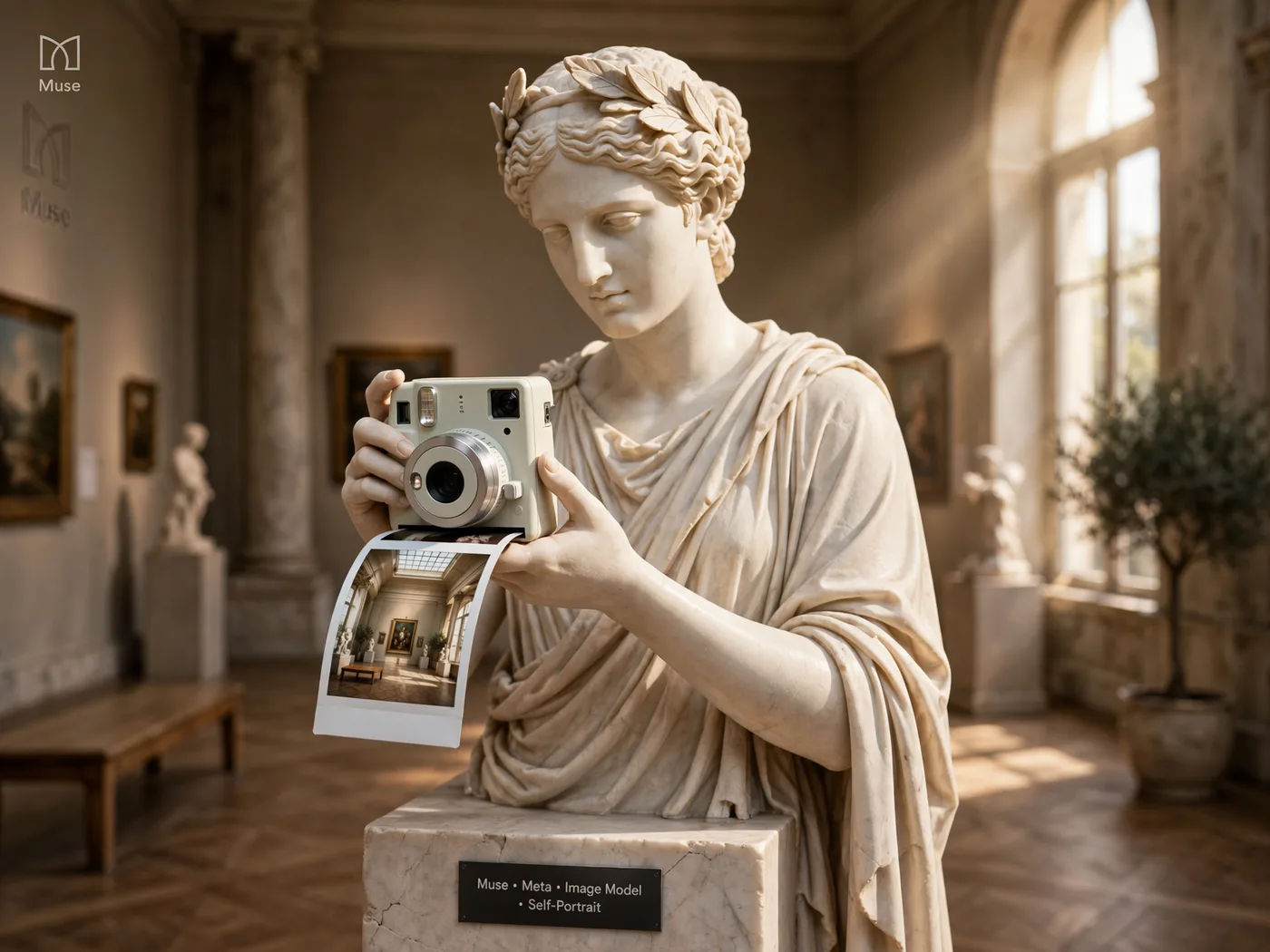
›What we asked for
A self-portrait of Muse Image, Meta's image model: a marble muse statue in a sunlit gallery holding a small instant camera, a freshly printed photo of the gallery sliding out of it, warm afternoon light, fine detail, editorial photograph.
meta/muse-image/text-to-image
aspect_ratio: 4:3, output_format: png, num_images: 1
returned 1792 by 1344 pixels
At a glance
- Price
- $0.01 an image through fal, generation or edit.
- Sizes
- Any ratio from 1:16 to 16:1, rendered at Muse's own size of about 2.5 megapixels: 1600 square, 1344 by 1792 at 3:4, 1792 by 1344 at 4:3 and 2352 by 1008 at 21:9 in our run.
- Edits
- A separate edit endpoint takes 1 to 10 reference images. Our product edit changed only what was asked.
- Speed
- 8.5 to 27 seconds a picture in our run, median about 16.
- Few controls
- Prompt, ratio, number of images and file format. There is no seed, size, quality or safety setting on fal.
Anvisha's take
At one cent an image this is one of the two cheapest models on the roster, and it does not look cheap. The poster set all three lines correctly with a sun, waves and palms, the logo is a real mark, a chain wrapped around a spoked wheel with nothing added, and the five-object composition was exactly right, three ice cubes included. The edit turned the dripper green and added a brass handle without moving anything else. The banner left its left third bare at a true 2.33:1. Its tells are a habit of writing more than asked, with explanations under every infographic step plus a water-temperature tip, and a chart whose labels are right but whose bars are not: February's 150 stands near 178 on its own axis. The product shot is a fluted cone balanced on its spout, which is not a thing you can photograph. For most work I would try Muse first and check the numbers.
Muse Image real output: the same 12 prompts every model gets
Every image model on this site gets the same 12 prompts, so you can compare like with like. These are the pictures Muse Image returned, one try each, nothing re-rolled or retouched. Generated on . The 12 pictures took 9 to 27 seconds each and cost $0.12 in total.
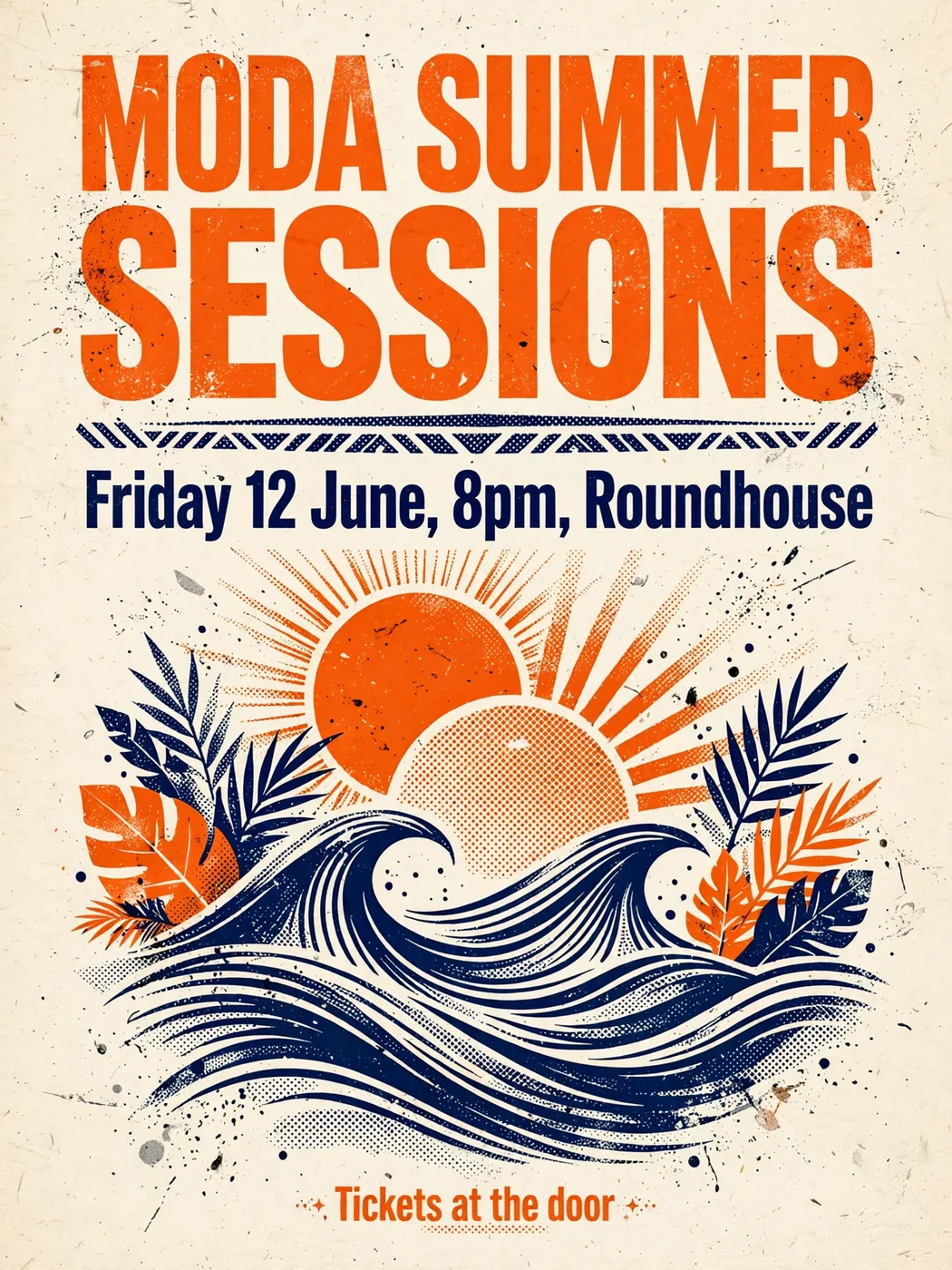
Spelling, kerning and hierarchy of three lines of set text.
›What we asked for
A concert poster that reads 'MODA SUMMER SESSIONS' in large bold type, with the subtitle 'Friday 12 June, 8pm, Roundhouse' and a smaller line 'Tickets at the door'. Risograph style, two colours, tangerine and navy, grainy ink texture.
meta/muse-image/text-to-image
aspect_ratio: 3:4, output_format: png, num_images: 1
returned 1344 by 1792 pixels
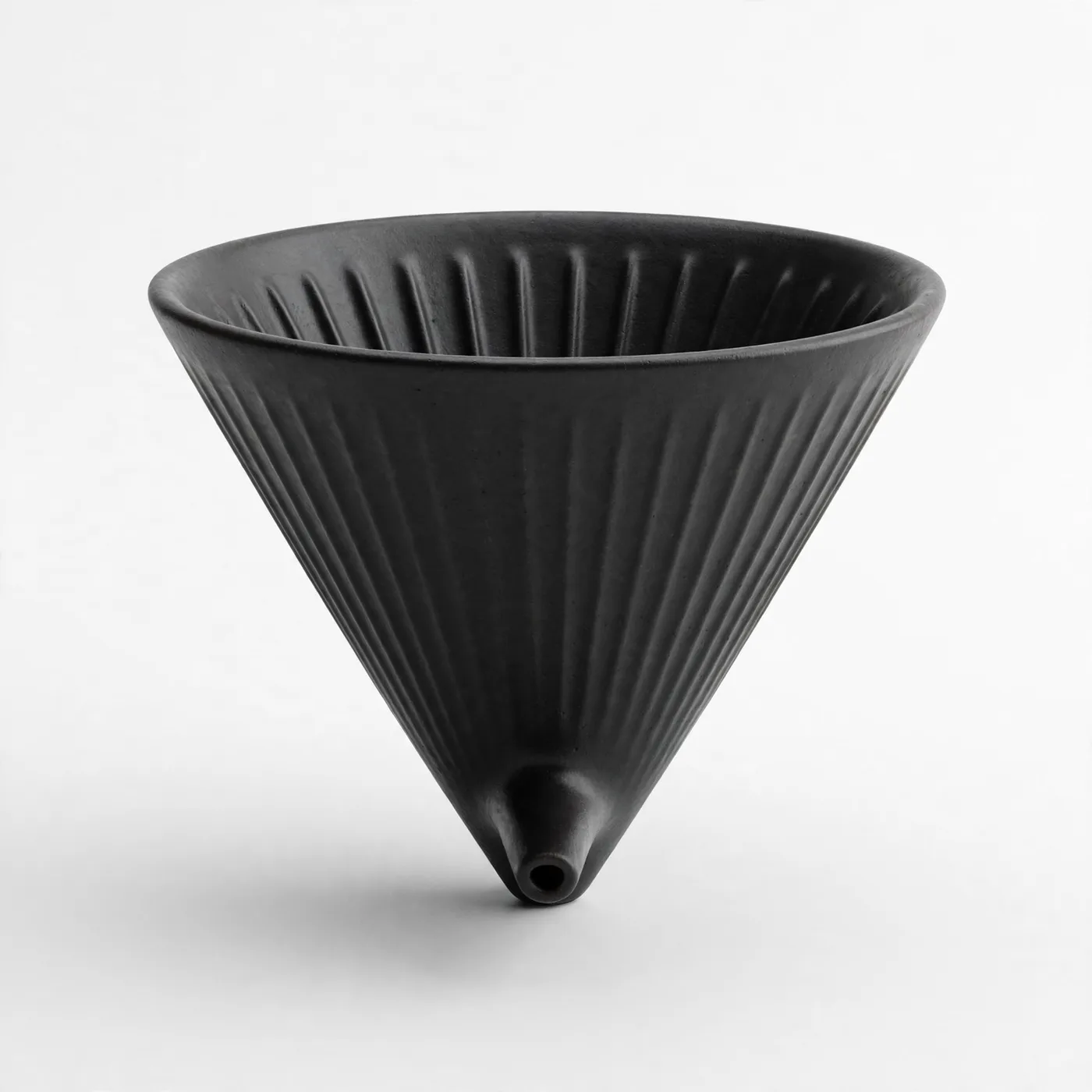
Catalogue lighting, a clean seamless background and a believable contact shadow.
›What we asked for
Studio product photograph of a matte black ceramic pour-over coffee dripper on a seamless white background, soft top light, subtle contact shadow, centred, catalogue style.
meta/muse-image/text-to-image
aspect_ratio: 1:1, output_format: png, num_images: 1
returned 1600 by 1600 pixels
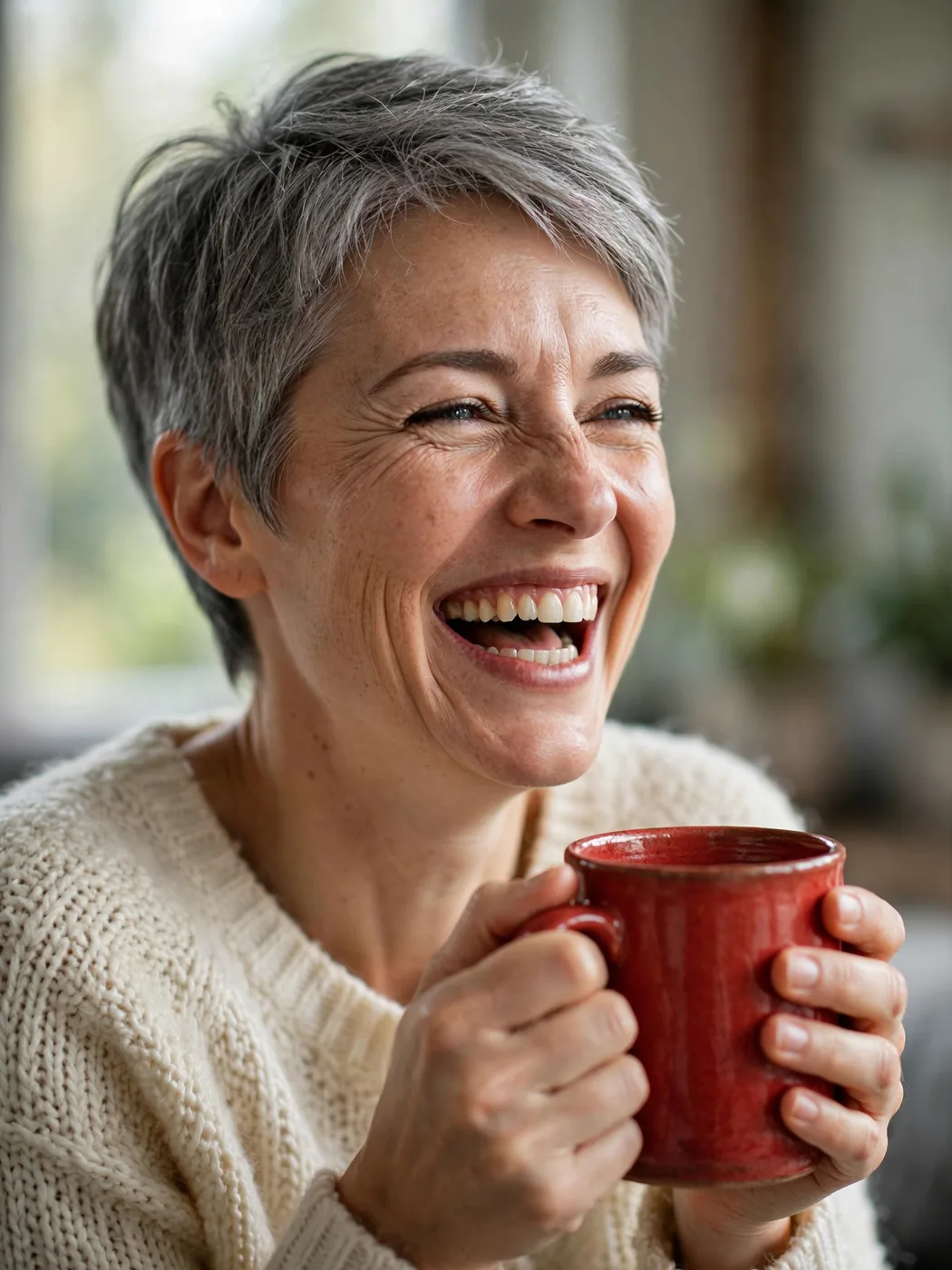
A natural face, correct finger count and hands holding an object.
›What we asked for
Close-up portrait of a woman in her 40s with short grey hair, laughing, holding a red ceramic mug with both hands, natural window light, 85mm lens, shallow depth of field.
meta/muse-image/text-to-image
aspect_ratio: 3:4, output_format: png, num_images: 1
returned 1344 by 1792 pixels

A flat single-colour mark with a legible wordmark and no gradients or photo texture.
›What we asked for
A flat vector logo mark for a bicycle repair shop called 'Spoke & Chain': a single-colour icon combining a chain link and a wheel spoke, with the wordmark below in a geometric sans-serif, black on white.
meta/muse-image/text-to-image
aspect_ratio: 1:1, output_format: png, num_images: 1
returned 1600 by 1600 pixels
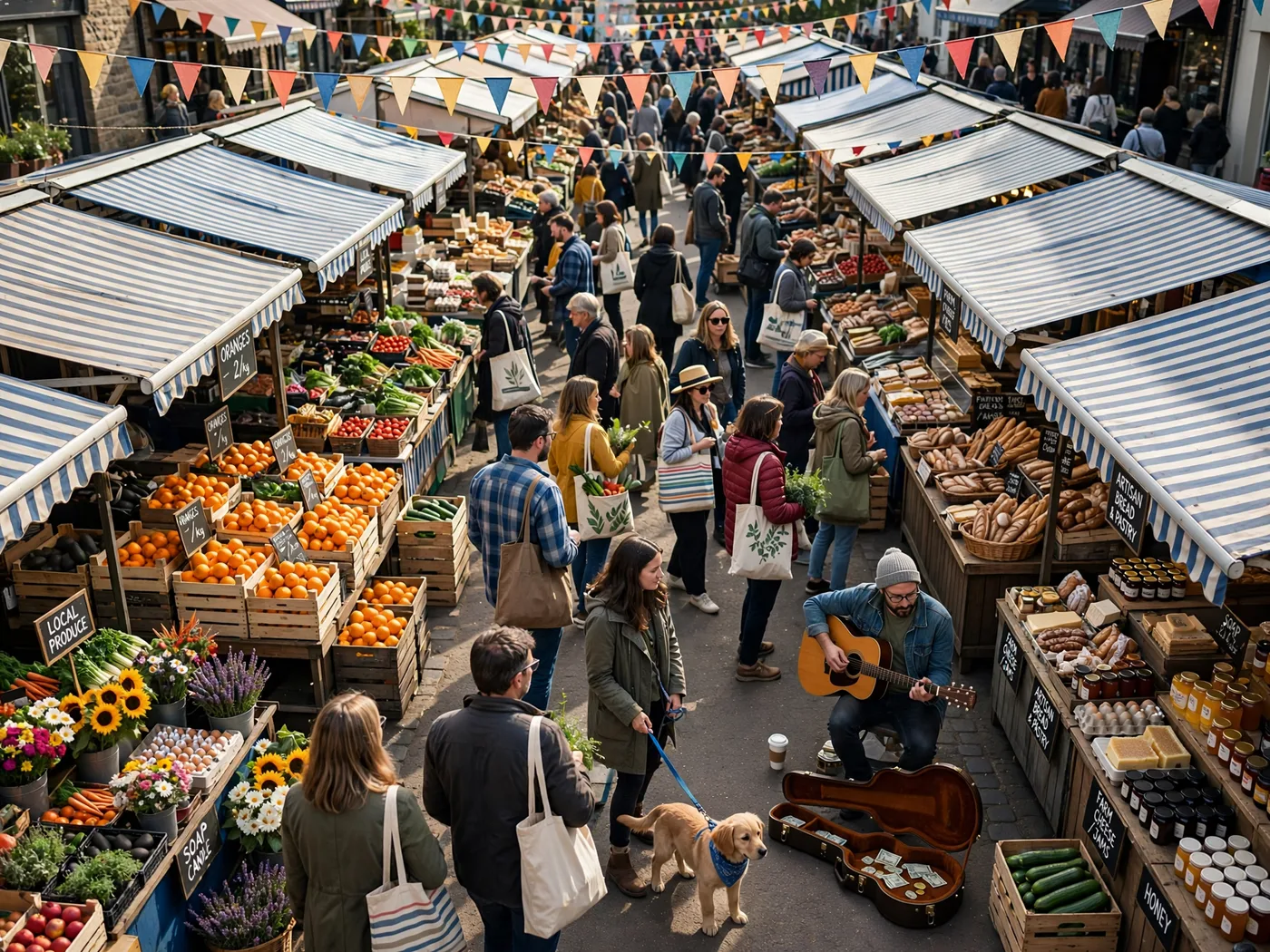
Many distinct objects and people in one frame without merging or duplicating them.
›What we asked for
A crowded Saturday farmers market seen from slightly above: at least twelve stalls with striped awnings, shoppers carrying tote bags, a dog on a leash, crates of oranges, a musician with a guitar, bunting overhead, late morning light.
meta/muse-image/text-to-image
aspect_ratio: 4:3, output_format: png, num_images: 1
returned 1792 by 1344 pixels
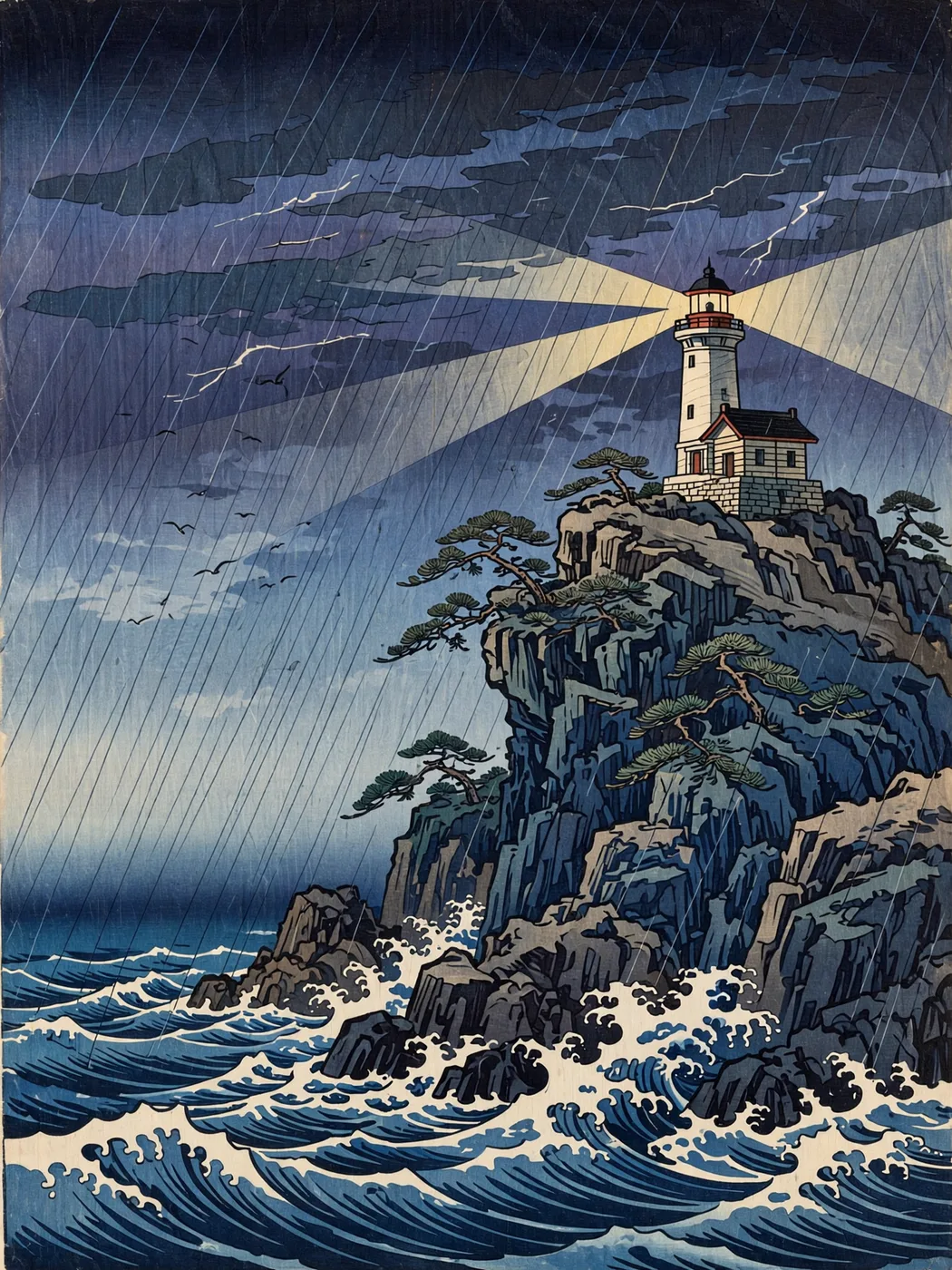
A named historical style applied faithfully rather than a generic painterly look.
›What we asked for
A lighthouse on a rocky cliff during a storm, in the style of a Japanese ukiyo-e woodblock print, with visible wood grain texture, flat colour areas and a bokashi gradient sky.
meta/muse-image/text-to-image
aspect_ratio: 3:4, output_format: png, num_images: 1
returned 1344 by 1792 pixels
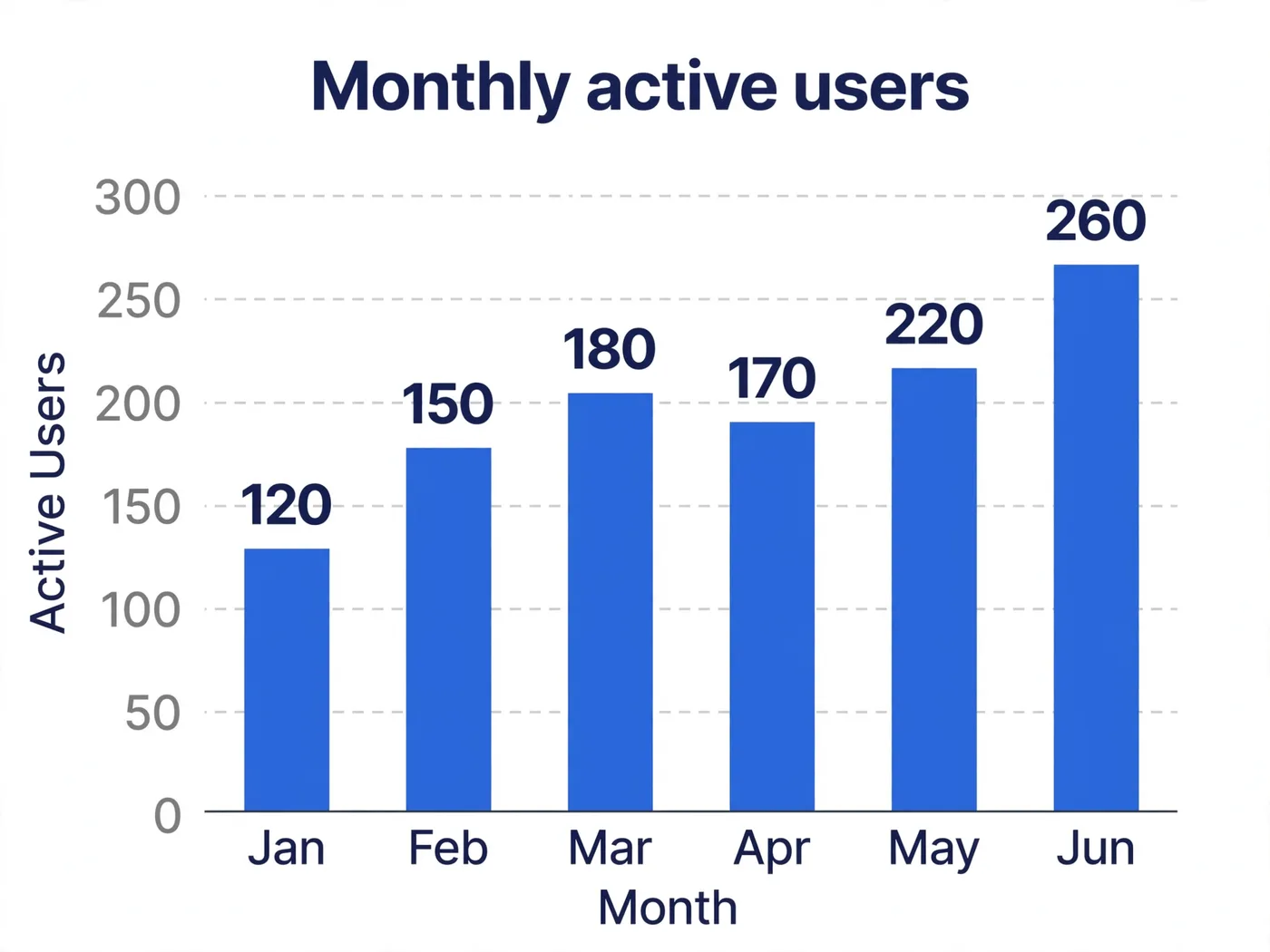
Six labelled bars at the stated heights, in order, with readable axes.
›What we asked for
A clean bar chart titled 'Monthly active users' showing six months, January through June, with the values 120, 150, 180, 170, 220 and 260, labelled axes, white background, one accent colour, no 3D effects.
meta/muse-image/text-to-image
aspect_ratio: 4:3, output_format: png, num_images: 1
returned 1792 by 1344 pixels
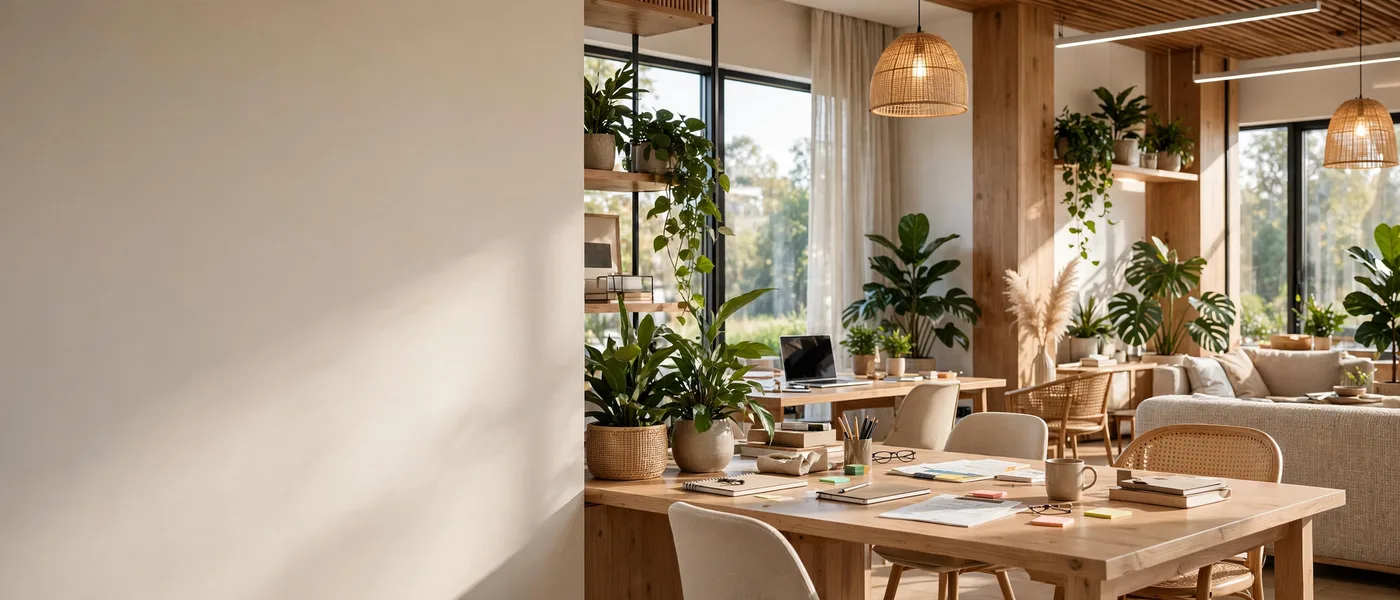
A 21:9 composition that leaves the left third clear for headline text.
›What we asked for
Website hero banner: a wide panorama of a sunlit modern co-working space with plants, the left third of the frame kept as clear wall space for text, warm neutral palette.
meta/muse-image/text-to-image
aspect_ratio: 21:9, output_format: png, num_images: 1
returned 2352 by 1008 pixels
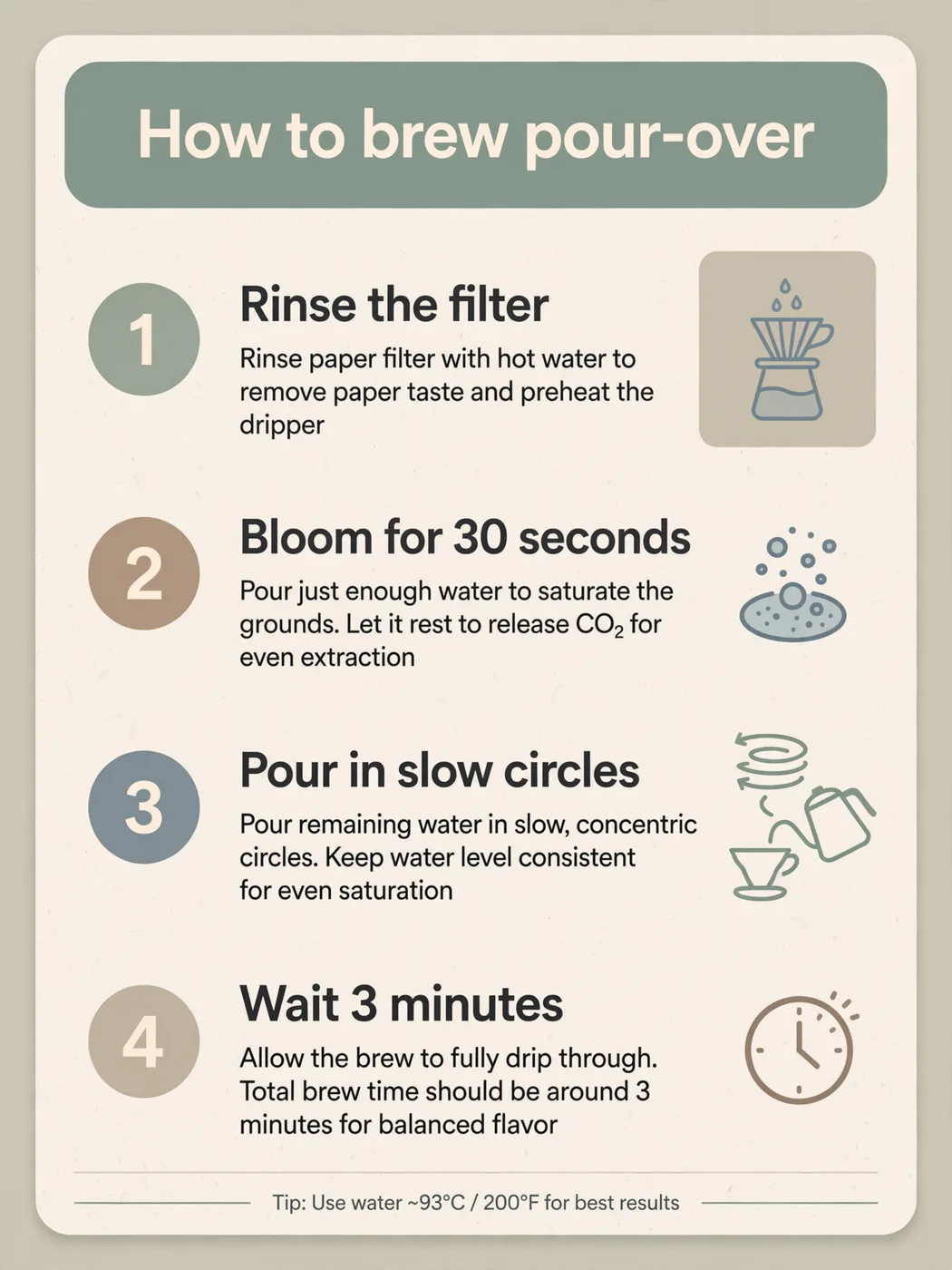
Four numbered steps in the given order with their exact wording, plus an icon each.
›What we asked for
An infographic card titled 'How to brew pour-over' with four numbered steps in this order: 1. Rinse the filter, 2. Bloom for 30 seconds, 3. Pour in slow circles, 4. Wait 3 minutes. A simple icon beside each step, muted palette, clean sans-serif type.
meta/muse-image/text-to-image
aspect_ratio: 3:4, output_format: png, num_images: 1
returned 1344 by 1792 pixels
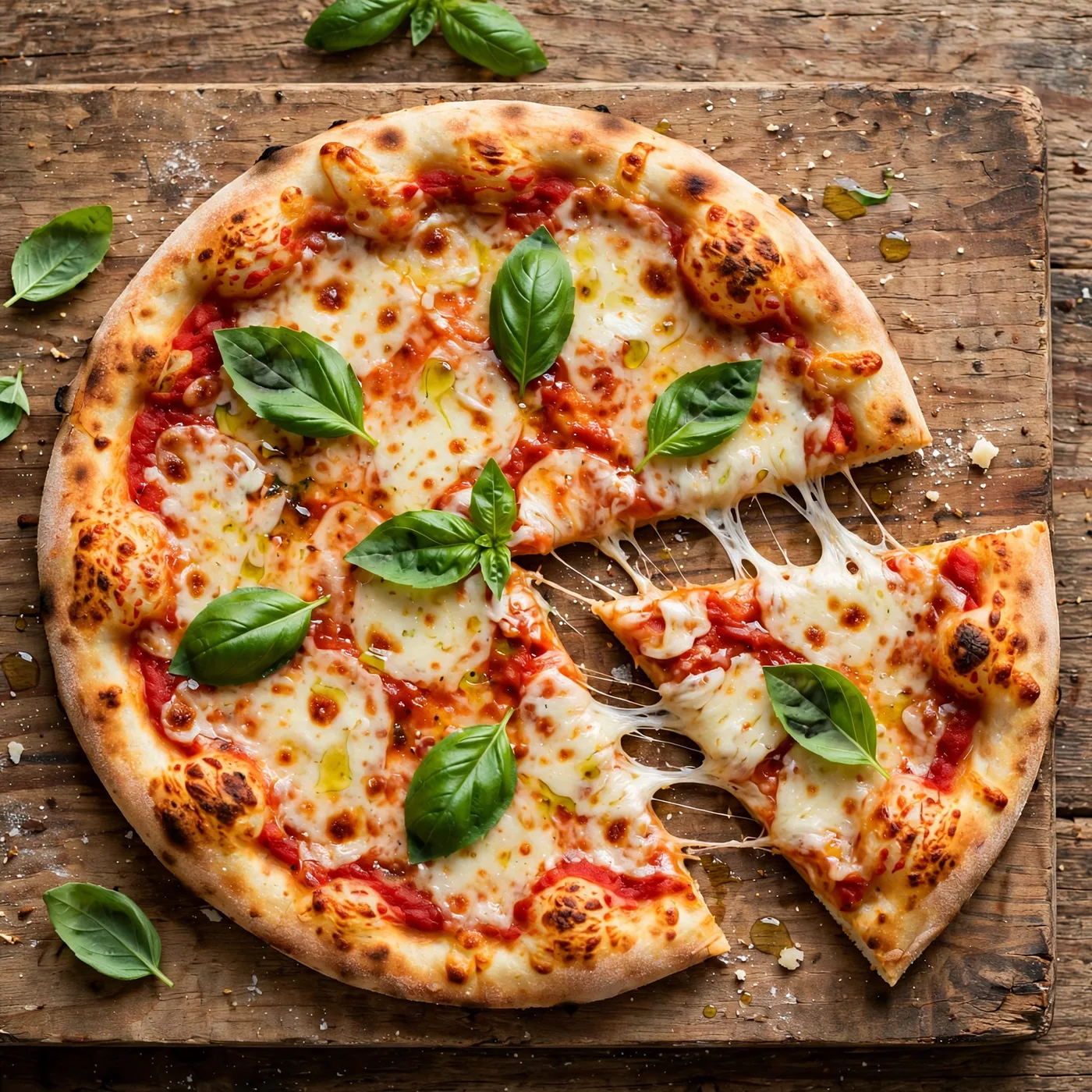
Appetising, menu-grade food with correct textures and no melted anatomy.
›What we asked for
Overhead photograph of a margherita pizza on a wooden board, fresh basil leaves, one slice pulled out with the cheese stretching, restaurant menu photography, natural light.
meta/muse-image/text-to-image
aspect_ratio: 1:1, output_format: png, num_images: 1
returned 1600 by 1600 pixels
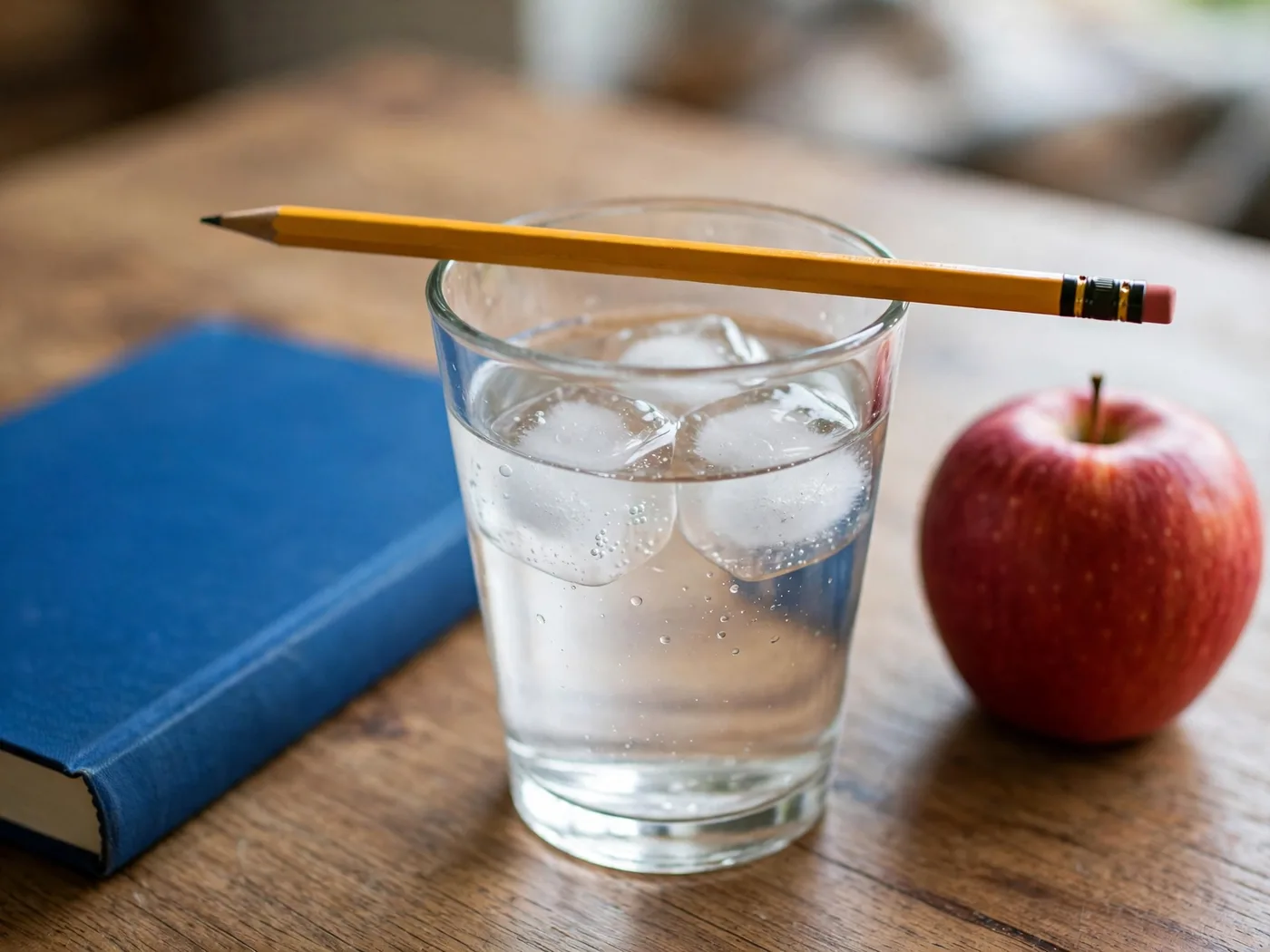
Exact counts and left-right placement of five named objects.
›What we asked for
A glass of water on a wooden table with exactly three ice cubes in it, a yellow pencil resting across the rim of the glass, a blue book to the left of the glass and a red apple to the right, photographed from table height.
meta/muse-image/text-to-image
aspect_ratio: 4:3, output_format: png, num_images: 1
returned 1792 by 1344 pixels
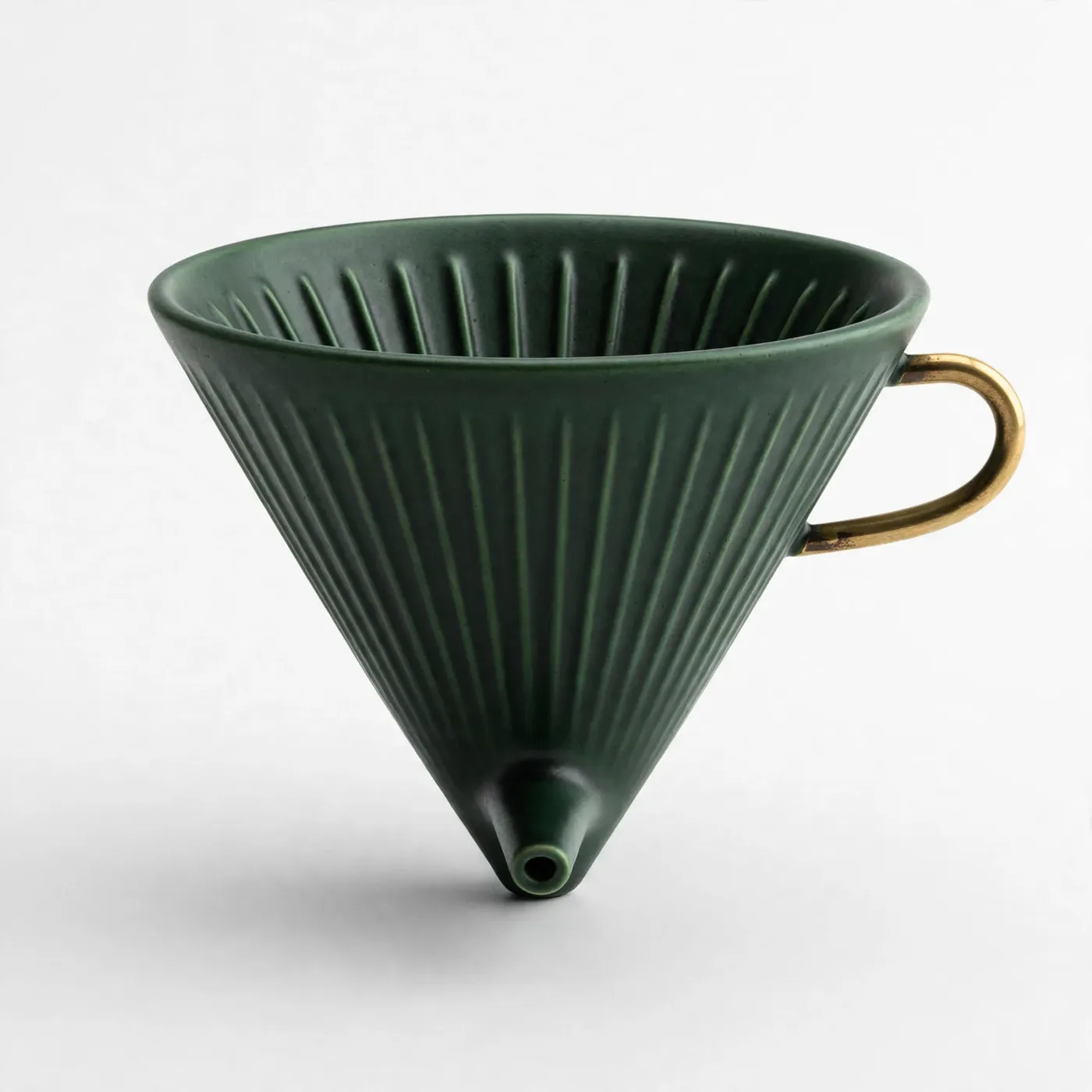
Change one object's colour and add a part while leaving background, light and framing untouched.
›What we asked for
Change the coffee dripper to a deep forest green and add a small brass handle on its right side. Keep the background, lighting and composition exactly as they are. (applied to the product on white result above)
meta/muse-image/edit
aspect_ratio: 1:1, output_format: png, num_images: 1
returned 1600 by 1600 pixels
How the cost under each picture was worked out: fal's flat $0.01 per image for Muse Image, generation and edit (fal.ai/models/meta/muse-image/text-to-image and /edit, read 2026-10-22); fal does not return the charge.
Compare Muse Image
Muse Image pricing
| Where | Unit | Price | Source |
|---|---|---|---|
| fal | Image Flat per image at Muse's fixed resolution. | $0.01 | fal model page, read |
| fal | Edited image | $0.01 | fal model page, edit, read |
Is Muse Image free?
Free inside Meta AI for everyday use, with heavier use part of Meta's subscription plans. The API through fal is paid per image.
- •Meta AI app and web: free everyday creation.
- •Meta's subscription plans: more creation capacity, per Meta.
- •Instagram and WhatsApp: Muse powers Stories effects and, in some countries, image generation in chats.
- •fal: $0.01 an image.
Meta newsroom, read
Where to use Muse Image
- Meta AI · Meta's assistant, free for everyday use.
- fal · meta/muse-image/text-to-image and meta/muse-image/edit, through Meta's Model API; the endpoints used for the samples below.
- Voyager · Runs inside Voyager, the agent for creative work, with your own fal key.
Voyager
Run Muse Image inside Voyager
Voyager is an agent for creative work that runs every model in this reference, Muse Image included. Brief it, and it picks the model, makes the thing and hands back something you can edit. Create an account to get started.
What we noticed running Muse Image
- •A chain wrapped around an eight-spoke wheel and a clean 'Spoke & Chain' wordmark, single colour, nothing added. See the logo mark picture.
- •Forest green with a brass handle on the right; the fluting, spout and background are unchanged. See the edit an existing image picture.
- •Values and axis right, months abbreviated to Jan to Jun, but the bars run high: February's 150 reaches about 178 and March's 180 about 205. See the chart picture.
- •A fluted cone balanced on its spout tip with no base or handle, which could not stand up. See the product on white picture.
- •Four headings exact with icons, plus two lines of instructions under each step and a 'Tip: Use water ~93°C / 200°F' footer nobody asked for. See the infographic with steps picture.
- •Book left, apple right, three ice cubes and the pencil across the rim. See the hard composition picture.
- •The left third is a plain wall with no text, at 2352 by 1008. See the wide aspect ratio picture.
- •Dense and coherent: striped awnings, chalkboard signs, a standing busker with a guitar and one golden retriever on a lead. See the busy scene picture.
- •The self-portrait added a small Muse logo in the corner and a plinth plaque reading 'Muse • Meta • Image Model • Self-Portrait'.
Muse Image limits and API parameters
| Limit | Value |
|---|---|
| Output size | Fixed at roughly 2.5 megapixels; the ratio can be anything from 1:16 to 16:1. fal API schema, read |
| Reference images | 1 to 10 per edit. fal API schema, read |
| Images per request | Up to 10. fal API schema, read |
›Every setting, for developers
fal (meta/muse-image/text-to-image and /edit)
fal API schema, read
| Parameter | Type | Values | Default |
|---|---|---|---|
| prompt | string | Any text Required. | |
| aspect_ratio | string | Any width:height from 1:16 to 16:1, for example 21:9 or 1920:1200 Only the ratio is used; Muse renders at about 2.5 megapixels. Omitted, Muse picks. | |
| image_urls | list of URLs | 1 to 10 images Edit endpoint only, where it is required. | |
| num_images | integer | 1 to 10 | 1 |
| output_format | enum | jpeg, png, webp | webp |
What Muse Image will not draw
Neither fal's endpoint nor Meta's launch post publishes a content policy specific to Muse Image, and fal's endpoint has no safety-checker setting. fal marks it for commercial use. Meta withdrew a launch feature that let people reference public Instagram accounts in prompts, saying it missed the mark.
Meta newsroom, read
Alternatives to Muse Image
Frequently asked questions
What is Muse Image?
Meta's first image generation model, from Meta Superintelligence Labs, launched in Meta AI on 7 July 2026. It generates and edits images and powers image features in Instagram and WhatsApp.
How much does Muse Image cost?
$0.01 an image through fal, generation or edit, read on 22 October 2026. Everyday use in Meta AI is free.
Does Muse Image have an API?
Yes. Meta offers it through its Model API, and fal hosts it as meta/muse-image/text-to-image and meta/muse-image/edit.
Can I choose the resolution?
No. You choose a ratio and Muse renders it at about 2.5 megapixels, so 16:9 and 1920:1200 give the same pixel count.
How this page is made
Prices, limits and settings are read from the linked vendor and host pages on the dates shown. Every picture was generated by us through fal with the request shown under it, and the original files are kept unedited. A generation that failed is shown as a failure. Model and vendor names are used to identify the products; no vendor imagery appears on this page.