
Epic Games · 5.8.3
Unreal Engine and AI: built-in MCP server, Python API and limits
AI agents can work in Unreal Engine through editor Python, command-line tools, project files and the native Experimental MCP plugin in supported versions. These are editor automation routes; runtime game behavior and packaged builds have different limits.
Best route: Use native MCP on supported editor versions, or editor Python with the Python Editor Script Plugin enabled.


Ravi Parikh, Co-founder, Voyager
Can an AI agent drive Unreal Engine?
Unreal exposes almost the whole editor to Python, has a documented HTTP and WebSocket API, runs headless through commandlets, and since 5.8 ships a first-party MCP server with hundreds of tools. The catches are that most of it needs the editor running, the MCP plugin is experimental with known bugs, and project assets are binary files an agent cannot edit on disk. We rate it high: few creative apps give an agent this much reach.
Price: Free to download and use; games pay a 5% royalty above $1 million lifetime gross per product, and non-game companies above $1 million annual revenue buy per-seat Unreal Subscriptions.
The Remote Control API plugin serves an HTTP API (port 30010) and a WebSocket API (port 30020) from a running editor or game, so an external program can read and set properties and call any exposed function on objects in memory.
The Python Editor Script Plugin gives Python access to nearly everything the editor can do: actors, assets, imports, materials, Sequencer, Movie Render Queue, Control Rig, PCG and MetaHuman assembly.
UnrealEditor-Cmd runs Python headless with the pythonscript commandlet, other commandlets resave or cook content, RunUAT BuildCookRun packages builds, and Movie Render Queue renders a Level Sequence from the command line.
Plugins are C++ or content modules dropped into a project's Plugins folder or installed from Fab, Epic's marketplace that replaced the Unreal Engine Marketplace in October 2024.
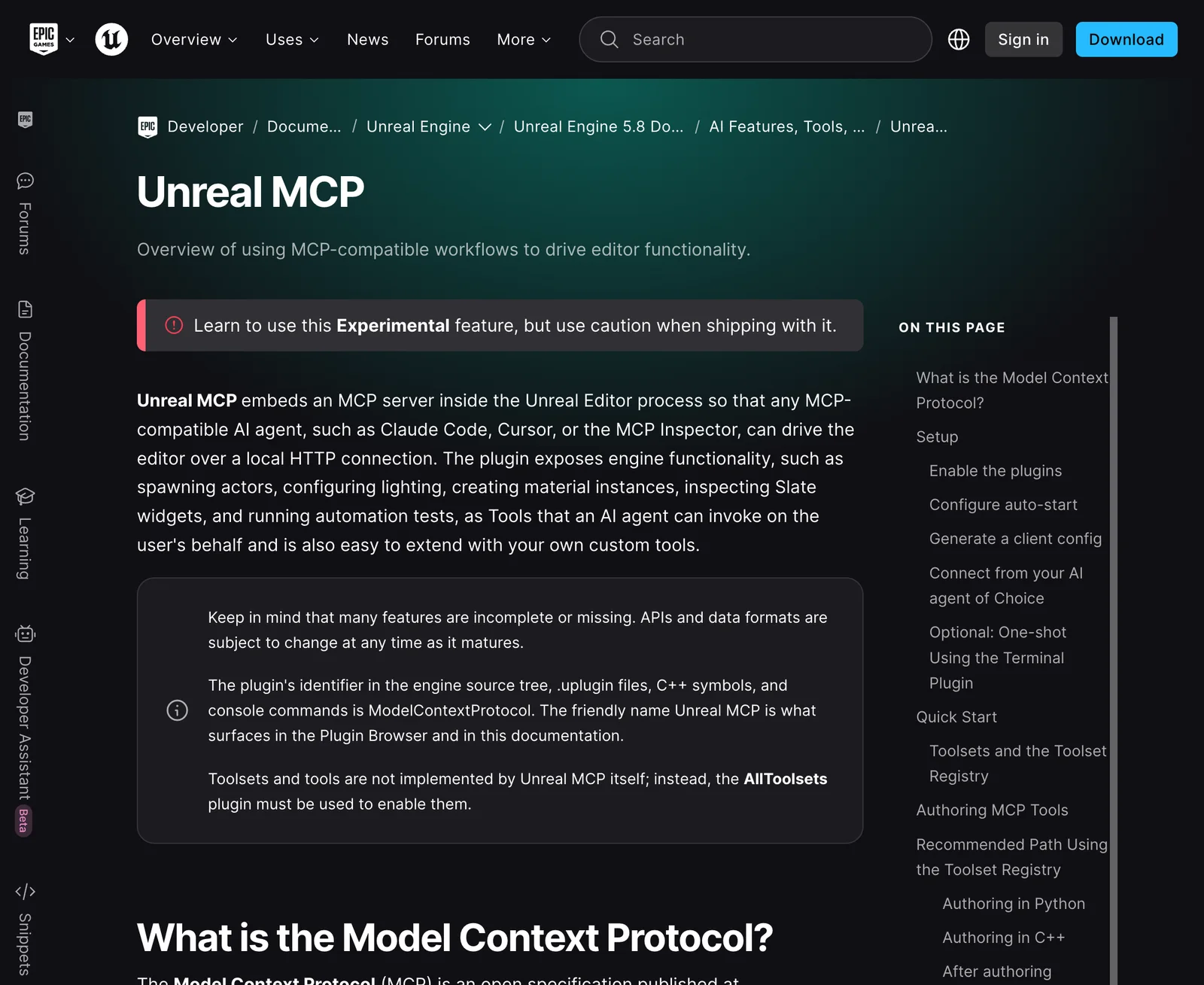
Unreal Engine 5.8 ships Unreal MCP, an experimental plugin that runs an MCP server inside the editor at http://127.0.0.1:8000/mcp with no authentication, local connections only.
Assets and levels are binary .uasset and .umap packages that only the engine can read and write, so an agent edits them through the editor, Python or a commandlet.
5 we would consider; we lead with Unreal MCP (Epic Games).
Epic ships three kinds of AI in or around the editor: an experimental MCP server for outside agents (5.8), an in-editor AI Assistant for questions and C++ help (5.7, experimental), and machine-learning features such as MetaHuman Animator's audio-driven facial animation.
What an AI agent can do in Unreal Engine
16 jobs people ask for, checked against what Unreal Engine’s interfaces expose: 8 fully, 6 in part, 2 not at all.
| Job | Agent can do it? | How, or why not |
|---|---|---|
| Block out a level from basic shapes and existing assets | Yes | Python's EditorActorSubsystem and the Unreal MCP actor tools spawn, place, rotate and scale actors, and screenshots let the agent check the result. |
| Batch-import FBX, glTF or USD files and organise the Content Browser | Yes | Python asset import tasks and EditorAssetLibrary import, rename, move and save assets, headless through the pythonscript commandlet if needed. |
| Create materials and material instances and set their parameters | Yes | MaterialEditingLibrary in Python and the MCP material tools build expression graphs and instances. |
| Light a scene and set up post-processing | Yes | Lights, sky, fog and post-process volumes are ordinary actors with properties an agent can set through Python or MCP. |
| Animate a camera in Sequencer and render it with Movie Render Queue | Yes | Python builds Level Sequences and keys, and Movie Render Queue renders from Python or the command line with -LevelSequence and -MoviePipelineConfig. |
| Create Blueprint classes with components and variables | Yes | Epic's toolsets and most community MCP servers create Blueprints, add components and variables, and compile them. |
| Wire Blueprint node graphs (gameplay logic) | Partly | Unreal MCP's Blueprint tools can add nodes and connect pins, but users report round-trip bugs on multi-output nodes in 5.8, and Python alone has little access to graphs.BlueprintTools read_graph_dsl round-trip bug report (Epic forums), read |
| Write gameplay C++ and compile it | Partly | C++ is plain text an agent can write, and the build runs from the command line, but new classes or header changes usually need an editor restart rather than Live Coding. |
| Generate a world procedurally with PCG | Yes | 5.8 adds a PCG toolset and a PCG graph-generation skill for Unreal MCP, plus a PCG Python Data Processor node; both are marked experimental.Working with PCG and LLMs Using Unreal MCP (Epic docs), read |
| Build Niagara particle effects | Partly | Epic's toolsets and several community servers author Niagara systems, but tuning an effect to look right still needs a person watching it. |
| Create or edit a MetaHuman character | Partly | MetaHuman 5.7 added a Python and Blueprint API for batch editing and assembly (sculpting, conforming, wardrobe, rigging, textures), but designing a specific likeness is still manual.MetaHuman 5.7 release notes (Epic docs), read |
| Keyframe character body animation | Partly | Control Rig and Sequencer are scriptable, so an agent can set keys, but it cannot judge motion quality, and a summary of Epic's 5.8 MCP education webinar lists generating animations as a current gap. |
| Playtest and run automated tests | Partly | Agents can start Play In Editor, run C++ automation tests and read logs and screenshots, but cannot judge whether a game is fun or feels right. |
| Package a build for Windows, macOS or Linux | Yes | RunUAT BuildCookRun cooks and packages from the command line, and some MCP servers wrap it as a tool. |
| Buy or download assets from Fab | No | We found no public Fab API; acquiring assets happens in the browser or the Fab plugin under your Epic account, after which an agent can place them. |
| Generate 3D models or textures from a prompt inside Unreal | No | Unreal has no built-in generator; an agent can generate with an outside image or 3D model and import the result through Python. |
What AI can’t do in Unreal Engine yet
Almost everything needs the editor running. Assets and levels are binary .uasset and .umap files, so an agent cannot edit them on disk the way it edits a Blender script or a text file.
Workaround: Keep the editor open for MCP or Remote Control work, or run Python headless with UnrealEditor-Cmd -run=pythonscript for batch jobs.
Unreal MCP is experimental: Epic warns that features are incomplete and APIs may change, and 5.8 users have reported tool calls that report success but do not persist.
Workaround: Save and commit to source control before a long agent session, and verify changes with a read-back or screenshot.
ObjectTools.set_properties silently fails to persist (Epic forums), read
The MCP server has no authentication and its execute_tool_script tool runs arbitrary Python in the editor; any process on the same machine can connect.
Workaround: Do not run it on shared machines, keep per-tool approvals on in your client, and use a sandbox project for broad prompts.
Unreal Engine Skills for Claude Code: Security section, read
Agents place objects poorly: chairs facing away from desks, tables clipped into walls. Language models still reason weakly about 3D space.
Workaround: Ask for screenshots after each step, give exact coordinates or reference actors, and keep a person on layout decisions.
Blueprint graph editing is the least reliable part: pin wiring and node edits through MCP are still rough.
Workaround: Have the agent write the logic in C++ or Python, or keep Blueprint graphs small and review each compile.
Python, Unreal MCP and the editor toolsets are editor-only; none of them run inside a packaged game.
Workaround: Use C++ or Blueprints for runtime behaviour, or the Remote Control API in a packaged build.
ChatGPT and other web clients cannot reach a local editor: the official server only listens on 127.0.0.1.
Workaround: Use a desktop client that runs on the same machine (Claude Code, Codex, Cursor, Claude Desktop) rather than exposing the port through a tunnel.
The full tool catalog is large enough to overwhelm smaller or local models.
Workaround: Leave Epic's tool search on (three meta-tools by default) or enable only the toolset plugins you need instead of All Toolsets.
Unreal Engine MCP servers
An MCP server is the bridge that lets an AI assistant call into Unreal Engine. Unreal Engine 5.8 ships Unreal MCP, an experimental plugin that runs an MCP server inside the editor at http://127.0.0.1:8000/mcp with no authentication, local connections only. Enable Unreal MCP and All Toolsets (without All Toolsets it exposes no tools), then start it or set Auto Start Server; the console command ModelContextProtocol.GenerateClientConfig writes configs for Claude Code, Cursor, VS Code, Gemini and Codex.
- Last activity
- 17 September 2026
- Runs
- remotely
- Licence
- Unreal Engine EULA (Claude Code plugin: MIT)
- Health
- active
Start here on 5.8: it is first party, free, works with any client that speaks HTTP MCP, and community projects such as VibeUE now extend it rather than replace it. Expect experimental bugs and commit to source control first.
The server runs inside the editor process and wraps every tool registered in Epic's Toolset Registry as an MCP tool; by default it exposes three meta-tools (list_toolsets, describe_toolset, call_tool) so the client discovers toolsets on demand.
Needs: Unreal Engine 5.8 or later with the Unreal MCP (ModelContextProtocol) and All Toolsets plugins enabled, the editor open, and the server started with ModelContextProtocol.StartServer or the Auto Start Server preference.
- spawn, transform and delete actors
- create Blueprints, add nodes, connect pins, compile
- author materials and material instances
- Niagara systems and Dataflow graphs
- Control Rig, State Trees and Behavior Trees
- Level Sequences, cameras and keyframes
- UMG widgets
- PCG graphs with a PCG toolset and skill
- run C++ automation tests
- screenshots and log inspection
- run Python in the editor (execute_tool_script)
- custom toolsets written in Python
- Stars
- 2,102
- Last activity
- 22 April 2025
- Runs
- on your computer
- Licence
- MIT
- Health
- stale
The project that made Unreal MCP popular and still the most starred, but its last commit was in April 2025 and the README calls it experimental and not for production. Use it to learn the pattern; pick Epic's server or EngineWire for real work.
A Python MCP server sends commands over a TCP socket (port 55557) to a C++ plugin running inside the editor.
Needs: Unreal Engine 5.5 or later, Python 3.12 or later and uv, a clone of the repository, and its UnrealMCP C++ plugin copied into your project and built with the Development Editor target, with the editor open.
- create, delete and transform actors
- create Blueprint classes and add components
- add event and function nodes and connect them
- set physics properties and compile Blueprints
- focus and move the viewport camera
- Stars
- 973
- Last activity
- 22 October 2026
- Runs
- on your computer
- Licence
- MIT
- Health
- active
The most complete open-source alternative, and the one to use on 5.0 to 5.7 where Epic's server does not exist. Keep the @beta tag: the README says the npm latest tag is the older 0.5 line.
A native editor plugin does the work on the game thread; the npm server talks to it over a local WebSocket (port 8090) and needs the project path to find the plugin's capability token.
Needs: The EngineWire C++ plugin copied into the project's Plugins folder (a C++ project, or prebuilt binaries for Blueprint-only projects), the editor open, Node.js 20.19 or later, and Unreal Engine 5.0 to 5.8. It can also serve HTTP directly from the plugin at http://127.0.0.1:3000/mcp with a capability token.
- spawn and place actors in bulk, load and save levels
- Blueprints, variables, components and whole event graphs
- UMG widgets with preview images
- materials, landscapes, foliage, Niagara and PCG
- Gameplay Ability System, AI, Enhanced Input
- Level Sequences, Movie Render Queue, Take Recorder
- Play In Editor with synthetic input and screenshots
- run Python and package builds
- Stars
- 446
- Last activity
- 19 October 2026
- Runs
- on your computer
- Licence
- MIT
- Health
- active
The easiest community server to install thanks to the init command, and useful when you want an agent to read the project before the editor is running.
A Node.js MCP server talks to a C++ bridge plugin in the editor over a local WebSocket, and reads config files, C++ headers and the asset list straight from disk so some exploration works with the editor closed. On 5.8 it also passes through Epic's native toolsets.
Needs: Node.js, and its C++ bridge plugin deployed into the project (npx ue-mcp init does this and configures Claude Code, Claude Desktop, Cursor or Codex), then one editor restart.
- levels, actors, lighting
- Blueprints and materials
- landscape, PCG and foliage
- Niagara VFX and animation
- UI, physics, navigation, StateTree, GAS
- Sequencer
- build the project and report compile errors
db-lyon/ue-mcp README, read
- Stars
- 347
- Last activity
- 18 October 2026
- Runs
- on your computer
- Licence
- MIT
- Health
- active
For gameplay programmers on 5.7 or 5.8 who want deep coverage of animation, Niagara and GAS without flooding the model's context with hundreds of tool names.
A native C++ editor plugin exposes one query tool per domain plus discovery tools, and a small proxy keeps the client session alive across editor restarts.
Needs: Unreal Engine 5.7 or 5.8, the plugin cloned into YourProject/Plugins/Monolith, and the editor open (it listens on port 9316). The launch path is relative to the project root and is the Windows proxy; macOS, Linux and a Python fallback are on the project's Installation wiki page.
- Blueprints, materials, Niagara (including HLSL)
- animation, motion matching, AnimGraph
- meshes, UI and CommonUI, audio
- AI: Behavior Trees, State Trees, EQS
- Gameplay Ability System
- C++ reflection and include lookups
- Stars
- 117
- Last activity
- 6 June 2025
- Runs
- on your computer
- Licence
- MIT
- Health
- stale
The lightest setup on 5.4 to 5.7 because it needs no plugin build, but it has not been updated since June 2025 and leans on raw Python execution.
It uses Unreal's built-in Python remote execution protocol to run Python in the open editor, so it needs no C++ plugin.
Needs: Unreal Engine 5.4 or later with the Python Editor Script Plugin enabled and Enable Remote Execution ticked in Project Settings, Node.js, and the editor open. No extra Unreal plugin.
- run any Python in the editor
- list, search, export and validate assets
- asset references and project info
- read the World Outliner and map info
- create, update and delete actors
- console commands, screenshots and camera moves
Connect Unreal Engine to Claude, ChatGPT, Codex and other assistants
Pick your assistant. Each setup panel leads with Unreal MCP (Epic Games) and has the config for every other Unreal Engine server underneath.
Voyager Built in
Voyager uses Unreal’s editor Python and command-line tools, with computer control for the open editor. It supports C++ or Blueprint project work and Level Sequence rendering. Movie Render Queue renders frames, which are then encoded as MP4; no MCP server is required for this workflow.
Requirements: Install the matching Unreal Engine and enable the Python Editor Script Plugin for Python work. Computer control requires macOS or Windows and desktop permissions. Windows and Linux Voyager builds are alpha; computer control is unavailable on Linux.
Claude desktop app Config below
Does Claude desktop app work with Unreal Engine?
Yes, through Unreal MCP (Epic Games), the official MCP server from Epic Games.
Unreal MCP (Epic Games) · config in claude_desktop_config.json (Settings > Developer > Edit Config), which is ~/Library/Application Support/Claude/ on macOS and %APPDATA%\Claude\ on Windows
First: Unreal Engine 5.8 or later with the Unreal MCP (ModelContextProtocol) and All Toolsets plugins enabled, the editor open, and the server started with ModelContextProtocol.StartServer or the Auto Start Server preference.
{
  "mcpServers": {
    "unreal-engine": {
      "command": "npx",
      "args": [
        "-y",
        "mcp-remote",
        "http://127.0.0.1:8000/mcp"
      ],
      "env": {}
    }
  }
}- Claude desktop app's remote connectors are reached from Anthropic's cloud, which cannot see http://127.0.0.1:8000/mcp on your computer, so this config runs the mcp-remote bridge (needs Node.js) as a local server instead.
›The other 5 Unreal Engine MCP servers in Claude desktop app
EngineWire (unreal-engine-mcp-server)
First: The EngineWire C++ plugin copied into the project's Plugins folder (a C++ project, or prebuilt binaries for Blueprint-only projects), the editor open, Node.js 20.19 or later, and Unreal Engine 5.0 to 5.8. It can also serve HTTP directly from the plugin at http://127.0.0.1:3000/mcp with a capability token.
{
  "mcpServers": {
    "unreal-engine": {
      "command": "npx",
      "args": [
        "-y",
        "unreal-engine-mcp-server@beta"
      ],
      "env": {
        "UE_PROJECT_PATH": "C:/Path/To/YourProject"
      }
    }
  }
}
This server installs from source: replace the placeholder path with where you cloned or installed it.
unreal-mcp (chongdashu)
First: Unreal Engine 5.5 or later, Python 3.12 or later and uv, a clone of the repository, and its UnrealMCP C++ plugin copied into your project and built with the Development Editor target, with the editor open.
{
  "mcpServers": {
    "unreal-engine": {
      "command": "uv",
      "args": [
        "--directory",
        "<path/to/the/folder/PYTHON>",
        "run",
        "unreal_mcp_server.py"
      ],
      "env": {}
    }
  }
}
This server installs from source: replace the placeholder path with where you cloned or installed it.
UE-MCP (ue-mcp)
First: Node.js, and its C++ bridge plugin deployed into the project (npx ue-mcp init does this and configures Claude Code, Claude Desktop, Cursor or Codex), then one editor restart.
{
  "mcpServers": {
    "unreal-engine": {
      "command": "npx",
      "args": [
        "-y",
        "ue-mcp@latest",
        "C:/path/to/MyGame.uproject"
      ],
      "env": {}
    }
  }
}
This server installs from source: replace the placeholder path with where you cloned or installed it.
Monolith
First: Unreal Engine 5.7 or 5.8, the plugin cloned into YourProject/Plugins/Monolith, and the editor open (it listens on port 9316). The launch path is relative to the project root and is the Windows proxy; macOS, Linux and a Python fallback are on the project's Installation wiki page.
{
  "mcpServers": {
    "unreal-engine": {
      "command": "Plugins/Monolith/Binaries/monolith_proxy.exe",
      "args": [],
      "env": {}
    }
  }
}
unreal-mcp (runreal)
First: Unreal Engine 5.4 or later with the Python Editor Script Plugin enabled and Enable Remote Execution ticked in Project Settings, Node.js, and the editor open. No extra Unreal plugin.
{
  "mcpServers": {
    "unreal-engine": {
      "command": "npx",
      "args": [
        "-y",
        "@runreal/unreal-mcp"
      ],
      "env": {}
    }
  }
}
Quit and reopen the app after editing the config file; it is read at launch. Remote connectors are reached from Anthropic's cloud, not your computer, so a server on localhost or behind a VPN will not connect as a custom connector. Requires: a custom connector for remote servers, which Free plans limit to one and which an Owner adds on Team and Enterprise; local servers need only the desktop app. Claude desktop app docs.
Claude Code Official app
Does Claude Code work with Unreal Engine?
Yes. Unreal Engine Skills for Claude Code is an official connection for Claude Code; its requirements are below. You can also use Unreal MCP (Epic Games), the official MCP server from Epic Games.
Unreal Engine Skills for Claude Code
Epic publishes an MIT-licensed Claude Code plugin in Anthropic's official plugin marketplace (/plugin install unreal-engine-skills-for-claude-code@claude-plugins-official). It adds an unreal-mcp skill and a session hook; the tools themselves come from Unreal MCP, so the editor must be running with the server started.
EpicGames/unreal-engine-skills-for-claude-code-plugin README, read
Epic publishes an official Claude Code plugin (unreal-engine-skills-for-claude-code in claude-plugins-official), and the editor console command ModelContextProtocol.GenerateClientConfig ClaudeCode writes the .mcp.json for you. Launch Claude Code from the folder holding that file.
Unreal MCP (Epic Games) · config in ~/.claude.json for user scope (%USERPROFILE%\.claude.json on Windows), or .mcp.json in the project root for project scope
First: Unreal Engine 5.8 or later with the Unreal MCP (ModelContextProtocol) and All Toolsets plugins enabled, the editor open, and the server started with ModelContextProtocol.StartServer or the Auto Start Server preference.
claude mcp add --scope user --transport http unreal-engine http://127.0.0.1:8000/mcp›The other 5 Unreal Engine MCP servers in Claude Code
EngineWire (unreal-engine-mcp-server)
First: The EngineWire C++ plugin copied into the project's Plugins folder (a C++ project, or prebuilt binaries for Blueprint-only projects), the editor open, Node.js 20.19 or later, and Unreal Engine 5.0 to 5.8. It can also serve HTTP directly from the plugin at http://127.0.0.1:3000/mcp with a capability token.
claude mcp add --scope user -e UE_PROJECT_PATH=C:/Path/To/YourProject --transport stdio unreal-engine -- npx -y unreal-engine-mcp-server@betaThis server installs from source: replace the placeholder path with where you cloned or installed it.
unreal-mcp (chongdashu)
First: Unreal Engine 5.5 or later, Python 3.12 or later and uv, a clone of the repository, and its UnrealMCP C++ plugin copied into your project and built with the Development Editor target, with the editor open.
claude mcp add --scope user --transport stdio unreal-engine -- uv --directory '<path/to/the/folder/PYTHON>' run unreal_mcp_server.pyThis server installs from source: replace the placeholder path with where you cloned or installed it.
UE-MCP (ue-mcp)
First: Node.js, and its C++ bridge plugin deployed into the project (npx ue-mcp init does this and configures Claude Code, Claude Desktop, Cursor or Codex), then one editor restart.
claude mcp add --scope user --transport stdio unreal-engine -- npx -y ue-mcp@latest C:/path/to/MyGame.uprojectThis server installs from source: replace the placeholder path with where you cloned or installed it.
Monolith
First: Unreal Engine 5.7 or 5.8, the plugin cloned into YourProject/Plugins/Monolith, and the editor open (it listens on port 9316). The launch path is relative to the project root and is the Windows proxy; macOS, Linux and a Python fallback are on the project's Installation wiki page.
claude mcp add --scope user --transport stdio unreal-engine -- Plugins/Monolith/Binaries/monolith_proxy.exeunreal-mcp (runreal)
First: Unreal Engine 5.4 or later with the Python Editor Script Plugin enabled and Enable Remote Execution ticked in Project Settings, Node.js, and the editor open. No extra Unreal plugin.
claude mcp add --scope user --transport stdio unreal-engine -- npx -y @runreal/unreal-mcpOptions go before the name and the -- keeps the server's own flags away from Claude Code; a name placed straight after -e is read as another variable, hence --transport between them. Check with claude mcp list or /mcp inside a session. Claude Code docs.
ChatGPT Not directly
Does ChatGPT work with Unreal Engine?
Not directly. Unreal MCP (Epic Games) listens on your own computer (http://127.0.0.1:8000/mcp), and ChatGPT calls MCP servers from OpenAI's servers, which cannot reach it. It would have to be exposed at a public URL through a tunnel, which also exposes Unreal Engine to the internet.
There is no official Unreal app in ChatGPT, and Epic's server listens only on 127.0.0.1, so ChatGPT cannot reach it without a public tunnel, which Epic advises against.
Unreal MCP (Epic Games) · config in ChatGPT's settings on the web (Apps, shown as Plugins on newer accounts); there is no config file
Unreal MCP (Epic Games) listens on your own computer (http://127.0.0.1:8000/mcp), and ChatGPT calls MCP servers from OpenAI's servers, which cannot reach it. It would have to be exposed at a public URL through a tunnel, which also exposes Unreal Engine to the internet.
›The other 5 Unreal Engine MCP servers in ChatGPT
EngineWire (unreal-engine-mcp-server)
ChatGPT only connects to remote MCP servers over HTTPS, and EngineWire (unreal-engine-mcp-server) runs on your own computer. To use it from ChatGPT you would have to expose it at a public URL through a tunnel or bridge, which also exposes Unreal Engine to the internet.
unreal-mcp (chongdashu)
ChatGPT only connects to remote MCP servers over HTTPS, and unreal-mcp (chongdashu) runs on your own computer. To use it from ChatGPT you would have to expose it at a public URL through a tunnel or bridge, which also exposes Unreal Engine to the internet.
UE-MCP (ue-mcp)
ChatGPT only connects to remote MCP servers over HTTPS, and UE-MCP (ue-mcp) runs on your own computer. To use it from ChatGPT you would have to expose it at a public URL through a tunnel or bridge, which also exposes Unreal Engine to the internet.
Monolith
ChatGPT only connects to remote MCP servers over HTTPS, and Monolith runs on your own computer. To use it from ChatGPT you would have to expose it at a public URL through a tunnel or bridge, which also exposes Unreal Engine to the internet.
unreal-mcp (runreal)
ChatGPT only connects to remote MCP servers over HTTPS, and unreal-mcp (runreal) runs on your own computer. To use it from ChatGPT you would have to expose it at a public URL through a tunnel or bridge, which also exposes Unreal Engine to the internet.
ChatGPT only reaches servers on the public internet over HTTPS. A local stdio server needs OpenAI's Secure MCP Tunnel (the tunnel-client daemon, an OpenAI Platform tunnel and API key), or a public tunnel such as ngrok, so most people use Codex or Claude for local apps. Requires: developer mode (beta) in ChatGPT on the web; OpenAI documents full MCP, including write actions, for Business, Enterprise and Edu workspaces, where an admin must allow it. ChatGPT docs.
Codex Config below
Does Codex work with Unreal Engine?
Yes, through Unreal MCP (Epic Games), the official MCP server from Epic Games.
ModelContextProtocol.GenerateClientConfig Codex writes .codex/config.toml, but it will not overwrite an existing one; add the unreal-mcp entry by hand if the file exists.
Unreal MCP (Epic Games) · config in ~/.codex/config.toml (%USERPROFILE%\.codex\config.toml on Windows), shared by the Codex CLI, IDE extension and desktop app
First: Unreal Engine 5.8 or later with the Unreal MCP (ModelContextProtocol) and All Toolsets plugins enabled, the editor open, and the server started with ModelContextProtocol.StartServer or the Auto Start Server preference.
codex mcp add unreal-engine --url http://127.0.0.1:8000/mcp›The other 5 Unreal Engine MCP servers in Codex
EngineWire (unreal-engine-mcp-server)
First: The EngineWire C++ plugin copied into the project's Plugins folder (a C++ project, or prebuilt binaries for Blueprint-only projects), the editor open, Node.js 20.19 or later, and Unreal Engine 5.0 to 5.8. It can also serve HTTP directly from the plugin at http://127.0.0.1:3000/mcp with a capability token.
[mcp_servers.unreal-engine]
command = 'npx'
args = ["-y", "unreal-engine-mcp-server@beta"]
env = { UE_PROJECT_PATH = "C:/Path/To/YourProject" }
This server installs from source: replace the placeholder path with where you cloned or installed it.
unreal-mcp (chongdashu)
First: Unreal Engine 5.5 or later, Python 3.12 or later and uv, a clone of the repository, and its UnrealMCP C++ plugin copied into your project and built with the Development Editor target, with the editor open.
[mcp_servers.unreal-engine]
command = 'uv'
args = ["--directory", "<path/to/the/folder/PYTHON>", "run", "unreal_mcp_server.py"]
env = {}
This server installs from source: replace the placeholder path with where you cloned or installed it.
UE-MCP (ue-mcp)
First: Node.js, and its C++ bridge plugin deployed into the project (npx ue-mcp init does this and configures Claude Code, Claude Desktop, Cursor or Codex), then one editor restart.
[mcp_servers.unreal-engine]
command = 'npx'
args = ["-y", "ue-mcp@latest", "C:/path/to/MyGame.uproject"]
env = {}
This server installs from source: replace the placeholder path with where you cloned or installed it.
Monolith
First: Unreal Engine 5.7 or 5.8, the plugin cloned into YourProject/Plugins/Monolith, and the editor open (it listens on port 9316). The launch path is relative to the project root and is the Windows proxy; macOS, Linux and a Python fallback are on the project's Installation wiki page.
[mcp_servers.unreal-engine]
command = 'Plugins/Monolith/Binaries/monolith_proxy.exe'
args = []
env = {}
unreal-mcp (runreal)
First: Unreal Engine 5.4 or later with the Python Editor Script Plugin enabled and Enable Remote Execution ticked in Project Settings, Node.js, and the editor open. No extra Unreal plugin.
[mcp_servers.unreal-engine]
command = 'npx'
args = ["-y", "@runreal/unreal-mcp"]
env = {}
codex mcp add also takes a local server (name, then -- and the command), but it sets variables with --env KEY=VALUE rather than -e, so the config block is shown here. Run codex mcp list to check it is enabled, and codex mcp login with the server name for an OAuth server. Codex docs.
Cursor Config below
Does Cursor work with Unreal Engine?
Yes, through Unreal MCP (Epic Games), the official MCP server from Epic Games.
ModelContextProtocol.GenerateClientConfig Cursor writes the Cursor config for Epic's server; VS Code and Gemini are also supported targets.
Unreal MCP (Epic Games) · config in ~/.cursor/mcp.json for every project (%USERPROFILE%\.cursor\mcp.json on Windows), or .cursor/mcp.json in one project
First: Unreal Engine 5.8 or later with the Unreal MCP (ModelContextProtocol) and All Toolsets plugins enabled, the editor open, and the server started with ModelContextProtocol.StartServer or the Auto Start Server preference.
{
  "mcpServers": {
    "unreal-engine": {
      "url": "http://127.0.0.1:8000/mcp"
    }
  }
}›The other 5 Unreal Engine MCP servers in Cursor
EngineWire (unreal-engine-mcp-server)
First: The EngineWire C++ plugin copied into the project's Plugins folder (a C++ project, or prebuilt binaries for Blueprint-only projects), the editor open, Node.js 20.19 or later, and Unreal Engine 5.0 to 5.8. It can also serve HTTP directly from the plugin at http://127.0.0.1:3000/mcp with a capability token.
{
  "mcpServers": {
    "unreal-engine": {
      "command": "npx",
      "args": [
        "-y",
        "unreal-engine-mcp-server@beta"
      ],
      "env": {
        "UE_PROJECT_PATH": "C:/Path/To/YourProject"
      }
    }
  }
}
This server installs from source: replace the placeholder path with where you cloned or installed it.
unreal-mcp (chongdashu)
First: Unreal Engine 5.5 or later, Python 3.12 or later and uv, a clone of the repository, and its UnrealMCP C++ plugin copied into your project and built with the Development Editor target, with the editor open.
{
  "mcpServers": {
    "unreal-engine": {
      "command": "uv",
      "args": [
        "--directory",
        "<path/to/the/folder/PYTHON>",
        "run",
        "unreal_mcp_server.py"
      ],
      "env": {}
    }
  }
}
This server installs from source: replace the placeholder path with where you cloned or installed it.
UE-MCP (ue-mcp)
First: Node.js, and its C++ bridge plugin deployed into the project (npx ue-mcp init does this and configures Claude Code, Claude Desktop, Cursor or Codex), then one editor restart.
{
  "mcpServers": {
    "unreal-engine": {
      "command": "npx",
      "args": [
        "-y",
        "ue-mcp@latest",
        "C:/path/to/MyGame.uproject"
      ],
      "env": {}
    }
  }
}
This server installs from source: replace the placeholder path with where you cloned or installed it.
Monolith
First: Unreal Engine 5.7 or 5.8, the plugin cloned into YourProject/Plugins/Monolith, and the editor open (it listens on port 9316). The launch path is relative to the project root and is the Windows proxy; macOS, Linux and a Python fallback are on the project's Installation wiki page.
{
  "mcpServers": {
    "unreal-engine": {
      "command": "Plugins/Monolith/Binaries/monolith_proxy.exe",
      "args": [],
      "env": {}
    }
  }
}
unreal-mcp (runreal)
First: Unreal Engine 5.4 or later with the Python Editor Script Plugin enabled and Enable Remote Execution ticked in Project Settings, Node.js, and the editor open. No extra Unreal plugin.
{
  "mcpServers": {
    "unreal-engine": {
      "command": "npx",
      "args": [
        "-y",
        "@runreal/unreal-mcp"
      ],
      "env": {}
    }
  }
}
Cursor has capped the number of MCP tools it sends the model (third-party guides cite 40 to 80), so disable tools you do not need in Settings > MCP. GUI apps do not inherit your shell PATH; use full paths for commands like uvx. Cursor docs.
VS Code with GitHub Copilot Config below
Does VS Code with GitHub Copilot work with Unreal Engine?
Yes, through Unreal MCP (Epic Games), the official MCP server from Epic Games.
Unreal MCP (Epic Games) · config in ~/.copilot/mcp-config.json for yourself (the Copilot Global destination), or .mcp.json in the workspace root for a team
First: Unreal Engine 5.8 or later with the Unreal MCP (ModelContextProtocol) and All Toolsets plugins enabled, the editor open, and the server started with ModelContextProtocol.StartServer or the Auto Start Server preference.
{
  "mcpServers": {
    "unreal-engine": {
      "type": "http",
      "url": "http://127.0.0.1:8000/mcp"
    }
  }
}›The other 5 Unreal Engine MCP servers in VS Code with GitHub Copilot
EngineWire (unreal-engine-mcp-server)
First: The EngineWire C++ plugin copied into the project's Plugins folder (a C++ project, or prebuilt binaries for Blueprint-only projects), the editor open, Node.js 20.19 or later, and Unreal Engine 5.0 to 5.8. It can also serve HTTP directly from the plugin at http://127.0.0.1:3000/mcp with a capability token.
{
  "mcpServers": {
    "unreal-engine": {
      "command": "npx",
      "args": [
        "-y",
        "unreal-engine-mcp-server@beta"
      ],
      "env": {
        "UE_PROJECT_PATH": "C:/Path/To/YourProject"
      }
    }
  }
}
This server installs from source: replace the placeholder path with where you cloned or installed it.
unreal-mcp (chongdashu)
First: Unreal Engine 5.5 or later, Python 3.12 or later and uv, a clone of the repository, and its UnrealMCP C++ plugin copied into your project and built with the Development Editor target, with the editor open.
{
  "mcpServers": {
    "unreal-engine": {
      "command": "uv",
      "args": [
        "--directory",
        "<path/to/the/folder/PYTHON>",
        "run",
        "unreal_mcp_server.py"
      ],
      "env": {}
    }
  }
}
This server installs from source: replace the placeholder path with where you cloned or installed it.
UE-MCP (ue-mcp)
First: Node.js, and its C++ bridge plugin deployed into the project (npx ue-mcp init does this and configures Claude Code, Claude Desktop, Cursor or Codex), then one editor restart.
{
  "mcpServers": {
    "unreal-engine": {
      "command": "npx",
      "args": [
        "-y",
        "ue-mcp@latest",
        "C:/path/to/MyGame.uproject"
      ],
      "env": {}
    }
  }
}
This server installs from source: replace the placeholder path with where you cloned or installed it.
Monolith
First: Unreal Engine 5.7 or 5.8, the plugin cloned into YourProject/Plugins/Monolith, and the editor open (it listens on port 9316). The launch path is relative to the project root and is the Windows proxy; macOS, Linux and a Python fallback are on the project's Installation wiki page.
{
  "mcpServers": {
    "unreal-engine": {
      "command": "Plugins/Monolith/Binaries/monolith_proxy.exe",
      "args": [],
      "env": {}
    }
  }
}
unreal-mcp (runreal)
First: Unreal Engine 5.4 or later with the Python Editor Script Plugin enabled and Enable Remote Execution ticked in Project Settings, Node.js, and the editor open. No extra Unreal plugin.
{
  "mcpServers": {
    "unreal-engine": {
      "command": "npx",
      "args": [
        "-y",
        "@runreal/unreal-mcp"
      ],
      "env": {}
    }
  }
}
VS Code now recommends the portable mcpServers file, which the Copilot harness reads directly and Copilot CLI shares; .vscode/mcp.json still works but uses "servers" and is labelled deprecated in the Add Server flow. MCP: Add Server in the Command Palette writes the same entry for you. Requires: a GitHub Copilot plan, and on Copilot Business or Enterprise the organization's "MCP servers in Copilot" policy, which is off by default. VS Code with GitHub Copilot docs.
Gemini CLI Config below
Does Gemini CLI work with Unreal Engine?
Yes, through Unreal MCP (Epic Games), the official MCP server from Epic Games.
Unreal MCP (Epic Games) · config in ~/.gemini/settings.json (%USERPROFILE%\.gemini\settings.json on Windows), or .gemini/settings.json in one project
First: Unreal Engine 5.8 or later with the Unreal MCP (ModelContextProtocol) and All Toolsets plugins enabled, the editor open, and the server started with ModelContextProtocol.StartServer or the Auto Start Server preference.
gemini mcp add --scope user --transport http unreal-engine http://127.0.0.1:8000/mcp›The other 5 Unreal Engine MCP servers in Gemini CLI
EngineWire (unreal-engine-mcp-server)
First: The EngineWire C++ plugin copied into the project's Plugins folder (a C++ project, or prebuilt binaries for Blueprint-only projects), the editor open, Node.js 20.19 or later, and Unreal Engine 5.0 to 5.8. It can also serve HTTP directly from the plugin at http://127.0.0.1:3000/mcp with a capability token.
gemini mcp add --scope user -e UE_PROJECT_PATH=C:/Path/To/YourProject unreal-engine npx -- -y unreal-engine-mcp-server@betaThis server installs from source: replace the placeholder path with where you cloned or installed it.
unreal-mcp (chongdashu)
First: Unreal Engine 5.5 or later, Python 3.12 or later and uv, a clone of the repository, and its UnrealMCP C++ plugin copied into your project and built with the Development Editor target, with the editor open.
gemini mcp add --scope user unreal-engine uv -- --directory '<path/to/the/folder/PYTHON>' run unreal_mcp_server.pyThis server installs from source: replace the placeholder path with where you cloned or installed it.
UE-MCP (ue-mcp)
First: Node.js, and its C++ bridge plugin deployed into the project (npx ue-mcp init does this and configures Claude Code, Claude Desktop, Cursor or Codex), then one editor restart.
gemini mcp add --scope user unreal-engine npx -- -y ue-mcp@latest C:/path/to/MyGame.uprojectThis server installs from source: replace the placeholder path with where you cloned or installed it.
Monolith
First: Unreal Engine 5.7 or 5.8, the plugin cloned into YourProject/Plugins/Monolith, and the editor open (it listens on port 9316). The launch path is relative to the project root and is the Windows proxy; macOS, Linux and a Python fallback are on the project's Installation wiki page.
gemini mcp add --scope user unreal-engine Plugins/Monolith/Binaries/monolith_proxy.exe --unreal-mcp (runreal)
First: Unreal Engine 5.4 or later with the Python Editor Script Plugin enabled and Enable Remote Execution ticked in Project Settings, Node.js, and the editor open. No extra Unreal plugin.
gemini mcp add --scope user unreal-engine npx -- -y @runreal/unreal-mcpWithout --scope user the server is written to the current project's settings. Stdio servers only connect in a trusted folder; run gemini trust, then gemini mcp list to check. Requires: a Gemini API key or Vertex AI, since consumer Google sign-ins moved to Antigravity CLI on 18 June 2026. Gemini CLI docs.
Hermes Agent Config below
Does Hermes Agent work with Unreal Engine?
Yes, through Unreal MCP (Epic Games), the official MCP server from Epic Games.
Unreal MCP (Epic Games) · config in ~/.hermes/config.yaml (%LOCALAPPDATA%\hermes\config.yaml on native Windows)
First: Unreal Engine 5.8 or later with the Unreal MCP (ModelContextProtocol) and All Toolsets plugins enabled, the editor open, and the server started with ModelContextProtocol.StartServer or the Auto Start Server preference.
mcp_servers:
  unreal-engine:
url: 'http://127.0.0.1:8000/mcp'›The other 5 Unreal Engine MCP servers in Hermes Agent
EngineWire (unreal-engine-mcp-server)
First: The EngineWire C++ plugin copied into the project's Plugins folder (a C++ project, or prebuilt binaries for Blueprint-only projects), the editor open, Node.js 20.19 or later, and Unreal Engine 5.0 to 5.8. It can also serve HTTP directly from the plugin at http://127.0.0.1:3000/mcp with a capability token.
mcp_servers:
  unreal-engine:
    command: 'npx'
    args: ["-y", "unreal-engine-mcp-server@beta"]
    env: {UE_PROJECT_PATH: "C:/Path/To/YourProject"}
This server installs from source: replace the placeholder path with where you cloned or installed it.
unreal-mcp (chongdashu)
First: Unreal Engine 5.5 or later, Python 3.12 or later and uv, a clone of the repository, and its UnrealMCP C++ plugin copied into your project and built with the Development Editor target, with the editor open.
mcp_servers:
  unreal-engine:
    command: 'uv'
    args: ["--directory", "<path/to/the/folder/PYTHON>", "run", "unreal_mcp_server.py"]
    env: {}
This server installs from source: replace the placeholder path with where you cloned or installed it.
UE-MCP (ue-mcp)
First: Node.js, and its C++ bridge plugin deployed into the project (npx ue-mcp init does this and configures Claude Code, Claude Desktop, Cursor or Codex), then one editor restart.
mcp_servers:
  unreal-engine:
    command: 'npx'
    args: ["-y", "ue-mcp@latest", "C:/path/to/MyGame.uproject"]
    env: {}
This server installs from source: replace the placeholder path with where you cloned or installed it.
Monolith
First: Unreal Engine 5.7 or 5.8, the plugin cloned into YourProject/Plugins/Monolith, and the editor open (it listens on port 9316). The launch path is relative to the project root and is the Windows proxy; macOS, Linux and a Python fallback are on the project's Installation wiki page.
mcp_servers:
  unreal-engine:
    command: 'Plugins/Monolith/Binaries/monolith_proxy.exe'
    args: []
    env: {}
unreal-mcp (runreal)
First: Unreal Engine 5.4 or later with the Python Editor Script Plugin enabled and Enable Remote Execution ticked in Project Settings, Node.js, and the editor open. No extra Unreal plugin.
mcp_servers:
  unreal-engine:
    command: 'npx'
    args: ["-y", "@runreal/unreal-mcp"]
    env: {}
Start a new session or run /reload-mcp after editing; a running gateway picks up config.yaml changes within about a minute. For an OAuth-protected remote server, add auth: oauth under it and run hermes mcp login with the server name. Hermes Agent docs.
OpenClaw Config below
Does OpenClaw work with Unreal Engine?
Yes, through Unreal MCP (Epic Games), the official MCP server from Epic Games.
Unreal MCP (Epic Games) · config in ~/.openclaw/openclaw.json, under mcp.servers
First: Unreal Engine 5.8 or later with the Unreal MCP (ModelContextProtocol) and All Toolsets plugins enabled, the editor open, and the server started with ModelContextProtocol.StartServer or the Auto Start Server preference.
openclaw mcp add unreal-engine --url http://127.0.0.1:8000/mcp --transport streamable-http›The other 5 Unreal Engine MCP servers in OpenClaw
EngineWire (unreal-engine-mcp-server)
First: The EngineWire C++ plugin copied into the project's Plugins folder (a C++ project, or prebuilt binaries for Blueprint-only projects), the editor open, Node.js 20.19 or later, and Unreal Engine 5.0 to 5.8. It can also serve HTTP directly from the plugin at http://127.0.0.1:3000/mcp with a capability token.
{
  "mcp": {
    "servers": {
      "unreal-engine": {
        "command": "npx",
        "args": [
          "-y",
          "unreal-engine-mcp-server@beta"
        ],
        "env": {
          "UE_PROJECT_PATH": "C:/Path/To/YourProject"
        }
      }
    }
  }
}
This server installs from source: replace the placeholder path with where you cloned or installed it.
unreal-mcp (chongdashu)
First: Unreal Engine 5.5 or later, Python 3.12 or later and uv, a clone of the repository, and its UnrealMCP C++ plugin copied into your project and built with the Development Editor target, with the editor open.
{
  "mcp": {
    "servers": {
      "unreal-engine": {
        "command": "uv",
        "args": [
          "--directory",
          "<path/to/the/folder/PYTHON>",
          "run",
          "unreal_mcp_server.py"
        ],
        "env": {}
      }
    }
  }
}
This server installs from source: replace the placeholder path with where you cloned or installed it.
UE-MCP (ue-mcp)
First: Node.js, and its C++ bridge plugin deployed into the project (npx ue-mcp init does this and configures Claude Code, Claude Desktop, Cursor or Codex), then one editor restart.
{
  "mcp": {
    "servers": {
      "unreal-engine": {
        "command": "npx",
        "args": [
          "-y",
          "ue-mcp@latest",
          "C:/path/to/MyGame.uproject"
        ],
        "env": {}
      }
    }
  }
}
This server installs from source: replace the placeholder path with where you cloned or installed it.
Monolith
First: Unreal Engine 5.7 or 5.8, the plugin cloned into YourProject/Plugins/Monolith, and the editor open (it listens on port 9316). The launch path is relative to the project root and is the Windows proxy; macOS, Linux and a Python fallback are on the project's Installation wiki page.
{
  "mcp": {
    "servers": {
      "unreal-engine": {
        "command": "Plugins/Monolith/Binaries/monolith_proxy.exe",
        "args": [],
        "env": {}
      }
    }
  }
}
unreal-mcp (runreal)
First: Unreal Engine 5.4 or later with the Python Editor Script Plugin enabled and Enable Remote Execution ticked in Project Settings, Node.js, and the editor open. No extra Unreal plugin.
{
  "mcp": {
    "servers": {
      "unreal-engine": {
        "command": "npx",
        "args": [
          "-y",
          "@runreal/unreal-mcp"
        ],
        "env": {}
      }
    }
  }
}
The key is mcp.servers, not mcpServers. The Gateway hot-reloads the file; run openclaw mcp doctor with the server name and --probe to confirm it answers. Interpreter and loader variables such as NODE_OPTIONS are stripped from a stdio server's env. OpenClaw docs.
Windsurf (Devin Desktop) Config below
Does Windsurf (Devin Desktop) work with Unreal Engine?
Yes, through Unreal MCP (Epic Games), the official MCP server from Epic Games.
Unreal MCP (Epic Games) · config in ~/.config/devin/mcp_config.json on macOS and Linux (%APPDATA%\devin\mcp_config.json on Windows); builds from before June 2026 used ~/.codeium/windsurf/mcp_config.json
First: Unreal Engine 5.8 or later with the Unreal MCP (ModelContextProtocol) and All Toolsets plugins enabled, the editor open, and the server started with ModelContextProtocol.StartServer or the Auto Start Server preference.
{
  "mcpServers": {
    "unreal-engine": {
      "url": "http://127.0.0.1:8000/mcp"
    }
  }
}›The other 5 Unreal Engine MCP servers in Windsurf (Devin Desktop)
EngineWire (unreal-engine-mcp-server)
First: The EngineWire C++ plugin copied into the project's Plugins folder (a C++ project, or prebuilt binaries for Blueprint-only projects), the editor open, Node.js 20.19 or later, and Unreal Engine 5.0 to 5.8. It can also serve HTTP directly from the plugin at http://127.0.0.1:3000/mcp with a capability token.
{
  "mcpServers": {
    "unreal-engine": {
      "command": "npx",
      "args": [
        "-y",
        "unreal-engine-mcp-server@beta"
      ],
      "env": {
        "UE_PROJECT_PATH": "C:/Path/To/YourProject"
      }
    }
  }
}
This server installs from source: replace the placeholder path with where you cloned or installed it.
unreal-mcp (chongdashu)
First: Unreal Engine 5.5 or later, Python 3.12 or later and uv, a clone of the repository, and its UnrealMCP C++ plugin copied into your project and built with the Development Editor target, with the editor open.
{
  "mcpServers": {
    "unreal-engine": {
      "command": "uv",
      "args": [
        "--directory",
        "<path/to/the/folder/PYTHON>",
        "run",
        "unreal_mcp_server.py"
      ],
      "env": {}
    }
  }
}
This server installs from source: replace the placeholder path with where you cloned or installed it.
UE-MCP (ue-mcp)
First: Node.js, and its C++ bridge plugin deployed into the project (npx ue-mcp init does this and configures Claude Code, Claude Desktop, Cursor or Codex), then one editor restart.
{
  "mcpServers": {
    "unreal-engine": {
      "command": "npx",
      "args": [
        "-y",
        "ue-mcp@latest",
        "C:/path/to/MyGame.uproject"
      ],
      "env": {}
    }
  }
}
This server installs from source: replace the placeholder path with where you cloned or installed it.
Monolith
First: Unreal Engine 5.7 or 5.8, the plugin cloned into YourProject/Plugins/Monolith, and the editor open (it listens on port 9316). The launch path is relative to the project root and is the Windows proxy; macOS, Linux and a Python fallback are on the project's Installation wiki page.
{
  "mcpServers": {
    "unreal-engine": {
      "command": "Plugins/Monolith/Binaries/monolith_proxy.exe",
      "args": [],
      "env": {}
    }
  }
}
unreal-mcp (runreal)
First: Unreal Engine 5.4 or later with the Python Editor Script Plugin enabled and Enable Remote Execution ticked in Project Settings, Node.js, and the editor open. No extra Unreal plugin.
{
  "mcpServers": {
    "unreal-engine": {
      "command": "npx",
      "args": [
        "-y",
        "@runreal/unreal-mcp"
      ],
      "env": {}
    }
  }
}
Windsurf became Devin Desktop in June 2026 and its default agent is now Devin Local; the legacy Cascade agent expects serverUrl instead of url for remote servers and allows at most 100 tools at once. Refresh the MCP panel after editing the file. Requires: MCP left on by a Teams or Enterprise admin, who can also allowlist servers (allowlisting one blocks all others). Windsurf (Devin Desktop) docs.
Unreal Engine API, scripting and command line
Unreal Engine API
YesREST (HTTP + JSON)WebSocketThe Remote Control API plugin serves an HTTP API (port 30010) and a WebSocket API (port 30020) from a running editor or game, so an external program can read and set properties and call any exposed function on objects in memory. It is local by default and needs the editor or a packaged build running.
curl -X PUT http://localhost:30010/remote/object/call \
  -H 'Content-Type: application/json' \
  -d '{"objectPath": "/Script/UnrealEd.Default__EditorActorSubsystem", "functionName": "GetAllLevelActors"}'
List every actor in the open level through the Remote Control HTTP API (Remote Control API plugin enabled).
DocumentationRemote Control API HTTP reference and Quick Start (Epic docs), read
Unreal Engine scripting
YesPythonBlueprints (visual)C++The Python Editor Script Plugin gives Python access to nearly everything the editor can do: actors, assets, imports, materials, Sequencer, Movie Render Queue, Control Rig, PCG and MetaHuman assembly. Blueprints are the visual scripting layer and C++ is the native one; Python runs in the editor only, not in shipped games.
import unreal
actors = unreal.get_editor_subsystem(unreal.EditorActorSubsystem)
cube = unreal.EditorAssetLibrary.load_asset('/Engine/BasicShapes/Cube')
actors.spawn_actor_from_object(cube, unreal.Vector(0, 0, 100))
Spawn a cube 100 units above the origin from the editor's Python console.
DocumentationScripting the Unreal Editor Using Python (Epic docs), read
Unreal Engine command line and headless mode
YesShellPythonUnrealEditor-Cmd runs Python headless with the pythonscript commandlet, other commandlets resave or cook content, RunUAT BuildCookRun packages builds, and Movie Render Queue renders a Level Sequence from the command line. The commandlet does not load levels on its own, so level work needs the script to open one.
UnrealEditor-Cmd "C:/Projects/MyGame/MyGame.uproject" -run=pythonscript -script="C:/scripts/rename_assets.py"Run a Python script against a project without opening the editor UI.
DocumentationScripting the Unreal Editor Using Python: command line section (Epic docs), read
Unreal Engine plugins and add-ons
YesC++PythonPlugins are C++ or content modules dropped into a project's Plugins folder or installed from Fab, Epic's marketplace that replaced the Unreal Engine Marketplace in October 2024. Most AI plugins (MCP servers, in-editor chat agents) are C++ editor plugins, so a Blueprint-only project may need a compiler or prebuilt binaries.
DocumentationFabFab content marketplace launch announcement (unrealengine.com), read
Unreal Engine official MCP server
PartlyMCP (Streamable HTTP)Python (custom toolsets)Unreal Engine 5.8 ships Unreal MCP, an experimental plugin that runs an MCP server inside the editor at http://127.0.0.1:8000/mcp with no authentication, local connections only. Enable Unreal MCP and All Toolsets (without All Toolsets it exposes no tools), then start it or set Auto Start Server; the console command ModelContextProtocol.GenerateClientConfig writes configs for Claude Code, Cursor, VS Code, Gemini and Codex.
Cost: Free with the engine (5.8 or later)
ModelContextProtocol.StartServer
ModelContextProtocol.GenerateClientConfig ClaudeCode
Two editor console commands: start the server, then write a .mcp.json that Claude Code reads.
Unreal Engine project files
Partly.uasset / .umap (binary)C++.iniJSON (.uproject)USDFBXglTFAssets and levels are binary .uasset and .umap packages that only the engine can read and write, so an agent edits them through the editor, Python or a commandlet. C++ source, .ini config, the .uproject descriptor and Python scripts are plain text an agent can edit directly, and FBX, glTF, USD and image files import through Python.
DocumentationScripting the Unreal Editor Using Python (Epic docs), read
Built-in AI in Unreal Engine
Epic ships three kinds of AI in or around the editor: an experimental MCP server for outside agents (5.8), an in-editor AI Assistant for questions and C++ help (5.7, experimental), and machine-learning features such as MetaHuman Animator's audio-driven facial animation. None generates 3D models, textures or levels from a prompt on its own.
Unreal MCP
An MCP server inside the editor that lets external agents such as Claude Code, Codex or Cursor call hundreds of editor tools.
Unreal Engine 5.8 and later, experimental, free; you bring and pay for the AI model.
AI Assistant (in editor)
A slide-out panel for questions about Unreal, step-by-step guidance and C++ generation; pressing F1 over a UI element starts a conversation about it.
Unreal Engine 5.7 and later, experimental, needs a network connection. Epic does not publish a price or usage cap.
Epic Developer Assistant
Epic's web chat assistant for Unreal Engine and UEFN documentation questions and C++ or Verse code generation; it is the same assistant the editor panel opens.
Web, with an Epic account; Unreal Engine support added with 5.6. Epic says it is not a replacement for documentation.
MetaHuman Animator audio-driven animation
Turns a speech recording into facial animation for a MetaHuman, offline or in real time through Live Link.
Unreal Engine 5.6 and later with the MetaHuman Animator plugin; free under the Unreal Engine EULA.
Unreal Engine pricing
Free to download and use; games pay a 5% royalty above $1 million lifetime gross per product, and non-game companies above $1 million annual revenue buy per-seat Unreal Subscriptions.
| Plan | Price | What it’s for |
|---|---|---|
| FreeUnlocks automation | $0 | Students, educators, hobbyists, and companies under $1 million in annual gross revenue. Full engine and source, Python scripting, Remote Control and Unreal MCP included. |
| Games and other products that ship engine codeUnlocks automation | 5% of gross revenue over $1 million per product | Royalty on lifetime gross revenue above the first $1 million per product; revenue through the Epic Games Store is exempt. |
| Unreal Subscription (non-game use)Unlocks automation | $1,850 per seat per year | Film, broadcast, architecture, automotive and other non-game companies over $1 million in annual revenue. Since 27 May 2026 it no longer includes Twinmotion or RealityScan. |
Voyager
Use Unreal Engine with Voyager
Voyager uses Unreal’s editor Python and command-line tools, with computer control for the open editor. It supports C++ or Blueprint project work and Level Sequence rendering. Movie Render Queue renders frames, which are then encoded as MP4; no MCP server is required for this workflow. The agent can generate supporting media through your connected providers or Voyager credits. App licences and generation costs are separate.
Requirements: Install the matching Unreal Engine and enable the Python Editor Script Plugin for Python work. Computer control requires macOS or Windows and desktop permissions. Windows and Linux Voyager builds are alpha; computer control is unavailable on Linux.
Try asking
- “Block out a small courtyard level from the starter content, add a sky and warm evening lighting, and show me a screenshot from the player start.”
- “Import every FBX in my Downloads/props folder, put them in Content/Props with consistent names, and create a material instance for each.”
- “Make a 10-second camera orbit around the statue in this level in Sequencer render it with Movie Render Queue, then encode the resulting frames as MP4.”
- “Scatter rocks and trees across the landscape with a PCG graph and keep them off the paths.”
- “List every asset in this project that is not referenced by any level and tell me how much space they take.”
Frequently asked questions
Does Unreal Engine have an API?
Yes, several. The Remote Control API serves HTTP (port 30010) and WebSocket (port 30020) endpoints from a running editor or game, the Python API covers nearly the whole editor, and C++ is the engine's native API. All three are free with the engine.
Is there an official Unreal Engine MCP server?
Yes. Unreal Engine 5.8, released in June 2026, ships Unreal MCP, an experimental plugin that runs an MCP server inside the editor at http://127.0.0.1:8000/mcp. Enable the Unreal MCP and All Toolsets plugins, start the server, and connect any MCP client on the same machine.
Is Unreal MCP free?
Yes. The plugin ships with Unreal Engine 5.8 at no extra cost under the normal engine licence. You pay only for the AI model or client you connect to it.
Which is the best Unreal Engine MCP server?
On 5.8 or later we would start with Epic's own Unreal MCP, because it is first party and the community projects now build on it. On 5.0 to 5.7, EngineWire (ChiR24/Unreal_mcp) is the most complete actively maintained option; chongdashu/unreal-mcp is the most starred but has not been updated since April 2025.
Can Claude control Unreal Engine?
Yes. Claude Code connects to Unreal MCP over HTTP, and Epic publishes an official Claude Code plugin with an Unreal skill. Claude Desktop can use community stdio servers such as EngineWire or runreal's unreal-mcp.
Can ChatGPT control Unreal Engine?
Not directly. There is no official Unreal app in ChatGPT, and Unreal's MCP server only accepts connections from the same computer. OpenAI's Codex, which runs locally, is a supported target of Epic's config generator.
Does Unreal Engine have built-in AI?
Partly. Unreal Engine 5.7 added an experimental in-editor AI Assistant for questions and C++ help, 5.8 added the Unreal MCP server for outside agents, and MetaHuman Animator turns speech into facial animation. There is no built-in generator for 3D models, textures or levels.
Is the Unreal Engine AI Assistant free?
It ships with Unreal Engine 5.7 and later and Epic lists no separate price, but Epic has not published usage limits either, and the feature is marked experimental. It needs a network connection.
Can I script Unreal Engine with Python?
Yes. The Python Editor Script Plugin exposes most editor functionality to Python: actors, assets, imports, materials, Sequencer, Movie Render Queue and more. Python runs only in the editor, not in packaged games.
Is Unreal Engine's Python API free?
Yes. Python scripting is part of the free engine with no paid tier needed. Licensing only depends on revenue: royalties for games over $1 million, seats for non-game companies over $1 million a year.
Can I run Unreal Engine headless from the command line?
Yes. UnrealEditor-Cmd with -run=pythonscript -script=<file> runs Python without opening the editor UI, other commandlets resave or cook content, and RunUAT BuildCookRun packages a game. Scripts that need a level must load it themselves.
Can I render Unreal Engine sequences from the command line?
Yes. Movie Render Queue renders from the command line with -LevelSequence plus -MoviePipelineConfig, a whole saved queue, or a custom Python executor. It is useful for render machines and for agents that queue renders.
Can AI make a game in Unreal Engine?
AI can build a playable prototype: levels, Blueprints, materials, input and simple gameplay, as community tutorials on Epic's developer site show with Claude Code. It cannot yet make the design and feel decisions that make a game good, and Blueprint wiring through MCP is still unreliable in 5.8.
Can AI edit Blueprints?
Partly. Unreal MCP and community servers create Blueprints, add components and variables, add nodes and connect pins, then compile. Users report bugs in graph round-trips on 5.8, so review the result in the Blueprint editor.
Can an AI agent work on an Unreal project without the editor open?
Only a little. C++, config files and Python scripts are plain text, and headless commandlets can run Python, but levels and assets are binary files that need the engine. Every MCP server listed here needs the editor running for live tool calls.
How much does Unreal Engine cost?
It is free to download. Games pay a 5% royalty on lifetime gross revenue above $1 million per product, and non-game companies earning over $1 million a year buy Unreal Subscription seats at $1,850 per seat per year (prices read 23 October 2026).
Is Unreal MCP safe to use?
Treat it like letting an assistant run code in your editor. It has no authentication, any local process can connect, and one tool runs arbitrary Python, so Epic recommends keeping approvals on, never exposing the port, and committing to source control before long sessions.
Can AI create MetaHumans?
Partly. MetaHuman 5.7 added a Python and Blueprint API for automating character editing and assembly, so an agent can batch-produce and adjust MetaHumans. Designing a specific face from a description is still manual work in MetaHuman Creator.
What is Unreal Engine 6 doing with AI?
Epic announced at State of Unreal in June 2026 that Unreal Engine 6 will integrate AI models such as Claude and Gemini, with a bring-your-own-model approach. Epic targets Early Access at the end of 2027, so for now the 5.8 MCP server is the shipping version of that work.
Do I need a C++ compiler to use AI plugins in Unreal?
Often. Epic's Unreal MCP ships with the engine and needs no compiler, but most community MCP servers are C++ editor plugins that must be built, unless the author provides prebuilt binaries for your engine version.
Does Voyager work with Unreal Engine?
Voyager supports this workflow, subject to the app, edition and platform requirements. Voyager uses Unreal’s editor Python and command-line tools, with computer control for the open editor. It supports C++ or Blueprint project work and Level Sequence rendering. Movie Render Queue renders frames, which are then encoded as MP4; no MCP server is required for this workflow. Requirements: Install the matching Unreal Engine and enable the Python Editor Script Plugin for Python work. Computer control requires macOS or Windows and desktop permissions. Windows and Linux Voyager builds are alpha; computer control is unavailable on Linux.
Go further


How this page is made
Every fact on this page links to the vendor documentation, pricing page, repository or announcement it was read from, with the date it was read. MCP server stars and activity are read from GitHub on the date shown. Setup steps for each AI assistant are generated from that assistant’s documented config format and the server’s own install instructions. Anything we could not verify is marked as unverified rather than guessed. Trademarks belong to their owners; Voyager isn’t affiliated with or endorsed by them.