
Unity Technologies · 6.6
Unity and AI: C# API, MCP servers, CLI and agent limits
AI agents can edit Unity projects through C# Editor scripts, batch-mode commands and the official Unity CLI, including its MCP mode. The project’s pinned Editor version, activated licence and open-project lock determine which route fits.
Best route: Start with the official Unity CLI for a local project; batch methods need the matching activated Editor.


Ravi Parikh, Co-founder, Voyager
Can an AI agent drive Unity?
We rate Unity high: the Editor API reaches scenes, prefabs, assets, builds and tests, and both Unity and the community ship maintained ways for Claude Code, Codex or Cursor to call it. What holds agents back is checking results, not reaching features: a compile error drops the Editor into Safe Mode where no bridge loads, Play mode can look alive while frozen, and game feel still needs a person.
Price: Unity is free on Personal under $200,000 in revenue or funding; Pro is a paid seat, Enterprise and Industry are quoted, and the C# API, batch mode, CLI and MCP servers work on every plan.
The Unity Scripting API (UnityEngine for runtime, UnityEditor for the Editor) is a C# API that reaches scenes, GameObjects, components, assets, import settings, builds and tests.
Editor scripts are C# files under an Editor folder (for example Assets/Editor).
The Editor runs without a window in batch mode and calls a static C# method with -executeMethod, the standard route for CI builds and tests; it refuses a project that is already open in the Editor.
Extensions are packages installed through the Package Manager, from Unity's registry, a Git URL, OpenUPM or a local folder, or assets bought on the Unity Asset Store.
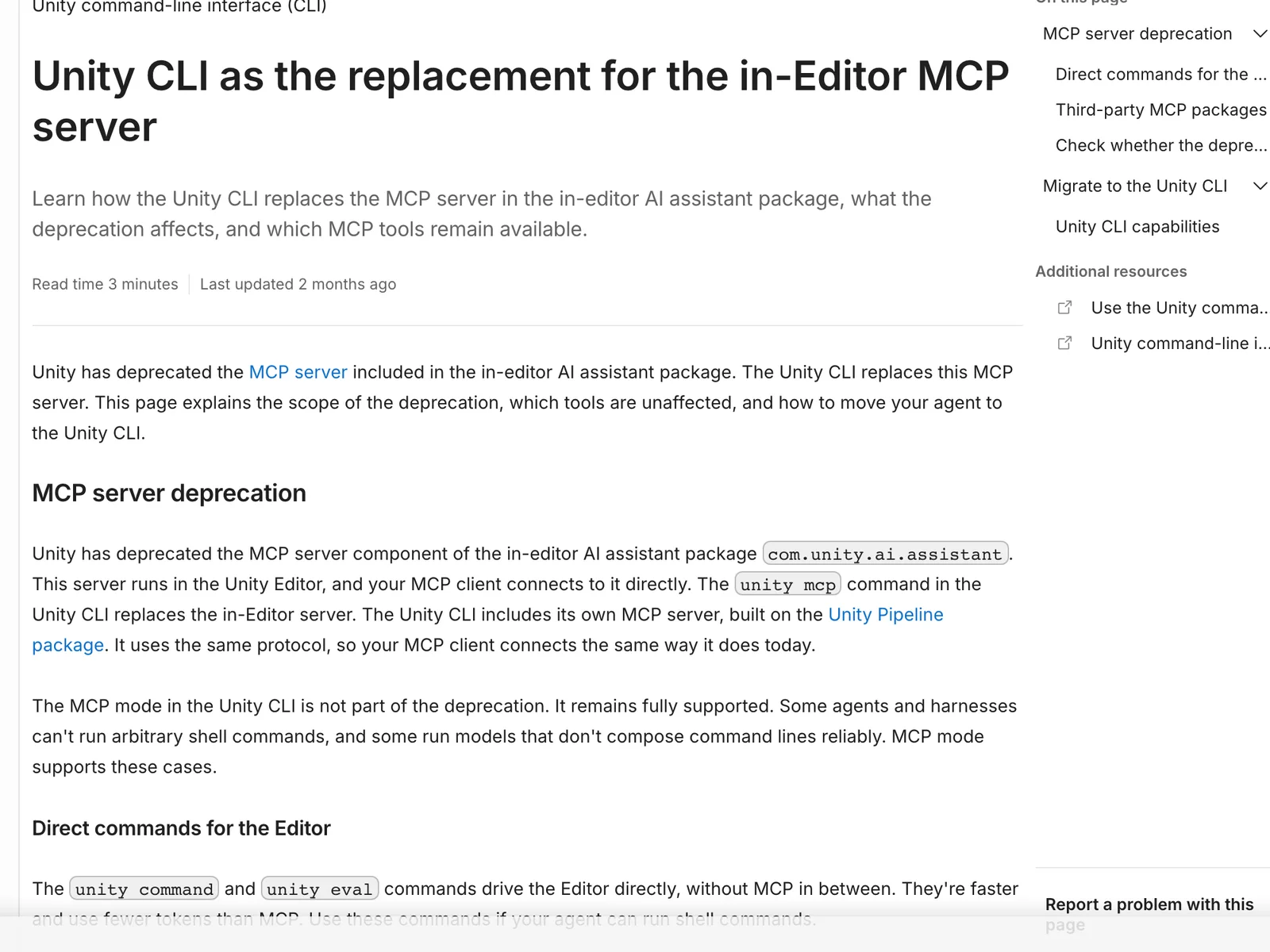
Yes, inside the Unity CLI: unity mcp is a stdio MCP server that exposes the open Editor's commands as tools.
Scenes, prefabs, materials and most assets are YAML text when Asset Serialization is set to Force Text, and scripts are plain C#, so an agent can read and diff them directly.
3 we would consider; we lead with MCP for Unity.
Unity's AI tools are an in-Editor assistant with asset Generators (paid on Personal, included on Pro and above), an AI gateway that runs Claude Code, Codex, Gemini or Cursor inside the assistant window on your own subscription, the free CLI, MCP server and plugin, and Sentis for running neural networks in a game.
What an AI agent can do in Unity
16 jobs people ask for, checked against what Unity’s interfaces expose: 10 fully, 4 in part, 2 not at all.
| Job | Agent can do it? | How, or why not |
|---|---|---|
| Build a scene from primitives and prefabs | Yes | Every route creates, positions and parents GameObjects and instantiates prefabs through the Editor API. |
| Write gameplay scripts and fix compile errors | Yes | The agent writes C# files, triggers a recompile (unity recompile or a tool) and reads the errors back, as long as the Editor did not start in Safe Mode.Unity agent plugin: unity-cli skill (aligned to CLI 1.0.0-beta.14), read |
| Add and configure components | Yes | Components and their serialized fields are set through the API, MCP tools such as update_component, or SerializedObject in a script. |
| Create and assign materials | Yes | Material APIs and dedicated tools in MCP for Unity and mcp-unity create materials, set shader properties and assign them. |
| Set texture, sprite and model import settings | Yes | AssetImporter subclasses (TextureImporter, ModelImporter) are scriptable, so batch re-imports are a short Editor script. |
| Install and remove packages | Yes | The Package Manager client API, Unity CLI package commands and server tools add packages; mcp-unity keeps this off by default because packages run Editor code.GitHub: CoderGamester/mcp-unity, read |
| Enter Play mode and check the game runs | Partly | Starting Play mode is one call, but Unity's agent guide warns an unfocused Editor can freeze at frame 1 while still reporting it is playing, so the agent must confirm time or state moved.Unity agent plugin: unity-cli skill (aligned to CLI 1.0.0-beta.14), read |
| Run EditMode and PlayMode tests | Yes | unity test, -runTests in batch mode, or a server's test tool run the Unity Test Framework and return results.Unity agent plugin: unity-cli run, test and build reference, read |
| Make a player build for desktop, mobile or web | Yes | BuildPipeline.BuildPlayer from an Editor method or unity build; the target's build module must be installed, and console platforms need their own licences.Unity agent plugin: unity-cli run, test and build reference, read |
| Bake lighting and navigation | Yes | Lightmapping and the AI Navigation package expose bake calls an Editor script can run; long bakes are better run from the terminal than inside an MCP call. |
| Lay out game UI | Partly | UI Toolkit and uGUI are fully scriptable and Unity's plugin has UI skills, but judging layout needs screenshots and a person's eye. |
| Set up Animator state machines | Partly | AnimatorController and AnimationClip APIs build states, transitions and curves; authoring believable motion by keyframe is beyond what an agent does well. |
| Generate sprites, textures or sounds | Partly | Unity's Generators do this inside the assistant for credits, and MCP for Unity has optional generation tools with your own API key; the scripting API alone makes no art.Unity AI Assistant manual: Generators, read |
| Read the console and profile a scene | Yes | Console logs are readable through the CLI (unity logs --console) and every server; MCP for Unity and Unity-MCP add profiling tools.Unity agent plugin: unity-cli skill changelog, read |
| Buy and import assets from the Asset Store | No | Purchases happen on the Asset Store website under your Unity ID; an agent can import a package you already own only after you add it in Package Manager > My Assets. |
| Judge whether the game is fun | No | Agents can play-test for errors and scripted outcomes, not feel, difficulty or pacing. |
What AI can’t do in Unity yet
Batch mode cannot open a project that is already open in the Editor, and unity test refuses one too.
Workaround: Drive the open Editor through the Unity CLI or an MCP bridge, or close the Editor before a batch run.
Unity agent plugin: unity-cli skill (aligned to CLI 1.0.0-beta.14), read
A compile error at startup puts the Editor in Safe Mode, where the Pipeline package and MCP bridges do not load, so the agent loses its connection.
Workaround: Fix the error in the C# files (unity status lists the compile errors) and let the Editor leave Safe Mode.
Unity agent plugin: unity-cli skill (aligned to CLI 1.0.0-beta.14), read
Play mode can freeze at frame 1 in an unfocused Editor while reporting it is playing, and a screenshot can show a frozen frame that looks alive.
Workaround: Have the agent check that time or game state advanced before trusting a play test.
Unity agent plugin: unity-cli skill (aligned to CLI 1.0.0-beta.14), read
Not every change an agent makes is recorded for Undo.
Workaround: Commit to version control before each session and use Force Text serialization so changes can be diffed.
Unity's CLI and MCP server only drive Unity 6.0 or newer.
Workaround: On Unity 2021.3 to 2023, use MCP for Unity, or batch mode with -executeMethod.
Unity agent plugin: unity-cli integration reference (unity mcp), read
Long builds and bakes can outlast an MCP client's tool timeout.
Workaround: Run them from the terminal with unity build or batch mode and read the log.
Activating a Unity licence needs a Unity ID sign-in or a serial; a service account cannot activate a licence.
Workaround: Activate once by hand on each machine, or use a serial or offline licence file for build machines.
Unity MCP shortlist
For installation, verification and troubleshooting, use our Unity MCP setup guide. The reference below covers the wider app and edition requirements.
- Unity CLI (unity mcp)
Use it on Unity 6 with a client that cannot run shell commands; Claude Code and Codex do better with Unity's plugin and plain unity command calls. Requirements: The Unity CLI installed, Unity 6.0 or newer with the project open, and the Pipeline package added with unity pipeline install.
Unity agent plugin: unity-cli integration reference (unity mcp), read
- MCP for Unity
The default community choice: the most tools, Unity 2021.3 to 6.x, and a one-click setup for most clients. Requirements: The MCP for Unity package added in Package Manager from https://github.com/CoplayDev/unity-mcp.git?path=/MCPForUnity#main, the Editor open, and uv with Python 3.10 or newer. Its window can also serve HTTP at http://localhost:8080/mcp.
- Unity-MCP (AI Game Developer)
Pick it for tools inside a running game or custom C# tools; read its cloud defaults first if your project must stay local. Requirements: The Unity plugin installed (unity-mcp-cli install-plugin, OpenUPM or the .unitypackage) and the Editor open. This Docker form needs Docker running; the default CLI setup instead points clients at its hosted service, ai-game.dev. Project paths cannot contain spaces.
- mcp-unity
For teams that want no run-anything tool: no free-form C#, a token on the connection and package installs off by default. Requirements: Unity 6 or newer, Node.js 18 or newer, the package added from https://github.com/CoderGamester/mcp-unity.git, and the server started from Tools > MCP Unity > Server Window, which also writes client configs with the real path.
Connect Unity to Claude, ChatGPT, Codex and other assistants
Pick your assistant. Each setup panel leads with MCP for Unity and has the config for every other Unity server underneath.
Voyager Built in
Voyager runs synchronous static C# Editor methods in Unity batch mode using the version pinned by your project, then checks logs and explicit success or failure results. It can create Editor automation and builds for your configured pipeline and target, generate supporting assets, and playtest through computer control on macOS or Windows. Exit code zero alone does not prove the task succeeded.
Requirements: Install and activate the Unity Editor version pinned in ProjectSettings/ProjectVersion.txt. Batch mode cannot open a project locked by the Editor: close it or work on a copy. Windows and Linux Voyager builds are alpha; computer control is unavailable on Linux.
Claude desktop app Config below
Does Claude desktop app work with Unity?
Yes, through MCP for Unity, a community MCP server by CoplayDev (sponsored by Aura)
MCP for Unity's HTTP endpoint does not work with Claude Desktop; use its stdio (uvx) setup there.
MCP for Unity · config in claude_desktop_config.json (Settings > Developer > Edit Config), which is ~/Library/Application Support/Claude/ on macOS and %APPDATA%\Claude\ on Windows
First: The MCP for Unity package added in Package Manager from https://github.com/CoplayDev/unity-mcp.git?path=/MCPForUnity#main, the Editor open, and uv with Python 3.10 or newer. Its window can also serve HTTP at http://localhost:8080/mcp.
{
  "mcpServers": {
    "unity": {
      "command": "uvx",
      "args": [
        "--from",
        "mcpforunityserver",
        "mcp-for-unity",
        "--transport",
        "stdio"
      ],
      "env": {}
    }
  }
}›The other 3 Unity MCP servers in Claude desktop app
Unity CLI (unity mcp)
First: The Unity CLI installed, Unity 6.0 or newer with the project open, and the Pipeline package added with unity pipeline install.
{
  "mcpServers": {
    "unity": {
      "command": "unity",
      "args": [
        "mcp"
      ],
      "env": {}
    }
  }
}
Unity-MCP (AI Game Developer)
First: The Unity plugin installed (unity-mcp-cli install-plugin, OpenUPM or the .unitypackage) and the Editor open. This Docker form needs Docker running; the default CLI setup instead points clients at its hosted service, ai-game.dev. Project paths cannot contain spaces.
{
  "mcpServers": {
    "unity": {
      "command": "docker",
      "args": [
        "run",
        "-t",
        "-e",
        "MCP_PLUGIN_CLIENT_TRANSPORT=stdio",
        "-p",
        "8080:8080",
        "aigamedeveloper/mcp-server"
      ],
      "env": {}
    }
  }
}
mcp-unity
First: Unity 6 or newer, Node.js 18 or newer, the package added from https://github.com/CoderGamester/mcp-unity.git, and the server started from Tools > MCP Unity > Server Window, which also writes client configs with the real path.
{
  "mcpServers": {
    "unity": {
      "command": "node",
      "args": [
        "ABSOLUTE/PATH/TO/mcp-unity/Server~/build/index.js"
      ],
      "env": {}
    }
  }
}
This server installs from source: replace the placeholder path with where you cloned or installed it.
Quit and reopen the app after editing the config file; it is read at launch. Remote connectors are reached from Anthropic's cloud, not your computer, so a server on localhost or behind a VPN will not connect as a custom connector. Requires: a custom connector for remote servers, which Free plans limit to one and which an Owner adds on Team and Enterprise; local servers need only the desktop app. Claude desktop app docs.
Claude Code Official app
Does Claude Code work with Unity?
Yes. Unity plugin for Claude Code is an official connection for Claude Code; its requirements are below. You can also use MCP for Unity, a community MCP server by CoplayDev (sponsored by Aura)
Unity plugin for Claude Code
Unity Technologies publishes a Claude Code plugin (0.1.8-beta) with skills for UI, 2D, physics, URP, in-app purchases, multiplayer and the Unity CLI. It needs Unity 6 and installs the CLI when a skill needs it.
Unity publishes an official plugin for Claude Code: run /plugin marketplace add Unity-Technologies/unity-agent-plugin, then /plugin install unity@unity-agent-plugin. It uses unity command rather than MCP, which Unity says costs fewer tokens.
MCP for Unity · config in ~/.claude.json for user scope (%USERPROFILE%\.claude.json on Windows), or .mcp.json in the project root for project scope
First: The MCP for Unity package added in Package Manager from https://github.com/CoplayDev/unity-mcp.git?path=/MCPForUnity#main, the Editor open, and uv with Python 3.10 or newer. Its window can also serve HTTP at http://localhost:8080/mcp.
claude mcp add --scope user --transport stdio unity -- uvx --from mcpforunityserver mcp-for-unity --transport stdio›The other 3 Unity MCP servers in Claude Code
Unity CLI (unity mcp)
First: The Unity CLI installed, Unity 6.0 or newer with the project open, and the Pipeline package added with unity pipeline install.
claude mcp add --scope user --transport stdio unity -- unity mcpUnity-MCP (AI Game Developer)
First: The Unity plugin installed (unity-mcp-cli install-plugin, OpenUPM or the .unitypackage) and the Editor open. This Docker form needs Docker running; the default CLI setup instead points clients at its hosted service, ai-game.dev. Project paths cannot contain spaces.
claude mcp add --scope user --transport stdio unity -- docker run -t -e MCP_PLUGIN_CLIENT_TRANSPORT=stdio -p 8080:8080 aigamedeveloper/mcp-servermcp-unity
First: Unity 6 or newer, Node.js 18 or newer, the package added from https://github.com/CoderGamester/mcp-unity.git, and the server started from Tools > MCP Unity > Server Window, which also writes client configs with the real path.
claude mcp add --scope user --transport stdio unity -- node 'ABSOLUTE/PATH/TO/mcp-unity/Server~/build/index.js'This server installs from source: replace the placeholder path with where you cloned or installed it.
Options go before the name and the -- keeps the server's own flags away from Claude Code; a name placed straight after -e is read as another variable, hence --transport between them. Check with claude mcp list or /mcp inside a session. Claude Code docs.
ChatGPT Not directly
Does ChatGPT work with Unity?
Not directly. ChatGPT only connects to remote MCP servers over HTTPS, and MCP for Unity runs on your own computer. To use it from ChatGPT you would have to expose it at a public URL through a tunnel or bridge, which also exposes Unity to the internet.
Unity ships no ChatGPT app, and the Unity CLI's MCP server is stdio only, so ChatGPT cannot reach a local Editor without a separate remote bridge.
MCP for Unity · config in ChatGPT's settings on the web (Apps, shown as Plugins on newer accounts); there is no config file
ChatGPT only connects to remote MCP servers over HTTPS, and MCP for Unity runs on your own computer. To use it from ChatGPT you would have to expose it at a public URL through a tunnel or bridge, which also exposes Unity to the internet.
›The other 3 Unity MCP servers in ChatGPT
Unity CLI (unity mcp)
ChatGPT only connects to remote MCP servers over HTTPS, and Unity CLI (unity mcp) runs on your own computer. To use it from ChatGPT you would have to expose it at a public URL through a tunnel or bridge, which also exposes Unity to the internet.
Unity-MCP (AI Game Developer)
ChatGPT only connects to remote MCP servers over HTTPS, and Unity-MCP (AI Game Developer) runs on your own computer. To use it from ChatGPT you would have to expose it at a public URL through a tunnel or bridge, which also exposes Unity to the internet.
mcp-unity
ChatGPT only connects to remote MCP servers over HTTPS, and mcp-unity runs on your own computer. To use it from ChatGPT you would have to expose it at a public URL through a tunnel or bridge, which also exposes Unity to the internet.
ChatGPT only reaches servers on the public internet over HTTPS. A local stdio server needs OpenAI's Secure MCP Tunnel (the tunnel-client daemon, an OpenAI Platform tunnel and API key), or a public tunnel such as ngrok, so most people use Codex or Claude for local apps. Requires: developer mode (beta) in ChatGPT on the web; OpenAI documents full MCP, including write actions, for Business, Enterprise and Edu workspaces, where an admin must allow it. ChatGPT docs.
Codex Official app
Does Codex work with Unity?
Yes. Unity plugin for Codex is an official connection for Codex; its requirements are below. You can also use MCP for Unity, a community MCP server by CoplayDev (sponsored by Aura)
Unity plugin for Codex
The same Unity plugin installs in Codex with codex plugin marketplace add Unity-Technologies/unity-agent-plugin, then codex plugin add unity@unity-agent-plugin.
unity mcp configure codex also loosens Codex's sandbox network policy to localhost so the server can reach the Editor; preview it with --dry-run.
MCP for Unity · config in ~/.codex/config.toml (%USERPROFILE%\.codex\config.toml on Windows), shared by the Codex CLI, IDE extension and desktop app
First: The MCP for Unity package added in Package Manager from https://github.com/CoplayDev/unity-mcp.git?path=/MCPForUnity#main, the Editor open, and uv with Python 3.10 or newer. Its window can also serve HTTP at http://localhost:8080/mcp.
[mcp_servers.unity]
command = 'uvx'
args = ["--from", "mcpforunityserver", "mcp-for-unity", "--transport", "stdio"]
env = {}›The other 3 Unity MCP servers in Codex
Unity CLI (unity mcp)
First: The Unity CLI installed, Unity 6.0 or newer with the project open, and the Pipeline package added with unity pipeline install.
[mcp_servers.unity]
command = 'unity'
args = ["mcp"]
env = {}
Unity-MCP (AI Game Developer)
First: The Unity plugin installed (unity-mcp-cli install-plugin, OpenUPM or the .unitypackage) and the Editor open. This Docker form needs Docker running; the default CLI setup instead points clients at its hosted service, ai-game.dev. Project paths cannot contain spaces.
[mcp_servers.unity]
command = 'docker'
args = ["run", "-t", "-e", "MCP_PLUGIN_CLIENT_TRANSPORT=stdio", "-p", "8080:8080", "aigamedeveloper/mcp-server"]
env = {}
mcp-unity
First: Unity 6 or newer, Node.js 18 or newer, the package added from https://github.com/CoderGamester/mcp-unity.git, and the server started from Tools > MCP Unity > Server Window, which also writes client configs with the real path.
[mcp_servers.unity]
command = 'node'
args = ["ABSOLUTE/PATH/TO/mcp-unity/Server~/build/index.js"]
env = {}
This server installs from source: replace the placeholder path with where you cloned or installed it.
codex mcp add also takes a local server (name, then -- and the command), but it sets variables with --env KEY=VALUE rather than -e, so the config block is shown here. Run codex mcp list to check it is enabled, and codex mcp login with the server name for an OAuth server. Codex docs.
Cursor Config below
Does Cursor work with Unity?
Yes, through MCP for Unity, a community MCP server by CoplayDev (sponsored by Aura)
MCP for Unity · config in ~/.cursor/mcp.json for every project (%USERPROFILE%\.cursor\mcp.json on Windows), or .cursor/mcp.json in one project
First: The MCP for Unity package added in Package Manager from https://github.com/CoplayDev/unity-mcp.git?path=/MCPForUnity#main, the Editor open, and uv with Python 3.10 or newer. Its window can also serve HTTP at http://localhost:8080/mcp.
{
  "mcpServers": {
    "unity": {
      "command": "uvx",
      "args": [
        "--from",
        "mcpforunityserver",
        "mcp-for-unity",
        "--transport",
        "stdio"
      ],
      "env": {}
    }
  }
}›The other 3 Unity MCP servers in Cursor
Unity CLI (unity mcp)
First: The Unity CLI installed, Unity 6.0 or newer with the project open, and the Pipeline package added with unity pipeline install.
{
  "mcpServers": {
    "unity": {
      "command": "unity",
      "args": [
        "mcp"
      ],
      "env": {}
    }
  }
}
Unity-MCP (AI Game Developer)
First: The Unity plugin installed (unity-mcp-cli install-plugin, OpenUPM or the .unitypackage) and the Editor open. This Docker form needs Docker running; the default CLI setup instead points clients at its hosted service, ai-game.dev. Project paths cannot contain spaces.
{
  "mcpServers": {
    "unity": {
      "command": "docker",
      "args": [
        "run",
        "-t",
        "-e",
        "MCP_PLUGIN_CLIENT_TRANSPORT=stdio",
        "-p",
        "8080:8080",
        "aigamedeveloper/mcp-server"
      ],
      "env": {}
    }
  }
}
mcp-unity
First: Unity 6 or newer, Node.js 18 or newer, the package added from https://github.com/CoderGamester/mcp-unity.git, and the server started from Tools > MCP Unity > Server Window, which also writes client configs with the real path.
{
  "mcpServers": {
    "unity": {
      "command": "node",
      "args": [
        "ABSOLUTE/PATH/TO/mcp-unity/Server~/build/index.js"
      ],
      "env": {}
    }
  }
}
This server installs from source: replace the placeholder path with where you cloned or installed it.
Cursor has capped the number of MCP tools it sends the model (third-party guides cite 40 to 80), so disable tools you do not need in Settings > MCP. GUI apps do not inherit your shell PATH; use full paths for commands like uvx. Cursor docs.
VS Code with GitHub Copilot Config below
Does VS Code with GitHub Copilot work with Unity?
Yes, through MCP for Unity, a community MCP server by CoplayDev (sponsored by Aura)
MCP for Unity · config in ~/.copilot/mcp-config.json for yourself (the Copilot Global destination), or .mcp.json in the workspace root for a team
First: The MCP for Unity package added in Package Manager from https://github.com/CoplayDev/unity-mcp.git?path=/MCPForUnity#main, the Editor open, and uv with Python 3.10 or newer. Its window can also serve HTTP at http://localhost:8080/mcp.
{
  "mcpServers": {
    "unity": {
      "command": "uvx",
      "args": [
        "--from",
        "mcpforunityserver",
        "mcp-for-unity",
        "--transport",
        "stdio"
      ],
      "env": {}
    }
  }
}›The other 3 Unity MCP servers in VS Code with GitHub Copilot
Unity CLI (unity mcp)
First: The Unity CLI installed, Unity 6.0 or newer with the project open, and the Pipeline package added with unity pipeline install.
{
  "mcpServers": {
    "unity": {
      "command": "unity",
      "args": [
        "mcp"
      ],
      "env": {}
    }
  }
}
Unity-MCP (AI Game Developer)
First: The Unity plugin installed (unity-mcp-cli install-plugin, OpenUPM or the .unitypackage) and the Editor open. This Docker form needs Docker running; the default CLI setup instead points clients at its hosted service, ai-game.dev. Project paths cannot contain spaces.
{
  "mcpServers": {
    "unity": {
      "command": "docker",
      "args": [
        "run",
        "-t",
        "-e",
        "MCP_PLUGIN_CLIENT_TRANSPORT=stdio",
        "-p",
        "8080:8080",
        "aigamedeveloper/mcp-server"
      ],
      "env": {}
    }
  }
}
mcp-unity
First: Unity 6 or newer, Node.js 18 or newer, the package added from https://github.com/CoderGamester/mcp-unity.git, and the server started from Tools > MCP Unity > Server Window, which also writes client configs with the real path.
{
  "mcpServers": {
    "unity": {
      "command": "node",
      "args": [
        "ABSOLUTE/PATH/TO/mcp-unity/Server~/build/index.js"
      ],
      "env": {}
    }
  }
}
This server installs from source: replace the placeholder path with where you cloned or installed it.
VS Code now recommends the portable mcpServers file, which the Copilot harness reads directly and Copilot CLI shares; .vscode/mcp.json still works but uses "servers" and is labelled deprecated in the Add Server flow. MCP: Add Server in the Command Palette writes the same entry for you. Requires: a GitHub Copilot plan, and on Copilot Business or Enterprise the organization's "MCP servers in Copilot" policy, which is off by default. VS Code with GitHub Copilot docs.
Gemini CLI Config below
Does Gemini CLI work with Unity?
Yes, through MCP for Unity, a community MCP server by CoplayDev (sponsored by Aura)
MCP for Unity · config in ~/.gemini/settings.json (%USERPROFILE%\.gemini\settings.json on Windows), or .gemini/settings.json in one project
First: The MCP for Unity package added in Package Manager from https://github.com/CoplayDev/unity-mcp.git?path=/MCPForUnity#main, the Editor open, and uv with Python 3.10 or newer. Its window can also serve HTTP at http://localhost:8080/mcp.
gemini mcp add --scope user unity uvx -- --from mcpforunityserver mcp-for-unity --transport stdio›The other 3 Unity MCP servers in Gemini CLI
Unity CLI (unity mcp)
First: The Unity CLI installed, Unity 6.0 or newer with the project open, and the Pipeline package added with unity pipeline install.
gemini mcp add --scope user unity unity -- mcpUnity-MCP (AI Game Developer)
First: The Unity plugin installed (unity-mcp-cli install-plugin, OpenUPM or the .unitypackage) and the Editor open. This Docker form needs Docker running; the default CLI setup instead points clients at its hosted service, ai-game.dev. Project paths cannot contain spaces.
gemini mcp add --scope user unity docker -- run -t -e MCP_PLUGIN_CLIENT_TRANSPORT=stdio -p 8080:8080 aigamedeveloper/mcp-servermcp-unity
First: Unity 6 or newer, Node.js 18 or newer, the package added from https://github.com/CoderGamester/mcp-unity.git, and the server started from Tools > MCP Unity > Server Window, which also writes client configs with the real path.
gemini mcp add --scope user unity node -- 'ABSOLUTE/PATH/TO/mcp-unity/Server~/build/index.js'This server installs from source: replace the placeholder path with where you cloned or installed it.
Without --scope user the server is written to the current project's settings. Stdio servers only connect in a trusted folder; run gemini trust, then gemini mcp list to check. Requires: a Gemini API key or Vertex AI, since consumer Google sign-ins moved to Antigravity CLI on 18 June 2026. Gemini CLI docs.
Hermes Agent Config below
Does Hermes Agent work with Unity?
Yes, through MCP for Unity, a community MCP server by CoplayDev (sponsored by Aura)
MCP for Unity · config in ~/.hermes/config.yaml (%LOCALAPPDATA%\hermes\config.yaml on native Windows)
First: The MCP for Unity package added in Package Manager from https://github.com/CoplayDev/unity-mcp.git?path=/MCPForUnity#main, the Editor open, and uv with Python 3.10 or newer. Its window can also serve HTTP at http://localhost:8080/mcp.
mcp_servers:
  unity:
    command: 'uvx'
    args: ["--from", "mcpforunityserver", "mcp-for-unity", "--transport", "stdio"]
env: {}›The other 3 Unity MCP servers in Hermes Agent
Unity CLI (unity mcp)
First: The Unity CLI installed, Unity 6.0 or newer with the project open, and the Pipeline package added with unity pipeline install.
mcp_servers:
  unity:
    command: 'unity'
    args: ["mcp"]
    env: {}
Unity-MCP (AI Game Developer)
First: The Unity plugin installed (unity-mcp-cli install-plugin, OpenUPM or the .unitypackage) and the Editor open. This Docker form needs Docker running; the default CLI setup instead points clients at its hosted service, ai-game.dev. Project paths cannot contain spaces.
mcp_servers:
  unity:
    command: 'docker'
    args: ["run", "-t", "-e", "MCP_PLUGIN_CLIENT_TRANSPORT=stdio", "-p", "8080:8080", "aigamedeveloper/mcp-server"]
    env: {}
mcp-unity
First: Unity 6 or newer, Node.js 18 or newer, the package added from https://github.com/CoderGamester/mcp-unity.git, and the server started from Tools > MCP Unity > Server Window, which also writes client configs with the real path.
mcp_servers:
  unity:
    command: 'node'
    args: ["ABSOLUTE/PATH/TO/mcp-unity/Server~/build/index.js"]
    env: {}
This server installs from source: replace the placeholder path with where you cloned or installed it.
Start a new session or run /reload-mcp after editing; a running gateway picks up config.yaml changes within about a minute. For an OAuth-protected remote server, add auth: oauth under it and run hermes mcp login with the server name. Hermes Agent docs.
OpenClaw Config below
Does OpenClaw work with Unity?
Yes, through MCP for Unity, a community MCP server by CoplayDev (sponsored by Aura)
MCP for Unity · config in ~/.openclaw/openclaw.json, under mcp.servers
First: The MCP for Unity package added in Package Manager from https://github.com/CoplayDev/unity-mcp.git?path=/MCPForUnity#main, the Editor open, and uv with Python 3.10 or newer. Its window can also serve HTTP at http://localhost:8080/mcp.
{
  "mcp": {
    "servers": {
      "unity": {
        "command": "uvx",
        "args": [
          "--from",
          "mcpforunityserver",
          "mcp-for-unity",
          "--transport",
          "stdio"
        ],
        "env": {}
      }
    }
  }
}›The other 3 Unity MCP servers in OpenClaw
Unity CLI (unity mcp)
First: The Unity CLI installed, Unity 6.0 or newer with the project open, and the Pipeline package added with unity pipeline install.
{
  "mcp": {
    "servers": {
      "unity": {
        "command": "unity",
        "args": [
          "mcp"
        ],
        "env": {}
      }
    }
  }
}
Unity-MCP (AI Game Developer)
First: The Unity plugin installed (unity-mcp-cli install-plugin, OpenUPM or the .unitypackage) and the Editor open. This Docker form needs Docker running; the default CLI setup instead points clients at its hosted service, ai-game.dev. Project paths cannot contain spaces.
{
  "mcp": {
    "servers": {
      "unity": {
        "command": "docker",
        "args": [
          "run",
          "-t",
          "-e",
          "MCP_PLUGIN_CLIENT_TRANSPORT=stdio",
          "-p",
          "8080:8080",
          "aigamedeveloper/mcp-server"
        ],
        "env": {}
      }
    }
  }
}
mcp-unity
First: Unity 6 or newer, Node.js 18 or newer, the package added from https://github.com/CoderGamester/mcp-unity.git, and the server started from Tools > MCP Unity > Server Window, which also writes client configs with the real path.
{
  "mcp": {
    "servers": {
      "unity": {
        "command": "node",
        "args": [
          "ABSOLUTE/PATH/TO/mcp-unity/Server~/build/index.js"
        ],
        "env": {}
      }
    }
  }
}
This server installs from source: replace the placeholder path with where you cloned or installed it.
The key is mcp.servers, not mcpServers. The Gateway hot-reloads the file; run openclaw mcp doctor with the server name and --probe to confirm it answers. Interpreter and loader variables such as NODE_OPTIONS are stripped from a stdio server's env. OpenClaw docs.
Windsurf (Devin Desktop) Config below
Does Windsurf (Devin Desktop) work with Unity?
Yes, through MCP for Unity, a community MCP server by CoplayDev (sponsored by Aura)
MCP for Unity · config in ~/.config/devin/mcp_config.json on macOS and Linux (%APPDATA%\devin\mcp_config.json on Windows); builds from before June 2026 used ~/.codeium/windsurf/mcp_config.json
First: The MCP for Unity package added in Package Manager from https://github.com/CoplayDev/unity-mcp.git?path=/MCPForUnity#main, the Editor open, and uv with Python 3.10 or newer. Its window can also serve HTTP at http://localhost:8080/mcp.
{
  "mcpServers": {
    "unity": {
      "command": "uvx",
      "args": [
        "--from",
        "mcpforunityserver",
        "mcp-for-unity",
        "--transport",
        "stdio"
      ],
      "env": {}
    }
  }
}›The other 3 Unity MCP servers in Windsurf (Devin Desktop)
Unity CLI (unity mcp)
First: The Unity CLI installed, Unity 6.0 or newer with the project open, and the Pipeline package added with unity pipeline install.
{
  "mcpServers": {
    "unity": {
      "command": "unity",
      "args": [
        "mcp"
      ],
      "env": {}
    }
  }
}
Unity-MCP (AI Game Developer)
First: The Unity plugin installed (unity-mcp-cli install-plugin, OpenUPM or the .unitypackage) and the Editor open. This Docker form needs Docker running; the default CLI setup instead points clients at its hosted service, ai-game.dev. Project paths cannot contain spaces.
{
  "mcpServers": {
    "unity": {
      "command": "docker",
      "args": [
        "run",
        "-t",
        "-e",
        "MCP_PLUGIN_CLIENT_TRANSPORT=stdio",
        "-p",
        "8080:8080",
        "aigamedeveloper/mcp-server"
      ],
      "env": {}
    }
  }
}
mcp-unity
First: Unity 6 or newer, Node.js 18 or newer, the package added from https://github.com/CoderGamester/mcp-unity.git, and the server started from Tools > MCP Unity > Server Window, which also writes client configs with the real path.
{
  "mcpServers": {
    "unity": {
      "command": "node",
      "args": [
        "ABSOLUTE/PATH/TO/mcp-unity/Server~/build/index.js"
      ],
      "env": {}
    }
  }
}
This server installs from source: replace the placeholder path with where you cloned or installed it.
Windsurf became Devin Desktop in June 2026 and its default agent is now Devin Local; the legacy Cascade agent expects serverUrl instead of url for remote servers and allows at most 100 tools at once. Refresh the MCP panel after editing the file. Requires: MCP left on by a Teams or Enterprise admin, who can also allowlist servers (allowlisting one blocks all others). Windsurf (Devin Desktop) docs.
Unity API, scripting and command line
Unity API
YesC#The Unity Scripting API (UnityEngine for runtime, UnityEditor for the Editor) is a C# API that reaches scenes, GameObjects, components, assets, import settings, builds and tests. It runs inside the Editor process; there is no built-in network API, so outside tools reach it through an Editor package such as Unity's Pipeline package or a community MCP bridge.
Unity scripting
YesC#Editor scripts are C# files under an Editor folder (for example Assets/Editor). They can add menu items and windows and change anything the Editor can, and Unity recompiles them when saved. There is no supported Python: the Editor-only Python Scripting package is deprecated, with support ended as of Unity 6.1.
// Assets/Editor/AddProbe.cs
using UnityEditor;
using UnityEngine;

public static class AddProbe
{
    [MenuItem("Tools/Add Probe")]
    public static void Run()
    {
        var go = GameObject.CreatePrimitive(PrimitiveType.Cube);
        go.name = "Probe";
        Undo.RegisterCreatedObjectUndo(go, "Add Probe");
    }
}
An Editor script that adds a menu item creating an undoable cube. An agent writes files like this, or runs the same C# live through unity command script eval.
Unity command line and headless mode
YesShellC#The Editor runs without a window in batch mode and calls a static C# method with -executeMethod, the standard route for CI builds and tests; it refuses a project that is already open in the Editor. Unity's separate Unity CLI (the unity command, beta) wraps this as unity build, unity test and unity run, and also drives an open Unity 6 Editor.
Unity -batchmode -nographics -quit -projectPath . \
  -executeMethod BuildScript.BuildMac -logFile build.log
Runs a static Editor method headless and writes the log. Throw an exception or call EditorApplication.Exit with a non-zero code to report failure.
DocumentationUnity Manual: Editor command line arguments (6000.3), read
Unity plugins and add-ons
YesC#Extensions are packages installed through the Package Manager, from Unity's registry, a Git URL, OpenUPM or a local folder, or assets bought on the Unity Asset Store. Packages can contain Editor code, which is how every MCP bridge and Unity's own Pipeline package get into the Editor.
DocumentationUnity Asset StoreUnity Manual: Install a package from a Git URL, read
Unity official MCP server
PartlyMCP (stdio)Yes, inside the Unity CLI: unity mcp is a stdio MCP server that exposes the open Editor's commands as tools. It is free, but the CLI is still in beta (1.0.0-beta.14 on 21 October 2026) and needs Unity 6.0 or newer plus the Pipeline package in the project. The older MCP server in the AI Assistant package is deprecated.
Cost: Free; no Unity AI subscription or credits needed; no concurrency limits
unity pipeline install
unity mcp configure claude-code
Adds Unity's Pipeline package to the open project, then registers unity mcp in Claude Code. Use --dry-run to see the change first.
DocumentationUnity agent plugin: unity-cli integration reference (unity mcp), read
Unity project files
PartlyYAMLC#JSONScenes, prefabs, materials and most assets are YAML text when Asset Serialization is set to Force Text, and scripts are plain C#, so an agent can read and diff them directly. Editing scene YAML by hand is fragile: objects are ordered by serialization, every asset has a .meta file with a GUID, and a wrong reference fails quietly. Unity's own agent guidance says to drive the Editor instead when one is available.
Unity agent plugin: unity-cli version control reference, read
Built-in AI in Unity
Unity's AI tools are an in-Editor assistant with asset Generators (paid on Personal, included on Pro and above), an AI gateway that runs Claude Code, Codex, Gemini or Cursor inside the assistant window on your own subscription, the free CLI, MCP server and plugin, and Sentis for running neural networks in a game. Unity is retiring the name Unity AI for these tools, and the older Muse product is deprecated.
Assistant
A chat agent in the Editor that answers questions in Ask mode and changes the project in Agent mode.
Unity 6. Included with Pro, Enterprise and Industry; on Personal a 14-day trial, then $10 a month. Uses credits.
Unity: AI tools and FAQ, read
Generators
Make sprites, textures, materials, sounds, animations, terrain layers and 3D objects from prompts or reference images, inside the Editor.
Through the assistant on Unity 6.3 and newer. Uses the same credits; can be switched off separately.
AI gateway
Runs a third-party coding agent such as Claude Code, Codex, Gemini or Cursor from the assistant window, with Unity's project context.
Assistant package required; uses your own provider subscription or API key, not Unity credits.
Unity AI Assistant manual: Get started with AI Gateway, read
Unity CLI, MCP server and plugin
Let outside agents drive the Editor: unity command, unity mcp, and Unity's skills plugin for Claude Code, Codex, Grok and Antigravity.
Free on every plan; driving the Editor needs Unity 6.0 or newer. Beta.
Unity: AI tools and FAQ, read
Sentis
Runs ONNX neural network models inside a game on the player's CPU or GPU (package com.unity.ai.inference, briefly named Inference Engine).
Free package in the Package Manager for all users.
Unity pricing
Unity is free on Personal under $200,000 in revenue or funding; Pro is a paid seat, Enterprise and Industry are quoted, and the C# API, batch mode, CLI and MCP servers work on every plan.
| Plan | Price | What it’s for |
|---|---|---|
| PersonalUnlocks automation | $0 | Individuals and companies under $200,000 in revenue or funds raised in the last 12 months. Scripting, batch mode, the Unity CLI and MCP servers all work. |
| Assistant for Personal | 14-day trial, then $10 a month | Unity's in-Editor assistant and Generators on the Personal plan, billed in credits (1,000 a month). Unity confirms the $10 subscription on its AI tools FAQ. |
| Pro | $2,310 a year per seat, or $210 a month | Required between $200,000 and $25M in revenue or funding. Includes the assistant with a monthly credit allowance. |
| Enterprise | Custom | Required above $25M in annual revenue. Includes the assistant. |
| Industry | Custom | Non-game companies over $1M in revenue; adds industrial tooling. Includes the assistant. |
Unity: compare plans, read
Voyager
Use Unity with Voyager
Voyager runs synchronous static C# Editor methods in Unity batch mode using the version pinned by your project, then checks logs and explicit success or failure results. It can create Editor automation and builds for your configured pipeline and target, generate supporting assets, and playtest through computer control on macOS or Windows. Exit code zero alone does not prove the task succeeded. The agent can generate supporting media through your connected providers or Voyager credits. App licences and generation costs are separate.
Requirements: Install and activate the Unity Editor version pinned in ProjectSettings/ProjectVersion.txt. Batch mode cannot open a project locked by the Editor: close it or work on a copy. Windows and Linux Voyager builds are alpha; computer control is unavailable on Linux.
Try asking
- “Add a build script to my Unity project that makes a macOS build, run it, and tell me if it failed and why.”
- “Run the EditMode tests in my Unity project and summarise any failures.”
- “Set every texture in Assets/Sprites to Sprite mode with point filtering and no compression.”
- “Make a small 2D platformer in Unity with a player, three platforms and a goal, and build it for macOS.”
Frequently asked questions
Does Unity have an API?
Yes. Unity's Scripting API is a C# API: UnityEngine for game code and UnityEditor for the Editor, which reaches scenes, assets, import settings, builds and tests. It runs inside the Editor, so outside tools connect through an Editor package such as Unity's Pipeline package or an MCP bridge.
Can I script Unity with Python?
No, not natively. Unity's scripting language is C#. The Editor-only Python Scripting package (com.unity.scripting.python) is deprecated, with support ended as of Unity 6.1. An agent that works in Python can still write C# Editor scripts and run them through batch mode, the Unity CLI or an MCP server, several of which (such as MCP for Unity) have a Python server side.
Is there an official Unity MCP server?
Yes. The Unity CLI includes one, started with unity mcp, which exposes the open Editor's commands as tools. It is free, needs Unity 6.0 or newer and the Pipeline package, and was in beta (1.0.0-beta.14) on 23 October 2026. The earlier MCP server in the AI Assistant package is deprecated.
Is Unity MCP free?
Yes. Unity says its CLI, MCP server and official plugin are free to use, with no Unity AI subscription or credits. The community servers are open source. You still pay for the AI model your agent uses.
What is the best Unity MCP server?
On Unity 6 with Claude Code or Codex, we would use Unity's plugin and the Unity CLI. On Unity 2021.3 to 2023, or for the widest set of tools, MCP for Unity. For an agent that cannot run arbitrary C#, CoderGamester's mcp-unity.
Can ChatGPT control Unity?
Not directly. Unity has no app in ChatGPT, and the Unity CLI's MCP server runs locally over stdio. ChatGPT can write C# scripts you paste into a project; to have an agent change the Editor itself, use Codex, Claude Code or Cursor with the Unity CLI or a community MCP server.
Can Claude Code make a game in Unity?
Yes, a small one. With the Unity CLI or MCP for Unity it can create scenes, write scripts, wire components, enter Play mode and build. It still needs you to check that the game runs and feels right, and it does not make art unless a generation tool is connected.
Does Unity have built-in AI?
Yes. Unity 6 has an in-Editor assistant that answers questions and edits the project, Generators that make sprites, textures, materials, sounds and animations from prompts, and an AI gateway that runs Claude Code, Codex, Gemini or Cursor inside the assistant window.
How much does Unity's AI assistant cost?
It is included with Unity Pro, Enterprise and Industry. On the free Personal plan it starts with a 14-day trial and then costs $10 a month for 1,000 credits a month, checked on Unity's AI page on 20 October 2026. The CLI, MCP server and plugin are free.
What happened to Unity Muse and Unity AI?
Muse, Unity's earlier generative product, is deprecated, and its generators moved into the assistant. Unity is also retiring the Unity AI name: the tools are now described as the assistant, the AI gateway, the MCP server, the official plugin and the CLI.
What is the Unity AI gateway?
It is a feature of Unity's assistant that runs a third-party coding agent, such as Claude Code, Codex, Gemini or Cursor, from the assistant window inside the Editor. It uses your own subscription or API key with that provider, not Unity credits.
What is Sentis (Unity Inference Engine)?
Sentis is a free Unity package, com.unity.ai.inference, that runs ONNX neural network models inside a game on the player's CPU or GPU. It was briefly renamed Inference Engine and then went back to Sentis; it is for AI in your game, not for an agent building the game.
Can Unity run headless from the command line?
Yes. Unity -batchmode -nographics -quit -projectPath <path> -executeMethod <Class.Method> runs the Editor without a window and calls a static C# method, which is how CI builds and tests work. It cannot open a project that is already open in the Editor.
Is the Unity scripting API free?
Yes. The C# API, Editor scripting, batch mode and the Unity CLI work on every plan, including the free Personal plan. Personal is for individuals and companies under $200,000 in revenue or funding in the last 12 months.
How much does Unity cost?
Unity Personal is free under $200,000 in revenue or funding. Unity Pro costs $2,310 a year per seat, or $210 a month, and is required up to $25M; Enterprise and Industry are priced by Unity's sales team.
Can an AI agent edit Unity scene files directly?
It can, but we advise against it. With Force Text serialization, scenes and prefabs are YAML, yet objects are ordered by serialization and linked by GUIDs in .meta files, so a hand edit can break references silently. Driving the Editor through its API is safer.
Is it safe to let an AI agent drive the Unity Editor?
Any bridge runs code with your permissions. The Unity CLI's script eval and MCP for Unity's execute_code run arbitrary C#; mcp-unity has no such tool. Commit before each session, keep servers bound to localhost, and treat text in third-party packages as untrusted.
Can AI agents work with Unity 2022 or older?
Yes, through community servers and batch mode. MCP for Unity supports Unity 2021.3 LTS to 6.x, and -executeMethod works on any recent version. Unity's own CLI drives only Unity 6.0 and newer.
Does Voyager work with Unity?
Voyager supports this workflow, subject to the app, edition and platform requirements. Voyager runs synchronous static C# Editor methods in Unity batch mode using the version pinned by your project, then checks logs and explicit success or failure results. It can create Editor automation and builds for your configured pipeline and target, generate supporting assets, and playtest through computer control on macOS or Windows. Exit code zero alone does not prove the task succeeded. Requirements: Install and activate the Unity Editor version pinned in ProjectSettings/ProjectVersion.txt. Batch mode cannot open a project locked by the Editor: close it or work on a copy. Windows and Linux Voyager builds are alpha; computer control is unavailable on Linux.
Go further
Guides on Voyager
Related apps




How this page is made
Every fact on this page links to the vendor documentation, pricing page, repository or announcement it was read from, with the date it was read. MCP server stars and activity are read from GitHub on the date shown. Setup steps for each AI assistant are generated from that assistant’s documented config format and the server’s own install instructions. Anything we could not verify is marked as unverified rather than guessed. Trademarks belong to their owners; Voyager isn’t affiliated with or endorsed by them.