
Godot Foundation · 4.7.2 stable
Godot and AI: command line, MCP servers and agent limits
AI agents can edit Godot’s text-based project files and run scripts, games and exports through its command line. Godot is free and open source, with community MCP servers available for agents that need a tool interface.
Best route: Use project files and the Godot command line, or add a community MCP server. Godot is free and open source.


Ravi Parikh, Co-founder, Voyager
Can an AI agent drive Godot Engine?
An agent can write GDScript, build scenes by editing .tscn files, run the project headless, read errors and export builds without any plugin. With an editor-and-game MCP server it can also playtest. The gaps are judgement (feel, art, fun), C# compiling, and a few editor-only data formats such as tilemap cells.
Price: Free. Godot is MIT-licensed with no fees, royalties or paid editions; every automation surface on this page is in the free download.
Godot has no network or REST API for controlling the editor from outside.
GDScript is built in; C# needs the separate .NET build of the editor and the .NET SDK.
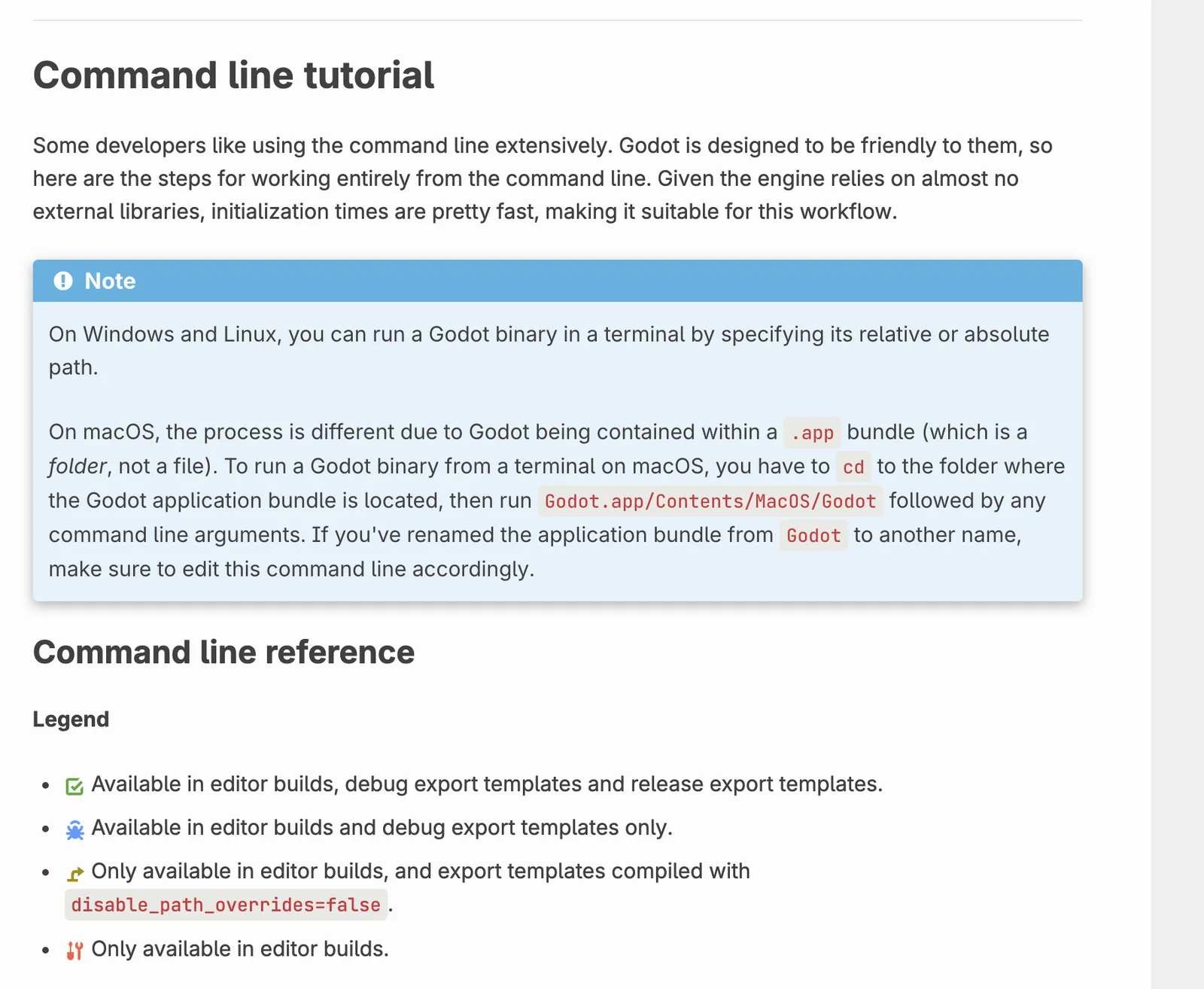
The godot program runs projects and scenes, runs scripts, checks scripts for parse errors, imports assets, exports builds from presets and records frames to video, all from a terminal.
Editor plugins are GDScript or C# scripts that extend EditorPlugin and live in res://addons/<name>/ with a plugin.cfg; they can add docks, importers, inspector panels and gizmos.
The Godot Foundation does not ship an MCP server or an AI assistant.
Scenes (.tscn), resources (.tres), project.godot and export_presets.cfg are human-readable text, so an agent can create and edit them directly and diff them in Git.
6 we would consider; we lead with Godot AI.
None.
What an AI agent can do in Godot Engine
16 jobs people ask for, checked against what Godot Engine’s interfaces expose: 8 fully, 6 in part, 2 not at all.
| Job | Agent can do it? | How, or why not |
|---|---|---|
| Write and fix GDScript | Yes | Scripts are text files; the agent runs the scene headless, reads SCRIPT ERROR lines with file and line, and edits the script. |
| Check scripts for errors without running the game | Yes | godot --headless --check-only --script res://file.gd parses a script; search the output for Parse Error rather than trusting the exit code.Voyager blog: Godot MCP, our runs on Godot 4.7.2 (8 October 2026), read |
| Build a scene or level from nodes | Yes | By writing .tscn text directly, or through an MCP server's node tools in the open editor. |
| Run the game and collect logs | Yes | godot --headless --path . --quit-after <frames> runs any scene and prints errors to the terminal. |
| Playtest: press keys and check the result | Partly | Needs an editor-and-game server (Godot AI, satelliteoflove, Godlink, Godot MCP Pro); inputs are coarse in timing, so check state such as position or score.Voyager blog: Godot MCP, our runs on Godot 4.7.2 (8 October 2026), read |
| Capture screenshots or gameplay video | Partly | --write-movie saves PNG frames or AVI but needs a display, not --headless; editor servers can screenshot the game.Voyager blog: Godot MCP, our runs on Godot 4.7.2 (8 October 2026), read |
| Export a desktop, mobile or web build | Yes | --export-release <preset> <path> uses presets in export_presets.cfg, once export templates are installed.Godot docs: Command line tutorial, read |
| Write and build C# scripts | Partly | Agents write .cs files, but compiling needs the .NET build of Godot and dotnet build or --build-solutions; C# projects cannot export to the web.Godot docs: C#/.NET platform support, read |
| Batch-import or convert assets | Yes | --import reimports a project headless, and a SceneTree script can process files in bulk. |
| Write shaders | Yes | .gdshader files are text; check them by running the scene and reading errors. |
| Author animations | Partly | Animation resources are text but verbose; satelliteoflove and Godot MCP Pro have keyframe tools with editor preview. |
| Paint tilemaps | Partly | TileMapLayer cells are stored as an encoded blob in the scene file, so this needs an editor bridge such as satelliteoflove's tilemap tools.satelliteoflove/godot-mcp README, read |
| Write an editor plugin or @tool script | Yes | Plugins are GDScript files plus a plugin.cfg under addons/; the agent writes them and you enable them in Project Settings. |
| Install an add-on | Partly | Add-ons are folders copied into addons/; an agent can place files from a downloaded release, but browsing the in-editor Asset Store is manual. |
| Create original sprites, models or sound | No | Godot has no generators; assets come from outside models or artists and are then imported. |
| Judge whether the game is fun | No | Nothing measures feel or fun; a person still has to play it. |
What AI can’t do in Godot Engine yet
Godot's exit code does not report script errors: on 4.7.2 a run that hit a script error and a failed
--check-onlyboth exited 0.Workaround: Have the agent search output for
SCRIPT ERRORandParse Errorinstead.Voyager blog: Godot MCP, our runs on Godot 4.7.2 (8 October 2026), read
There is no official MCP server, so every server is a third-party project with its own security model; several include a tool that runs arbitrary GDScript or C#.
Workaround: Prefer servers that bind to 127.0.0.1 and require a token (Godot AI), commit before each session, and keep MCP add-ons out of exported builds.
Voyager blog: Godot MCP, our runs on Godot 4.7.2 (8 October 2026), read
C# code is not compiled by most MCP servers, and C# projects cannot be exported to the web.
Workaround: Use the .NET build and run
dotnet build(orgodot --build-solutions) after edits; use GDScript for web games.Long exports can outlast an MCP tool timeout (Codex defaults to 60 seconds), and exports need export templates installed first.
Workaround: Run
--export-releasefrom the terminal rather than through an MCP tool.Voyager blog: Godot MCP, our runs on Godot 4.7.2 (8 October 2026), read
Files-only servers and the command line cannot see whether the game plays correctly; a broken control and a working one produce the same clean log.
Workaround: Use an editor-and-game server, or add test scenes that print state and assert on it.
Voyager blog: Godot MCP, our runs on Godot 4.7.2 (8 October 2026), read
Edits to
.tscnfiles on disk can be overwritten if the same scene is open with unsaved changes in the editor.Workaround: Save and close the scene in the editor before the agent edits the file, or edit through an editor-connected server.
Godot Engine MCP shortlist
For installation, verification and troubleshooting, use our Godot Engine MCP setup guide. The reference below covers the wider app and edition requirements.
- godot-mcp (Coding-Solo)
The simplest start for run, read errors, fix. Build it from GitHub: the npm package (0.1.1, February 2026) lacks a later security fix. It cannot see the running game. Requirements: Godot 4 and Node.js. Nothing is installed in the project. Set GODOT_PATH if Godot is not found automatically.
- Godot AI
Our pick for building and playtesting in the open editor on Godot 4.7. Turn off telemetry, which is on by default. Requirements: Godot 4.7+, uv, and the Godot AI add-on in addons/godot_ai enabled in the open editor. Use the entry its dock writes with Configure; a bare HTTP URL cannot authenticate.
hi-godot/godot-ai README, read
- godot-mcp (satelliteoflove)
The playtesting option for Godot 4.5 and 4.6, and the only one here that edits tilemap cells and steps the game frame by frame. Requirements: Godot 4.5+, Node 20+, and its add-on installed with
npx @satelliteoflove/godot-mcp --install-addon <project>and enabled in the open editor. - Godlink MCP (tomyud1/godot-mcp)
A good free editor server with an install from the Asset Store. Use its own undo tool: Ctrl+Z in the editor does not undo its changes. Requirements: Godot 4.4+ and its editor plugin installed from the Asset Store (Godlink, on 4.7+) or AssetLib (4.6 and older), with the editor open.
tomyud1/godot-mcp README, read
- Godot MCP Pro
The most tools if you are happy to pay; it does not do anything essential that the free editor-and-game servers cannot. Requirements: The paid server package ($15 or more, one-time, from itch.io or Buy Me a Coffee) plus the free editor add-on enabled in the open editor.
- Godot-MCP (ee0pdt)
Avoid: unmaintained since March 2025, and its add-on listens on all network interfaces with no authentication. Requirements: A clone of the repository with the server built (
npm install && npm run buildin server/) and its add-on enabled in the open editor.
Connect Godot Engine to Claude, ChatGPT, Codex and other assistants
Pick your assistant. Each setup panel leads with Godot AI and has the config for every other Godot Engine server underneath.
Voyager Built in
Voyager uses its bundled `voyager godot` commands and pinned Godot engine to create and edit project files, run games and prepare desktop exports. Its scenario runner sends key, action and mouse input events and checks state assertions and invariants, with optional rendered screenshots and recordings. It can add scenario tests to existing Godot projects and validate or convert assets; test the exported build separately from the development runner.
Requirements: Use the bundled pinned engine and confirm compatibility before opening an existing project. Export support and validation depend on the actual host and target; a passing development scenario does not validate an exported build. Windows and Linux Voyager builds are alpha; computer control is unavailable on Linux.
Claude desktop app Config below
Does Claude desktop app work with Godot Engine?
Yes, through Godot AI, a community MCP server by hi-godot.
Godot AI · config in claude_desktop_config.json (Settings > Developer > Edit Config), which is ~/Library/Application Support/Claude/ on macOS and %APPDATA%\Claude\ on Windows
First: Godot 4.7+, uv, and the Godot AI add-on in addons/godot_ai enabled in the open editor. Use the entry its dock writes with Configure; a bare HTTP URL cannot authenticate.
{
  "mcpServers": {
    "godot": {
      "command": "uvx",
      "args": [
        "--isolated",
        "--no-config",
        "--from",
        "godot-ai==4.3.0",
        "godot-ai",
        "attach",
        "--port",
        "8000",
        "--ws-port",
        "9500",
        "--disable-telemetry"
      ],
      "env": {}
    }
  }
}›The other 5 Godot Engine MCP servers in Claude desktop app
godot-mcp (Coding-Solo)
First: Godot 4 and Node.js. Nothing is installed in the project. Set GODOT_PATH if Godot is not found automatically.
{
  "mcpServers": {
    "godot": {
      "command": "npx",
      "args": [
        "@coding-solo/godot-mcp"
      ],
      "env": {
        "GODOT_PATH": "/path/to/godot"
      }
    }
  }
}
This server installs from source: replace the placeholder path with where you cloned or installed it.
godot-mcp (satelliteoflove)
First: Godot 4.5+, Node 20+, and its add-on installed with npx @satelliteoflove/godot-mcp --install-addon <project> and enabled in the open editor.
{
  "mcpServers": {
    "godot": {
      "command": "npx",
      "args": [
        "-y",
        "@satelliteoflove/godot-mcp"
      ],
      "env": {}
    }
  }
}
Godlink MCP (tomyud1/godot-mcp)
First: Godot 4.4+ and its editor plugin installed from the Asset Store (Godlink, on 4.7+) or AssetLib (4.6 and older), with the editor open.
{
  "mcpServers": {
    "godot": {
      "command": "npx",
      "args": [
        "-y",
        "godot-mcp-server"
      ],
      "env": {}
    }
  }
}
Godot MCP Pro
First: The paid server package ($15 or more, one-time, from itch.io or Buy Me a Coffee) plus the free editor add-on enabled in the open editor.
{
  "mcpServers": {
    "godot": {
      "command": "node",
      "args": [
        "/path/to/server/build/index.js"
      ],
      "env": {
        "GODOT_MCP_PORT": "6505"
      }
    }
  }
}
This server installs from source: replace the placeholder path with where you cloned or installed it.
Godot-MCP (ee0pdt)
First: A clone of the repository with the server built (npm install && npm run build in server/) and its add-on enabled in the open editor.
{
  "mcpServers": {
    "godot": {
      "command": "node",
      "args": [
        "PATH_TO_YOUR_PROJECT/server/dist/index.js"
      ],
      "env": {
        "MCP_TRANSPORT": "stdio"
      }
    }
  }
}
This server installs from source: replace the placeholder path with where you cloned or installed it.
Quit and reopen the app after editing the config file; it is read at launch. Remote connectors are reached from Anthropic's cloud, not your computer, so a server on localhost or behind a VPN will not connect as a custom connector. Requires: a custom connector for remote servers, which Free plans limit to one and which an Owner adds on Team and Enterprise; local servers need only the desktop app. Claude desktop app docs.
Claude Code Config below
Does Claude Code work with Godot Engine?
Yes, through Godot AI, a community MCP server by hi-godot.
Godot AI's editor dock writes the Claude Code entry for you (Configure); Claude Code then asks once for approval when you run claude in the project.
Godot AI · config in ~/.claude.json for user scope (%USERPROFILE%\.claude.json on Windows), or .mcp.json in the project root for project scope
First: Godot 4.7+, uv, and the Godot AI add-on in addons/godot_ai enabled in the open editor. Use the entry its dock writes with Configure; a bare HTTP URL cannot authenticate.
claude mcp add --scope user --transport stdio godot -- uvx --isolated --no-config --from godot-ai==4.3.0 godot-ai attach --port 8000 --ws-port 9500 --disable-telemetry›The other 5 Godot Engine MCP servers in Claude Code
godot-mcp (Coding-Solo)
First: Godot 4 and Node.js. Nothing is installed in the project. Set GODOT_PATH if Godot is not found automatically.
claude mcp add --scope user -e GODOT_PATH=/path/to/godot --transport stdio godot -- npx @coding-solo/godot-mcpThis server installs from source: replace the placeholder path with where you cloned or installed it.
godot-mcp (satelliteoflove)
First: Godot 4.5+, Node 20+, and its add-on installed with npx @satelliteoflove/godot-mcp --install-addon <project> and enabled in the open editor.
claude mcp add --scope user --transport stdio godot -- npx -y @satelliteoflove/godot-mcpGodlink MCP (tomyud1/godot-mcp)
First: Godot 4.4+ and its editor plugin installed from the Asset Store (Godlink, on 4.7+) or AssetLib (4.6 and older), with the editor open.
claude mcp add --scope user --transport stdio godot -- npx -y godot-mcp-serverGodot MCP Pro
First: The paid server package ($15 or more, one-time, from itch.io or Buy Me a Coffee) plus the free editor add-on enabled in the open editor.
claude mcp add --scope user -e GODOT_MCP_PORT=6505 --transport stdio godot -- node /path/to/server/build/index.jsThis server installs from source: replace the placeholder path with where you cloned or installed it.
Godot-MCP (ee0pdt)
First: A clone of the repository with the server built (npm install && npm run build in server/) and its add-on enabled in the open editor.
claude mcp add --scope user -e MCP_TRANSPORT=stdio --transport stdio godot -- node PATH_TO_YOUR_PROJECT/server/dist/index.jsThis server installs from source: replace the placeholder path with where you cloned or installed it.
Options go before the name and the -- keeps the server's own flags away from Claude Code; a name placed straight after -e is read as another variable, hence --transport between them. Check with claude mcp list or /mcp inside a session. Claude Code docs.
ChatGPT Not directly
Does ChatGPT work with Godot Engine?
Not directly. ChatGPT only connects to remote MCP servers over HTTPS, and Godot AI runs on your own computer. To use it from ChatGPT you would have to expose it at a public URL through a tunnel or bridge, which also exposes Godot Engine to the internet.
The Godot Foundation publishes no app or connector inside ChatGPT; all Godot servers are local stdio servers.
Godot AI · config in ChatGPT's settings on the web (Apps, shown as Plugins on newer accounts); there is no config file
ChatGPT only connects to remote MCP servers over HTTPS, and Godot AI runs on your own computer. To use it from ChatGPT you would have to expose it at a public URL through a tunnel or bridge, which also exposes Godot Engine to the internet.
›The other 5 Godot Engine MCP servers in ChatGPT
godot-mcp (Coding-Solo)
ChatGPT only connects to remote MCP servers over HTTPS, and godot-mcp (Coding-Solo) runs on your own computer. To use it from ChatGPT you would have to expose it at a public URL through a tunnel or bridge, which also exposes Godot Engine to the internet.
godot-mcp (satelliteoflove)
ChatGPT only connects to remote MCP servers over HTTPS, and godot-mcp (satelliteoflove) runs on your own computer. To use it from ChatGPT you would have to expose it at a public URL through a tunnel or bridge, which also exposes Godot Engine to the internet.
Godlink MCP (tomyud1/godot-mcp)
ChatGPT only connects to remote MCP servers over HTTPS, and Godlink MCP (tomyud1/godot-mcp) runs on your own computer. To use it from ChatGPT you would have to expose it at a public URL through a tunnel or bridge, which also exposes Godot Engine to the internet.
Godot MCP Pro
ChatGPT only connects to remote MCP servers over HTTPS, and Godot MCP Pro runs on your own computer. To use it from ChatGPT you would have to expose it at a public URL through a tunnel or bridge, which also exposes Godot Engine to the internet.
Godot-MCP (ee0pdt)
ChatGPT only connects to remote MCP servers over HTTPS, and Godot-MCP (ee0pdt) runs on your own computer. To use it from ChatGPT you would have to expose it at a public URL through a tunnel or bridge, which also exposes Godot Engine to the internet.
ChatGPT only reaches servers on the public internet over HTTPS. A local stdio server needs OpenAI's Secure MCP Tunnel (the tunnel-client daemon, an OpenAI Platform tunnel and API key), or a public tunnel such as ngrok, so most people use Codex or Claude for local apps. Requires: developer mode (beta) in ChatGPT on the web; OpenAI documents full MCP, including write actions, for Business, Enterprise and Edu workspaces, where an admin must allow it. ChatGPT docs.
Codex Config below
Does Codex work with Godot Engine?
Yes, through Godot AI, a community MCP server by hi-godot.
Codex's default MCP tool timeout is 60 seconds, shorter than many Godot exports; raise tool_timeout_sec for the server or export from the terminal.
Godot AI · config in ~/.codex/config.toml (%USERPROFILE%\.codex\config.toml on Windows), shared by the Codex CLI, IDE extension and desktop app
First: Godot 4.7+, uv, and the Godot AI add-on in addons/godot_ai enabled in the open editor. Use the entry its dock writes with Configure; a bare HTTP URL cannot authenticate.
[mcp_servers.godot]
command = 'uvx'
args = ["--isolated", "--no-config", "--from", "godot-ai==4.3.0", "godot-ai", "attach", "--port", "8000", "--ws-port", "9500", "--disable-telemetry"]
env = {}›The other 5 Godot Engine MCP servers in Codex
godot-mcp (Coding-Solo)
First: Godot 4 and Node.js. Nothing is installed in the project. Set GODOT_PATH if Godot is not found automatically.
[mcp_servers.godot]
command = 'npx'
args = ["@coding-solo/godot-mcp"]
env = { GODOT_PATH = "/path/to/godot" }
This server installs from source: replace the placeholder path with where you cloned or installed it.
godot-mcp (satelliteoflove)
First: Godot 4.5+, Node 20+, and its add-on installed with npx @satelliteoflove/godot-mcp --install-addon <project> and enabled in the open editor.
[mcp_servers.godot]
command = 'npx'
args = ["-y", "@satelliteoflove/godot-mcp"]
env = {}
Godlink MCP (tomyud1/godot-mcp)
First: Godot 4.4+ and its editor plugin installed from the Asset Store (Godlink, on 4.7+) or AssetLib (4.6 and older), with the editor open.
[mcp_servers.godot]
command = 'npx'
args = ["-y", "godot-mcp-server"]
env = {}
Godot MCP Pro
First: The paid server package ($15 or more, one-time, from itch.io or Buy Me a Coffee) plus the free editor add-on enabled in the open editor.
[mcp_servers.godot]
command = 'node'
args = ["/path/to/server/build/index.js"]
env = { GODOT_MCP_PORT = "6505" }
This server installs from source: replace the placeholder path with where you cloned or installed it.
Godot-MCP (ee0pdt)
First: A clone of the repository with the server built (npm install && npm run build in server/) and its add-on enabled in the open editor.
[mcp_servers.godot]
command = 'node'
args = ["PATH_TO_YOUR_PROJECT/server/dist/index.js"]
env = { MCP_TRANSPORT = "stdio" }
This server installs from source: replace the placeholder path with where you cloned or installed it.
codex mcp add also takes a local server (name, then -- and the command), but it sets variables with --env KEY=VALUE rather than -e, so the config block is shown here. Run codex mcp list to check it is enabled, and codex mcp login with the server name for an OAuth server. Codex docs.
Cursor Config below
Does Cursor work with Godot Engine?
Yes, through Godot AI, a community MCP server by hi-godot.
Godot AI · config in ~/.cursor/mcp.json for every project (%USERPROFILE%\.cursor\mcp.json on Windows), or .cursor/mcp.json in one project
First: Godot 4.7+, uv, and the Godot AI add-on in addons/godot_ai enabled in the open editor. Use the entry its dock writes with Configure; a bare HTTP URL cannot authenticate.
{
  "mcpServers": {
    "godot": {
      "command": "uvx",
      "args": [
        "--isolated",
        "--no-config",
        "--from",
        "godot-ai==4.3.0",
        "godot-ai",
        "attach",
        "--port",
        "8000",
        "--ws-port",
        "9500",
        "--disable-telemetry"
      ],
      "env": {}
    }
  }
}›The other 5 Godot Engine MCP servers in Cursor
godot-mcp (Coding-Solo)
First: Godot 4 and Node.js. Nothing is installed in the project. Set GODOT_PATH if Godot is not found automatically.
{
  "mcpServers": {
    "godot": {
      "command": "npx",
      "args": [
        "@coding-solo/godot-mcp"
      ],
      "env": {
        "GODOT_PATH": "/path/to/godot"
      }
    }
  }
}
This server installs from source: replace the placeholder path with where you cloned or installed it.
godot-mcp (satelliteoflove)
First: Godot 4.5+, Node 20+, and its add-on installed with npx @satelliteoflove/godot-mcp --install-addon <project> and enabled in the open editor.
{
  "mcpServers": {
    "godot": {
      "command": "npx",
      "args": [
        "-y",
        "@satelliteoflove/godot-mcp"
      ],
      "env": {}
    }
  }
}
Godlink MCP (tomyud1/godot-mcp)
First: Godot 4.4+ and its editor plugin installed from the Asset Store (Godlink, on 4.7+) or AssetLib (4.6 and older), with the editor open.
{
  "mcpServers": {
    "godot": {
      "command": "npx",
      "args": [
        "-y",
        "godot-mcp-server"
      ],
      "env": {}
    }
  }
}
Godot MCP Pro
First: The paid server package ($15 or more, one-time, from itch.io or Buy Me a Coffee) plus the free editor add-on enabled in the open editor.
{
  "mcpServers": {
    "godot": {
      "command": "node",
      "args": [
        "/path/to/server/build/index.js"
      ],
      "env": {
        "GODOT_MCP_PORT": "6505"
      }
    }
  }
}
This server installs from source: replace the placeholder path with where you cloned or installed it.
Godot-MCP (ee0pdt)
First: A clone of the repository with the server built (npm install && npm run build in server/) and its add-on enabled in the open editor.
{
  "mcpServers": {
    "godot": {
      "command": "node",
      "args": [
        "PATH_TO_YOUR_PROJECT/server/dist/index.js"
      ],
      "env": {
        "MCP_TRANSPORT": "stdio"
      }
    }
  }
}
This server installs from source: replace the placeholder path with where you cloned or installed it.
Cursor has capped the number of MCP tools it sends the model (third-party guides cite 40 to 80), so disable tools you do not need in Settings > MCP. GUI apps do not inherit your shell PATH; use full paths for commands like uvx. Cursor docs.
VS Code with GitHub Copilot Config below
Does VS Code with GitHub Copilot work with Godot Engine?
Yes, through Godot AI, a community MCP server by hi-godot.
Godot AI · config in ~/.copilot/mcp-config.json for yourself (the Copilot Global destination), or .mcp.json in the workspace root for a team
First: Godot 4.7+, uv, and the Godot AI add-on in addons/godot_ai enabled in the open editor. Use the entry its dock writes with Configure; a bare HTTP URL cannot authenticate.
{
  "mcpServers": {
    "godot": {
      "command": "uvx",
      "args": [
        "--isolated",
        "--no-config",
        "--from",
        "godot-ai==4.3.0",
        "godot-ai",
        "attach",
        "--port",
        "8000",
        "--ws-port",
        "9500",
        "--disable-telemetry"
      ],
      "env": {}
    }
  }
}›The other 5 Godot Engine MCP servers in VS Code with GitHub Copilot
godot-mcp (Coding-Solo)
First: Godot 4 and Node.js. Nothing is installed in the project. Set GODOT_PATH if Godot is not found automatically.
{
  "mcpServers": {
    "godot": {
      "command": "npx",
      "args": [
        "@coding-solo/godot-mcp"
      ],
      "env": {
        "GODOT_PATH": "/path/to/godot"
      }
    }
  }
}
This server installs from source: replace the placeholder path with where you cloned or installed it.
godot-mcp (satelliteoflove)
First: Godot 4.5+, Node 20+, and its add-on installed with npx @satelliteoflove/godot-mcp --install-addon <project> and enabled in the open editor.
{
  "mcpServers": {
    "godot": {
      "command": "npx",
      "args": [
        "-y",
        "@satelliteoflove/godot-mcp"
      ],
      "env": {}
    }
  }
}
Godlink MCP (tomyud1/godot-mcp)
First: Godot 4.4+ and its editor plugin installed from the Asset Store (Godlink, on 4.7+) or AssetLib (4.6 and older), with the editor open.
{
  "mcpServers": {
    "godot": {
      "command": "npx",
      "args": [
        "-y",
        "godot-mcp-server"
      ],
      "env": {}
    }
  }
}
Godot MCP Pro
First: The paid server package ($15 or more, one-time, from itch.io or Buy Me a Coffee) plus the free editor add-on enabled in the open editor.
{
  "mcpServers": {
    "godot": {
      "command": "node",
      "args": [
        "/path/to/server/build/index.js"
      ],
      "env": {
        "GODOT_MCP_PORT": "6505"
      }
    }
  }
}
This server installs from source: replace the placeholder path with where you cloned or installed it.
Godot-MCP (ee0pdt)
First: A clone of the repository with the server built (npm install && npm run build in server/) and its add-on enabled in the open editor.
{
  "mcpServers": {
    "godot": {
      "command": "node",
      "args": [
        "PATH_TO_YOUR_PROJECT/server/dist/index.js"
      ],
      "env": {
        "MCP_TRANSPORT": "stdio"
      }
    }
  }
}
This server installs from source: replace the placeholder path with where you cloned or installed it.
VS Code now recommends the portable mcpServers file, which the Copilot harness reads directly and Copilot CLI shares; .vscode/mcp.json still works but uses "servers" and is labelled deprecated in the Add Server flow. MCP: Add Server in the Command Palette writes the same entry for you. Requires: a GitHub Copilot plan, and on Copilot Business or Enterprise the organization's "MCP servers in Copilot" policy, which is off by default. VS Code with GitHub Copilot docs.
Gemini CLI Config below
Does Gemini CLI work with Godot Engine?
Yes, through Godot AI, a community MCP server by hi-godot.
Godot AI · config in ~/.gemini/settings.json (%USERPROFILE%\.gemini\settings.json on Windows), or .gemini/settings.json in one project
First: Godot 4.7+, uv, and the Godot AI add-on in addons/godot_ai enabled in the open editor. Use the entry its dock writes with Configure; a bare HTTP URL cannot authenticate.
gemini mcp add --scope user godot uvx -- --isolated --no-config --from godot-ai==4.3.0 godot-ai attach --port 8000 --ws-port 9500 --disable-telemetry›The other 5 Godot Engine MCP servers in Gemini CLI
godot-mcp (Coding-Solo)
First: Godot 4 and Node.js. Nothing is installed in the project. Set GODOT_PATH if Godot is not found automatically.
gemini mcp add --scope user -e GODOT_PATH=/path/to/godot godot npx -- @coding-solo/godot-mcpThis server installs from source: replace the placeholder path with where you cloned or installed it.
godot-mcp (satelliteoflove)
First: Godot 4.5+, Node 20+, and its add-on installed with npx @satelliteoflove/godot-mcp --install-addon <project> and enabled in the open editor.
gemini mcp add --scope user godot npx -- -y @satelliteoflove/godot-mcpGodlink MCP (tomyud1/godot-mcp)
First: Godot 4.4+ and its editor plugin installed from the Asset Store (Godlink, on 4.7+) or AssetLib (4.6 and older), with the editor open.
gemini mcp add --scope user godot npx -- -y godot-mcp-serverGodot MCP Pro
First: The paid server package ($15 or more, one-time, from itch.io or Buy Me a Coffee) plus the free editor add-on enabled in the open editor.
gemini mcp add --scope user -e GODOT_MCP_PORT=6505 godot node -- /path/to/server/build/index.jsThis server installs from source: replace the placeholder path with where you cloned or installed it.
Godot-MCP (ee0pdt)
First: A clone of the repository with the server built (npm install && npm run build in server/) and its add-on enabled in the open editor.
gemini mcp add --scope user -e MCP_TRANSPORT=stdio godot node -- PATH_TO_YOUR_PROJECT/server/dist/index.jsThis server installs from source: replace the placeholder path with where you cloned or installed it.
Without --scope user the server is written to the current project's settings. Stdio servers only connect in a trusted folder; run gemini trust, then gemini mcp list to check. Requires: a Gemini API key or Vertex AI, since consumer Google sign-ins moved to Antigravity CLI on 18 June 2026. Gemini CLI docs.
Hermes Agent Config below
Does Hermes Agent work with Godot Engine?
Yes, through Godot AI, a community MCP server by hi-godot.
Godot AI lists Hermes Agent among the clients its Configure button supports.
Godot AI · config in ~/.hermes/config.yaml (%LOCALAPPDATA%\hermes\config.yaml on native Windows)
First: Godot 4.7+, uv, and the Godot AI add-on in addons/godot_ai enabled in the open editor. Use the entry its dock writes with Configure; a bare HTTP URL cannot authenticate.
mcp_servers:
  godot:
    command: 'uvx'
    args: ["--isolated", "--no-config", "--from", "godot-ai==4.3.0", "godot-ai", "attach", "--port", "8000", "--ws-port", "9500", "--disable-telemetry"]
env: {}›The other 5 Godot Engine MCP servers in Hermes Agent
godot-mcp (Coding-Solo)
First: Godot 4 and Node.js. Nothing is installed in the project. Set GODOT_PATH if Godot is not found automatically.
mcp_servers:
  godot:
    command: 'npx'
    args: ["@coding-solo/godot-mcp"]
    env: {GODOT_PATH: "/path/to/godot"}
This server installs from source: replace the placeholder path with where you cloned or installed it.
godot-mcp (satelliteoflove)
First: Godot 4.5+, Node 20+, and its add-on installed with npx @satelliteoflove/godot-mcp --install-addon <project> and enabled in the open editor.
mcp_servers:
  godot:
    command: 'npx'
    args: ["-y", "@satelliteoflove/godot-mcp"]
    env: {}
Godlink MCP (tomyud1/godot-mcp)
First: Godot 4.4+ and its editor plugin installed from the Asset Store (Godlink, on 4.7+) or AssetLib (4.6 and older), with the editor open.
mcp_servers:
  godot:
    command: 'npx'
    args: ["-y", "godot-mcp-server"]
    env: {}
Godot MCP Pro
First: The paid server package ($15 or more, one-time, from itch.io or Buy Me a Coffee) plus the free editor add-on enabled in the open editor.
mcp_servers:
  godot:
    command: 'node'
    args: ["/path/to/server/build/index.js"]
    env: {GODOT_MCP_PORT: "6505"}
This server installs from source: replace the placeholder path with where you cloned or installed it.
Godot-MCP (ee0pdt)
First: A clone of the repository with the server built (npm install && npm run build in server/) and its add-on enabled in the open editor.
mcp_servers:
  godot:
    command: 'node'
    args: ["PATH_TO_YOUR_PROJECT/server/dist/index.js"]
    env: {MCP_TRANSPORT: "stdio"}
This server installs from source: replace the placeholder path with where you cloned or installed it.
Start a new session or run /reload-mcp after editing; a running gateway picks up config.yaml changes within about a minute. For an OAuth-protected remote server, add auth: oauth under it and run hermes mcp login with the server name. Hermes Agent docs.
OpenClaw Config below
Does OpenClaw work with Godot Engine?
Yes, through Godot AI, a community MCP server by hi-godot.
Godot AI · config in ~/.openclaw/openclaw.json, under mcp.servers
First: Godot 4.7+, uv, and the Godot AI add-on in addons/godot_ai enabled in the open editor. Use the entry its dock writes with Configure; a bare HTTP URL cannot authenticate.
{
  "mcp": {
    "servers": {
      "godot": {
        "command": "uvx",
        "args": [
          "--isolated",
          "--no-config",
          "--from",
          "godot-ai==4.3.0",
          "godot-ai",
          "attach",
          "--port",
          "8000",
          "--ws-port",
          "9500",
          "--disable-telemetry"
        ],
        "env": {}
      }
    }
  }
}›The other 5 Godot Engine MCP servers in OpenClaw
godot-mcp (Coding-Solo)
First: Godot 4 and Node.js. Nothing is installed in the project. Set GODOT_PATH if Godot is not found automatically.
{
  "mcp": {
    "servers": {
      "godot": {
        "command": "npx",
        "args": [
          "@coding-solo/godot-mcp"
        ],
        "env": {
          "GODOT_PATH": "/path/to/godot"
        }
      }
    }
  }
}
This server installs from source: replace the placeholder path with where you cloned or installed it.
godot-mcp (satelliteoflove)
First: Godot 4.5+, Node 20+, and its add-on installed with npx @satelliteoflove/godot-mcp --install-addon <project> and enabled in the open editor.
{
  "mcp": {
    "servers": {
      "godot": {
        "command": "npx",
        "args": [
          "-y",
          "@satelliteoflove/godot-mcp"
        ],
        "env": {}
      }
    }
  }
}
Godlink MCP (tomyud1/godot-mcp)
First: Godot 4.4+ and its editor plugin installed from the Asset Store (Godlink, on 4.7+) or AssetLib (4.6 and older), with the editor open.
{
  "mcp": {
    "servers": {
      "godot": {
        "command": "npx",
        "args": [
          "-y",
          "godot-mcp-server"
        ],
        "env": {}
      }
    }
  }
}
Godot MCP Pro
First: The paid server package ($15 or more, one-time, from itch.io or Buy Me a Coffee) plus the free editor add-on enabled in the open editor.
{
  "mcp": {
    "servers": {
      "godot": {
        "command": "node",
        "args": [
          "/path/to/server/build/index.js"
        ],
        "env": {
          "GODOT_MCP_PORT": "6505"
        }
      }
    }
  }
}
This server installs from source: replace the placeholder path with where you cloned or installed it.
Godot-MCP (ee0pdt)
First: A clone of the repository with the server built (npm install && npm run build in server/) and its add-on enabled in the open editor.
{
  "mcp": {
    "servers": {
      "godot": {
        "command": "node",
        "args": [
          "PATH_TO_YOUR_PROJECT/server/dist/index.js"
        ],
        "env": {
          "MCP_TRANSPORT": "stdio"
        }
      }
    }
  }
}
This server installs from source: replace the placeholder path with where you cloned or installed it.
The key is mcp.servers, not mcpServers. The Gateway hot-reloads the file; run openclaw mcp doctor with the server name and --probe to confirm it answers. Interpreter and loader variables such as NODE_OPTIONS are stripped from a stdio server's env. OpenClaw docs.
Windsurf (Devin Desktop) Config below
Does Windsurf (Devin Desktop) work with Godot Engine?
Yes, through Godot AI, a community MCP server by hi-godot.
Godot AI · config in ~/.config/devin/mcp_config.json on macOS and Linux (%APPDATA%\devin\mcp_config.json on Windows); builds from before June 2026 used ~/.codeium/windsurf/mcp_config.json
First: Godot 4.7+, uv, and the Godot AI add-on in addons/godot_ai enabled in the open editor. Use the entry its dock writes with Configure; a bare HTTP URL cannot authenticate.
{
  "mcpServers": {
    "godot": {
      "command": "uvx",
      "args": [
        "--isolated",
        "--no-config",
        "--from",
        "godot-ai==4.3.0",
        "godot-ai",
        "attach",
        "--port",
        "8000",
        "--ws-port",
        "9500",
        "--disable-telemetry"
      ],
      "env": {}
    }
  }
}›The other 5 Godot Engine MCP servers in Windsurf (Devin Desktop)
godot-mcp (Coding-Solo)
First: Godot 4 and Node.js. Nothing is installed in the project. Set GODOT_PATH if Godot is not found automatically.
{
  "mcpServers": {
    "godot": {
      "command": "npx",
      "args": [
        "@coding-solo/godot-mcp"
      ],
      "env": {
        "GODOT_PATH": "/path/to/godot"
      }
    }
  }
}
This server installs from source: replace the placeholder path with where you cloned or installed it.
godot-mcp (satelliteoflove)
First: Godot 4.5+, Node 20+, and its add-on installed with npx @satelliteoflove/godot-mcp --install-addon <project> and enabled in the open editor.
{
  "mcpServers": {
    "godot": {
      "command": "npx",
      "args": [
        "-y",
        "@satelliteoflove/godot-mcp"
      ],
      "env": {}
    }
  }
}
Godlink MCP (tomyud1/godot-mcp)
First: Godot 4.4+ and its editor plugin installed from the Asset Store (Godlink, on 4.7+) or AssetLib (4.6 and older), with the editor open.
{
  "mcpServers": {
    "godot": {
      "command": "npx",
      "args": [
        "-y",
        "godot-mcp-server"
      ],
      "env": {}
    }
  }
}
Godot MCP Pro
First: The paid server package ($15 or more, one-time, from itch.io or Buy Me a Coffee) plus the free editor add-on enabled in the open editor.
{
  "mcpServers": {
    "godot": {
      "command": "node",
      "args": [
        "/path/to/server/build/index.js"
      ],
      "env": {
        "GODOT_MCP_PORT": "6505"
      }
    }
  }
}
This server installs from source: replace the placeholder path with where you cloned or installed it.
Godot-MCP (ee0pdt)
First: A clone of the repository with the server built (npm install && npm run build in server/) and its add-on enabled in the open editor.
{
  "mcpServers": {
    "godot": {
      "command": "node",
      "args": [
        "PATH_TO_YOUR_PROJECT/server/dist/index.js"
      ],
      "env": {
        "MCP_TRANSPORT": "stdio"
      }
    }
  }
}
This server installs from source: replace the placeholder path with where you cloned or installed it.
Windsurf became Devin Desktop in June 2026 and its default agent is now Devin Local; the legacy Cascade agent expects serverUrl instead of url for remote servers and allows at most 100 tools at once. Refresh the MCP panel after editing the file. Requires: MCP left on by a Teams or Enterprise admin, who can also allowlist servers (allowlisting one blocks all others). Windsurf (Devin Desktop) docs.
Godot Engine API, scripting and command line
Godot Engine API
PartlyGDScriptC#C++ (GDExtension)Godot has no network or REST API for controlling the editor from outside. Its full class API (nodes, resources, the editor itself) is reachable from code running inside Godot: scripts, editor plugins, @tool scripts and GDExtension libraries. MCP servers expose part of it over a local socket.
DocumentationGodot docs: Running code in the editor (@tool and EditorScript), read
Godot Engine scripting
YesGDScriptC#C++ (GDExtension)GDScript is built in; C# needs the separate .NET build of the editor and the .NET SDK. GDExtension adds native languages such as C++ and Rust without recompiling the engine. A script that extends SceneTree can be run headless for batch jobs such as asset conversion.
extends SceneTree

func _init():
    print("Hello!")
    quit()
Save as sayhello.gd and run with `godot --headless -s sayhello.gd` (from the official docs).
Godot Engine command line and headless mode
YesShellThe godot program runs projects and scenes, runs scripts, checks scripts for parse errors, imports assets, exports builds from presets and records frames to video, all from a terminal. --headless removes the window and audio, so it works on servers and in CI. Do not trust the exit code: in our run on 4.7.2, a script error and a failed --check-only both exited 0.
godot --headless --path . --quit-after 30 res://main.tscn 2>&1 | tee run.log
grep -q "SCRIPT ERROR" run.log && echo "failed"
godot --headless --path . --check-only --script res://player.gd
godot --headless --path . --export-release "macOS" build/game.zip
Run a scene for 30 frames and grep the log, parse-check a script, export a release build (needs export templates installed).
Godot Engine plugins and add-ons
YesGDScriptC#Editor plugins are GDScript or C# scripts that extend EditorPlugin and live in res://addons/<name>/ with a plugin.cfg; they can add docks, importers, inspector panels and gizmos. Any script marked @tool runs inside the editor, and an EditorScript runs once on demand. Add-ons are folders of text files, so an agent can write or install one directly.
DocumentationGodot Asset StoreGodot docs: Making plugins, read
Godot Engine official MCP server
NoThe Godot Foundation does not ship an MCP server or an AI assistant. Every Godot MCP server is a community project, and the free ones are mostly MIT-licensed.
godot-proposals #12409 (closed as not planned, August 2025), read
Godot Engine project files
YesTSCN/TRES textINI-style configScenes (.tscn), resources (.tres), project.godot and export_presets.cfg are human-readable text, so an agent can create and edit them directly and diff them in Git. Catches: the open editor may hold an older copy until it reloads, Godot 4.4+ tracks scripts and shaders with .uid files, and tilemap cell data is a base64-encoded blob that is impractical to edit by hand.
Built-in AI in Godot Engine
None. Godot ships no AI assistant, code completion model or generative feature, and a 2025 proposal to build one into the editor was closed as not planned. AI in Godot comes from add-ons, MCP servers and outside agents. The Foundation's June 2026 AI policy covers contributions to the engine itself, not games made with it.
Godot Engine pricing
Free. Godot is MIT-licensed with no fees, royalties or paid editions; every automation surface on this page is in the free download.
| Plan | Price | What it’s for |
|---|---|---|
| Godot Engine (standard build)Unlocks automation | $0 | GDScript, the editor, the command line and every export platform. No royalties. |
| Godot Engine (.NET build)Unlocks automation | $0 | Adds C# scripting; needs the .NET SDK. C# projects cannot export to the web. |
| Godot Asset Store | Free assets | Official add-on store since May 2026; buying and selling paid assets is on its roadmap, not live. |
Voyager
Use Godot Engine with Voyager
Voyager uses its bundled `voyager godot` commands and pinned Godot engine to create and edit project files, run games and prepare desktop exports. Its scenario runner sends key, action and mouse input events and checks state assertions and invariants, with optional rendered screenshots and recordings. It can add scenario tests to existing Godot projects and validate or convert assets; test the exported build separately from the development runner. The agent can generate supporting media through your connected providers or Voyager credits. App licences and generation costs are separate.
Requirements: Use the bundled pinned engine and confirm compatibility before opening an existing project. Export support and validation depend on the actual host and target; a passing development scenario does not validate an exported build. Windows and Linux Voyager builds are alpha; computer control is unavailable on Linux.
Try asking
- “Make a small 2D platformer in Godot with three ledges, coins and a goal, then playtest it and export a build for a supported desktop target, reporting the host and target tested.”
- “Test this sprite sheet in a Godot scene against light and dark backgrounds and tell me if the feet drift between frames.”
- “Run this Godot project headless, find every script error and fix them.”
- “Add a pause menu and a save slot to my Godot game and check both work by playing it.”
Frequently asked questions
Does Godot have built-in AI?
No. Godot ships no AI assistant or generative feature, and a 2025 proposal to add one to the editor was closed as not planned. AI comes from community add-ons, MCP servers and outside agents such as Claude Code or Codex.
Is there an official Godot MCP server?
No. The Godot Foundation does not publish one. The most used are community projects: Coding-Solo/godot-mcp (about 6,300 GitHub stars) and Godot AI from hi-godot (about 3,150), both MIT-licensed, as of 23 October 2026.
What is the best Godot MCP server?
For building and playtesting in the open editor on Godot 4.7 or newer, we recommend Godot AI. For simply running the project and fixing errors on any Godot 4 version, Coding-Solo/godot-mcp built from GitHub. On Godot 4.5 or 4.6, satelliteoflove/godot-mcp can playtest.
Does Godot have an API?
Not a network one. Godot's full class API is available to code running inside Godot (GDScript, C#, GDExtension and editor plugins), and the godot command line runs projects, scripts and exports. External tools reach the editor through add-ons that open a local socket, which is how MCP servers work.
Can Godot be scripted in Python?
Not officially. Godot's languages are GDScript (similar to Python in syntax) and C#, plus native languages through GDExtension. Python bindings exist only as community projects.
Can you run Godot headless from the command line?
Yes. godot --headless runs with no window or audio, and the same program runs scenes, runs SceneTree scripts with --script, parse-checks scripts with --check-only, reimports assets with --import and exports builds with --export-release.
Can AI make a game in Godot?
Yes, within limits. Agents write GDScript and build scenes well, and with a server that reaches the running game they can press keys and check results. They cannot make original art or sound inside Godot, and judging whether the game is fun is still a person's job.
Can ChatGPT control Godot?
Not ChatGPT's chat on its own, since there is no Godot app inside ChatGPT. OpenAI's Codex, which shares its MCP settings with the ChatGPT desktop app, can use any local Godot MCP server or run the godot command line.
Can Claude write GDScript?
Yes. Claude writes GDScript and C# for Godot, and Claude Code can run the project, read the errors and fix them. Godot 4 changed many APIs from Godot 3, so give the agent current documentation or a skill pack written for 4.x.
Can an AI agent edit Godot scene files directly?
Yes. .tscn scenes, .tres resources and project.godot are human-readable text, so an agent can write them and you can review the diff in Git. Close the scene in the editor first, and use an editor bridge for tilemap cells, which are stored as an encoded blob.
Does Godot support C# with AI agents?
Yes, with the .NET build of Godot. Agents can write .cs files, but most MCP servers do not compile them, so run dotnet build or godot --build-solutions and read the errors. C# projects cannot currently be exported to the web.
Is Godot free?
Yes. Godot is released under the MIT licence: no fee, no royalties and no paid edition. Every automation surface, from the command line to C#, is in the free download.
Does Godot allow AI-generated code?
In your own games, yes: the engine's licence puts no limits on how you make a game. The Godot Foundation's 30 June 2026 policy restricts AI only in contributions to the engine itself: no autonomous agents or vibe coding, no AI-generated substantial code, and disclosure of any AI use in pull requests.
Can I sell AI-generated assets on the Godot Asset Store?
You can publish AI-generated assets or code on the Godot Asset Store if you disclose what was AI-generated and how AI was used. Paid assets are not live yet; buying and selling is on the store's roadmap.
What is the Godot Asset Store?
It is the Godot Foundation's new official store for add-ons and assets, launched in May 2026 and built into the editor from Godot 4.7. It replaces the older Asset Library, which stays online for older engine versions but is deprecated.
Can an AI agent export a Godot game?
Yes. godot --headless --path . --export-release "<preset>" <path> builds from a preset in export_presets.cfg, once export templates are installed. Run long exports from the terminal: they can exceed an MCP tool's timeout.
Why does my agent say the Godot run passed when it crashed?
Because Godot exited with code 0 even after a script error in our tests on 4.7.2. Tell the agent to search the output for SCRIPT ERROR and Parse Error instead of relying on the exit code.
Are Godot MCP servers safe?
They run with your permissions, so treat them like any developer tool. Prefer servers that accept only local connections with a token, avoid ee0pdt/Godot-MCP (it listens on every network interface with no password), and commit before each session.
Does Voyager work with Godot Engine?
Voyager supports this workflow, subject to the app, edition and platform requirements. Voyager uses its bundled voyager godot commands and pinned Godot engine to create and edit project files, run games and prepare desktop exports. Its scenario runner sends key, action and mouse input events and checks state assertions and invariants, with optional rendered screenshots and recordings. It can add scenario tests to existing Godot projects and validate or convert assets; test the exported build separately from the development runner. Requirements: Use the bundled pinned engine and confirm compatibility before opening an existing project. Export support and validation depend on the actual host and target; a passing development scenario does not validate an exported build. Windows and Linux Voyager builds are alpha; computer control is unavailable on Linux.
Go further



How this page is made
Every fact on this page links to the vendor documentation, pricing page, repository or announcement it was read from, with the date it was read. MCP server stars and activity are read from GitHub on the date shown. Setup steps for each AI assistant are generated from that assistant’s documented config format and the server’s own install instructions. Anything we could not verify is marked as unverified rather than guessed. Trademarks belong to their owners; Voyager isn’t affiliated with or endorsed by them.