
Blender Foundation · 5.2.3 LTS
Blender and AI: Python API, MCP servers and agent limits
AI agents can build, inspect and render Blender scenes through its bpy Python API and background command line. Blender is free and open source; MCP clients can also use Blender Lab’s official server or community bridges.
Best route: Use bpy or the official Lab MCP bridge with a separate Blender installation.


Ravi Parikh, Co-founder, Voyager
Can an AI agent drive Blender?
We rate Blender high: the Python API covers the scene graph, materials, node trees, animation, rendering and file I/O, blender -b -P runs any script headless with a proper exit code, and two well-maintained MCP servers (one official) give chat clients a live session. The ceiling is artistic: sculpting, texture painting, hand retopology and anything judged by eye stay with a person, and generated meshes from third-party services are proxies, not final assets.
Price: Free and open source under the GNU GPL for any use, including commercial work; there is no paid tier and nothing in the API or command line is locked.
The bpy Python API is Blender's API: data blocks (bpy.data), operators (bpy.ops), context, node trees, animation, rendering and import/export.
Blender bundles its own Python (3.13 in 5.2) with a Scripting workspace, text editor and console.
blender -b runs without a UI, -P/--python runs a script, --python-expr runs inline code and --python-exit-code returns non-zero when the script raises, which makes Blender usable from CI and agents.
Add-ons are Python packages.
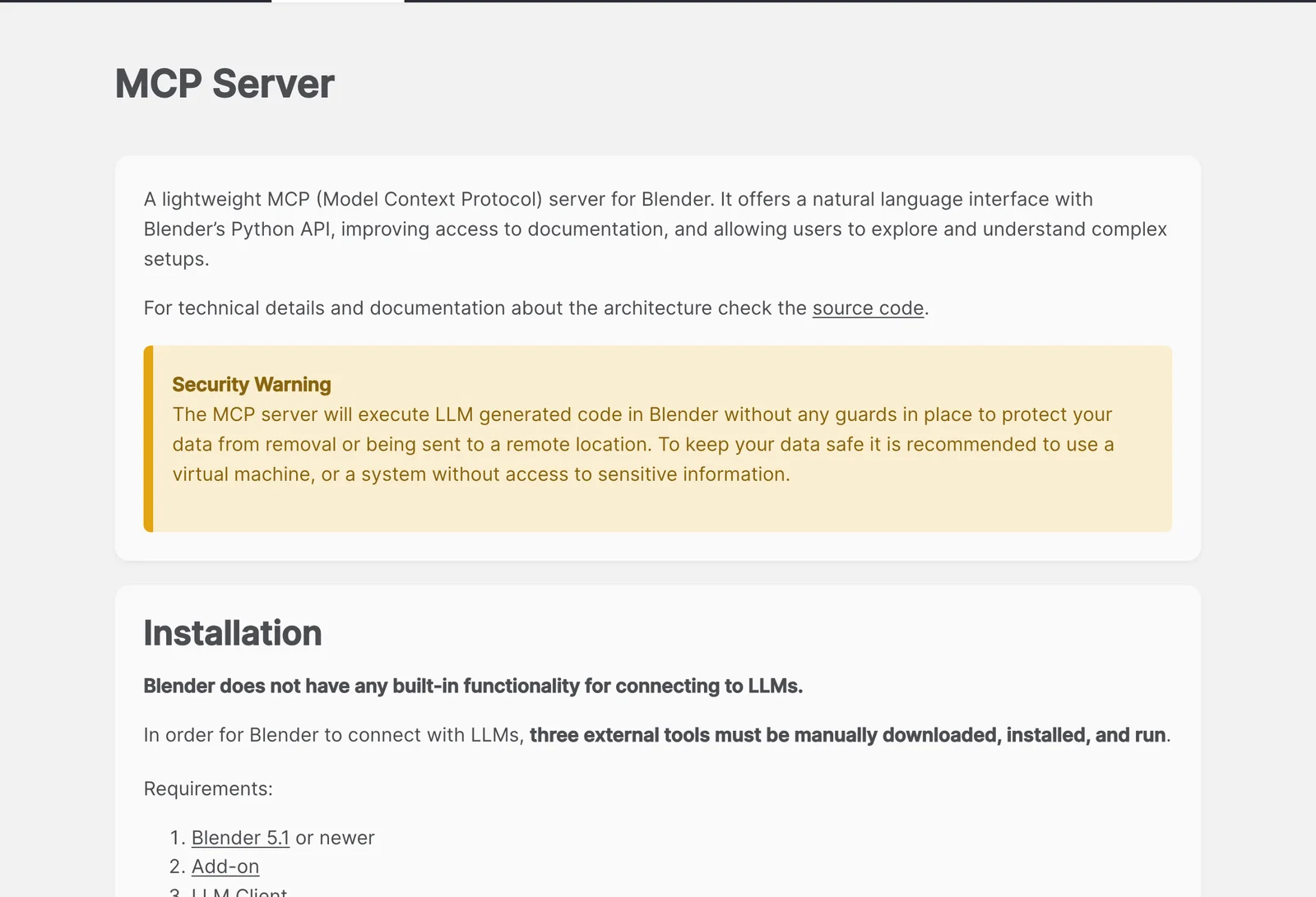
Blender Lab, the Foundation's experimental projects group, publishes a small official MCP server: an add-on plus a blender-mcp process with 26 tools for running Python, summarising .blend files (live or headless), screenshots and searching the bundled API docs and manual.
.blend is a binary format with no published spec, so in practice an agent reads and writes it by running Blender (headless is fine) or the bpy module.
5 we would consider; we lead with MCP for Blender.
Blender has no generative AI and no LLM connection.
What an AI agent can do in Blender
14 jobs people ask for, checked against what Blender’s interfaces expose: 8 fully, 4 in part, 2 not at all.
| Job | Agent can do it? | How, or why not |
|---|---|---|
| Build a scene from primitives, materials, lights and cameras | Yes | bpy creates and edits every data block; this is the core of every MCP server and of headless scripts. |
| Render stills and animations with Cycles or EEVEE | Yes | From Python (bpy.ops.render.render) or the command line with -E, -o, -F, -f and -a, with no UI open. |
| Batch-process a folder of .blend files | Yes | Loop blender -b file.blend -P script.py over the files: rename, relink textures, apply modifiers, re-export, re-render. |
| Import and export glTF, FBX, OBJ, USD and Alembic | Yes | Each importer and exporter is an operator with its options exposed to Python. |
| Audit a heavy scene: polygon outliers, missing files, unused data | Yes | The Blender Lab server's summary tools and Blender's own tested example prompts cover exactly this. |
| Animate objects and cameras with keyframes | Yes | keyframe_insert and the action and F-curve API set timing, easing and camera moves from code. |
| Build procedural setups with Geometry Nodes and shader nodes | Yes | Node trees, nodes and links are created from Python; verbose, but models that read the API docs do it reliably. |
| Look at its own result | Yes | Render a preview to a PNG, or use the screenshot tools in the Lab server and MCP for Blender, and pass the image back to the model. |
| Rig a character | Partly | Rigify can be generated and auto-weights applied from Python, but weight quality and deformation need a person to check.Blender manual: Rigify, read |
| Generate a 3D model from text or an image | Partly | Not in Blender itself; MCP for Blender and paid add-ons call Hyper3D Rodin, Hunyuan3D, Tripo or Meshy and import the result as a proxy mesh. |
| UV unwrap | Partly | Smart UV Project and lightmap packing run from Python; placing seams with artistic intent does not. |
| Edit video in the Video Sequencer | Partly | Strips, timing and effects are scriptable, but it is a basic editor compared with a dedicated NLE. |
| Sculpt organic forms | No | Sculpt mode is brush strokes on a tablet; Python can call a brush operator but not shape a character with intent. |
| Texture paint or hand-retopologise a mesh | No | Both are interactive, stroke-based work with no meaningful scripting surface; agents can bake and remesh instead. |
What AI can’t do in Blender yet
Every MCP server and script runs Python with your user's permissions; Blender Lab warns its server executes LLM-generated code without guards against deleting or sending data.
Workaround: Work on copies, save before each session, keep socket servers on localhost, enable BLENDER_MCP_SAFE_MODE=1 in MCP for Blender, or run Blender in a VM.
Blender Lab: MCP Server, read
Many bpy.ops operators need a UI context (a 3D viewport, an active area) and fail in background mode with a poll error.
Workaround: Prefer the data API (bpy.data, mesh and object properties) over operators, or wrap the call in bpy.context.temp_override with the right area.
The Python API changes between releases, and models often write calls from Blender 3.x or 4.x that fail on 5.x.
Workaround: Tell the agent the Blender version, let it search the bundled docs (the Lab server's search_api_docs), and keep a test render in the loop.
The official MCP server needs Blender 5.1 or newer.
Workaround: On 3.x or 4.x use MCP for Blender, or skip MCP and run scripts with blender -b -P.
An agent cannot judge a shot by eye without rendering it, and it misses what it did not render.
Workaround: Ask for low-sample preview renders from the final camera after each change, and review them yourself before a full render.
Socket servers (MCP for Blender, blenderwright, blender-open-mcp) only work while Blender is open with the add-on server started, and one client at a time.
Workaround: Start the server in the N-panel each session, or use a headless route (Lab _for_cli tools, bpy-dev, or plain blender -b scripts).
Generated meshes from Hyper3D, Hunyuan3D, Tripo or Meshy are dense and messy, and the services cost credits.
Workaround: Use them as blockout proxies, then remesh, retopologise or replace them for final work.
Blender MCP shortlist
For installation, verification and troubleshooting, use our Blender MCP setup guide. The reference below covers the wider app and edition requirements.
- Blender MCP (Blender Lab)
Start here to understand, audit, rename or document a file you already have on Blender 5.1 or newer, or if you use Claude Desktop. Requirements: the Blender Lab add-on in Blender 5.1 or newer with its bridge server started, and the blender-mcp process installed from the repository (pip install -e mcp in a virtual environment) or the .mcpb bundle.
projects.blender.org/lab/blender_mcp releases (v1.0.3, 11 September 2026), read
- MCP for Blender
The pick for Blender 3.x and 4.x, for building scenes from downloaded or generated assets, and for clients other than Claude Desktop; set BLENDER_MCP_SAFE_MODE=1. Requirements: uv, Python 3.10 or newer and Blender 3.0 or newer, with the add-on installed (uvx mcp-for-blender install-addon), enabled as Interface: MCP for Blender, and Start MCP Server clicked in the N-panel.
GitHub: ahujasid/mcp-for-blender README; PyPI mcp-for-blender 2.2.2 (20 October 2026), read
- blenderwright
For clients or models that do better with explicit typed tools than with free-form Python; formerly called blend-ai. Requirements: the blenderwright add-on enabled in Blender 4.2 or newer, with Start Server clicked in the N-panel on port 9876.
GitHub: HoldMyBeer-gg/blenderwright README; PyPI blenderwright 2.3.0 (21 October 2026), read
- dcc-mcp-blender
For clients that only take an HTTP URL, or studios using the same framework across several 3D apps. Requirements: the dcc-mcp-blender add-on enabled in Blender 4.5 or newer with its server running.
GitHub: dcc-mcp/dcc-mcp-blender README; PyPI dcc-mcp-blender 0.2.24 (22 October 2026), read
- blender-open-mcp
For people who want Blender driven by a local model with no cloud account. Requirements: the server installed from the repository and running (blender-mcp, Streamable HTTP on port 8000 by default), the addon.py add-on started in Blender's N-panel, and Ollama or another local model backend for its built-in prompt tool.
- Blender MCP (bpy-dev distribution)
For headless pipelines that want the official tool design with no Blender window; developer preview. Requirements: a clone of the repository and uv, plus a Python environment with the bpy module or a Blender executable; the add-on is needed only for live-scene tools.
Connect Blender to Claude, ChatGPT, Codex and other assistants
Pick your assistant. Each setup panel leads with MCP for Blender and has the config for every other Blender server underneath.
Voyager Built in
Voyager runs bpy scripts in your installed Blender without an add-on or MCP server. It builds and lights scenes, renders previews and time-budgeted finals, and assembles frame sequences into MP4. Slow renders can use Voyager GPUs on a paid plan; previews and your feedback guide revisions.
Requirements: Install Blender separately. GPU machines require a paid Voyager plan and follow your GPU permission preference. Windows and Linux Voyager builds are alpha; computer control is unavailable on Linux.
Claude desktop app Official app
Does Claude desktop app work with Blender?
Yes. Blender connector is an official connection for Claude desktop app; its requirements are below. You can also use MCP for Blender, a community MCP server by Siddharth Ahuja.
Blender connector
Anthropic's connector directory lists Blender, made by Blender Lab and marked Anthropic verified, since April 2026; it is the Blender Lab MCP server and still needs the Lab add-on running in Blender 5.1 or newer.
The Blender connector in Customize > Connectors is Blender Lab's official server; Claude's tutorial says it works on every Claude plan including Free and needs the desktop app, not the browser.
MCP for Blender · config in claude_desktop_config.json (Settings > Developer > Edit Config), which is ~/Library/Application Support/Claude/ on macOS and %APPDATA%\Claude\ on Windows
First: uv, Python 3.10 or newer and Blender 3.0 or newer, with the add-on installed (uvx mcp-for-blender install-addon), enabled as Interface: MCP for Blender, and Start MCP Server clicked in the N-panel.
{
  "mcpServers": {
    "blender": {
      "command": "uvx",
      "args": [
        "mcp-for-blender"
      ],
      "env": {}
    }
  }
}›The other 5 Blender MCP servers in Claude desktop app
Blender MCP (Blender Lab)
First: the Blender Lab add-on in Blender 5.1 or newer with its bridge server started, and the blender-mcp process installed from the repository (pip install -e mcp in a virtual environment) or the .mcpb bundle.
{
  "mcpServers": {
    "blender": {
      "command": "/path/to/venv/bin/blender-mcp",
      "args": [],
      "env": {}
    }
  }
}
Clone the repository, create a virtual environment and run pip install -e mcp, then replace /path/to/venv with that environment's path. The .mcpb bundle installs it into Claude Desktop in one step.
blenderwright
First: the blenderwright add-on enabled in Blender 4.2 or newer, with Start Server clicked in the N-panel on port 9876.
{
  "mcpServers": {
    "blender": {
      "command": "uvx",
      "args": [
        "blenderwright"
      ],
      "env": {}
    }
  }
}
dcc-mcp-blender
First: the dcc-mcp-blender add-on enabled in Blender 4.5 or newer with its server running.
{
  "mcpServers": {
    "blender": {
      "command": "npx",
      "args": [
        "-y",
        "mcp-remote",
        "http://127.0.0.1:9765/mcp"
      ],
      "env": {}
    }
  }
}- Claude desktop app's remote connectors are reached from Anthropic's cloud, which cannot see http://127.0.0.1:9765/mcp on your computer, so this config runs the mcp-remote bridge (needs Node.js) as a local server instead.
blender-open-mcp
First: the server installed from the repository and running (blender-mcp, Streamable HTTP on port 8000 by default), the addon.py add-on started in Blender's N-panel, and Ollama or another local model backend for its built-in prompt tool.
{
  "mcpServers": {
    "blender": {
      "command": "npx",
      "args": [
        "-y",
        "mcp-remote",
        "http://localhost:8000/mcp"
      ],
      "env": {}
    }
  }
}- Claude desktop app's remote connectors are reached from Anthropic's cloud, which cannot see http://localhost:8000/mcp on your computer, so this config runs the mcp-remote bridge (needs Node.js) as a local server instead.
Blender MCP (bpy-dev distribution)
First: a clone of the repository and uv, plus a Python environment with the bpy module or a Blender executable; the add-on is needed only for live-scene tools.
{
  "mcpServers": {
    "blender": {
      "command": "uv",
      "args": [
        "--directory",
        "/absolute/path/to/blender_mcp/mcp",
        "run",
        "blender-mcp"
      ],
      "env": {
        "BLENDER_MCP_CLI_BACKEND": "bpy",
        "BLENDER_MCP_BPY_PYTHON": "/absolute/path/to/python-with-bpy"
      }
    }
  }
}
This server installs from source: replace the placeholder path with where you cloned or installed it.
Quit and reopen the app after editing the config file; it is read at launch. Remote connectors are reached from Anthropic's cloud, not your computer, so a server on localhost or behind a VPN will not connect as a custom connector. Requires: a custom connector for remote servers, which Free plans limit to one and which an Owner adds on Team and Enterprise; local servers need only the desktop app. Claude desktop app docs.
Claude Code Config below
Does Claude Code work with Blender?
Yes, through MCP for Blender, a community MCP server by Siddharth Ahuja.
Claude Code can import the Blender connector from Claude Desktop with claude mcp add-from-claude-desktop (macOS and WSL), or skip MCP and run bpy scripts with blender -b -P from its shell.
MCP for Blender · config in ~/.claude.json for user scope (%USERPROFILE%\.claude.json on Windows), or .mcp.json in the project root for project scope
First: uv, Python 3.10 or newer and Blender 3.0 or newer, with the add-on installed (uvx mcp-for-blender install-addon), enabled as Interface: MCP for Blender, and Start MCP Server clicked in the N-panel.
claude mcp add --scope user --transport stdio blender -- uvx mcp-for-blender›The other 5 Blender MCP servers in Claude Code
Blender MCP (Blender Lab)
First: the Blender Lab add-on in Blender 5.1 or newer with its bridge server started, and the blender-mcp process installed from the repository (pip install -e mcp in a virtual environment) or the .mcpb bundle.
claude mcp add --scope user --transport stdio blender -- /path/to/venv/bin/blender-mcpClone the repository, create a virtual environment and run pip install -e mcp, then replace /path/to/venv with that environment's path. The .mcpb bundle installs it into Claude Desktop in one step.
blenderwright
First: the blenderwright add-on enabled in Blender 4.2 or newer, with Start Server clicked in the N-panel on port 9876.
claude mcp add --scope user --transport stdio blender -- uvx blenderwrightdcc-mcp-blender
First: the dcc-mcp-blender add-on enabled in Blender 4.5 or newer with its server running.
claude mcp add --scope user --transport http blender http://127.0.0.1:9765/mcpblender-open-mcp
First: the server installed from the repository and running (blender-mcp, Streamable HTTP on port 8000 by default), the addon.py add-on started in Blender's N-panel, and Ollama or another local model backend for its built-in prompt tool.
claude mcp add --scope user --transport http blender http://localhost:8000/mcpBlender MCP (bpy-dev distribution)
First: a clone of the repository and uv, plus a Python environment with the bpy module or a Blender executable; the add-on is needed only for live-scene tools.
claude mcp add --scope user -e BLENDER_MCP_CLI_BACKEND=bpy -e BLENDER_MCP_BPY_PYTHON=/absolute/path/to/python-with-bpy --transport stdio blender -- uv --directory /absolute/path/to/blender_mcp/mcp run blender-mcpThis server installs from source: replace the placeholder path with where you cloned or installed it.
Options go before the name and the -- keeps the server's own flags away from Claude Code; a name placed straight after -e is read as another variable, hence --transport between them. Check with claude mcp list or /mcp inside a session. Claude Code docs.
ChatGPT Not directly
Does ChatGPT work with Blender?
Not directly. ChatGPT only connects to remote MCP servers over HTTPS, and MCP for Blender runs on your own computer. To use it from ChatGPT you would have to expose it at a public URL through a tunnel or bridge, which also exposes Blender to the internet.
OpenAI does not ship a Blender app or plugin for ChatGPT as of 23 October 2026; ChatGPT reaches Blender only through a custom MCP connector.
MCP for Blender · config in ChatGPT's settings on the web (Apps, shown as Plugins on newer accounts); there is no config file
ChatGPT only connects to remote MCP servers over HTTPS, and MCP for Blender runs on your own computer. To use it from ChatGPT you would have to expose it at a public URL through a tunnel or bridge, which also exposes Blender to the internet.
›The other 5 Blender MCP servers in ChatGPT
Blender MCP (Blender Lab)
ChatGPT only connects to remote MCP servers over HTTPS, and Blender MCP (Blender Lab) runs on your own computer. To use it from ChatGPT you would have to expose it at a public URL through a tunnel or bridge, which also exposes Blender to the internet.
blenderwright
ChatGPT only connects to remote MCP servers over HTTPS, and blenderwright runs on your own computer. To use it from ChatGPT you would have to expose it at a public URL through a tunnel or bridge, which also exposes Blender to the internet.
dcc-mcp-blender
dcc-mcp-blender listens on your own computer (http://127.0.0.1:9765/mcp), and ChatGPT calls MCP servers from OpenAI's servers, which cannot reach it. It would have to be exposed at a public URL through a tunnel, which also exposes Blender to the internet.
blender-open-mcp
blender-open-mcp listens on your own computer (http://localhost:8000/mcp), and ChatGPT calls MCP servers from OpenAI's servers, which cannot reach it. It would have to be exposed at a public URL through a tunnel, which also exposes Blender to the internet.
Blender MCP (bpy-dev distribution)
ChatGPT only connects to remote MCP servers over HTTPS, and Blender MCP (bpy-dev distribution) runs on your own computer. To use it from ChatGPT you would have to expose it at a public URL through a tunnel or bridge, which also exposes Blender to the internet.
ChatGPT only reaches servers on the public internet over HTTPS. A local stdio server needs OpenAI's Secure MCP Tunnel (the tunnel-client daemon, an OpenAI Platform tunnel and API key), or a public tunnel such as ngrok, so most people use Codex or Claude for local apps. Requires: developer mode (beta) in ChatGPT on the web; OpenAI documents full MCP, including write actions, for Business, Enterprise and Edu workspaces, where an admin must allow it. ChatGPT docs.
Codex Config below
Does Codex work with Blender?
Yes, through MCP for Blender, a community MCP server by Siddharth Ahuja.
Codex can also skip MCP and run blender -b -P scripts from its shell, which suits batch work.
MCP for Blender · config in ~/.codex/config.toml (%USERPROFILE%\.codex\config.toml on Windows), shared by the Codex CLI, IDE extension and desktop app
First: uv, Python 3.10 or newer and Blender 3.0 or newer, with the add-on installed (uvx mcp-for-blender install-addon), enabled as Interface: MCP for Blender, and Start MCP Server clicked in the N-panel.
[mcp_servers.blender]
command = 'uvx'
args = ["mcp-for-blender"]
env = {}›The other 5 Blender MCP servers in Codex
Blender MCP (Blender Lab)
First: the Blender Lab add-on in Blender 5.1 or newer with its bridge server started, and the blender-mcp process installed from the repository (pip install -e mcp in a virtual environment) or the .mcpb bundle.
[mcp_servers.blender]
command = '/path/to/venv/bin/blender-mcp'
args = []
env = {}
Clone the repository, create a virtual environment and run pip install -e mcp, then replace /path/to/venv with that environment's path. The .mcpb bundle installs it into Claude Desktop in one step.
blenderwright
First: the blenderwright add-on enabled in Blender 4.2 or newer, with Start Server clicked in the N-panel on port 9876.
[mcp_servers.blender]
command = 'uvx'
args = ["blenderwright"]
env = {}
dcc-mcp-blender
First: the dcc-mcp-blender add-on enabled in Blender 4.5 or newer with its server running.
codex mcp add blender --url http://127.0.0.1:9765/mcpblender-open-mcp
First: the server installed from the repository and running (blender-mcp, Streamable HTTP on port 8000 by default), the addon.py add-on started in Blender's N-panel, and Ollama or another local model backend for its built-in prompt tool.
codex mcp add blender --url http://localhost:8000/mcpBlender MCP (bpy-dev distribution)
First: a clone of the repository and uv, plus a Python environment with the bpy module or a Blender executable; the add-on is needed only for live-scene tools.
[mcp_servers.blender]
command = 'uv'
args = ["--directory", "/absolute/path/to/blender_mcp/mcp", "run", "blender-mcp"]
env = { BLENDER_MCP_CLI_BACKEND = "bpy", BLENDER_MCP_BPY_PYTHON = "/absolute/path/to/python-with-bpy" }
This server installs from source: replace the placeholder path with where you cloned or installed it.
codex mcp add also takes a local server (name, then -- and the command), but it sets variables with --env KEY=VALUE rather than -e, so the config block is shown here. Run codex mcp list to check it is enabled, and codex mcp login with the server name for an OAuth server. Codex docs.
Cursor Config below
Does Cursor work with Blender?
Yes, through MCP for Blender, a community MCP server by Siddharth Ahuja.
MCP for Blender · config in ~/.cursor/mcp.json for every project (%USERPROFILE%\.cursor\mcp.json on Windows), or .cursor/mcp.json in one project
First: uv, Python 3.10 or newer and Blender 3.0 or newer, with the add-on installed (uvx mcp-for-blender install-addon), enabled as Interface: MCP for Blender, and Start MCP Server clicked in the N-panel.
{
  "mcpServers": {
    "blender": {
      "command": "uvx",
      "args": [
        "mcp-for-blender"
      ],
      "env": {}
    }
  }
}›The other 5 Blender MCP servers in Cursor
Blender MCP (Blender Lab)
First: the Blender Lab add-on in Blender 5.1 or newer with its bridge server started, and the blender-mcp process installed from the repository (pip install -e mcp in a virtual environment) or the .mcpb bundle.
{
  "mcpServers": {
    "blender": {
      "command": "/path/to/venv/bin/blender-mcp",
      "args": [],
      "env": {}
    }
  }
}
Clone the repository, create a virtual environment and run pip install -e mcp, then replace /path/to/venv with that environment's path. The .mcpb bundle installs it into Claude Desktop in one step.
blenderwright
First: the blenderwright add-on enabled in Blender 4.2 or newer, with Start Server clicked in the N-panel on port 9876.
{
  "mcpServers": {
    "blender": {
      "command": "uvx",
      "args": [
        "blenderwright"
      ],
      "env": {}
    }
  }
}
dcc-mcp-blender
First: the dcc-mcp-blender add-on enabled in Blender 4.5 or newer with its server running.
{
  "mcpServers": {
    "blender": {
      "url": "http://127.0.0.1:9765/mcp"
    }
  }
}
blender-open-mcp
First: the server installed from the repository and running (blender-mcp, Streamable HTTP on port 8000 by default), the addon.py add-on started in Blender's N-panel, and Ollama or another local model backend for its built-in prompt tool.
{
  "mcpServers": {
    "blender": {
      "url": "http://localhost:8000/mcp"
    }
  }
}
Blender MCP (bpy-dev distribution)
First: a clone of the repository and uv, plus a Python environment with the bpy module or a Blender executable; the add-on is needed only for live-scene tools.
{
  "mcpServers": {
    "blender": {
      "command": "uv",
      "args": [
        "--directory",
        "/absolute/path/to/blender_mcp/mcp",
        "run",
        "blender-mcp"
      ],
      "env": {
        "BLENDER_MCP_CLI_BACKEND": "bpy",
        "BLENDER_MCP_BPY_PYTHON": "/absolute/path/to/python-with-bpy"
      }
    }
  }
}
This server installs from source: replace the placeholder path with where you cloned or installed it.
Cursor has capped the number of MCP tools it sends the model (third-party guides cite 40 to 80), so disable tools you do not need in Settings > MCP. GUI apps do not inherit your shell PATH; use full paths for commands like uvx. Cursor docs.
VS Code with GitHub Copilot Config below
Does VS Code with GitHub Copilot work with Blender?
Yes, through MCP for Blender, a community MCP server by Siddharth Ahuja.
MCP for Blender · config in ~/.copilot/mcp-config.json for yourself (the Copilot Global destination), or .mcp.json in the workspace root for a team
First: uv, Python 3.10 or newer and Blender 3.0 or newer, with the add-on installed (uvx mcp-for-blender install-addon), enabled as Interface: MCP for Blender, and Start MCP Server clicked in the N-panel.
{
  "mcpServers": {
    "blender": {
      "command": "uvx",
      "args": [
        "mcp-for-blender"
      ],
      "env": {}
    }
  }
}›The other 5 Blender MCP servers in VS Code with GitHub Copilot
Blender MCP (Blender Lab)
First: the Blender Lab add-on in Blender 5.1 or newer with its bridge server started, and the blender-mcp process installed from the repository (pip install -e mcp in a virtual environment) or the .mcpb bundle.
{
  "mcpServers": {
    "blender": {
      "command": "/path/to/venv/bin/blender-mcp",
      "args": [],
      "env": {}
    }
  }
}
Clone the repository, create a virtual environment and run pip install -e mcp, then replace /path/to/venv with that environment's path. The .mcpb bundle installs it into Claude Desktop in one step.
blenderwright
First: the blenderwright add-on enabled in Blender 4.2 or newer, with Start Server clicked in the N-panel on port 9876.
{
  "mcpServers": {
    "blender": {
      "command": "uvx",
      "args": [
        "blenderwright"
      ],
      "env": {}
    }
  }
}
dcc-mcp-blender
First: the dcc-mcp-blender add-on enabled in Blender 4.5 or newer with its server running.
{
  "mcpServers": {
    "blender": {
      "type": "http",
      "url": "http://127.0.0.1:9765/mcp"
    }
  }
}
blender-open-mcp
First: the server installed from the repository and running (blender-mcp, Streamable HTTP on port 8000 by default), the addon.py add-on started in Blender's N-panel, and Ollama or another local model backend for its built-in prompt tool.
{
  "mcpServers": {
    "blender": {
      "type": "http",
      "url": "http://localhost:8000/mcp"
    }
  }
}
Blender MCP (bpy-dev distribution)
First: a clone of the repository and uv, plus a Python environment with the bpy module or a Blender executable; the add-on is needed only for live-scene tools.
{
  "mcpServers": {
    "blender": {
      "command": "uv",
      "args": [
        "--directory",
        "/absolute/path/to/blender_mcp/mcp",
        "run",
        "blender-mcp"
      ],
      "env": {
        "BLENDER_MCP_CLI_BACKEND": "bpy",
        "BLENDER_MCP_BPY_PYTHON": "/absolute/path/to/python-with-bpy"
      }
    }
  }
}
This server installs from source: replace the placeholder path with where you cloned or installed it.
VS Code now recommends the portable mcpServers file, which the Copilot harness reads directly and Copilot CLI shares; .vscode/mcp.json still works but uses "servers" and is labelled deprecated in the Add Server flow. MCP: Add Server in the Command Palette writes the same entry for you. Requires: a GitHub Copilot plan, and on Copilot Business or Enterprise the organization's "MCP servers in Copilot" policy, which is off by default. VS Code with GitHub Copilot docs.
Gemini CLI Config below
Does Gemini CLI work with Blender?
Yes, through MCP for Blender, a community MCP server by Siddharth Ahuja.
MCP for Blender · config in ~/.gemini/settings.json (%USERPROFILE%\.gemini\settings.json on Windows), or .gemini/settings.json in one project
First: uv, Python 3.10 or newer and Blender 3.0 or newer, with the add-on installed (uvx mcp-for-blender install-addon), enabled as Interface: MCP for Blender, and Start MCP Server clicked in the N-panel.
gemini mcp add --scope user blender uvx -- mcp-for-blender›The other 5 Blender MCP servers in Gemini CLI
Blender MCP (Blender Lab)
First: the Blender Lab add-on in Blender 5.1 or newer with its bridge server started, and the blender-mcp process installed from the repository (pip install -e mcp in a virtual environment) or the .mcpb bundle.
gemini mcp add --scope user blender /path/to/venv/bin/blender-mcp --Clone the repository, create a virtual environment and run pip install -e mcp, then replace /path/to/venv with that environment's path. The .mcpb bundle installs it into Claude Desktop in one step.
blenderwright
First: the blenderwright add-on enabled in Blender 4.2 or newer, with Start Server clicked in the N-panel on port 9876.
gemini mcp add --scope user blender uvx -- blenderwrightdcc-mcp-blender
First: the dcc-mcp-blender add-on enabled in Blender 4.5 or newer with its server running.
gemini mcp add --scope user --transport http blender http://127.0.0.1:9765/mcpblender-open-mcp
First: the server installed from the repository and running (blender-mcp, Streamable HTTP on port 8000 by default), the addon.py add-on started in Blender's N-panel, and Ollama or another local model backend for its built-in prompt tool.
gemini mcp add --scope user --transport http blender http://localhost:8000/mcpBlender MCP (bpy-dev distribution)
First: a clone of the repository and uv, plus a Python environment with the bpy module or a Blender executable; the add-on is needed only for live-scene tools.
gemini mcp add --scope user -e BLENDER_MCP_CLI_BACKEND=bpy -e BLENDER_MCP_BPY_PYTHON=/absolute/path/to/python-with-bpy blender uv -- --directory /absolute/path/to/blender_mcp/mcp run blender-mcpThis server installs from source: replace the placeholder path with where you cloned or installed it.
Without --scope user the server is written to the current project's settings. Stdio servers only connect in a trusted folder; run gemini trust, then gemini mcp list to check. Requires: a Gemini API key or Vertex AI, since consumer Google sign-ins moved to Antigravity CLI on 18 June 2026. Gemini CLI docs.
Hermes Agent Config below
Does Hermes Agent work with Blender?
Yes, through MCP for Blender, a community MCP server by Siddharth Ahuja.
MCP for Blender · config in ~/.hermes/config.yaml (%LOCALAPPDATA%\hermes\config.yaml on native Windows)
First: uv, Python 3.10 or newer and Blender 3.0 or newer, with the add-on installed (uvx mcp-for-blender install-addon), enabled as Interface: MCP for Blender, and Start MCP Server clicked in the N-panel.
mcp_servers:
  blender:
    command: 'uvx'
    args: ["mcp-for-blender"]
env: {}›The other 5 Blender MCP servers in Hermes Agent
Blender MCP (Blender Lab)
First: the Blender Lab add-on in Blender 5.1 or newer with its bridge server started, and the blender-mcp process installed from the repository (pip install -e mcp in a virtual environment) or the .mcpb bundle.
mcp_servers:
  blender:
    command: '/path/to/venv/bin/blender-mcp'
    args: []
    env: {}
Clone the repository, create a virtual environment and run pip install -e mcp, then replace /path/to/venv with that environment's path. The .mcpb bundle installs it into Claude Desktop in one step.
blenderwright
First: the blenderwright add-on enabled in Blender 4.2 or newer, with Start Server clicked in the N-panel on port 9876.
mcp_servers:
  blender:
    command: 'uvx'
    args: ["blenderwright"]
    env: {}
dcc-mcp-blender
First: the dcc-mcp-blender add-on enabled in Blender 4.5 or newer with its server running.
mcp_servers:
  blender:
    url: 'http://127.0.0.1:9765/mcp'
blender-open-mcp
First: the server installed from the repository and running (blender-mcp, Streamable HTTP on port 8000 by default), the addon.py add-on started in Blender's N-panel, and Ollama or another local model backend for its built-in prompt tool.
mcp_servers:
  blender:
    url: 'http://localhost:8000/mcp'
Blender MCP (bpy-dev distribution)
First: a clone of the repository and uv, plus a Python environment with the bpy module or a Blender executable; the add-on is needed only for live-scene tools.
mcp_servers:
  blender:
    command: 'uv'
    args: ["--directory", "/absolute/path/to/blender_mcp/mcp", "run", "blender-mcp"]
    env: {BLENDER_MCP_CLI_BACKEND: "bpy", BLENDER_MCP_BPY_PYTHON: "/absolute/path/to/python-with-bpy"}
This server installs from source: replace the placeholder path with where you cloned or installed it.
Start a new session or run /reload-mcp after editing; a running gateway picks up config.yaml changes within about a minute. For an OAuth-protected remote server, add auth: oauth under it and run hermes mcp login with the server name. Hermes Agent docs.
OpenClaw Config below
Does OpenClaw work with Blender?
Yes, through MCP for Blender, a community MCP server by Siddharth Ahuja.
MCP for Blender · config in ~/.openclaw/openclaw.json, under mcp.servers
First: uv, Python 3.10 or newer and Blender 3.0 or newer, with the add-on installed (uvx mcp-for-blender install-addon), enabled as Interface: MCP for Blender, and Start MCP Server clicked in the N-panel.
{
  "mcp": {
    "servers": {
      "blender": {
        "command": "uvx",
        "args": [
          "mcp-for-blender"
        ],
        "env": {}
      }
    }
  }
}›The other 5 Blender MCP servers in OpenClaw
Blender MCP (Blender Lab)
First: the Blender Lab add-on in Blender 5.1 or newer with its bridge server started, and the blender-mcp process installed from the repository (pip install -e mcp in a virtual environment) or the .mcpb bundle.
{
  "mcp": {
    "servers": {
      "blender": {
        "command": "/path/to/venv/bin/blender-mcp",
        "args": [],
        "env": {}
      }
    }
  }
}
Clone the repository, create a virtual environment and run pip install -e mcp, then replace /path/to/venv with that environment's path. The .mcpb bundle installs it into Claude Desktop in one step.
blenderwright
First: the blenderwright add-on enabled in Blender 4.2 or newer, with Start Server clicked in the N-panel on port 9876.
{
  "mcp": {
    "servers": {
      "blender": {
        "command": "uvx",
        "args": [
          "blenderwright"
        ],
        "env": {}
      }
    }
  }
}
dcc-mcp-blender
First: the dcc-mcp-blender add-on enabled in Blender 4.5 or newer with its server running.
openclaw mcp add blender --url http://127.0.0.1:9765/mcp --transport streamable-httpblender-open-mcp
First: the server installed from the repository and running (blender-mcp, Streamable HTTP on port 8000 by default), the addon.py add-on started in Blender's N-panel, and Ollama or another local model backend for its built-in prompt tool.
openclaw mcp add blender --url http://localhost:8000/mcp --transport streamable-httpBlender MCP (bpy-dev distribution)
First: a clone of the repository and uv, plus a Python environment with the bpy module or a Blender executable; the add-on is needed only for live-scene tools.
{
  "mcp": {
    "servers": {
      "blender": {
        "command": "uv",
        "args": [
          "--directory",
          "/absolute/path/to/blender_mcp/mcp",
          "run",
          "blender-mcp"
        ],
        "env": {
          "BLENDER_MCP_CLI_BACKEND": "bpy",
          "BLENDER_MCP_BPY_PYTHON": "/absolute/path/to/python-with-bpy"
        }
      }
    }
  }
}
This server installs from source: replace the placeholder path with where you cloned or installed it.
The key is mcp.servers, not mcpServers. The Gateway hot-reloads the file; run openclaw mcp doctor with the server name and --probe to confirm it answers. Interpreter and loader variables such as NODE_OPTIONS are stripped from a stdio server's env. OpenClaw docs.
Windsurf (Devin Desktop) Config below
Does Windsurf (Devin Desktop) work with Blender?
Yes, through MCP for Blender, a community MCP server by Siddharth Ahuja.
MCP for Blender · config in ~/.config/devin/mcp_config.json on macOS and Linux (%APPDATA%\devin\mcp_config.json on Windows); builds from before June 2026 used ~/.codeium/windsurf/mcp_config.json
First: uv, Python 3.10 or newer and Blender 3.0 or newer, with the add-on installed (uvx mcp-for-blender install-addon), enabled as Interface: MCP for Blender, and Start MCP Server clicked in the N-panel.
{
  "mcpServers": {
    "blender": {
      "command": "uvx",
      "args": [
        "mcp-for-blender"
      ],
      "env": {}
    }
  }
}›The other 5 Blender MCP servers in Windsurf (Devin Desktop)
Blender MCP (Blender Lab)
First: the Blender Lab add-on in Blender 5.1 or newer with its bridge server started, and the blender-mcp process installed from the repository (pip install -e mcp in a virtual environment) or the .mcpb bundle.
{
  "mcpServers": {
    "blender": {
      "command": "/path/to/venv/bin/blender-mcp",
      "args": [],
      "env": {}
    }
  }
}
Clone the repository, create a virtual environment and run pip install -e mcp, then replace /path/to/venv with that environment's path. The .mcpb bundle installs it into Claude Desktop in one step.
blenderwright
First: the blenderwright add-on enabled in Blender 4.2 or newer, with Start Server clicked in the N-panel on port 9876.
{
  "mcpServers": {
    "blender": {
      "command": "uvx",
      "args": [
        "blenderwright"
      ],
      "env": {}
    }
  }
}
dcc-mcp-blender
First: the dcc-mcp-blender add-on enabled in Blender 4.5 or newer with its server running.
{
  "mcpServers": {
    "blender": {
      "url": "http://127.0.0.1:9765/mcp"
    }
  }
}
blender-open-mcp
First: the server installed from the repository and running (blender-mcp, Streamable HTTP on port 8000 by default), the addon.py add-on started in Blender's N-panel, and Ollama or another local model backend for its built-in prompt tool.
{
  "mcpServers": {
    "blender": {
      "url": "http://localhost:8000/mcp"
    }
  }
}
Blender MCP (bpy-dev distribution)
First: a clone of the repository and uv, plus a Python environment with the bpy module or a Blender executable; the add-on is needed only for live-scene tools.
{
  "mcpServers": {
    "blender": {
      "command": "uv",
      "args": [
        "--directory",
        "/absolute/path/to/blender_mcp/mcp",
        "run",
        "blender-mcp"
      ],
      "env": {
        "BLENDER_MCP_CLI_BACKEND": "bpy",
        "BLENDER_MCP_BPY_PYTHON": "/absolute/path/to/python-with-bpy"
      }
    }
  }
}
This server installs from source: replace the placeholder path with where you cloned or installed it.
Windsurf became Devin Desktop in June 2026 and its default agent is now Devin Local; the legacy Cascade agent expects serverUrl instead of url for remote servers and allows at most 100 tools at once. Refresh the MCP panel after editing the file. Requires: MCP left on by a Teams or Enterprise admin, who can also allowlist servers (allowlisting one blocks all others). Windsurf (Devin Desktop) docs.
Blender API, scripting and command line
Blender API
YesPythonThe bpy Python API is Blender's API: data blocks (bpy.data), operators (bpy.ops), context, node trees, animation, rendering and import/export. There is no REST or network API; anything remote goes through an add-on or MCP server that runs bpy inside Blender.
import bpy
bpy.ops.mesh.primitive_monkey_add(location=(0, 0, 1))
obj = bpy.context.active_object
mat = bpy.data.materials.new("Clay")
mat.diffuse_color = (0.8, 0.5, 0.3, 1)
obj.data.materials.append(mat)
bpy.context.scene.render.filepath = "//monkey.png"
bpy.ops.render.render(write_still=True)
Add a mesh, give it a material and render a still, all from Python.
Blender scripting
YesPythonBlender bundles its own Python (3.13 in 5.2) with a Scripting workspace, text editor and console. Scripts can do anything the UI can and more; Blender is also published on PyPI as bpy (5.2.3, Python 3.13 only) for use as a module with no executable or viewport.
pip install bpy==5.2.3   # needs Python 3.13
python -c "import bpy; print(bpy.app.version_string)"
Blender as a Python module, for pipelines that never open the app.
DocumentationPyPI: bpy 5.2.3, uploaded 22 October 2026, read
Blender command line and headless mode
YesShellblender -b runs without a UI, -P/--python runs a script, --python-expr runs inline code and --python-exit-code returns non-zero when the script raises, which makes Blender usable from CI and agents. Arguments run in order, so put the .blend first, then settings, then the render flag.
blender -b scene.blend --python-exit-code 1 --python fix_names.py
blender -b scene.blend -E CYCLES -o //render_ -F PNG -x 1 -f 1
Run a script against a file headless, then render frame 1 with Cycles.
Blender plugins and add-ons
YesPythonAdd-ons are Python packages. Since 4.2 LTS they are distributed as extensions through the official Extensions Platform, browsable inside Blender under Preferences > Get Extensions; listings must be GPL-compatible, must not load remote code, and should respect the Allow Online Access preference. Paid add-ons sell elsewhere, mainly Superhive (formerly Blender Market).
DocumentationBlender Extensions Platformextensions.blender.org About and terms of service, read
Blender official MCP server
YesPythonMCP (stdio)Blender Lab, the Foundation's experimental projects group, publishes a small official MCP server: an add-on plus a blender-mcp process with 26 tools for running Python, summarising .blend files (live or headless), screenshots and searching the bundled API docs and manual. It needs Blender 5.1 or newer, runs code without guards, and is what Claude's Blender connector installs.
Blender project files
PartlyPython.blend is a binary format with no published spec, so in practice an agent reads and writes it by running Blender (headless is fine) or the bpy module. Interchange formats are open: Blender imports and exports glTF, FBX, OBJ, USD, Alembic, STL and PLY from Python.
Built-in AI in Blender
Blender has no generative AI and no LLM connection. The Foundation's 1 May 2026 statement says no generative AI functionality is available or planned; the Lab MCP server is a separate download. The only machine learning in the box is denoising in Cycles. Generative features come from third-party add-ons that call paid services.
OpenImageDenoise and OptiX denoising
Neural-network denoisers that clean noisy Cycles renders and viewport previews, running locally.
Built in and free; OptiX needs an NVIDIA RTX-class GPU, OpenImageDenoise runs on CPU and supported GPUs.
No built-in generative AI (Foundation policy)
Blender's CEO stated that no generative AI functionality is currently available or planned to be integrated in Blender.
Policy statement of 1 May 2026; a wider AI policy was to be drafted in public.
blender.org: Upcoming Blender Development Fund and AI Policies, read
Third-party AI add-ons
Add-ons such as Higgsfield for Blender and Meshy's plugin generate images, video and meshes inside Blender through the vendor's cloud.
Not from the Blender Foundation; each needs the vendor's account and credits.
Higgsfield for Blender, read
Blender pricing
Free and open source under the GNU GPL for any use, including commercial work; there is no paid tier and nothing in the API or command line is locked.
| Plan | Price | What it’s for |
|---|---|---|
| BlenderUnlocks automation | $0 | The full app for Windows, macOS and Linux, including bpy, the command line and add-on support; commercial use allowed. |
| Blender Development Fund | Optional donation | Voluntary individual or corporate membership that pays for development; unlocks nothing in the app. |
blender.org download page (5.2.3 LTS, 22 October 2026), read
Voyager
Use Blender with Voyager
Voyager runs bpy scripts in your installed Blender without an add-on or MCP server. It builds and lights scenes, renders previews and time-budgeted finals, and assembles frame sequences into MP4. Slow renders can use Voyager GPUs on a paid plan; previews and your feedback guide revisions. The agent can generate supporting media through your connected providers or Voyager credits. App licences and generation costs are separate.
Requirements: Install Blender separately. GPU machines require a paid Voyager plan and follow your GPU permission preference. Windows and Linux Voyager builds are alpha; computer control is unavailable on Linux.
Try asking
- “Build a 6-second turntable of a speckled ceramic mug on a pedestal in Blender, warm studio light, and show me a preview before the final render.”
- “Open shot_04.blend and list every object over 50,000 polygons, every missing texture and every unused material. Don't change anything yet.”
- “Turn this café scene into a Blender previs: block out the set, place cameras for a wide, two over-the-shoulders and two close-ups, and render a slated preview of each.”
- “Export every .blend in this folder to glTF with modifiers applied and tell me which ones failed and why.”
- “Put the motion from this dance clip on a Rigify character in Blender and keep the actions editable.”
Frequently asked questions
Does Blender have an API?
Yes. Blender's API is bpy, a Python module that reaches almost everything in the app: objects, meshes, materials, node trees, animation, rendering and import/export. It runs inside Blender (the Scripting workspace, add-ons, or blender -b -P from a terminal) or as the standalone bpy package on PyPI. There is no web or REST API.
Is Blender's Python API free?
Yes. Blender is free and GPL-licensed, and the Python API, command line and add-on system are part of the same free download with no paid tier. The only costs in an AI setup are your AI client's plan and any paid services an add-on calls.
Is there an official Blender MCP server?
Yes. Blender Lab publishes one at blender.org/lab/mcp-server, an add-on plus a blender-mcp process with 26 tools, for Blender 5.1 or newer (v1.0.3, 11 September 2026). It is built for inspecting, auditing and scripting scenes and is the server behind Claude's Blender connector. The better-known blender-mcp on GitHub, now mcp-for-blender, is a separate community project.
What is the difference between Blender Lab's MCP server and blender-mcp?
Blender Lab's server is official, needs Blender 5.1 or newer, and focuses on scene analysis, documentation search and running Python, including on files with no Blender window open. Siddharth Ahuja's project (renamed from blender-mcp to mcp-for-blender in September 2026) is community-made, works on Blender 3.0 and newer, and adds asset search from Poly Haven, Sketchfab and Poly Pizza plus mesh generation through third-party APIs. Both execute whatever Python the model writes.
Does Blender have built-in AI?
No generative AI. Blender's only built-in machine learning is the OpenImageDenoise and OptiX denoisers in Cycles. The Blender Foundation said on 1 May 2026 that no generative AI functionality is available or planned in Blender; AI features come from external MCP servers and third-party add-ons.
Can ChatGPT control Blender?
Not through anything OpenAI ships. There is no official Blender app in ChatGPT as of 23 October 2026, so ChatGPT needs a custom MCP connector to an HTTP Blender server, while Codex, OpenAI's coding agent, can use the local MCP servers or run bpy scripts directly. ChatGPT can always write a bpy script for you to paste into Blender's Scripting tab.
Can Claude control Blender?
Yes. Claude Desktop has an Anthropic-verified Blender connector, which installs Blender Lab's MCP server and works on every Claude plan including Free, and Claude Code can use any of the MCP servers on this page or run bpy scripts headless. You still install the add-on in Blender and start its server.
Can Blender run without the interface?
Yes. blender -b (or --background) runs Blender with no window, -P runs a Python script and --python-exit-code makes a failed script return an error code, so render farms, CI and agents can drive it from a terminal. For example: blender -b scene.blend -E CYCLES -o //render_ -F PNG -f 1.
Can AI make a 3D model in Blender?
Partly. An agent can build hard-surface and stylized models from primitives, modifiers and Geometry Nodes through bpy, and MCP for Blender can import meshes generated by services such as Hyper3D Rodin, Hunyuan3D, Tripo or Meshy. Organic sculpting and production topology are still manual, and generated meshes are best treated as proxies.
Can AI animate in Blender?
Yes for keyframed animation: an agent can set keyframes, camera moves, constraints and drivers from Python and render the result. Character performance is harder; motion extracted from video can be put on a rig, but contacts and timing still need review.
Can an AI agent render in Blender?
Yes. Rendering is fully scriptable from Python and the command line in both Cycles and EEVEE, including output path, format, samples, resolution and frame ranges, so an agent can render previews to check its work and then a final sequence.
What are Blender extensions?
Extensions are Blender's packaged add-ons and themes, introduced in Blender 4.2 LTS and distributed through extensions.blender.org, which you browse in Preferences > Get Extensions. Listings must be GPL-compatible and free; they must not load remote code and should honor the Allow Online Access setting. Paid add-ons are sold on other stores such as Superhive.
Are there AI add-ons for Blender?
Yes, from third parties: Higgsfield's add-on generates images, video and 3D inside Blender on Higgsfield credits, Meshy and others offer text and image to 3D plugins, and chat-assistant add-ons sell on Superhive. None come from the Blender Foundation, and almost all call a paid cloud service.
Is Blender MCP safe?
It is as safe as running untrusted Python, which is not very. Blender Lab warns its server runs LLM-generated code without guards and recommends a virtual machine; MCP for Blender has had injection CVEs in 2026 and its safe mode is off by default. Keep servers on localhost, work on copies and read scripts before they touch files you care about.
Which Blender version do the AI tools need?
Blender Lab's official MCP server needs Blender 5.1 or newer; MCP for Blender works from 3.0, blenderwright from 4.2 and dcc-mcp-blender from 4.5. Plain bpy scripts work on any version, but API calls change between releases, so tell the agent which version you run. The current release is 5.2.3 LTS (22 October 2026), with 5.3 expected in November.
Can I use a local model with Blender instead of a cloud AI?
Yes. Blender Lab documents running its server with llama.cpp, and blender-open-mcp is built around Ollama, LM Studio and other local backends. Expect weaker bpy code from small local models than from frontier models.
Can an agent edit a .blend file without opening Blender?
Only through Blender's own code. The .blend format has no public spec, so an agent opens it with a headless Blender (blender -b file.blend -P script.py) or the bpy module from PyPI, edits it in Python and saves it; no window is needed, but Blender's code is.
What can't AI do in Blender yet?
Sculpting, texture painting, hand retopology and judging a shot by eye. These are interactive or taste-driven, with no useful scripting surface, so agents handle the scriptable layer (scene assembly, procedural setups, animation, rendering, batch fixes) and leave the hand work to you.
Does Voyager work with Blender?
Voyager supports this workflow, subject to the app, edition and platform requirements. Voyager runs bpy scripts in your installed Blender without an add-on or MCP server. It builds and lights scenes, renders previews and time-budgeted finals, and assembles frame sequences into MP4. Slow renders can use Voyager GPUs on a paid plan; previews and your feedback guide revisions. Requirements: Install Blender separately. GPU machines require a paid Voyager plan and follow your GPU permission preference. Windows and Linux Voyager builds are alpha; computer control is unavailable on Linux.
Go further
Guides on Voyager
Related apps


How this page is made
Every fact on this page links to the vendor documentation, pricing page, repository or announcement it was read from, with the date it was read. MCP server stars and activity are read from GitHub on the date shown. Setup steps for each AI assistant are generated from that assistant’s documented config format and the server’s own install instructions. Anything we could not verify is marked as unverified rather than guessed. Trademarks belong to their owners; Voyager isn’t affiliated with or endorsed by them.