
SideFX · 22.0
Houdini and AI: Python API, hython and MCP servers
AI agents can script Houdini’s procedural node graphs through the hou Python module, either inside the app or through hython. Headless work depends on the installed build and licence, and a separate hython process cannot inspect unsaved work in an open session.
Best route: Use hou through the matching hython build; headless work needs the appropriate Batch or FX licence.


Ravi Parikh, Co-founder, Voyager
Can an AI agent drive Houdini?
We rate Houdini high: the hou module can create, wire and cook any node, set any parameter, write VEX into wrangles, build HDAs, run PDG graphs and launch renders, and hython does all of it without a GUI. What holds an agent back is judgement rather than access: it cannot see a simulation without rendering or capturing it, long sims and renders take minutes to hours, and licence tiers decide whether headless and commercial work is allowed.
Price: Freemium: Apprentice is free for non-commercial learning, Education and Indie are low-cost annual rentals, Core and FX are commercial licences.
The hou module (Houdini Object Model) is a Python API over the whole application: nodes, parameters, geometry, HDAs, takes, USD stages, PDG and rendering.
Three languages: Python (hou) for automation and tools, VEX for fast per-point, per-voxel and per-pixel code inside wrangle nodes, and the older HScript command language, still used in expressions and hbatch.
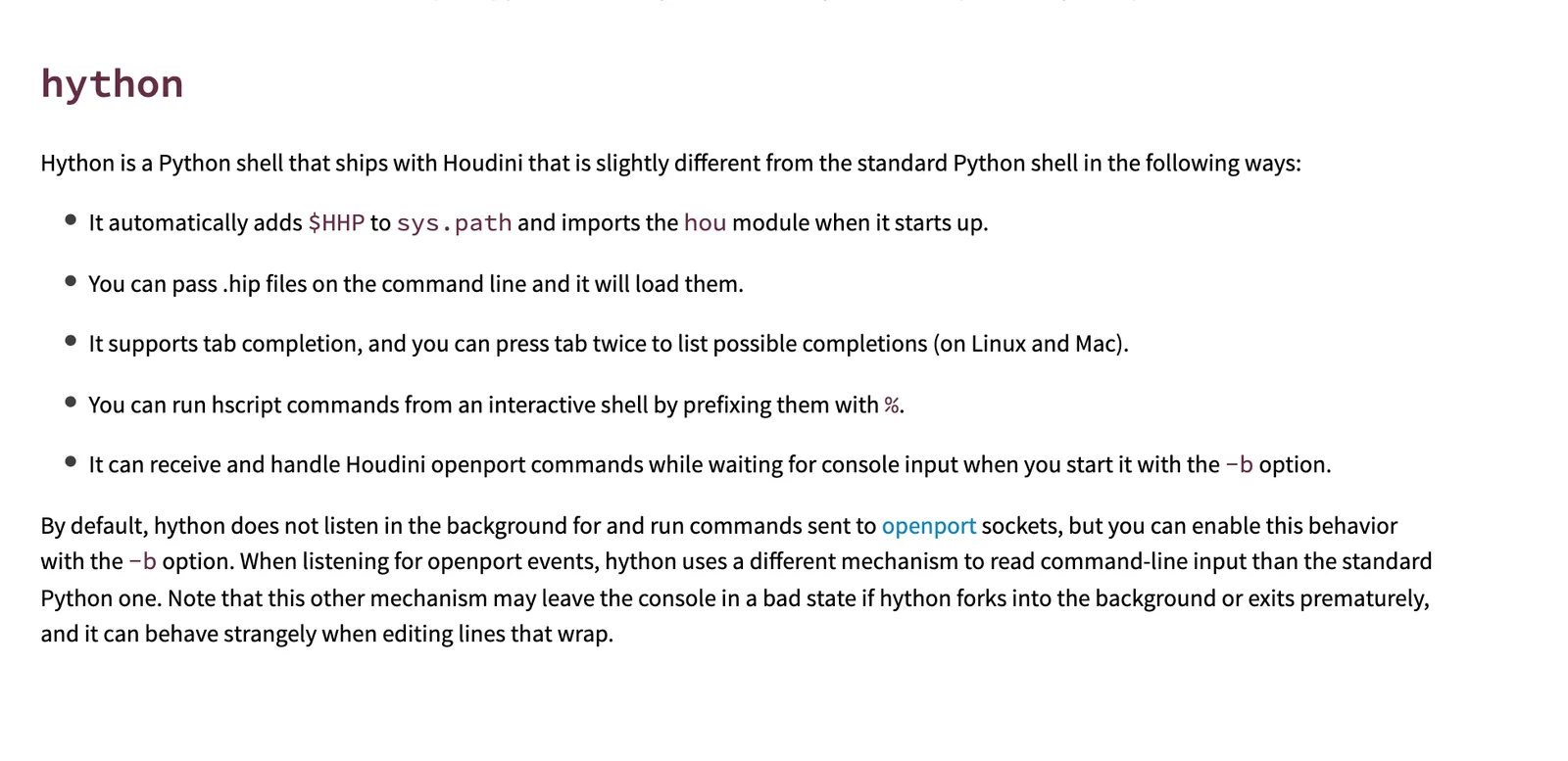
hython is a Python interpreter with hou loaded and no window; hbatch is the HScript equivalent; husk renders USD with Karma from the command line.
Houdini Digital Assets (HDAs) package a node network with a parameter interface into a reusable node, and the hou.hda module creates and edits them from Python.
SideFX does not ship a general MCP server.
Scenes (.hip, .hiplc, .hipnc) and assets (.hda) are packed archives that an agent should open through hython rather than edit as text.
5 we would consider; we lead with fxhoudinimcp.
Houdini has no generative assistant and no credits.
What an AI agent can do in Houdini
16 jobs people ask for, checked against what Houdini’s interfaces expose: 11 fully, 5 in part, 0 not at all.
| Job | Agent can do it? | How, or why not |
|---|---|---|
| Build a procedural model from nodes | Yes | hou creates SOP nodes, wires them and sets parameters; the agent can check point and primitive counts after each cook. |
| Write VEX for a wrangle | Yes | Python sets the wrangle's snippet parameter, and the node's cook errors come back through hou for the agent to fix. |
| Set up a pyro, FLIP or RBD simulation | Partly | The shelf-tool networks can be built from Python and cooked, but judging whether the sim looks right needs a flipbook or render, and DOPs need an FX, Indie, Education or Apprentice licence (not Core). |
| Cache a simulation to disk | Yes | File Cache nodes can be configured and executed through hou, headless in hython or on a farm through PDG. |
| Render frames with Karma or Mantra | Yes | A ROP's render() call or husk on a USD file renders from hython; Apprentice output is watermarked and capped at 1920x1080. |
| Build or edit an HDA | Yes | hou.hda and node.createDigitalAsset() package a subnet, add parameters to its interface and save the .hda file. |
| Run a wedge or batch job with PDG/TOPs | Yes | TOP networks can be built and cooked from Python, including wedges over parameter ranges and distributed jobs. |
| Assemble a USD shot in Solaris | Yes | LOP nodes and the hou.LopNode stage API build layouts, materials and render settings, and .usda files can be written as text. |
| Import and clean up client geometry | Yes | File SOPs read OBJ, FBX, Alembic and USD, and SOPs such as Clean, Fuse and PolyReduce can be chained from Python. |
| Build a Copernicus texture network | Yes | COP nodes are scriptable like any other context, and the larger community MCP servers include COP tools. |
| Rig a character with KineFX or APEX | Partly | The nodes are scriptable, but rigging needs judgement about deformation that an agent can only check through renders; SideFX's AI help for APEX Script is still a preview. |
| Keyframe an animation | Yes | hou.Keyframe and parameter setKeyframe() set keys and expressions on any animatable parameter. |
| Train or run an ML model on scene data | Yes | The ML TOP nodes and ONNX Inference SOP are ordinary nodes an agent can build and cook. |
| Look at the viewport and judge the result | Partly | Most MCP servers capture viewport screenshots or flipbooks for a vision model, but only in a GUI session; headless hython has no viewport. |
| Send an HDA to Unreal or Unity | Partly | The agent can build and save the HDA, but loading it into the game engine happens in that engine's Houdini Engine plug-in, which Apprentice cannot use. |
| Use Houdini Engine inside other apps headlessly from an agent | Partly | HAPI and hython cover this, but commercial batch processing needs a paid Houdini Engine licence or Engine Indie.SideFX Houdini Engine FAQ, read |
What AI can’t do in Houdini yet
An agent cannot see what a simulation or shader looks like from data alone; point counts and cook errors do not tell it whether smoke reads well.
Workaround: Use an MCP server with flipbook or viewport capture in a GUI session, or render low-resolution frames and pass them to a vision model.
Simulations and renders can run for minutes or hours, longer than most MCP tool-call timeouts, and Houdini's Python runs on the main thread, so a long cook blocks other calls.
Workaround: Have the agent write caches through PDG or a separate hython process and poll for the files, rather than cooking inside a tool call.
Apprentice cannot run Houdini Engine plug-ins, renders are watermarked at up to 1920x1080, and its .hipnc files cannot enter a commercial pipeline.
Workaround: Use Education ($95 a year) if you are a student, or Indie ($299 a year) for commercial work under $100K revenue.
Every hython or hbatch process checks out a licence, so an agent that opens parallel headless sessions can exhaust seats; farm machines need Houdini Engine licences, and Engine Indie is capped at three per account.
Workaround: Reuse one headless session per job, or reconnect to the open GUI session through the MCP server.
Every community MCP server can run arbitrary Python in your session with no sandbox, and none comes from SideFX.
Workaround: Save before letting an agent edit, use a server with undo per call (fxhoudinimcp) or a project-root restriction, and keep the server bound to localhost.
Scene files (.hip) are packed archives, not readable text, so an agent cannot diff or patch them the way it edits a Blender Python script or a USD layer.
Workaround: Keep the procedural logic in Python scripts, HDAs and .usda layers under version control, and regenerate the .hip from them.
Houdini MCP servers
An MCP server is the bridge that lets an AI assistant call into Houdini. SideFX does not ship a general MCP server. At the Houdini 22 launch (June 2026) it previewed an APEX Script Comfort Package with an MCP server, a VS Code extension and a Python panel, scoped to writing rigging code and headed for SideFX Labs; a July 2026 review of the release still called it a preview, and we found no download as of 23 October 2026.
- Stars
- 362
- Last activity
- 20 October 2026
- Runs
- on your computer
- Licence
- MIT
- Health
- active
The most complete and most active option; start here if you work in a GUI session of Houdini 20.5 or newer.
A plugin inside Houdini serves requests through Houdini's built-in hwebserver on localhost port 8100, and runs hou calls on the main thread, one undo step per call.
Needs: pip install fxhoudinimcp, then python -m fxhoudinimcp install, which writes a Houdini package so the plugin starts with Houdini 20.5 or newer (tested on 22.0). Use the absolute path of that Python as the command; a bare python shows as disconnected. Houdini must be open.
- 215 tools across nodes, parameters, SOPs, LOPs/USD, DOPs, PDG/TOPs, COPs, CHOPs and HDAs
- Rendering, viewport capture and contact sheets
- VEX and arbitrary Python or HScript execution
- Offline documentation lookup and 31 workflow guides
- Optional project-root confinement for file operations
fxhoudinimcp README and PyPI (2.28.2, 20 October 2026), read
- Stars
- 306
- Last activity
- 11 June 2026
- Runs
- on your computer
- Licence
- MIT
- Health
- active
The original Houdini MCP that most others build on; fine for simple node work, but setup is manual and it has far fewer tools than its descendants.
A Python plugin inside Houdini listens on localhost port 9876; the bridge script relays MCP calls to it over TCP.
Needs: The houdinimcp plugin copied into Houdini's scripts/python folder and started from a shelf tool or package file, plus uv with mcp[cli] installed. Houdini must be open.
- Create and modify nodes
- Execute Python in Houdini
- Graph editing, VEX wrangles and geometry introspection (added June 2026)
- Optional OPUS procedural asset generation with a RapidAPI key
- Stars
- 81
- Last activity
- 27 September 2026
- Runs
- on your computer
- Licence
- MIT
- Health
- active
Pick this for a remote or containerised setup, where Houdini runs on another machine and the agent reaches it over RPC.
Talks to Houdini through hrpyc, SideFX's RPyC remote Python bridge, so tool calls run as hou calls in the target session.
Needs: The project's Houdini plugin on hython's Python path. For its default HTTP or Docker mode, Houdini must run an hrpyc server (hrpyc.start_server(port=18811)) and the client connects to http://localhost:3055 instead.
- 43 tools in 15 categories: scene, nodes, wiring and layout, parameters
- Geometry and materials
- Viewport, quad view and Karma renders, pane screenshots
- Python and HScript execution, cook error detection
- Stars
- 25
- Last activity
- 23 September 2026
- Runs
- on your computer
- Licence
- MIT
- Health
- active
A fork of capoomgit's server with a much larger toolset and automatic headless fallback; good when no Houdini window is open.
A plugin inside Houdini serves a TCP socket on localhost port 9876; with no GUI open, the bridge launches hython with the same server.
Needs: A clone of the repository, Python 3.10 or newer, and the plugin installed with python scripts/install.py. If no Houdini is listening on port 9876, the bridge starts a headless hython itself.
- 166 tools: scene, nodes, parameters, geometry, materials, animation
- DOPs, PDG/TOPs, USD/Solaris, COPs, CHOPs, takes, caches, HDAs
- Rendering and viewport capture (GUI sessions only)
- Offline documentation search and scene change events
- Stars
- 11
- Last activity
- 15 October 2026
- Runs
- on your computer
- Licence
- MIT
- Health
- active
The easiest install (one command, also ships as a Claude Code plugin), with a compact tool set built for agents that check their own work in screenshots.
A plugin inside Houdini runs a TCP server on localhost (port 9877 by default); the bridge starts hython, or Houdini on request, from your install.
Needs: uv tool install houdini-mcp-server && houdinimcp-install, which adds the plugin to Houdini 20.5, 21.0 or 22.0 and registers the server with the clients it finds. Starts a headless hython when no Houdini is open.
- Read the scene, nodes, geometry and USD stages
- Edit nodes, parameters, connections and HDAs; all-or-nothing batch network builds
- Cook, render, PDG and playbar control
- Viewport, camera, four-view and flipbook capture
- Python, HScript and VEX checks; offline docs for your build
JTCHE/houdini-mcp README and PyPI houdini-mcp-server 0.8.0 (15 October 2026), read
Connect Houdini to Claude, ChatGPT, Codex and other assistants
Pick your assistant. Each setup panel leads with fxhoudinimcp and has the config for every other Houdini server underneath.
Voyager Built in
Voyager runs hou scripts through the matching installed hython build, using your Batch or FX licence. It works from saved scenes and saves revisions beside the source; it cannot read unsaved changes in an open Houdini session. It can prepare procedural scene work, caches and renders, then inspect errors and rendered output; complex simulations and HDAs need review.
Requirements: Install the Houdini build matching the saved scene and provide a Batch or FX licence. UI-only steps use computer control on macOS or Windows; it is unavailable on Linux. Windows and Linux Voyager builds are alpha; computer control is unavailable on Linux.
Claude desktop app Config below
Does Claude desktop app work with Houdini?
Yes, through fxhoudinimcp, a community MCP server by healkeiser.
fxhoudinimcp · config in claude_desktop_config.json (Settings > Developer > Edit Config), which is ~/Library/Application Support/Claude/ on macOS and %APPDATA%\Claude\ on Windows
First: pip install fxhoudinimcp, then python -m fxhoudinimcp install, which writes a Houdini package so the plugin starts with Houdini 20.5 or newer (tested on 22.0). Use the absolute path of that Python as the command; a bare python shows as disconnected. Houdini must be open.
{
  "mcpServers": {
    "houdini": {
      "command": "/path/to/python",
      "args": [
        "-m",
        "fxhoudinimcp"
      ],
      "env": {}
    }
  }
}
This server installs from source: replace the placeholder path with where you cloned or installed it.
›The other 4 Houdini MCP servers in Claude desktop app
HoudiniMCP (capoomgit)
First: The houdinimcp plugin copied into Houdini's scripts/python folder and started from a shelf tool or package file, plus uv with mcp[cli] installed. Houdini must be open.
{
  "mcpServers": {
    "houdini": {
      "command": "uv",
      "args": [
        "run",
        "python",
        "/path/to/houdinimcp/houdini_mcp_server.py"
      ],
      "env": {}
    }
  }
}
This server installs from source: replace the placeholder path with where you cloned or installed it.
houdini-mcp (oculairmedia)
First: The project's Houdini plugin on hython's Python path. For its default HTTP or Docker mode, Houdini must run an hrpyc server (hrpyc.start_server(port=18811)) and the client connects to http://localhost:3055 instead.
{
  "mcpServers": {
    "houdini": {
      "command": "hython",
      "args": [
        "-c",
        "from houdini_mcp_plugin import start_server; start_server(use_thread=False)"
      ],
      "env": {}
    }
  }
}
houdini-mcp (kleer001)
First: A clone of the repository, Python 3.10 or newer, and the plugin installed with python scripts/install.py. If no Houdini is listening on port 9876, the bridge starts a headless hython itself.
{
  "mcpServers": {
    "houdini": {
      "command": "uv",
      "args": [
        "--directory",
        "/path/to/houdini-mcp",
        "run",
        "python",
        "houdini_mcp_server.py"
      ],
      "env": {}
    }
  }
}
This server installs from source: replace the placeholder path with where you cloned or installed it.
Houdini MCP (houdini-mcp-server)
First: uv tool install houdini-mcp-server && houdinimcp-install, which adds the plugin to Houdini 20.5, 21.0 or 22.0 and registers the server with the clients it finds. Starts a headless hython when no Houdini is open.
{
  "mcpServers": {
    "houdini": {
      "command": "houdinimcp-bridge",
      "args": [],
      "env": {}
    }
  }
}
Quit and reopen the app after editing the config file; it is read at launch. Remote connectors are reached from Anthropic's cloud, not your computer, so a server on localhost or behind a VPN will not connect as a custom connector. Requires: a custom connector for remote servers, which Free plans limit to one and which an Owner adds on Team and Enterprise; local servers need only the desktop app. Claude desktop app docs.
Claude Code Config below
Does Claude Code work with Houdini?
Yes, through fxhoudinimcp, a community MCP server by healkeiser.
JTCHE's houdini-mcp repository is also a Claude Code plugin that starts a headless Houdini with no further setup.
fxhoudinimcp · config in ~/.claude.json for user scope (%USERPROFILE%\.claude.json on Windows), or .mcp.json in the project root for project scope
First: pip install fxhoudinimcp, then python -m fxhoudinimcp install, which writes a Houdini package so the plugin starts with Houdini 20.5 or newer (tested on 22.0). Use the absolute path of that Python as the command; a bare python shows as disconnected. Houdini must be open.
claude mcp add --scope user --transport stdio houdini -- /path/to/python -m fxhoudinimcpThis server installs from source: replace the placeholder path with where you cloned or installed it.
›The other 4 Houdini MCP servers in Claude Code
HoudiniMCP (capoomgit)
First: The houdinimcp plugin copied into Houdini's scripts/python folder and started from a shelf tool or package file, plus uv with mcp[cli] installed. Houdini must be open.
claude mcp add --scope user --transport stdio houdini -- uv run python /path/to/houdinimcp/houdini_mcp_server.pyThis server installs from source: replace the placeholder path with where you cloned or installed it.
houdini-mcp (oculairmedia)
First: The project's Houdini plugin on hython's Python path. For its default HTTP or Docker mode, Houdini must run an hrpyc server (hrpyc.start_server(port=18811)) and the client connects to http://localhost:3055 instead.
claude mcp add --scope user --transport stdio houdini -- hython -c 'from houdini_mcp_plugin import start_server; start_server(use_thread=False)'houdini-mcp (kleer001)
First: A clone of the repository, Python 3.10 or newer, and the plugin installed with python scripts/install.py. If no Houdini is listening on port 9876, the bridge starts a headless hython itself.
claude mcp add --scope user --transport stdio houdini -- uv --directory /path/to/houdini-mcp run python houdini_mcp_server.pyThis server installs from source: replace the placeholder path with where you cloned or installed it.
Houdini MCP (houdini-mcp-server)
First: uv tool install houdini-mcp-server && houdinimcp-install, which adds the plugin to Houdini 20.5, 21.0 or 22.0 and registers the server with the clients it finds. Starts a headless hython when no Houdini is open.
claude mcp add --scope user --transport stdio houdini -- houdinimcp-bridgeOptions go before the name and the -- keeps the server's own flags away from Claude Code; a name placed straight after -e is read as another variable, hence --transport between them. Check with claude mcp list or /mcp inside a session. Claude Code docs.
ChatGPT Not directly
Does ChatGPT work with Houdini?
Not directly. ChatGPT only connects to remote MCP servers over HTTPS, and fxhoudinimcp runs on your own computer. To use it from ChatGPT you would have to expose it at a public URL through a tunnel or bridge, which also exposes Houdini to the internet.
SideFX publishes no app inside ChatGPT. Every Houdini MCP server listed here is a local stdio server; the kleer001 README suggests running it over HTTP behind a tunnel for ChatGPT, which exposes a server that can run arbitrary Python.
fxhoudinimcp · config in ChatGPT's settings on the web (Apps, shown as Plugins on newer accounts); there is no config file
ChatGPT only connects to remote MCP servers over HTTPS, and fxhoudinimcp runs on your own computer. To use it from ChatGPT you would have to expose it at a public URL through a tunnel or bridge, which also exposes Houdini to the internet.
›The other 4 Houdini MCP servers in ChatGPT
HoudiniMCP (capoomgit)
ChatGPT only connects to remote MCP servers over HTTPS, and HoudiniMCP (capoomgit) runs on your own computer. To use it from ChatGPT you would have to expose it at a public URL through a tunnel or bridge, which also exposes Houdini to the internet.
houdini-mcp (oculairmedia)
ChatGPT only connects to remote MCP servers over HTTPS, and houdini-mcp (oculairmedia) runs on your own computer. To use it from ChatGPT you would have to expose it at a public URL through a tunnel or bridge, which also exposes Houdini to the internet.
houdini-mcp (kleer001)
ChatGPT only connects to remote MCP servers over HTTPS, and houdini-mcp (kleer001) runs on your own computer. To use it from ChatGPT you would have to expose it at a public URL through a tunnel or bridge, which also exposes Houdini to the internet.
Houdini MCP (houdini-mcp-server)
ChatGPT only connects to remote MCP servers over HTTPS, and Houdini MCP (houdini-mcp-server) runs on your own computer. To use it from ChatGPT you would have to expose it at a public URL through a tunnel or bridge, which also exposes Houdini to the internet.
ChatGPT only reaches servers on the public internet over HTTPS. A local stdio server needs OpenAI's Secure MCP Tunnel (the tunnel-client daemon, an OpenAI Platform tunnel and API key), or a public tunnel such as ngrok, so most people use Codex or Claude for local apps. Requires: developer mode (beta) in ChatGPT on the web; OpenAI documents full MCP, including write actions, for Business, Enterprise and Edu workspaces, where an admin must allow it. ChatGPT docs.
Codex Config below
Does Codex work with Houdini?
Yes, through fxhoudinimcp, a community MCP server by healkeiser.
fxhoudinimcp's installer registers itself with Codex (codex mcp add fxhoudini -- <python> -m fxhoudinimcp) along with Claude Code, Claude Desktop, Cursor, Gemini CLI and others.
fxhoudinimcp · config in ~/.codex/config.toml (%USERPROFILE%\.codex\config.toml on Windows), shared by the Codex CLI, IDE extension and desktop app
First: pip install fxhoudinimcp, then python -m fxhoudinimcp install, which writes a Houdini package so the plugin starts with Houdini 20.5 or newer (tested on 22.0). Use the absolute path of that Python as the command; a bare python shows as disconnected. Houdini must be open.
[mcp_servers.houdini]
command = '/path/to/python'
args = ["-m", "fxhoudinimcp"]
env = {}
This server installs from source: replace the placeholder path with where you cloned or installed it.
›The other 4 Houdini MCP servers in Codex
HoudiniMCP (capoomgit)
First: The houdinimcp plugin copied into Houdini's scripts/python folder and started from a shelf tool or package file, plus uv with mcp[cli] installed. Houdini must be open.
[mcp_servers.houdini]
command = 'uv'
args = ["run", "python", "/path/to/houdinimcp/houdini_mcp_server.py"]
env = {}
This server installs from source: replace the placeholder path with where you cloned or installed it.
houdini-mcp (oculairmedia)
First: The project's Houdini plugin on hython's Python path. For its default HTTP or Docker mode, Houdini must run an hrpyc server (hrpyc.start_server(port=18811)) and the client connects to http://localhost:3055 instead.
[mcp_servers.houdini]
command = 'hython'
args = ["-c", "from houdini_mcp_plugin import start_server; start_server(use_thread=False)"]
env = {}
houdini-mcp (kleer001)
First: A clone of the repository, Python 3.10 or newer, and the plugin installed with python scripts/install.py. If no Houdini is listening on port 9876, the bridge starts a headless hython itself.
[mcp_servers.houdini]
command = 'uv'
args = ["--directory", "/path/to/houdini-mcp", "run", "python", "houdini_mcp_server.py"]
env = {}
This server installs from source: replace the placeholder path with where you cloned or installed it.
Houdini MCP (houdini-mcp-server)
First: uv tool install houdini-mcp-server && houdinimcp-install, which adds the plugin to Houdini 20.5, 21.0 or 22.0 and registers the server with the clients it finds. Starts a headless hython when no Houdini is open.
[mcp_servers.houdini]
command = 'houdinimcp-bridge'
args = []
env = {}
codex mcp add also takes a local server (name, then -- and the command), but it sets variables with --env KEY=VALUE rather than -e, so the config block is shown here. Run codex mcp list to check it is enabled, and codex mcp login with the server name for an OAuth server. Codex docs.
Cursor Config below
Does Cursor work with Houdini?
Yes, through fxhoudinimcp, a community MCP server by healkeiser.
fxhoudinimcp · config in ~/.cursor/mcp.json for every project (%USERPROFILE%\.cursor\mcp.json on Windows), or .cursor/mcp.json in one project
First: pip install fxhoudinimcp, then python -m fxhoudinimcp install, which writes a Houdini package so the plugin starts with Houdini 20.5 or newer (tested on 22.0). Use the absolute path of that Python as the command; a bare python shows as disconnected. Houdini must be open.
{
  "mcpServers": {
    "houdini": {
      "command": "/path/to/python",
      "args": [
        "-m",
        "fxhoudinimcp"
      ],
      "env": {}
    }
  }
}
This server installs from source: replace the placeholder path with where you cloned or installed it.
›The other 4 Houdini MCP servers in Cursor
HoudiniMCP (capoomgit)
First: The houdinimcp plugin copied into Houdini's scripts/python folder and started from a shelf tool or package file, plus uv with mcp[cli] installed. Houdini must be open.
{
  "mcpServers": {
    "houdini": {
      "command": "uv",
      "args": [
        "run",
        "python",
        "/path/to/houdinimcp/houdini_mcp_server.py"
      ],
      "env": {}
    }
  }
}
This server installs from source: replace the placeholder path with where you cloned or installed it.
houdini-mcp (oculairmedia)
First: The project's Houdini plugin on hython's Python path. For its default HTTP or Docker mode, Houdini must run an hrpyc server (hrpyc.start_server(port=18811)) and the client connects to http://localhost:3055 instead.
{
  "mcpServers": {
    "houdini": {
      "command": "hython",
      "args": [
        "-c",
        "from houdini_mcp_plugin import start_server; start_server(use_thread=False)"
      ],
      "env": {}
    }
  }
}
houdini-mcp (kleer001)
First: A clone of the repository, Python 3.10 or newer, and the plugin installed with python scripts/install.py. If no Houdini is listening on port 9876, the bridge starts a headless hython itself.
{
  "mcpServers": {
    "houdini": {
      "command": "uv",
      "args": [
        "--directory",
        "/path/to/houdini-mcp",
        "run",
        "python",
        "houdini_mcp_server.py"
      ],
      "env": {}
    }
  }
}
This server installs from source: replace the placeholder path with where you cloned or installed it.
Houdini MCP (houdini-mcp-server)
First: uv tool install houdini-mcp-server && houdinimcp-install, which adds the plugin to Houdini 20.5, 21.0 or 22.0 and registers the server with the clients it finds. Starts a headless hython when no Houdini is open.
{
  "mcpServers": {
    "houdini": {
      "command": "houdinimcp-bridge",
      "args": [],
      "env": {}
    }
  }
}
Cursor has capped the number of MCP tools it sends the model (third-party guides cite 40 to 80), so disable tools you do not need in Settings > MCP. GUI apps do not inherit your shell PATH; use full paths for commands like uvx. Cursor docs.
VS Code with GitHub Copilot Config below
Does VS Code with GitHub Copilot work with Houdini?
Yes, through fxhoudinimcp, a community MCP server by healkeiser.
fxhoudinimcp · config in ~/.copilot/mcp-config.json for yourself (the Copilot Global destination), or .mcp.json in the workspace root for a team
First: pip install fxhoudinimcp, then python -m fxhoudinimcp install, which writes a Houdini package so the plugin starts with Houdini 20.5 or newer (tested on 22.0). Use the absolute path of that Python as the command; a bare python shows as disconnected. Houdini must be open.
{
  "mcpServers": {
    "houdini": {
      "command": "/path/to/python",
      "args": [
        "-m",
        "fxhoudinimcp"
      ],
      "env": {}
    }
  }
}
This server installs from source: replace the placeholder path with where you cloned or installed it.
›The other 4 Houdini MCP servers in VS Code with GitHub Copilot
HoudiniMCP (capoomgit)
First: The houdinimcp plugin copied into Houdini's scripts/python folder and started from a shelf tool or package file, plus uv with mcp[cli] installed. Houdini must be open.
{
  "mcpServers": {
    "houdini": {
      "command": "uv",
      "args": [
        "run",
        "python",
        "/path/to/houdinimcp/houdini_mcp_server.py"
      ],
      "env": {}
    }
  }
}
This server installs from source: replace the placeholder path with where you cloned or installed it.
houdini-mcp (oculairmedia)
First: The project's Houdini plugin on hython's Python path. For its default HTTP or Docker mode, Houdini must run an hrpyc server (hrpyc.start_server(port=18811)) and the client connects to http://localhost:3055 instead.
{
  "mcpServers": {
    "houdini": {
      "command": "hython",
      "args": [
        "-c",
        "from houdini_mcp_plugin import start_server; start_server(use_thread=False)"
      ],
      "env": {}
    }
  }
}
houdini-mcp (kleer001)
First: A clone of the repository, Python 3.10 or newer, and the plugin installed with python scripts/install.py. If no Houdini is listening on port 9876, the bridge starts a headless hython itself.
{
  "mcpServers": {
    "houdini": {
      "command": "uv",
      "args": [
        "--directory",
        "/path/to/houdini-mcp",
        "run",
        "python",
        "houdini_mcp_server.py"
      ],
      "env": {}
    }
  }
}
This server installs from source: replace the placeholder path with where you cloned or installed it.
Houdini MCP (houdini-mcp-server)
First: uv tool install houdini-mcp-server && houdinimcp-install, which adds the plugin to Houdini 20.5, 21.0 or 22.0 and registers the server with the clients it finds. Starts a headless hython when no Houdini is open.
{
  "mcpServers": {
    "houdini": {
      "command": "houdinimcp-bridge",
      "args": [],
      "env": {}
    }
  }
}
VS Code now recommends the portable mcpServers file, which the Copilot harness reads directly and Copilot CLI shares; .vscode/mcp.json still works but uses "servers" and is labelled deprecated in the Add Server flow. MCP: Add Server in the Command Palette writes the same entry for you. Requires: a GitHub Copilot plan, and on Copilot Business or Enterprise the organization's "MCP servers in Copilot" policy, which is off by default. VS Code with GitHub Copilot docs.
Gemini CLI Config below
Does Gemini CLI work with Houdini?
Yes, through fxhoudinimcp, a community MCP server by healkeiser.
fxhoudinimcp · config in ~/.gemini/settings.json (%USERPROFILE%\.gemini\settings.json on Windows), or .gemini/settings.json in one project
First: pip install fxhoudinimcp, then python -m fxhoudinimcp install, which writes a Houdini package so the plugin starts with Houdini 20.5 or newer (tested on 22.0). Use the absolute path of that Python as the command; a bare python shows as disconnected. Houdini must be open.
gemini mcp add --scope user houdini /path/to/python -- -m fxhoudinimcpThis server installs from source: replace the placeholder path with where you cloned or installed it.
›The other 4 Houdini MCP servers in Gemini CLI
HoudiniMCP (capoomgit)
First: The houdinimcp plugin copied into Houdini's scripts/python folder and started from a shelf tool or package file, plus uv with mcp[cli] installed. Houdini must be open.
gemini mcp add --scope user houdini uv -- run python /path/to/houdinimcp/houdini_mcp_server.pyThis server installs from source: replace the placeholder path with where you cloned or installed it.
houdini-mcp (oculairmedia)
First: The project's Houdini plugin on hython's Python path. For its default HTTP or Docker mode, Houdini must run an hrpyc server (hrpyc.start_server(port=18811)) and the client connects to http://localhost:3055 instead.
gemini mcp add --scope user houdini hython -- -c 'from houdini_mcp_plugin import start_server; start_server(use_thread=False)'houdini-mcp (kleer001)
First: A clone of the repository, Python 3.10 or newer, and the plugin installed with python scripts/install.py. If no Houdini is listening on port 9876, the bridge starts a headless hython itself.
gemini mcp add --scope user houdini uv -- --directory /path/to/houdini-mcp run python houdini_mcp_server.pyThis server installs from source: replace the placeholder path with where you cloned or installed it.
Houdini MCP (houdini-mcp-server)
First: uv tool install houdini-mcp-server && houdinimcp-install, which adds the plugin to Houdini 20.5, 21.0 or 22.0 and registers the server with the clients it finds. Starts a headless hython when no Houdini is open.
gemini mcp add --scope user houdini houdinimcp-bridge --Without --scope user the server is written to the current project's settings. Stdio servers only connect in a trusted folder; run gemini trust, then gemini mcp list to check. Requires: a Gemini API key or Vertex AI, since consumer Google sign-ins moved to Antigravity CLI on 18 June 2026. Gemini CLI docs.
Hermes Agent Config below
Does Hermes Agent work with Houdini?
Yes, through fxhoudinimcp, a community MCP server by healkeiser.
fxhoudinimcp · config in ~/.hermes/config.yaml (%LOCALAPPDATA%\hermes\config.yaml on native Windows)
First: pip install fxhoudinimcp, then python -m fxhoudinimcp install, which writes a Houdini package so the plugin starts with Houdini 20.5 or newer (tested on 22.0). Use the absolute path of that Python as the command; a bare python shows as disconnected. Houdini must be open.
mcp_servers:
  houdini:
    command: '/path/to/python'
    args: ["-m", "fxhoudinimcp"]
    env: {}
This server installs from source: replace the placeholder path with where you cloned or installed it.
›The other 4 Houdini MCP servers in Hermes Agent
HoudiniMCP (capoomgit)
First: The houdinimcp plugin copied into Houdini's scripts/python folder and started from a shelf tool or package file, plus uv with mcp[cli] installed. Houdini must be open.
mcp_servers:
  houdini:
    command: 'uv'
    args: ["run", "python", "/path/to/houdinimcp/houdini_mcp_server.py"]
    env: {}
This server installs from source: replace the placeholder path with where you cloned or installed it.
houdini-mcp (oculairmedia)
First: The project's Houdini plugin on hython's Python path. For its default HTTP or Docker mode, Houdini must run an hrpyc server (hrpyc.start_server(port=18811)) and the client connects to http://localhost:3055 instead.
mcp_servers:
  houdini:
    command: 'hython'
    args: ["-c", "from houdini_mcp_plugin import start_server; start_server(use_thread=False)"]
    env: {}
houdini-mcp (kleer001)
First: A clone of the repository, Python 3.10 or newer, and the plugin installed with python scripts/install.py. If no Houdini is listening on port 9876, the bridge starts a headless hython itself.
mcp_servers:
  houdini:
    command: 'uv'
    args: ["--directory", "/path/to/houdini-mcp", "run", "python", "houdini_mcp_server.py"]
    env: {}
This server installs from source: replace the placeholder path with where you cloned or installed it.
Houdini MCP (houdini-mcp-server)
First: uv tool install houdini-mcp-server && houdinimcp-install, which adds the plugin to Houdini 20.5, 21.0 or 22.0 and registers the server with the clients it finds. Starts a headless hython when no Houdini is open.
mcp_servers:
  houdini:
    command: 'houdinimcp-bridge'
    args: []
    env: {}
Start a new session or run /reload-mcp after editing; a running gateway picks up config.yaml changes within about a minute. For an OAuth-protected remote server, add auth: oauth under it and run hermes mcp login with the server name. Hermes Agent docs.
OpenClaw Config below
Does OpenClaw work with Houdini?
Yes, through fxhoudinimcp, a community MCP server by healkeiser.
fxhoudinimcp · config in ~/.openclaw/openclaw.json, under mcp.servers
First: pip install fxhoudinimcp, then python -m fxhoudinimcp install, which writes a Houdini package so the plugin starts with Houdini 20.5 or newer (tested on 22.0). Use the absolute path of that Python as the command; a bare python shows as disconnected. Houdini must be open.
{
  "mcp": {
    "servers": {
      "houdini": {
        "command": "/path/to/python",
        "args": [
          "-m",
          "fxhoudinimcp"
        ],
        "env": {}
      }
    }
  }
}
This server installs from source: replace the placeholder path with where you cloned or installed it.
›The other 4 Houdini MCP servers in OpenClaw
HoudiniMCP (capoomgit)
First: The houdinimcp plugin copied into Houdini's scripts/python folder and started from a shelf tool or package file, plus uv with mcp[cli] installed. Houdini must be open.
{
  "mcp": {
    "servers": {
      "houdini": {
        "command": "uv",
        "args": [
          "run",
          "python",
          "/path/to/houdinimcp/houdini_mcp_server.py"
        ],
        "env": {}
      }
    }
  }
}
This server installs from source: replace the placeholder path with where you cloned or installed it.
houdini-mcp (oculairmedia)
First: The project's Houdini plugin on hython's Python path. For its default HTTP or Docker mode, Houdini must run an hrpyc server (hrpyc.start_server(port=18811)) and the client connects to http://localhost:3055 instead.
{
  "mcp": {
    "servers": {
      "houdini": {
        "command": "hython",
        "args": [
          "-c",
          "from houdini_mcp_plugin import start_server; start_server(use_thread=False)"
        ],
        "env": {}
      }
    }
  }
}
houdini-mcp (kleer001)
First: A clone of the repository, Python 3.10 or newer, and the plugin installed with python scripts/install.py. If no Houdini is listening on port 9876, the bridge starts a headless hython itself.
{
  "mcp": {
    "servers": {
      "houdini": {
        "command": "uv",
        "args": [
          "--directory",
          "/path/to/houdini-mcp",
          "run",
          "python",
          "houdini_mcp_server.py"
        ],
        "env": {}
      }
    }
  }
}
This server installs from source: replace the placeholder path with where you cloned or installed it.
Houdini MCP (houdini-mcp-server)
First: uv tool install houdini-mcp-server && houdinimcp-install, which adds the plugin to Houdini 20.5, 21.0 or 22.0 and registers the server with the clients it finds. Starts a headless hython when no Houdini is open.
{
  "mcp": {
    "servers": {
      "houdini": {
        "command": "houdinimcp-bridge",
        "args": [],
        "env": {}
      }
    }
  }
}
The key is mcp.servers, not mcpServers. The Gateway hot-reloads the file; run openclaw mcp doctor with the server name and --probe to confirm it answers. Interpreter and loader variables such as NODE_OPTIONS are stripped from a stdio server's env. OpenClaw docs.
Windsurf (Devin Desktop) Config below
Does Windsurf (Devin Desktop) work with Houdini?
Yes, through fxhoudinimcp, a community MCP server by healkeiser.
fxhoudinimcp · config in ~/.config/devin/mcp_config.json on macOS and Linux (%APPDATA%\devin\mcp_config.json on Windows); builds from before June 2026 used ~/.codeium/windsurf/mcp_config.json
First: pip install fxhoudinimcp, then python -m fxhoudinimcp install, which writes a Houdini package so the plugin starts with Houdini 20.5 or newer (tested on 22.0). Use the absolute path of that Python as the command; a bare python shows as disconnected. Houdini must be open.
{
  "mcpServers": {
    "houdini": {
      "command": "/path/to/python",
      "args": [
        "-m",
        "fxhoudinimcp"
      ],
      "env": {}
    }
  }
}
This server installs from source: replace the placeholder path with where you cloned or installed it.
›The other 4 Houdini MCP servers in Windsurf (Devin Desktop)
HoudiniMCP (capoomgit)
First: The houdinimcp plugin copied into Houdini's scripts/python folder and started from a shelf tool or package file, plus uv with mcp[cli] installed. Houdini must be open.
{
  "mcpServers": {
    "houdini": {
      "command": "uv",
      "args": [
        "run",
        "python",
        "/path/to/houdinimcp/houdini_mcp_server.py"
      ],
      "env": {}
    }
  }
}
This server installs from source: replace the placeholder path with where you cloned or installed it.
houdini-mcp (oculairmedia)
First: The project's Houdini plugin on hython's Python path. For its default HTTP or Docker mode, Houdini must run an hrpyc server (hrpyc.start_server(port=18811)) and the client connects to http://localhost:3055 instead.
{
  "mcpServers": {
    "houdini": {
      "command": "hython",
      "args": [
        "-c",
        "from houdini_mcp_plugin import start_server; start_server(use_thread=False)"
      ],
      "env": {}
    }
  }
}
houdini-mcp (kleer001)
First: A clone of the repository, Python 3.10 or newer, and the plugin installed with python scripts/install.py. If no Houdini is listening on port 9876, the bridge starts a headless hython itself.
{
  "mcpServers": {
    "houdini": {
      "command": "uv",
      "args": [
        "--directory",
        "/path/to/houdini-mcp",
        "run",
        "python",
        "houdini_mcp_server.py"
      ],
      "env": {}
    }
  }
}
This server installs from source: replace the placeholder path with where you cloned or installed it.
Houdini MCP (houdini-mcp-server)
First: uv tool install houdini-mcp-server && houdinimcp-install, which adds the plugin to Houdini 20.5, 21.0 or 22.0 and registers the server with the clients it finds. Starts a headless hython when no Houdini is open.
{
  "mcpServers": {
    "houdini": {
      "command": "houdinimcp-bridge",
      "args": [],
      "env": {}
    }
  }
}
Windsurf became Devin Desktop in June 2026 and its default agent is now Devin Local; the legacy Cascade agent expects serverUrl instead of url for remote servers and allows at most 100 tools at once. Refresh the MCP panel after editing the file. Requires: MCP left on by a Teams or Enterprise admin, who can also allowlist servers (allowlisting one blocks all others). Windsurf (Devin Desktop) docs.
Houdini API, scripting and command line
Houdini API
YesPython 3C (Houdini Engine API)C++ (HDK)The hou module (Houdini Object Model) is a Python API over the whole application: nodes, parameters, geometry, HDAs, takes, USD stages, PDG and rendering. Outside Houdini, the Houdini Engine API (HAPI, C) lets other programs cook HDAs, and hwebserver can expose Python functions over HTTP from a running session.
Cost: Included with every licence, Apprentice included; files saved from Apprentice and Education are non-commercial.
import hou
geo = hou.node('/obj').createNode('geo', 'agent_box')
box = geo.createNode('box')
box.parm('scale').set(2)
hou.hipFile.save('/tmp/agent_box.hip')
Create a box network and save the scene, from the Python Shell or hython.
DocumentationSideFX docs: hou module and command-line scripting, read
Houdini scripting
YesPython 3VEXHScriptThree languages: Python (hou) for automation and tools, VEX for fast per-point, per-voxel and per-pixel code inside wrangle nodes, and the older HScript command language, still used in expressions and hbatch. An agent typically writes Python to build networks and VEX to put logic inside them.
w = hou.node('/obj/agent_box').createNode('attribwrangle')
w.setInput(0, hou.node('/obj/agent_box/box1'))
w.parm('snippet').set('@P.y += sin(@P.x * 4) * 0.2;')
w.setDisplayFlag(True)
Python creates an Attribute Wrangle and writes VEX into it.
Houdini command line and headless mode
YesPython 3HScripthython is a Python interpreter with hou loaded and no window; hbatch is the HScript equivalent; husk renders USD with Karma from the command line. All of them check out a licence: Apprentice and Education work for non-commercial use, and farm machines use Houdini Engine licences (Engine Indie for Indie users).
Cost: Needs a licence on each machine; batch work on farm machines needs Houdini Engine (or Engine Indie) licences.
hython -c "import hou; hou.hipFile.load('shot.hip'); hou.node('/out/karma1').render(frame_range=(1, 24))"Load a scene headless and render frames 1 to 24 from a ROP.
DocumentationSideFX docs: Rendering as part of a workflow, read
Houdini plugins and add-ons
YesPython 3VEXC++ (HDK)Houdini Digital Assets (HDAs) package a node network with a parameter interface into a reusable node, and the hou.hda module creates and edits them from Python. Packages (JSON files) load tools, shelves and Python modules at startup. SideFX Labs is SideFX's free, open-source toolset of hundreds of HDAs and Python modules. Houdini Engine runs HDAs inside Unreal, Unity, Maya and 3ds Max.
DocumentationSideFX Labs (GitHub)SideFX Labs repository, read
Houdini official MCP server
NoSideFX does not ship a general MCP server. At the Houdini 22 launch (June 2026) it previewed an APEX Script Comfort Package with an MCP server, a VS Code extension and a Python panel, scoped to writing rigging code and headed for SideFX Labs; a July 2026 review of the release still called it a preview, and we found no download as of 23 October 2026.
Digital Production: Here comes Houdini 22 (23 June 2026), read
Houdini project files
PartlyScenes (.hip, .hiplc, .hipnc) and assets (.hda) are packed archives that an agent should open through hython rather than edit as text. Around them, Houdini reads and writes open formats an agent can produce directly: USD (.usda is plain text), Alembic, OBJ, FBX, VDB, EXR and its own .bgeo geometry. Files from Apprentice, Education and Indie cannot be mixed into commercial scenes.
Built-in AI in Houdini
Houdini has no generative assistant and no credits. Its AI work is a machine learning toolkit for training and running your own models inside node networks, available in every edition including Apprentice, plus Gaussian splat training in Houdini 22. An AI assistant for APEX rigging code was shown as a preview, not shipped.
ML training nodes (TOPs)
ML Train Regression, ML Train Style Transfer, ML Train OIDN and preprocessing nodes generate datasets, train neural networks and export them, driven by PDG.
Core, FX, Indie, Education and Apprentice; no credits. Houdini 21 added user-defined architectures declared in Python.
ONNX Inference SOP
Runs an existing ONNX model on geometry inside a SOP network, given its tensor inputs and outputs.
All editions; runs locally.
ML Deformer and ML regression SOPs
Trained deformers approximate expensive character deformation; ML Regression Linear and Kernel SOPs train and infer entirely inside SOPs.
Houdini 21 and later.
SideFX docs: What's new in Houdini 21, machine learning, read
Gaussian splat training
ML Preprocess GSplats and ML Train GSplats TOP nodes train Gaussian splats from photos or 3D scenes, which Karma then renders.
Houdini 22, released July 2026.
Radiance Fields: Houdini 22 ships native Gaussian splats, read
APEX Script Comfort Package (preview)
An MCP server, VS Code extension and Python panel that help an AI assistant write APEX rigging scripts, with a validator for generated code.
Shown at the Houdini 22 keynote as a preview headed for SideFX Labs; not available to download as of 23 October 2026.
Houdini pricing
Freemium: Apprentice is free for non-commercial learning, Education and Indie are low-cost annual rentals, Core and FX are commercial licences.
| Plan | Price | What it’s for |
|---|---|---|
| Houdini ApprenticeUnlocks automation | $0 | Non-commercial only. Full FX feature set with Python and the hou module, but renders are watermarked and capped at 1920x1080, no third-party renderers, no Houdini Engine plug-ins, files saved as .hipnc. |
| Houdini EducationUnlocks automation | $95 a year | Validated students. Removes Apprentice's render limits and includes one Houdini Engine Education licence; still non-commercial (.hipnc). |
| Houdini IndieUnlocks automation | $299 a year, or $449 for two years | Commercial use for individuals and studios under $100K USD annual gross revenue. Third-party renderers, free Houdini Engine Indie licences for headless farm work (up to three per account), files saved as .hiplc. |
| Houdini CoreUnlocks automation | $1,475 a year (workstation rental) | Commercial licence for modelling, layout, lookdev, animation and USD/Solaris work, without the DOP simulation networks. |
| Houdini FXUnlocks automation | $3,505 a year (workstation rental) | The full commercial product, including all simulation (DOPs) networks. |
| Houdini Engine (commercial)Unlocks automation | Free for the Unreal and Unity plug-ins; paid rental for Maya, 3ds Max, custom hosts and batch processing | Non-graphical licence that cooks HDAs inside other apps and runs hython and batch jobs on farm machines. |
SideFX Houdini Store: Core and FX workstation annual rentals, read
Voyager
Use Houdini with Voyager
Voyager runs hou scripts through the matching installed hython build, using your Batch or FX licence. It works from saved scenes and saves revisions beside the source; it cannot read unsaved changes in an open Houdini session. It can prepare procedural scene work, caches and renders, then inspect errors and rendered output; complex simulations and HDAs need review. The agent can generate supporting media through your connected providers or Voyager credits. App licences and generation costs are separate.
Requirements: Install the Houdini build matching the saved scene and provide a Batch or FX licence. UI-only steps use computer control on macOS or Windows; it is unavailable on Linux. Windows and Linux Voyager builds are alpha; computer control is unavailable on Linux.
Try asking
- “Open shot.hip, add a pyro sim to the torch geometry, cache 48 frames and render a 720p preview with Karma.”
- “Build a procedural rock HDA with seed, size and erosion parameters and save it to my assets folder.”
- “Set up a PDG wedge over three wind speeds for the cloth sim and render a contact sheet so I can compare them.”
- “Import the client's FBX, clean and reduce it to under 50,000 polygons, and export a USD for Solaris.”
- “Explain what the VEX in every wrangle in this scene does and flag any that error on cook.”
Frequently asked questions
Does Houdini have an API?
Yes. Houdini's Python API is the hou module, which reaches nodes, parameters, geometry, digital assets, USD stages, PDG and rendering; it works in the Python Shell, in tools and headless through hython. For other programs, the Houdini Engine API (HAPI) cooks Houdini Digital Assets, and the HDK is the C++ SDK for writing new nodes.
Is Houdini's Python API free?
Yes, hou comes with every edition, including the free Apprentice. What changes by tier is what you may do with the output: Apprentice and Education files are non-commercial, Indie is commercial under $100K USD revenue, and Core and FX are unrestricted.
Is there an official Houdini MCP server?
No general one as of 23 October 2026. SideFX previewed an APEX Script MCP server for writing rigging code at the Houdini 22 launch in June 2026, headed for SideFX Labs, but we found no release; the Houdini MCP servers people use today are community projects such as fxhoudinimcp, capoomgit's HoudiniMCP and JTCHE's houdini-mcp.
Which Houdini MCP server should I use?
We would start with fxhoudinimcp for a GUI session: it has the most tools (215), undo per call and recent releases. Choose JTCHE's houdini-mcp or kleer001's fork when you want the server to start a headless hython on its own, and oculairmedia's when Houdini runs on another machine.
Can ChatGPT or Claude control Houdini?
Yes, through a community MCP server or by writing Python you run in Houdini. Claude Code, Claude Desktop, Codex and other MCP clients connect to a local server that sends hou commands to Houdini; without one, the assistant can still write Python or VEX that you paste into Houdini yourself.
Can AI write VEX?
Yes, current language models write working VEX for common wrangle tasks such as noise displacement, attribute transfer and grouping. Errors are common on less documented functions, so an agent that can cook the node and read its error message, through an MCP server or hython, fixes them far more reliably than a chat window can.
Can Houdini run headless?
Yes. hython runs Python with the hou module and no interface, hbatch does the same for HScript, and husk renders USD files with Karma from the command line. Each checks out a Houdini licence; farm machines normally use Houdini Engine licences.
Does Houdini Apprentice support Python and hython?
Apprentice includes the full Python API, and scripts can detect it with hou.isApprentice(). SideFX staff on its forum say hython runs under an Apprentice licence too, but everything it saves is a non-commercial .hipnc file, renders are watermarked at up to 1920x1080, and Houdini Engine plug-ins do not work.
Which Houdini licence do I need for an agent to render on a farm?
Farm machines run Houdini Engine licences. Indie users get up to three free Houdini Engine Indie licences for command-line renders and simulations; commercial Core and FX users rent Houdini Engine licences for batch processing.
How much does Houdini cost?
Apprentice is free, Education is $95 a year for validated students, and Indie is $299 a year or $449 for two years for individuals and studios under $100K USD revenue. SideFX lists Core workstation rental at $1,475 a year and FX workstation rental at $3,505 a year as of 23 October 2026.
Does Houdini have built-in AI?
Not a generative assistant. Houdini has machine learning nodes for training and running your own models (ML Train Regression, ML Train Style Transfer, ONNX Inference), ML deformers and, since Houdini 22, Gaussian splat training; none use credits or cloud services.
What is the difference between hython and hbatch?
hython runs Python scripts with hou loaded; hbatch runs HScript commands. Both load .hip files without the interface; new automation is usually written for hython, while hbatch survives in older render scripts.
Can AI build a Houdini Digital Asset?
Yes. An agent can build a subnet, call createDigitalAsset() to turn it into an HDA, add parameters to its interface through hou.hda and save the .hda file; HDAs saved from Apprentice or Education are non-commercial (.hdanc).
Can AI set up a simulation in Houdini?
Partly. An agent can build pyro, FLIP, Vellum or RBD networks and cache them through Python, but it cannot judge how the result looks without renders or viewport captures, and long sims outlast most tool-call timeouts. Core licences do not include the simulation networks; FX, Indie, Education and Apprentice do.
Can an agent use PDG and TOPs?
Yes. TOP networks are nodes like any other, so an agent can build wedges, caching chains and ML training jobs and cook them from Python; the larger MCP servers include dedicated PDG tools.
What is Houdini Engine and is it free?
Houdini Engine runs Houdini Digital Assets inside other software, through plug-ins for Unreal, Unity, Maya and 3ds Max, and powers command-line batch work. It is free for commercial use in the Unreal and Unity plug-ins and free for Indie users; Maya, 3ds Max, custom hosts and farm batch processing need a paid licence, and Apprentice cannot use it.
Can an agent edit a .hip file directly?
Not as text: .hip files are packed archives, so an agent should open them with hython and change them through hou. USD layers saved as .usda, Python scripts and VEX files are plain text that an agent can read and write directly.
Is it safe to let an AI agent run Python in Houdini?
It has the same access as any Python you run in Houdini, which includes your files. Every community MCP server can execute arbitrary Python without a sandbox, so save first, keep the server bound to localhost, and prefer one with undo per call or a project-root limit.
Does Voyager work with Houdini?
Voyager supports this workflow, subject to the app, edition and platform requirements. Voyager runs hou scripts through the matching installed hython build, using your Batch or FX licence. It works from saved scenes and saves revisions beside the source; it cannot read unsaved changes in an open Houdini session. It can prepare procedural scene work, caches and renders, then inspect errors and rendered output; complex simulations and HDAs need review. Requirements: Install the Houdini build matching the saved scene and provide a Batch or FX licence. UI-only steps use computer control on macOS or Windows; it is unavailable on Linux. Windows and Linux Voyager builds are alpha; computer control is unavailable on Linux.
Go further
Related apps



How this page is made
Every fact on this page links to the vendor documentation, pricing page, repository or announcement it was read from, with the date it was read. MCP server stars and activity are read from GitHub on the date shown. Setup steps for each AI assistant are generated from that assistant’s documented config format and the server’s own install instructions. Anything we could not verify is marked as unverified rather than guessed. Trademarks belong to their owners; Voyager isn’t affiliated with or endorsed by them.