Krea 3
Krea 3 is the image model Krea released on 15 October 2026, its first built for editing as much as generation, and now the default model in the Krea app. It generates from text and edits from reference images by instruction, renders natively at 1K or 2K, and keeps products, characters, logos and text consistent across edits, by Krea's account. Krea's headline is speed: most edits back in under 8 seconds at 2K for $0.06 an image on its own API. On fal it is billed by the megapixel, with two model variants, berry for quality and jam for speed, and a reasoning setting that runs from low to ultra on the edit endpoint.

Anvisha Pai, Co-founder & CEO, Voyager
Krea · released
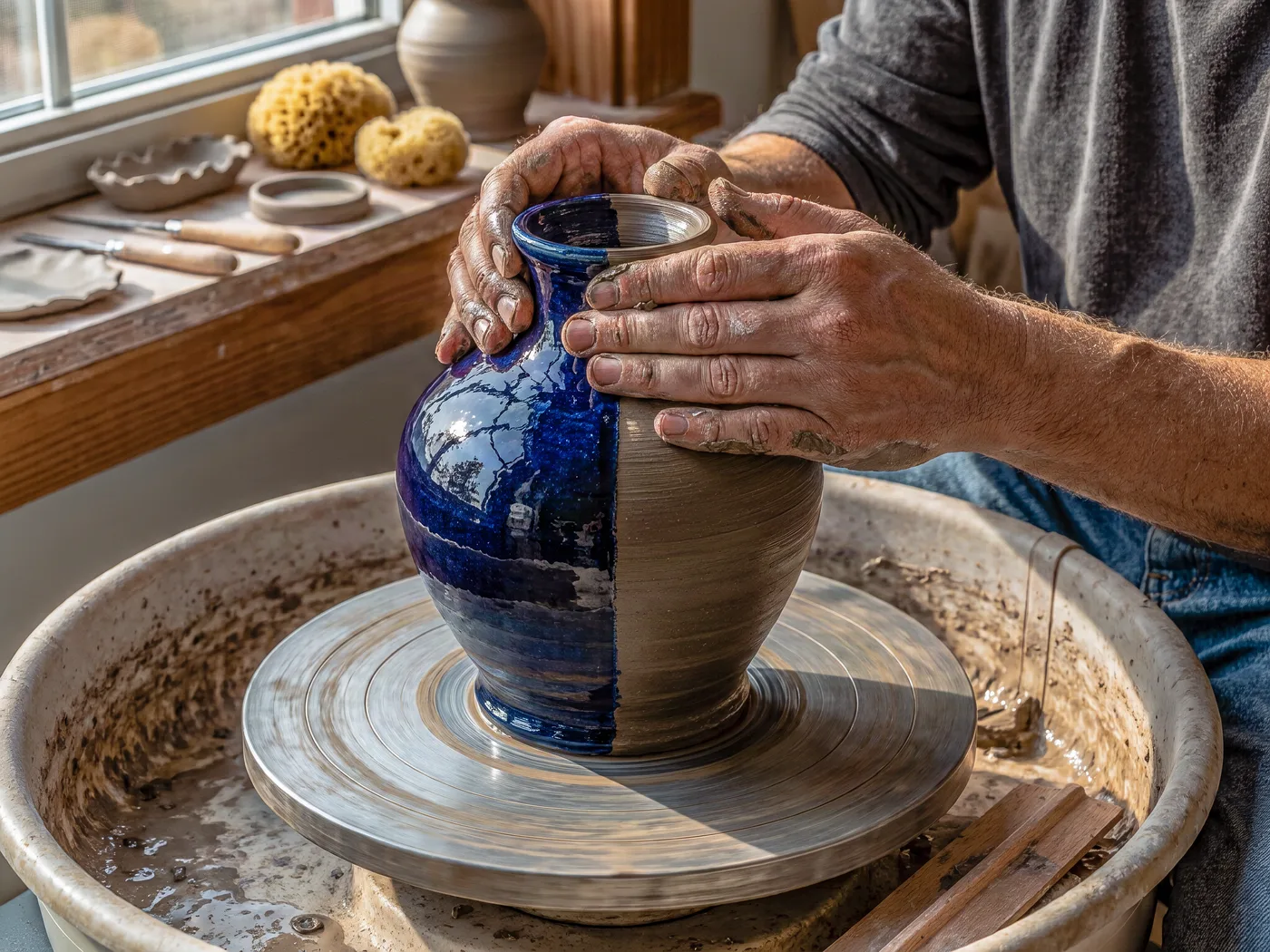
›What we asked for
A self-portrait of Krea 3, an image model built for fast edits: a ceramic artist's hands reshaping a half-glazed vase on a turning wheel, one side finished in cobalt glaze and the other still raw clay, morning light through a studio window, editorial photograph.
krea/v3/text-to-image
image_size: {"width":2048,"height":1536}, output_format: png
returned 2048 by 1536 pixels
At a glance
- Price
- $0.025 a megapixel on fal, output plus each reference: about $0.10 for a 2048 square and $0.025 for a 1024 square. Krea's own API charges $0.06 at 2K and $0.03 at 1K.
- Sizes
- Any size up to 4,220,160 pixels, rounded to multiples of 16, or auto at about 2048 square. We ran at 2K: 2048 square, 1536 by 2048, 2048 by 1536 and 2688 by 1152.
- Speed
- Krea says most edits finish in under 8 seconds at 2K on its own service. Through fal we measured 24 to 55 seconds a picture, median about 46, and 47 for the edit.
- Variants
- berry, the default, for quality; jam for speed. In our one run each, jam was not faster: 82 seconds against 31 on the poster, 34 against 33 on the pizza.
- Edit reasoning
- low and medium bill by the megapixel; high adds a flat $0.125 to plan the edit with segmentation and search; ultra renders at 2K for a flat $0.27 to $0.35 by reference count.
Other Krea models: Krea 2 Medium, Krea 2 Large. Compare all 3.
Anvisha's take
Krea 3 makes the most photographic pictures of the October additions. The portrait has real skin and window light, the market is a dense aerial scene with a busker, his open guitar case and a golden retriever, the dripper is catalogue-ready, ribs and handle and all, and the banner is an empty, sunlit office with a bare wall exactly where the copy goes, at a true 21:9. The poster set all three lines correctly with nothing added, and the edit made the dripper green with a brass handle and left the shot alone. The chart is where it slips: every value and month is printed right, but on an axis that reads 0, 100, 200, 200, 0 from top to bottom, under an invented subtitle and a 'Peak Month' badge. The logo and infographic also arrived with copy nobody asked for. The thing Krea sells, speed, did not show up through fal: 24 to 55 seconds a picture, and 47 for the edit. At 2K it cost us 7.5 to 10 cents an image, and 20 cents for the edit.
Krea 3 real output: the same 12 prompts every model gets
Every image model on this site gets the same 12 prompts, so you can compare like with like. These are the pictures Krea 3 returned, one try each, nothing re-rolled or retouched. Generated on . The 12 pictures took 24 to 55 seconds each and cost $1.10 in total.
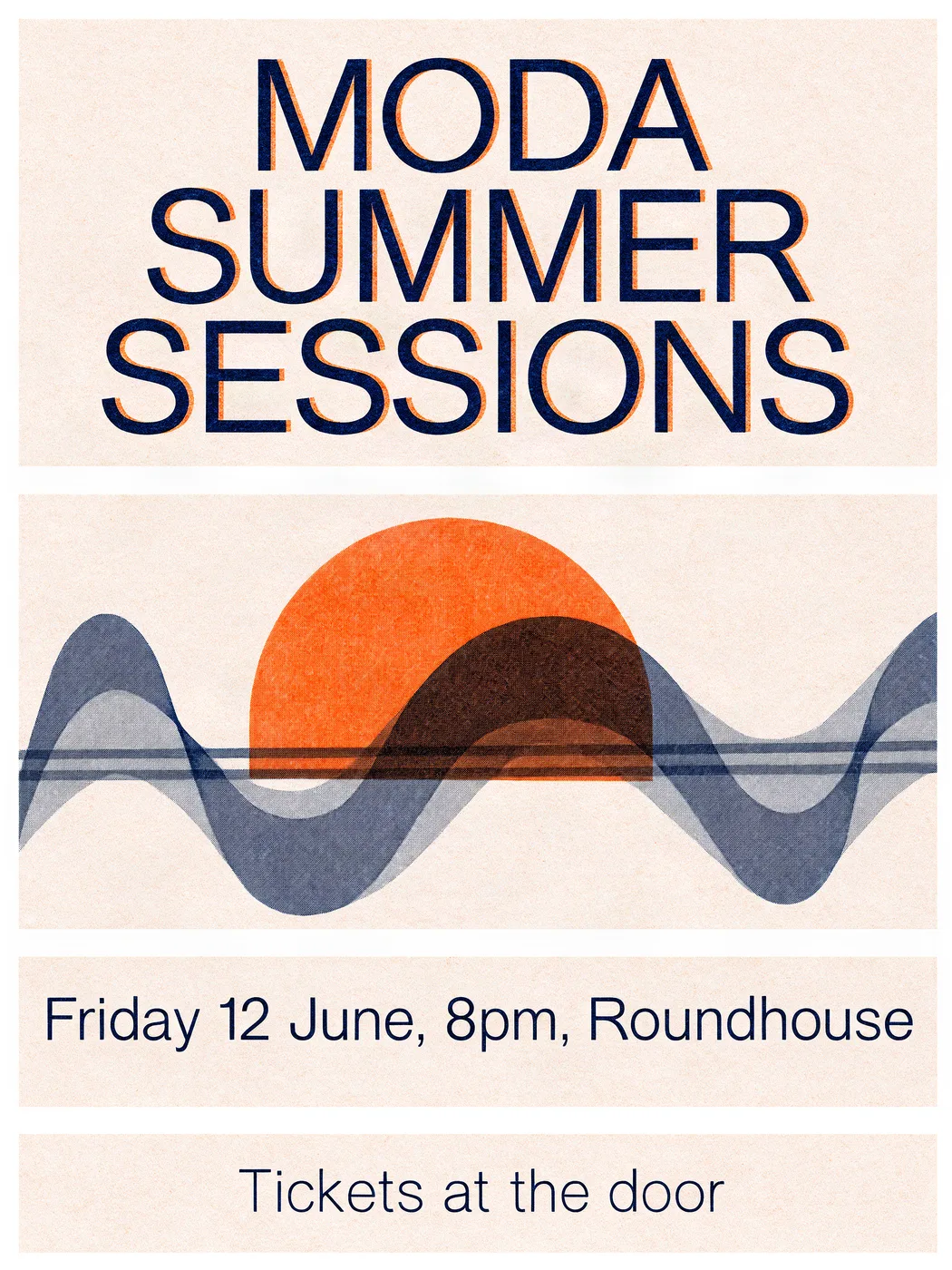
Spelling, kerning and hierarchy of three lines of set text.
›What we asked for
A concert poster that reads 'MODA SUMMER SESSIONS' in large bold type, with the subtitle 'Friday 12 June, 8pm, Roundhouse' and a smaller line 'Tickets at the door'. Risograph style, two colours, tangerine and navy, grainy ink texture.
krea/v3/text-to-image
image_size: {"width":1536,"height":2048}, output_format: png
returned 1536 by 2048 pixels
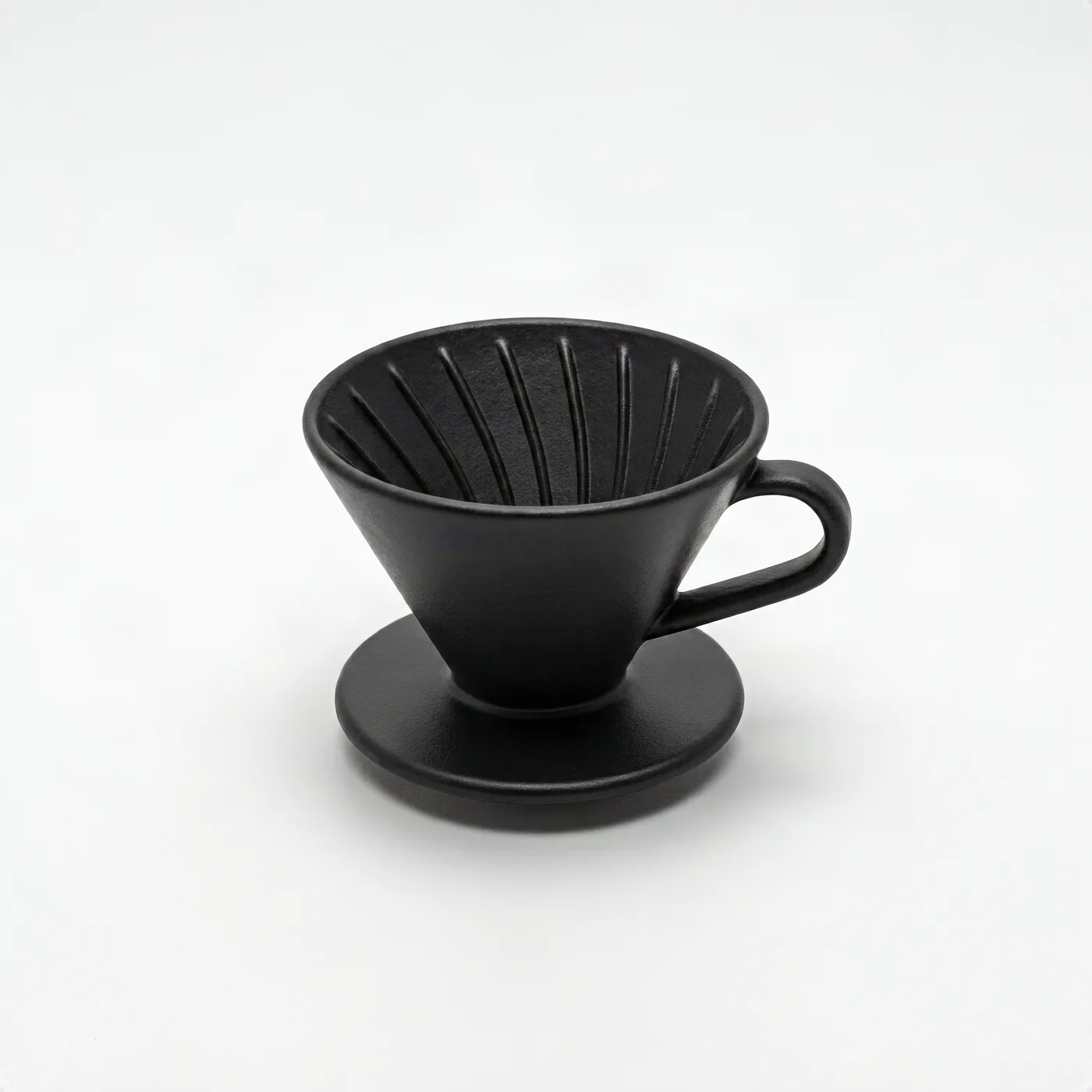
Catalogue lighting, a clean seamless background and a believable contact shadow.
›What we asked for
Studio product photograph of a matte black ceramic pour-over coffee dripper on a seamless white background, soft top light, subtle contact shadow, centred, catalogue style.
krea/v3/text-to-image
image_size: {"width":2048,"height":2048}, output_format: png
returned 2048 by 2048 pixels
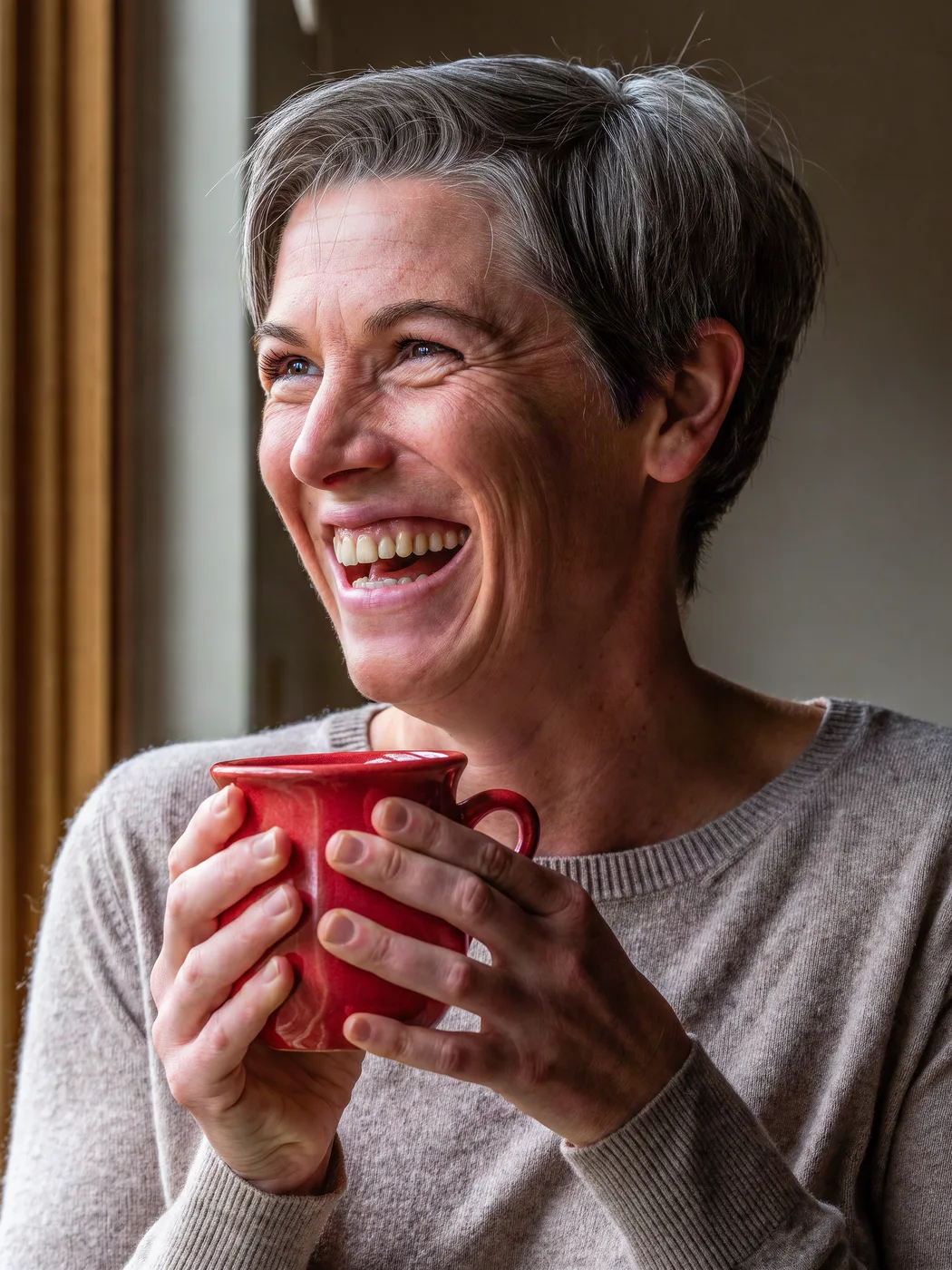
A natural face, correct finger count and hands holding an object.
›What we asked for
Close-up portrait of a woman in her 40s with short grey hair, laughing, holding a red ceramic mug with both hands, natural window light, 85mm lens, shallow depth of field.
krea/v3/text-to-image
image_size: {"width":1536,"height":2048}, output_format: png
returned 1536 by 2048 pixels

A flat single-colour mark with a legible wordmark and no gradients or photo texture.
›What we asked for
A flat vector logo mark for a bicycle repair shop called 'Spoke & Chain': a single-colour icon combining a chain link and a wheel spoke, with the wordmark below in a geometric sans-serif, black on white.
krea/v3/text-to-image
image_size: {"width":2048,"height":2048}, output_format: png
returned 2048 by 2048 pixels
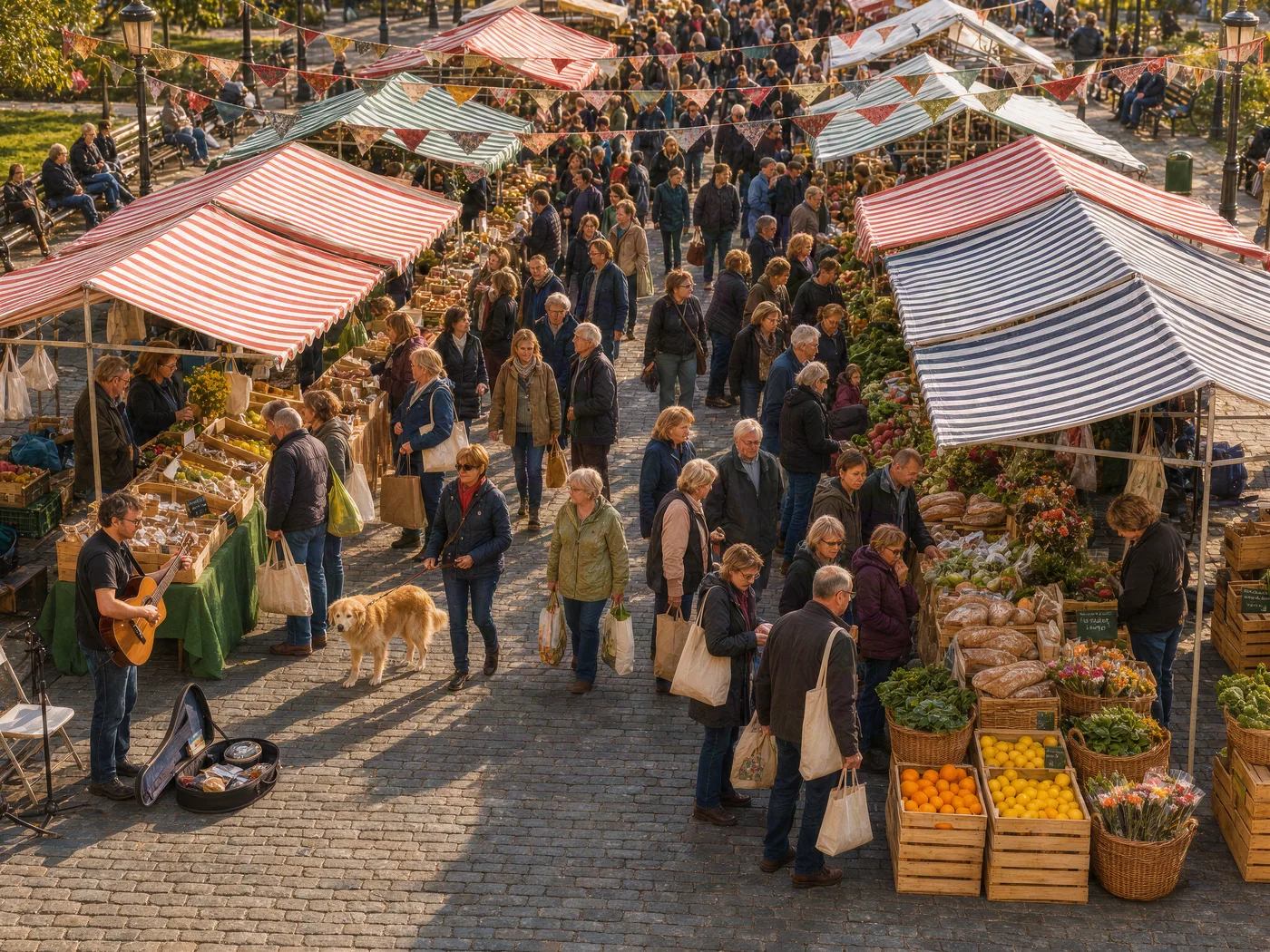
Many distinct objects and people in one frame without merging or duplicating them.
›What we asked for
A crowded Saturday farmers market seen from slightly above: at least twelve stalls with striped awnings, shoppers carrying tote bags, a dog on a leash, crates of oranges, a musician with a guitar, bunting overhead, late morning light.
krea/v3/text-to-image
image_size: {"width":2048,"height":1536}, output_format: png
returned 2048 by 1536 pixels
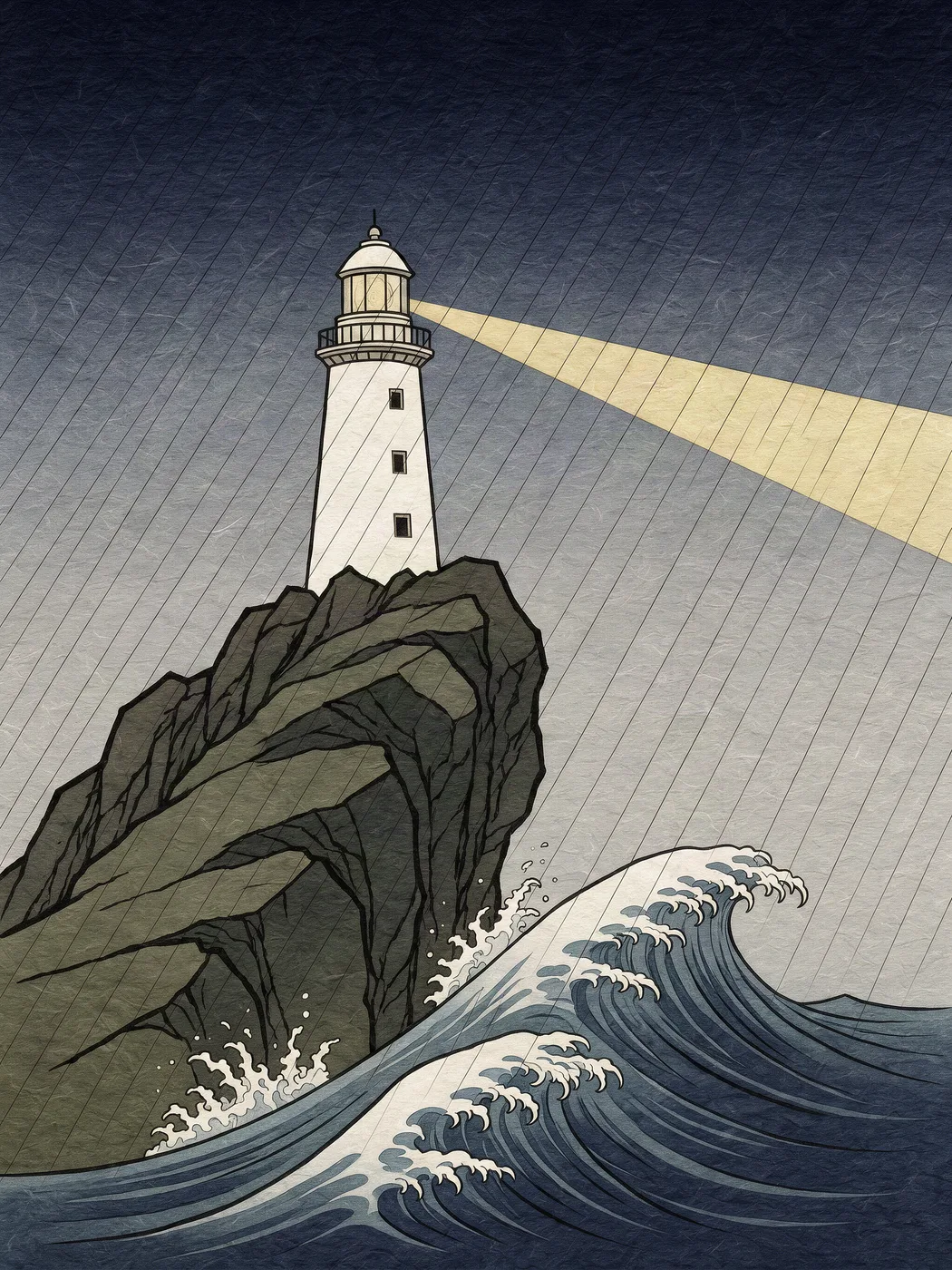
A named historical style applied faithfully rather than a generic painterly look.
›What we asked for
A lighthouse on a rocky cliff during a storm, in the style of a Japanese ukiyo-e woodblock print, with visible wood grain texture, flat colour areas and a bokashi gradient sky.
krea/v3/text-to-image
image_size: {"width":1536,"height":2048}, output_format: png
returned 1536 by 2048 pixels
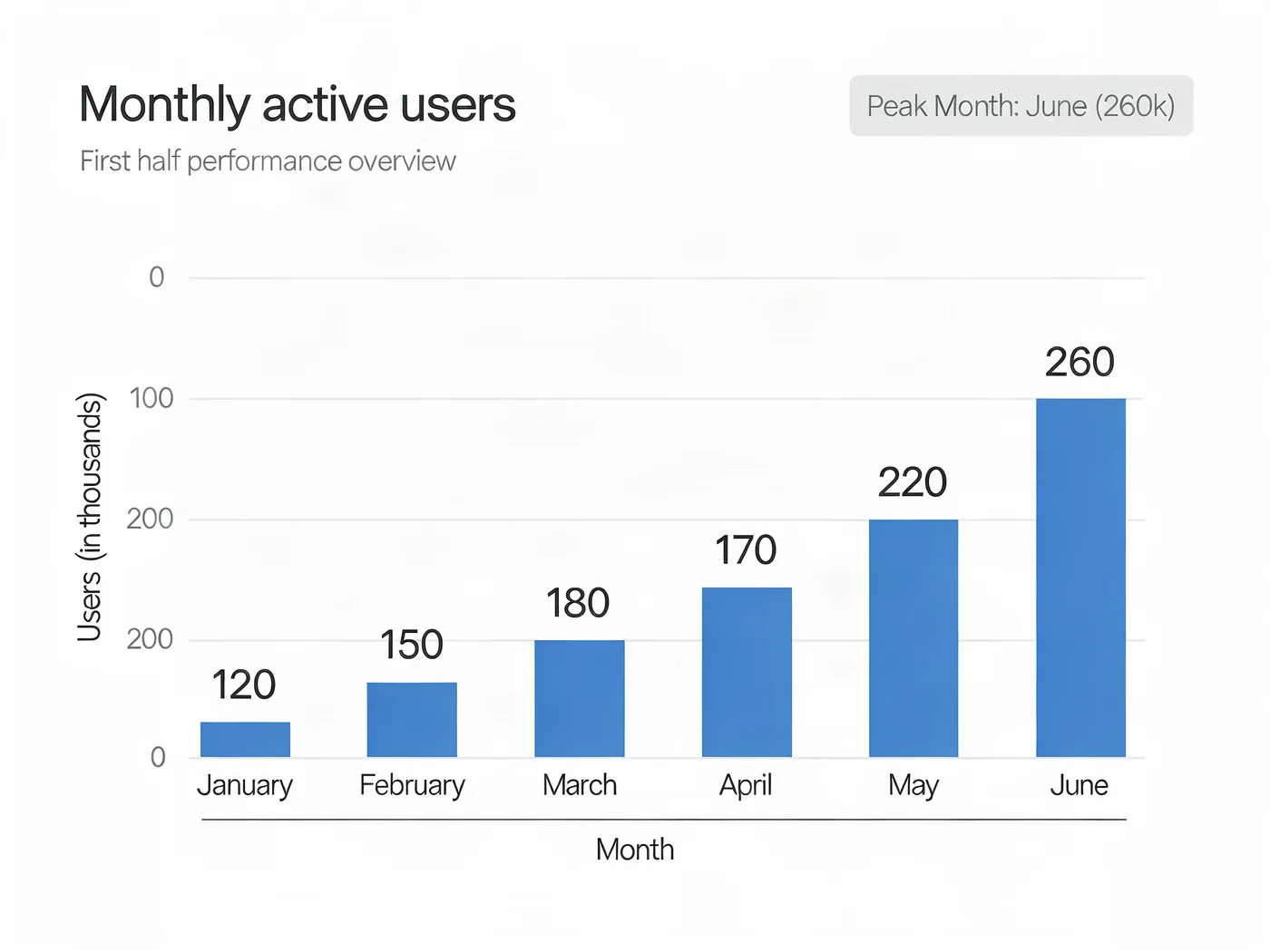
Six labelled bars at the stated heights, in order, with readable axes.
›What we asked for
A clean bar chart titled 'Monthly active users' showing six months, January through June, with the values 120, 150, 180, 170, 220 and 260, labelled axes, white background, one accent colour, no 3D effects.
krea/v3/text-to-image
image_size: {"width":2048,"height":1536}, output_format: png
returned 2048 by 1536 pixels
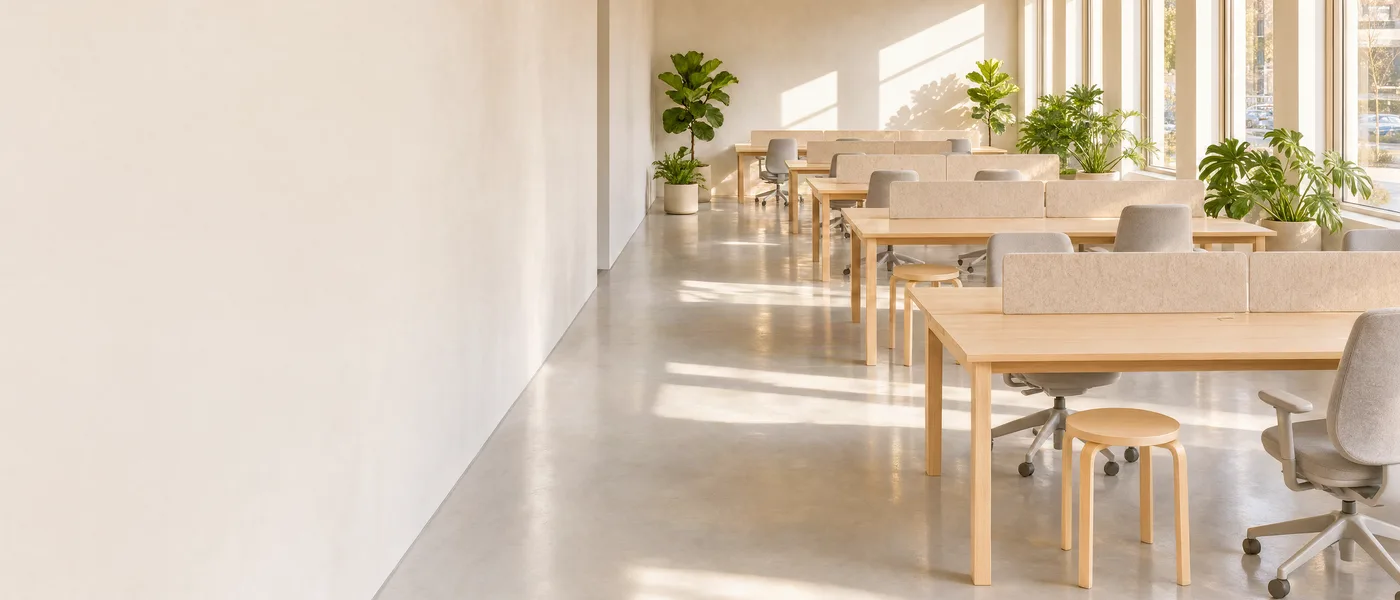
A 21:9 composition that leaves the left third clear for headline text.
›What we asked for
Website hero banner: a wide panorama of a sunlit modern co-working space with plants, the left third of the frame kept as clear wall space for text, warm neutral palette.
krea/v3/text-to-image
image_size: {"width":2688,"height":1152}, output_format: png
returned 2688 by 1152 pixels
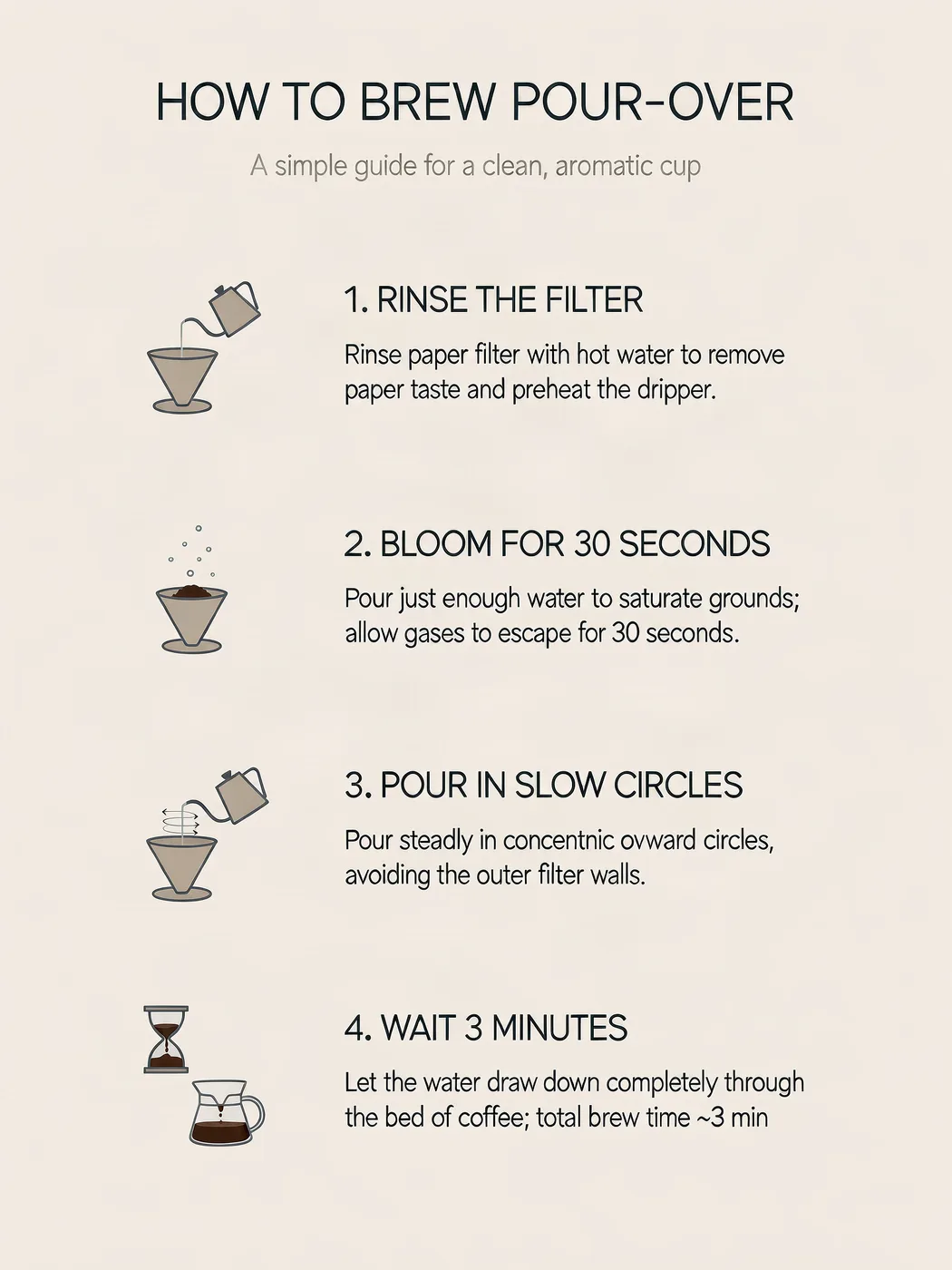
Four numbered steps in the given order with their exact wording, plus an icon each.
›What we asked for
An infographic card titled 'How to brew pour-over' with four numbered steps in this order: 1. Rinse the filter, 2. Bloom for 30 seconds, 3. Pour in slow circles, 4. Wait 3 minutes. A simple icon beside each step, muted palette, clean sans-serif type.
krea/v3/text-to-image
image_size: {"width":1536,"height":2048}, output_format: png
returned 1536 by 2048 pixels
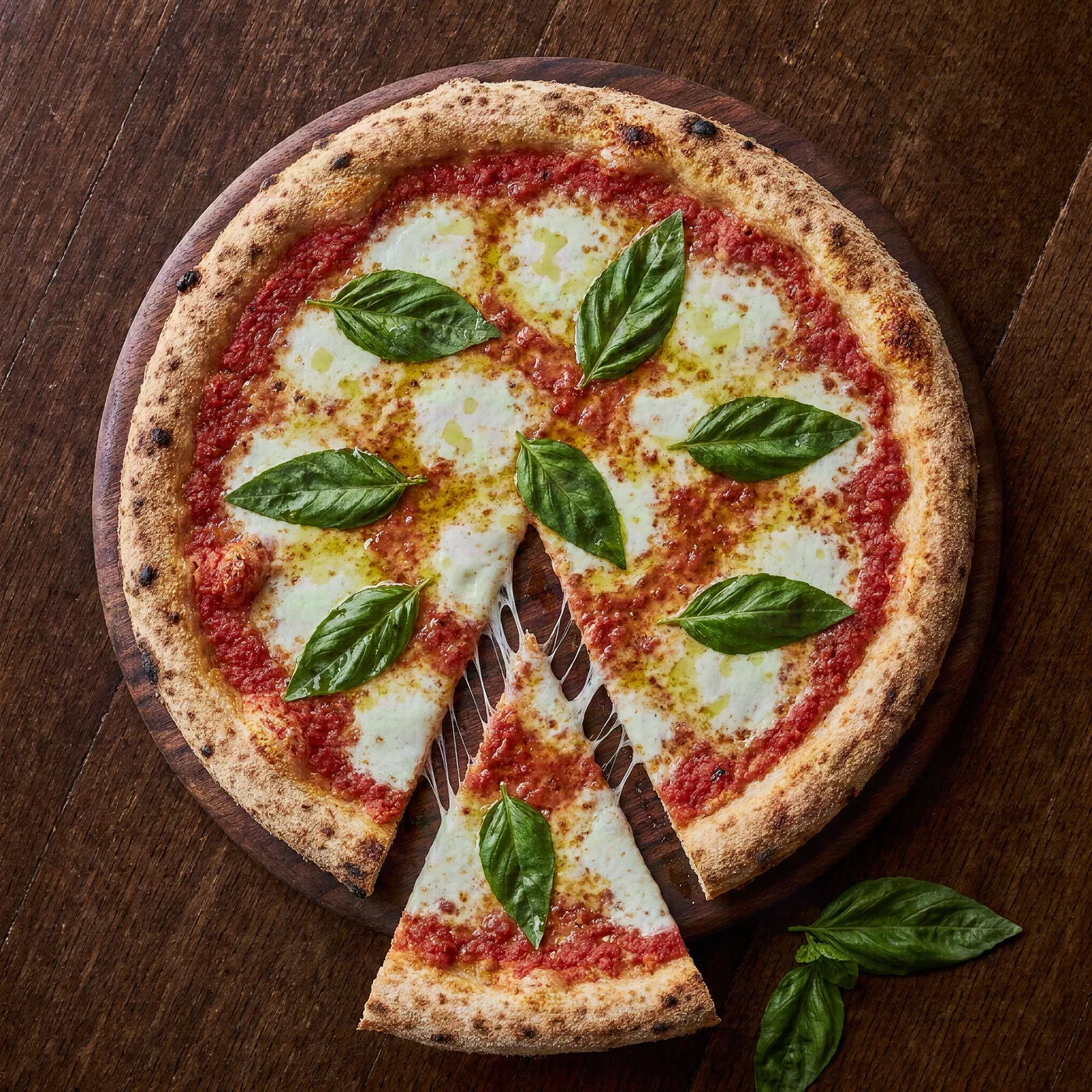
Appetising, menu-grade food with correct textures and no melted anatomy.
›What we asked for
Overhead photograph of a margherita pizza on a wooden board, fresh basil leaves, one slice pulled out with the cheese stretching, restaurant menu photography, natural light.
krea/v3/text-to-image
image_size: {"width":2048,"height":2048}, output_format: png
returned 2048 by 2048 pixels
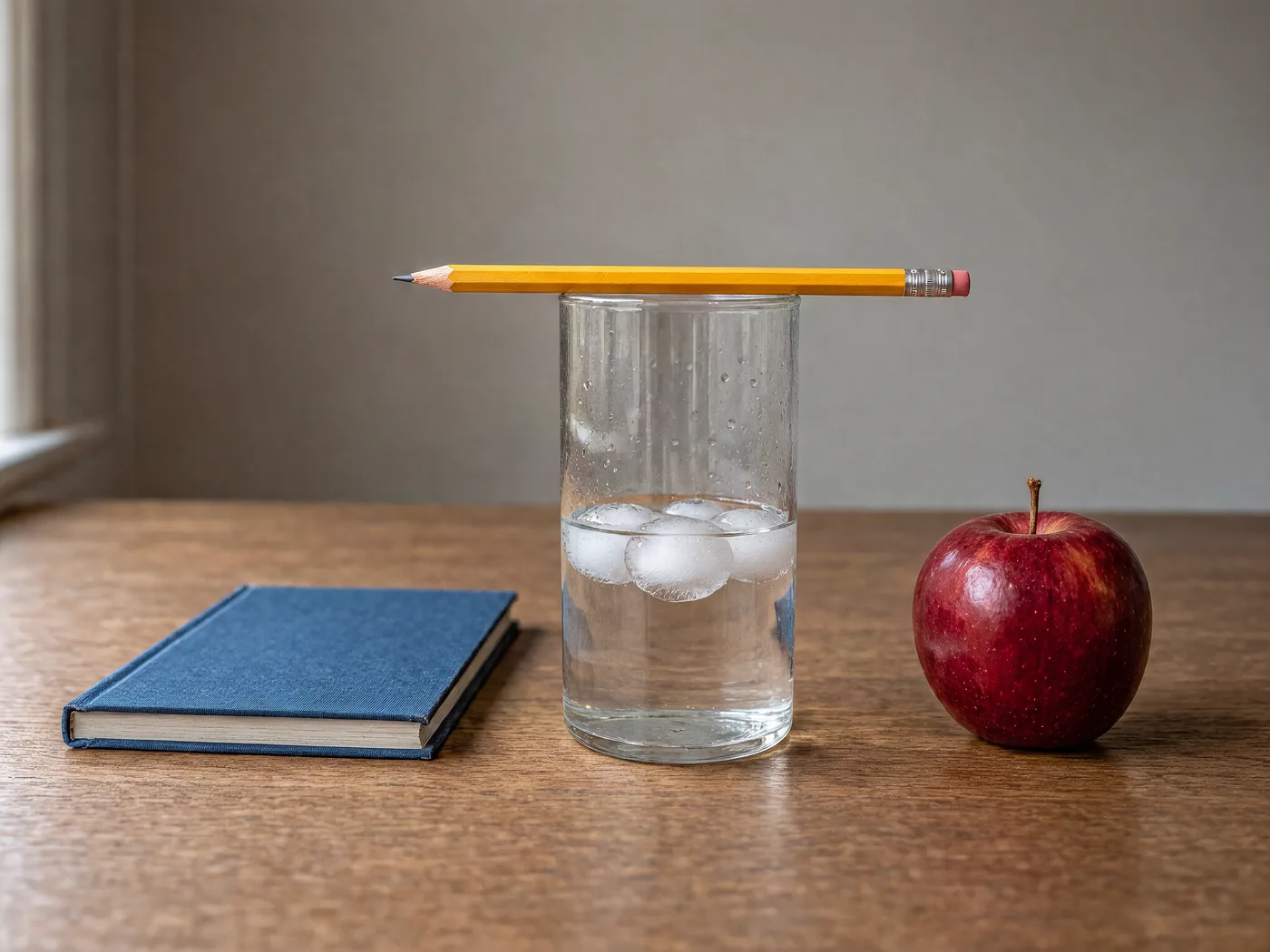
Exact counts and left-right placement of five named objects.
›What we asked for
A glass of water on a wooden table with exactly three ice cubes in it, a yellow pencil resting across the rim of the glass, a blue book to the left of the glass and a red apple to the right, photographed from table height.
krea/v3/text-to-image
image_size: {"width":2048,"height":1536}, output_format: png
returned 2048 by 1536 pixels
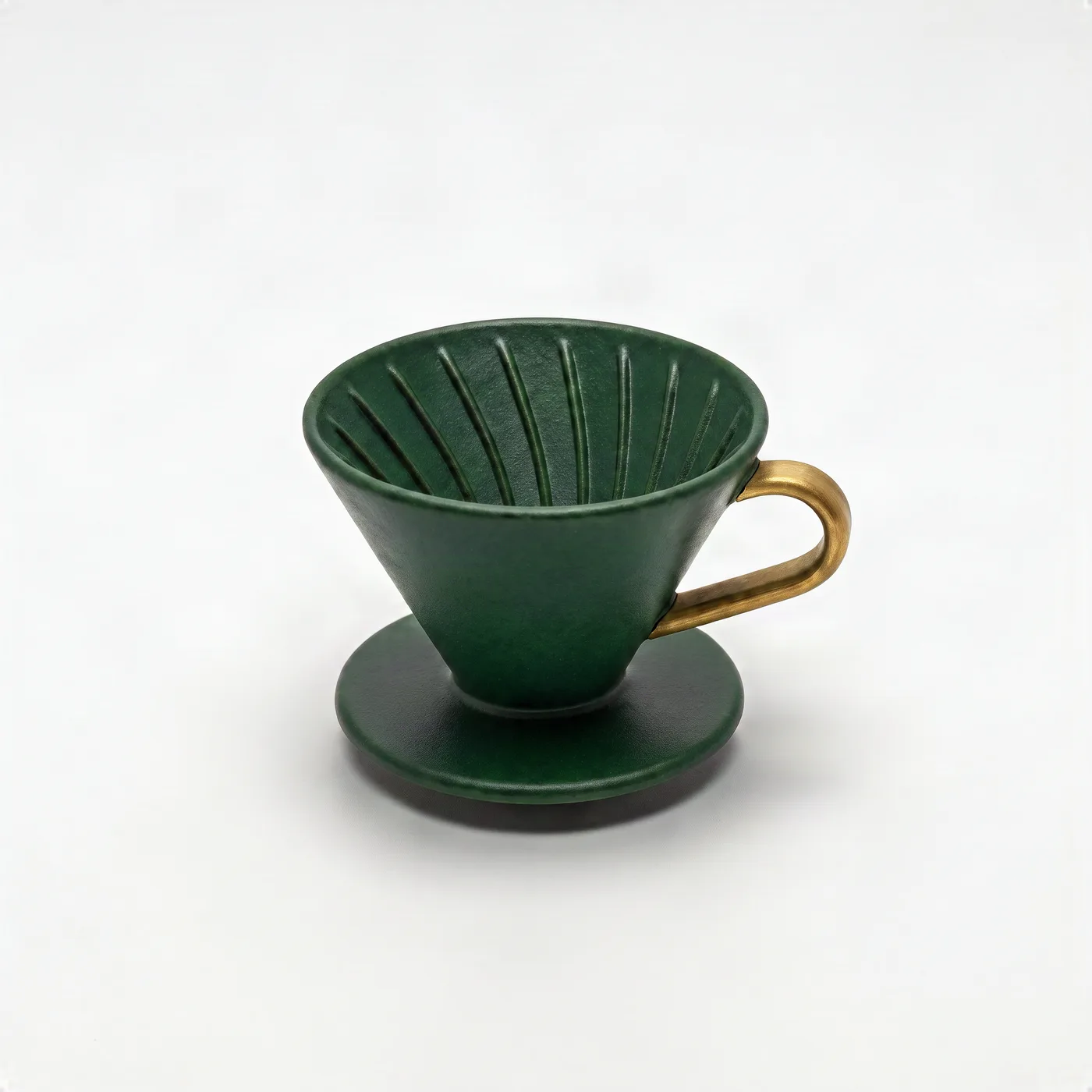
Change one object's colour and add a part while leaving background, light and framing untouched.
›What we asked for
Change the coffee dripper to a deep forest green and add a small brass handle on its right side. Keep the background, lighting and composition exactly as they are. (applied to the product on white result above)
krea/v3/edit
image_size: {"width":2048,"height":2048}, output_format: png
returned 2048 by 2048 pixels
How the cost under each picture was worked out: fal's Krea 3 rate of $0.025 per megapixel (1024x1024) for the 1536x2048 output, 3.00 MP (fal.ai/models/krea/v3/text-to-image, read 2026-10-22); fal does not return the charge.
Compare Krea 3
Krea 3 settings that matter
Model variant
Both variants set all three poster lines correctly and both pizzas are menu-grade; jam's poster is a lighter layout on white and its pizza more heavily sauced. jam is meant to be the fast one, but our single runs did not show it: 82 seconds against berry's 31 on the poster and 34 against 33 on the pizza, at the same per-megapixel price.
Text in an image
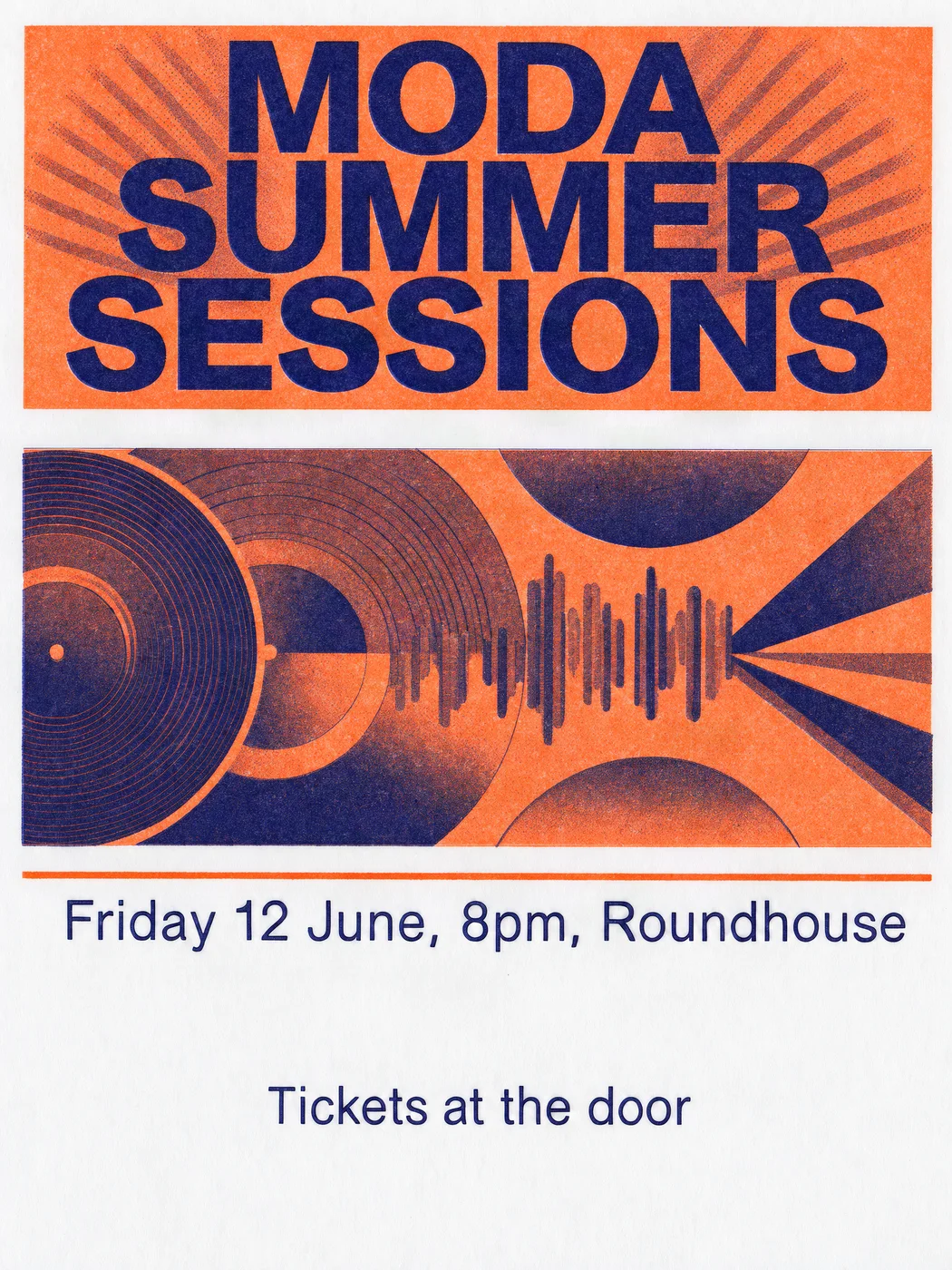
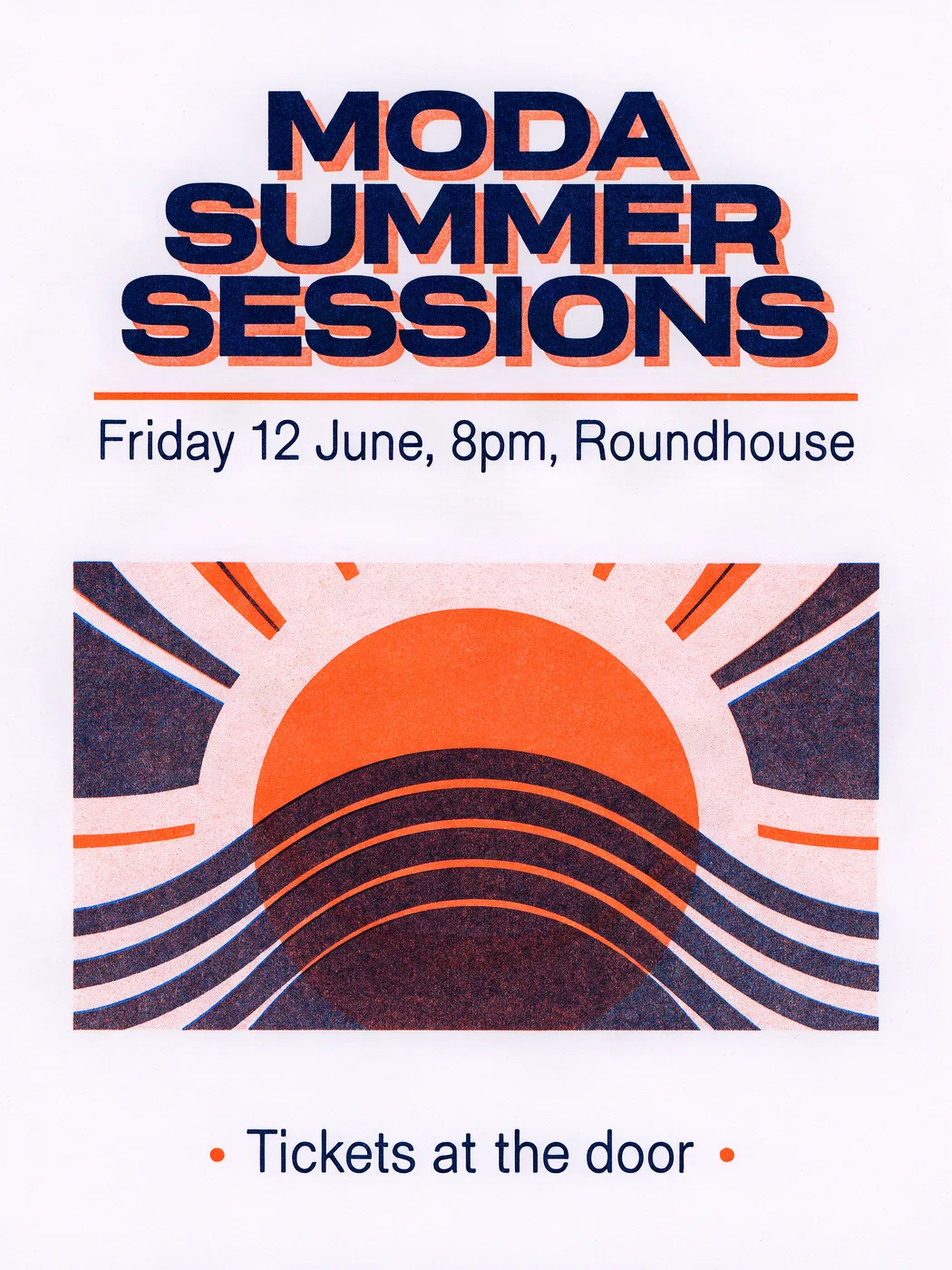
›What we asked for
A concert poster that reads 'MODA SUMMER SESSIONS' in large bold type, with the subtitle 'Friday 12 June, 8pm, Roundhouse' and a smaller line 'Tickets at the door'. Risograph style, two colours, tangerine and navy, grainy ink texture.
krea/v3/text-to-image
image_size: {"width":1536,"height":2048}, model: berry, output_format: png
returned 1536 by 2048 pixels
Food photography
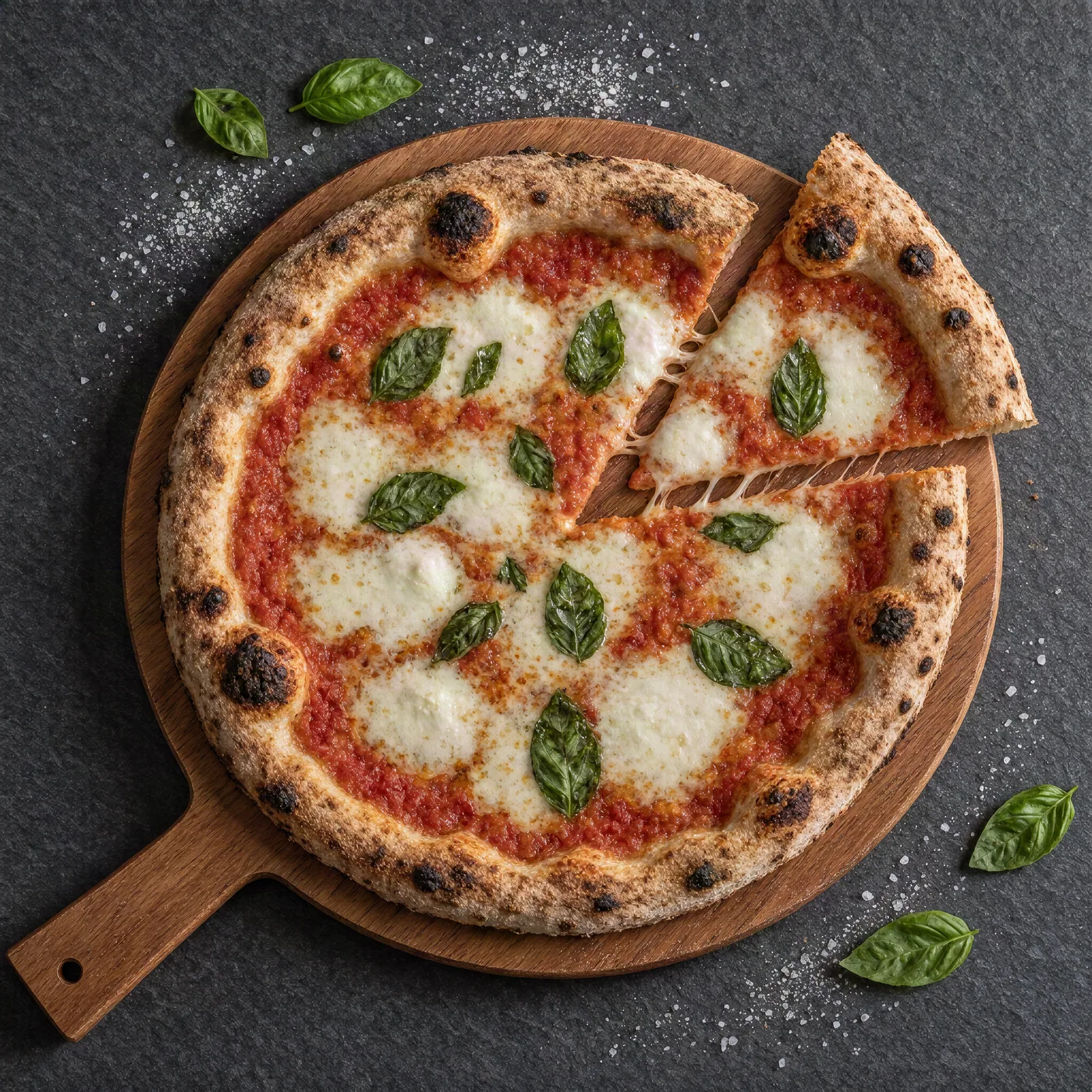
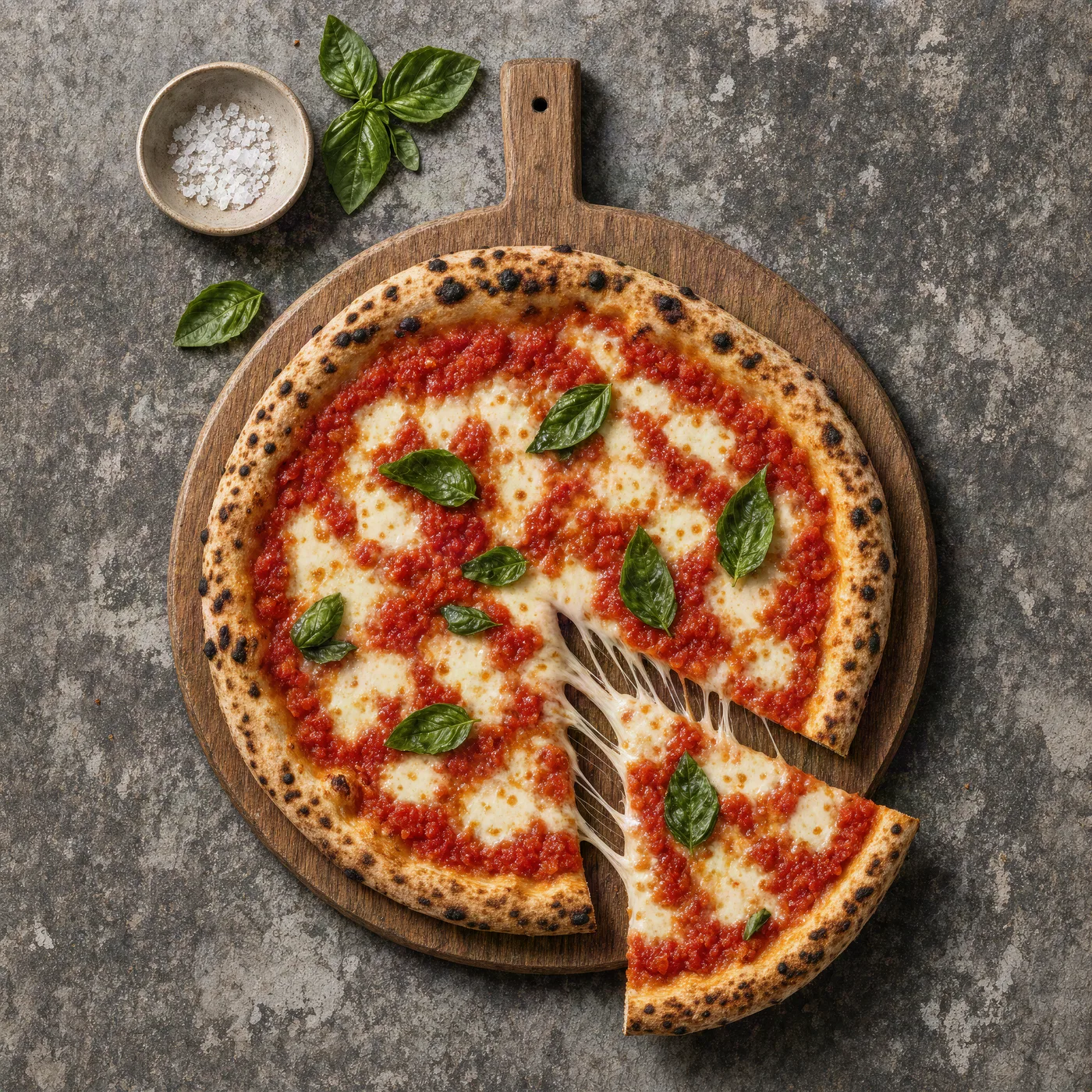
›What we asked for
Overhead photograph of a margherita pizza on a wooden board, fresh basil leaves, one slice pulled out with the cheese stretching, restaurant menu photography, natural light.
krea/v3/text-to-image
image_size: {"width":2048,"height":2048}, model: berry, output_format: png
returned 2048 by 2048 pixels
Krea 3 pricing
| Where | Unit | Price | Source |
|---|---|---|---|
| fal | Megapixel of output, plus each reference 1 MP is 1024 by 1024. A reference larger than the output counts at the output's size. Same rate for both variants and for low or medium reasoning. | $0.025 | fal model page, read |
| fal | Edit at high reasoning, surcharge A flat addition per request for high, which plans the edit with segmentation, web search and reference photos. Ultra is instead a flat $0.27 for one reference up to $0.35 for four. | $0.125 | fal API schema, edit, read |
| Krea API | 2K image $0.03 at 1K, per Krea's launch post. Krea's API is in early access. | $0.06 | Krea launch post, read |
Is Krea 3 free?
Krea 3 is open to everyone in the Krea app, where it uses Krea's compute units like other models; Krea 3 Ultra needs a Max plan or above. The API on fal is paid per megapixel.
- •Krea app: available to all users, charged in compute units.
- •Krea 3 Ultra: Max plans and above.
- •fal: $0.025 a megapixel.
Krea docs, read
Where to use Krea 3
- Krea app · The default image model in Krea.
- fal · krea/v3/text-to-image and krea/v3/edit, per megapixel; the endpoints used for the samples below.
- Voyager · Runs inside Voyager, the agent for creative work, with your own fal key.
Voyager
Run Krea 3 inside Voyager
Voyager is an agent for creative work that runs every model in this reference, Krea 3 included. Brief it, and it picks the model, makes the thing and hands back something you can edit. Create an account to get started.
What we noticed running Krea 3
- •All six values and months are printed correctly, but the axis reads 0, 100, 200, 200, 0 from top to bottom, April's 170 bar stands above March's 180, and it added a 'First half performance overview' subtitle and a 'Peak Month: June (260k)' badge. See the chart picture.
- •A true 2688 by 1152 banner of an empty, sunlit office with the left two-fifths a bare wall and no text. See the wide aspect ratio picture.
- •Forest green, with the existing handle turned brass rather than a second one added, and the background and framing unchanged. It took 47 seconds and cost $0.20 at 2K, output plus reference. See the edit an existing image picture.
- •A dense aerial market: eight or more striped awnings, bunting, tote bags, oranges in crates, a busker with an open guitar case and one golden retriever on a lead. See the busy scene picture.
- •An eight-spoke wheel with a chainring hub and a spaced wordmark, plus a 'BICYCLE REPAIR & SERVICE' tagline it was not asked for. See the logo mark picture.
- •The four steps in order, set in capitals, with a line of explanation under each, an invented subtitle, and one typo in the extra copy ('ovward'). See the infographic with steps picture.
- •Book left, apple right, pencil resting across the rim, but four rounded ice cubes. See the hard composition picture.
- •Flat colour, outlined rocks, Hokusai-style waves, rain lines and a lighthouse beam on textured paper: committed, though it reads more as a clean modern illustration than a woodblock. No seals or signature. See the specific art style picture.
- •All three lines correct and nothing added, in navy over an orange misregistered shadow, with a sun-and-waves graphic. See the text in an image picture.
- •Through fal every request took 24 to 55 seconds, median about 46, far from the under-8-second edits Krea measures on its own service.
Krea 3 limits and API parameters
| Limit | Value |
|---|---|
| Output size | At most 4,220,160 pixels (for example 1680 by 2512); native 1K and 2K. fal API schema, read |
| Reference images | Up to 8 per edit on fal. Krea's launch post says up to 6 on its own service. fal API schema, edit, read |
| Style controls | Krea 3 does not yet support Krea 2's style references or LoRAs; Krea points to Krea 2 for those. Krea docs, read |
›Every setting, for developers
fal (krea/v3/text-to-image and /edit)
fal API schema, read
| Parameter | Type | Values | Default |
|---|---|---|---|
| prompt | string | Up to 5,000 characters Required. | |
| image_size | enum or object | square_hd, square, portrait_4_3, portrait_16_9, landscape_4_3, landscape_16_9, auto, or {width, height} At most 4,220,160 pixels, rounded up to multiples of 16. auto lets the prompt expander pick the ratio at about 2048 square. | auto |
| model | enum | berry, jam berry favours quality, jam speed. | berry |
| reasoning_level | enum | low, medium (generation); low, medium, high, ultra (edit) High and ultra on the edit endpoint are priced differently; see pricing. | medium |
| negative_prompt | string | Up to 1,024 characters berry only; ignored at ultra. | |
| image_urls | list of URLs | 1 to 8 images Edit endpoint only, where it is required. | |
| output_format | enum | png, jpeg | png |
| seed | integer | Any integer |
What Krea 3 will not draw
On fal a safety checker is on by default and can only be turned off with account authorisation; fal marks the endpoints for commercial use. Krea's launch material does not state a separate content policy for Krea 3; the Krea app's own terms apply there.
fal API schema, read
Alternatives to Krea 3
Frequently asked questions
What is Krea 3?
Krea's image model released on 15 October 2026, built for fast editing as well as generation, at native 1K or 2K. It is the default model in the Krea app.
How much does Krea 3 cost?
On fal, $0.025 per megapixel of output plus each reference, so about $0.10 for a 2048 square image and $0.025 at 1024 square, read on 22 October 2026. Krea's own API charges $0.06 at 2K and $0.03 at 1K.
Is Krea 3 really that fast?
Krea measures most edits at under 8 seconds on its own service. Through fal at 2K, our requests took 24 to 55 seconds each, including queueing, and the edit 47.
Krea 3 or Krea 2?
Krea 3 for photographs, edits and anything that has to follow the prompt; Krea suggests Krea 2 for style references, moodboards and LoRAs, which Krea 3 does not support yet.
How this page is made
Prices, limits and settings are read from the linked vendor and host pages on the dates shown. Every picture was generated by us through fal with the request shown under it, and the original files are kept unedited. A generation that failed is shown as a failure. Model and vendor names are used to identify the products; no vendor imagery appears on this page.