MAI-Image-2.5
MAI-Image-2.5 is Microsoft AI's image generation and editing model, launched widely on 2 June 2026 after a first announcement in late May. Microsoft pitches it on text rendering, stylised illustration and commercial imagery, and says it ranked second on Arena's image-edit leaderboard and third for text-to-image. It runs image generation in PowerPoint, editing in OneDrive, and is sold to developers through Microsoft Foundry, alongside a cheaper MAI-Image-2.5-Flash that fal does not host. On fal it is billed by tokens, about $0.05 a picture. Output is small: about 0.8 to 1 megapixel in our run, and the ratio list stops at 16:9.

Anvisha Pai, Co-founder & CEO, Voyager
Microsoft · released
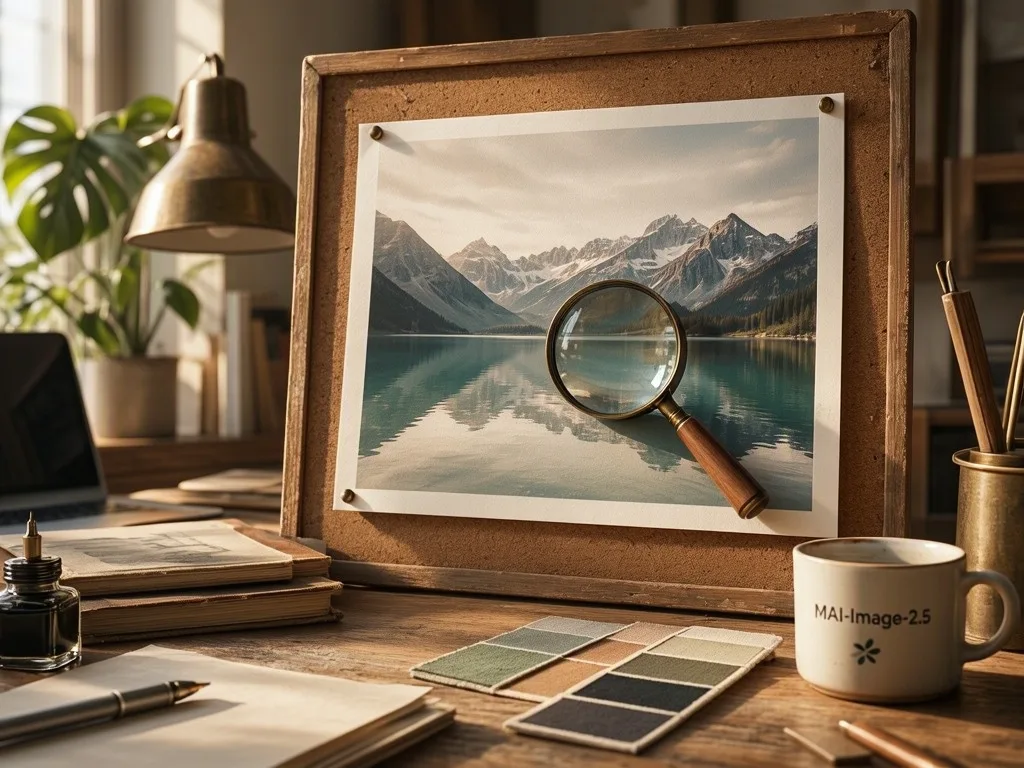
›What we asked for
A self-portrait of MAI-Image-2.5, Microsoft's photorealistic image model: a sunlit design studio desk with a large printed photograph of a mountain lake pinned to a corkboard, a loupe resting on the print, colour swatches and a coffee cup beside it, natural light, photorealistic.
microsoft/mai-image-2.5
aspect_ratio: 4:3, output_format: png, num_images: 1
returned 1024 by 768 pixels
At a glance
- Price
- About $0.05 an image on fal, billed as 1,024 output tokens plus prompt tokens. Edits fall back to $47 per million output tokens and $8 per million image input tokens.
- Sizes
- Seven ratios, auto, 1:1, 4:3, 3:4, 16:9, 9:16, 3:2 and 2:3, at about one megapixel or less: 1024 square, 768 by 1024 at 3:4 and 1360 by 768 at 16:9 in our run. No 21:9, so our banner is 16:9.
- Speed
- 19 to 44 seconds a picture in our run, median about 21.
- Edits
- One input image per edit, with aspect ratio auto to keep its shape.
Other MAI-Image models: MAI-Image-2.5 Pro. Compare all 2.
Anvisha's take
MAI-Image-2.5 is a photographer first. The portrait, the pizza and the market are as warm and convincing as anything in this batch, the market complete with a seated busker and a golden retriever on a lead. Type is where it wobbles: the poster is right but in capitals the prompt did not use, the infographic's title reads 'How to brew pour-pover', and the chart's axis repeats 250 and 150 under correctly printed values. The edit turned the dripper green and hung a small brass ring on its rim, a handle only in the loosest sense, and the woodblock print came signed with a cartouche and seal. Pictures come back small, 768 by 1024 at 3:4, and there is no 21:9, so the banner is 16:9. At about five cents and 20 seconds, it is a solid photo model; for type I would look elsewhere.
MAI-Image-2.5 real output: the same 12 prompts every model gets
Every image model on this site gets the same 12 prompts, so you can compare like with like. These are the pictures MAI-Image-2.5 returned, one try each, nothing re-rolled or retouched. Generated on . The 12 pictures took 19 to 44 seconds each and cost $0.5982 in total.
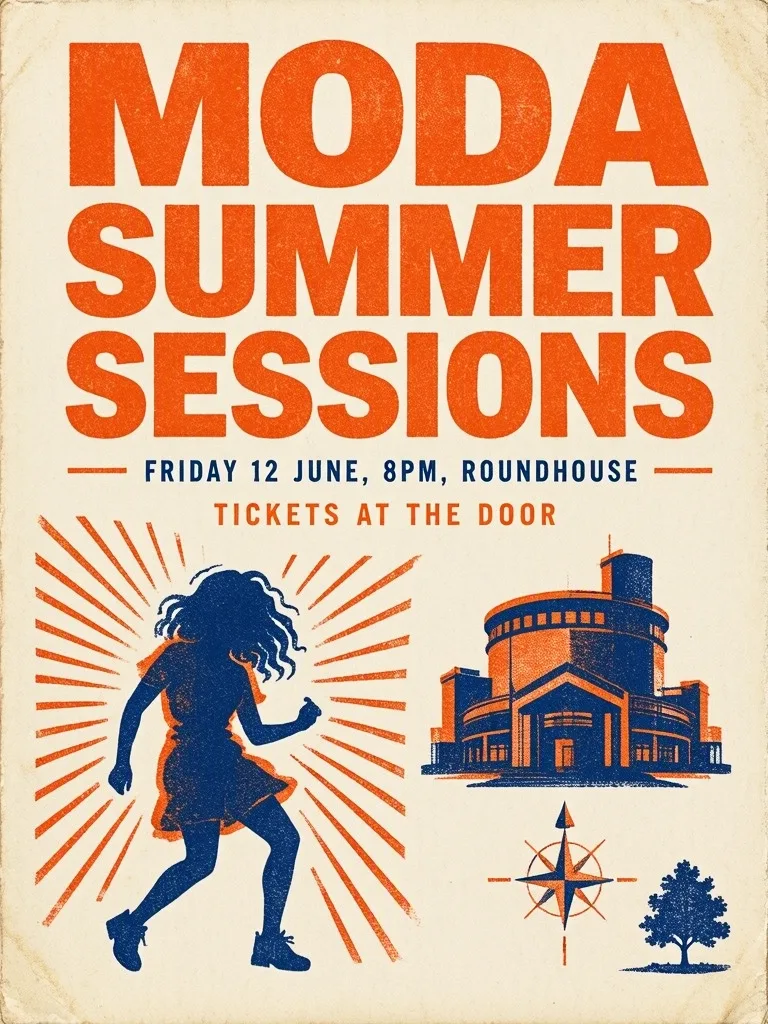
Spelling, kerning and hierarchy of three lines of set text.
›What we asked for
A concert poster that reads 'MODA SUMMER SESSIONS' in large bold type, with the subtitle 'Friday 12 June, 8pm, Roundhouse' and a smaller line 'Tickets at the door'. Risograph style, two colours, tangerine and navy, grainy ink texture.
microsoft/mai-image-2.5
aspect_ratio: 3:4, output_format: png, num_images: 1
returned 768 by 1024 pixels
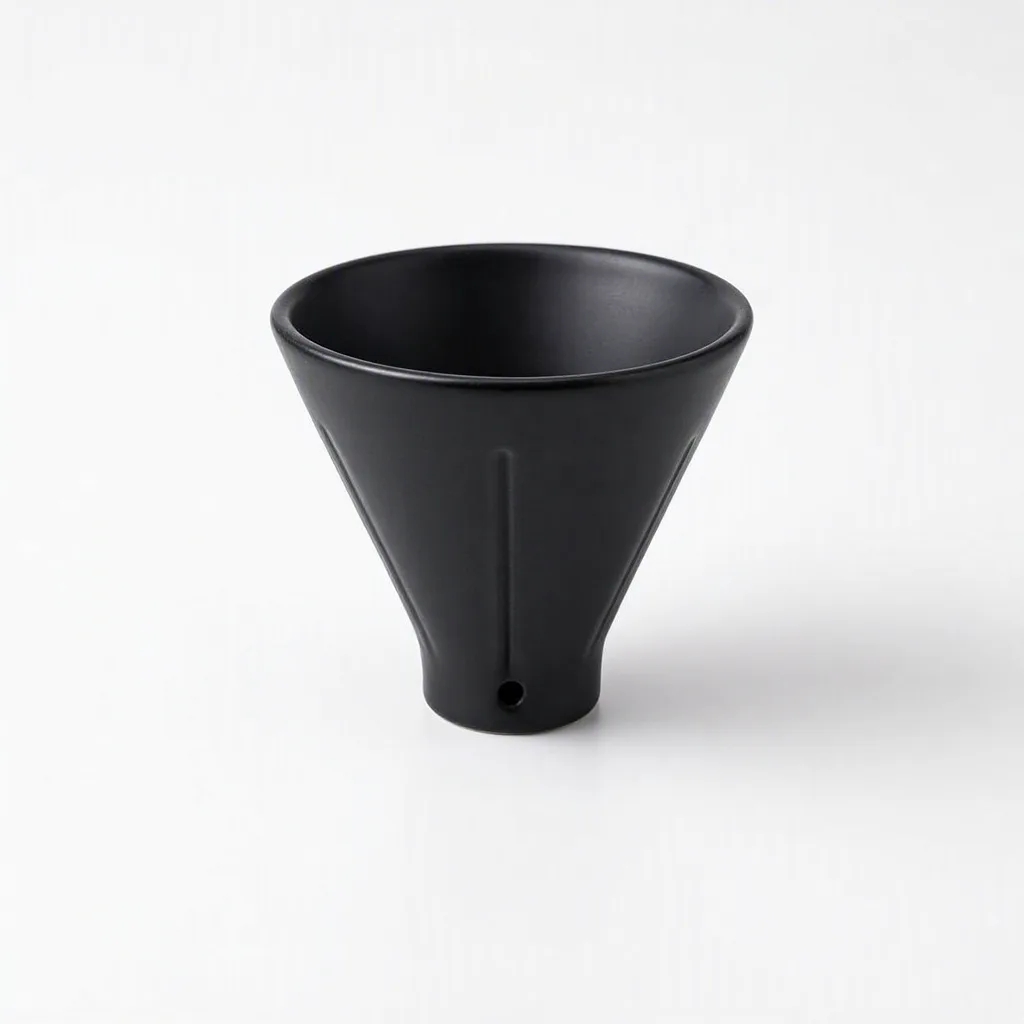
Catalogue lighting, a clean seamless background and a believable contact shadow.
›What we asked for
Studio product photograph of a matte black ceramic pour-over coffee dripper on a seamless white background, soft top light, subtle contact shadow, centred, catalogue style.
microsoft/mai-image-2.5
aspect_ratio: 1:1, output_format: png, num_images: 1
returned 1024 by 1024 pixels
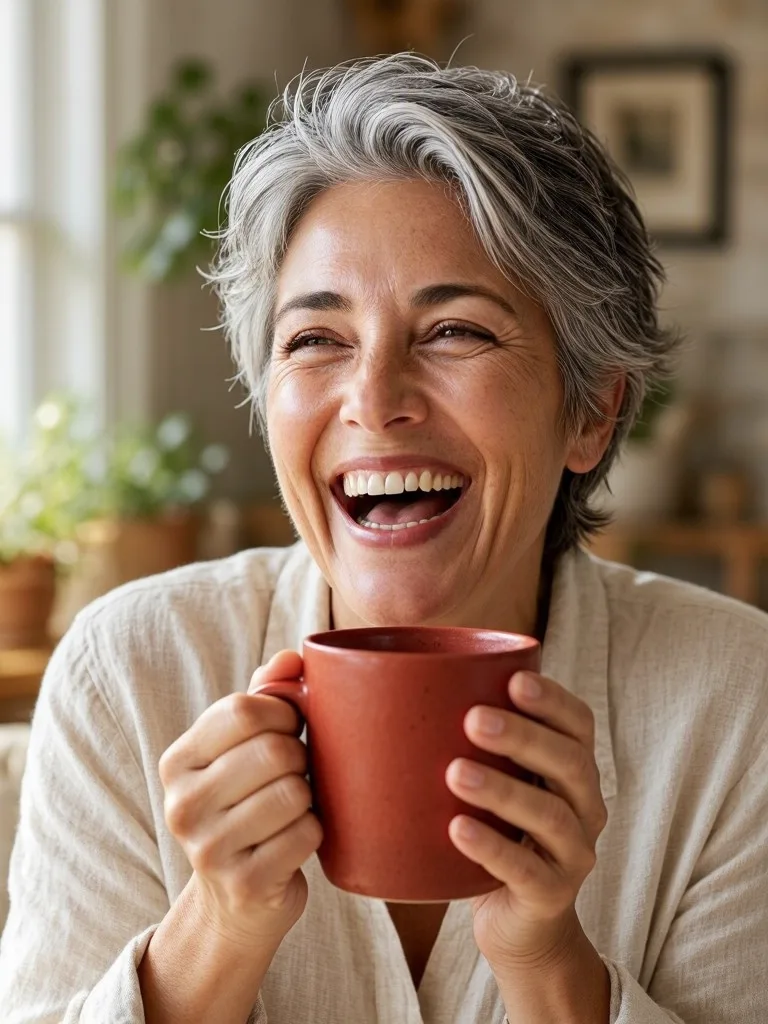
A natural face, correct finger count and hands holding an object.
›What we asked for
Close-up portrait of a woman in her 40s with short grey hair, laughing, holding a red ceramic mug with both hands, natural window light, 85mm lens, shallow depth of field.
microsoft/mai-image-2.5
aspect_ratio: 3:4, output_format: png, num_images: 1
returned 768 by 1024 pixels
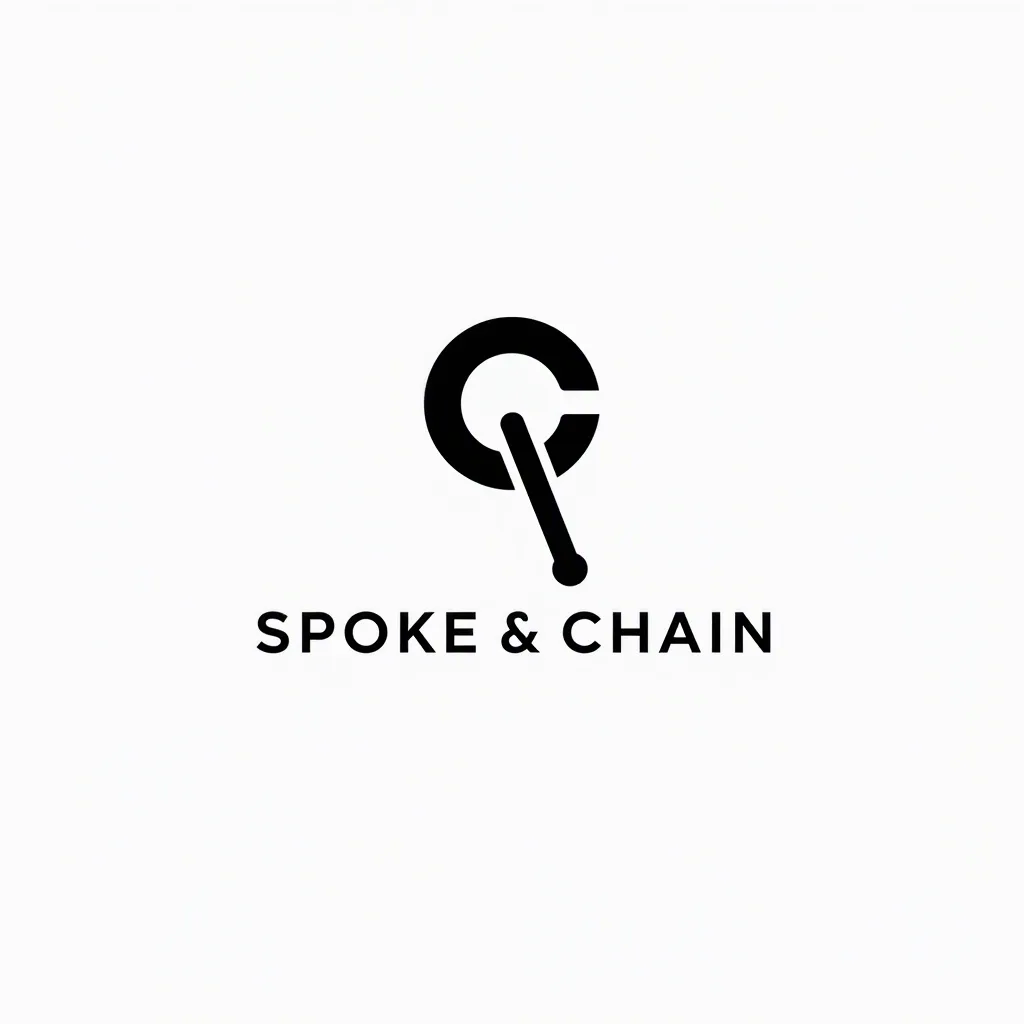
A flat single-colour mark with a legible wordmark and no gradients or photo texture.
›What we asked for
A flat vector logo mark for a bicycle repair shop called 'Spoke & Chain': a single-colour icon combining a chain link and a wheel spoke, with the wordmark below in a geometric sans-serif, black on white.
microsoft/mai-image-2.5
aspect_ratio: 1:1, output_format: png, num_images: 1
returned 1024 by 1024 pixels
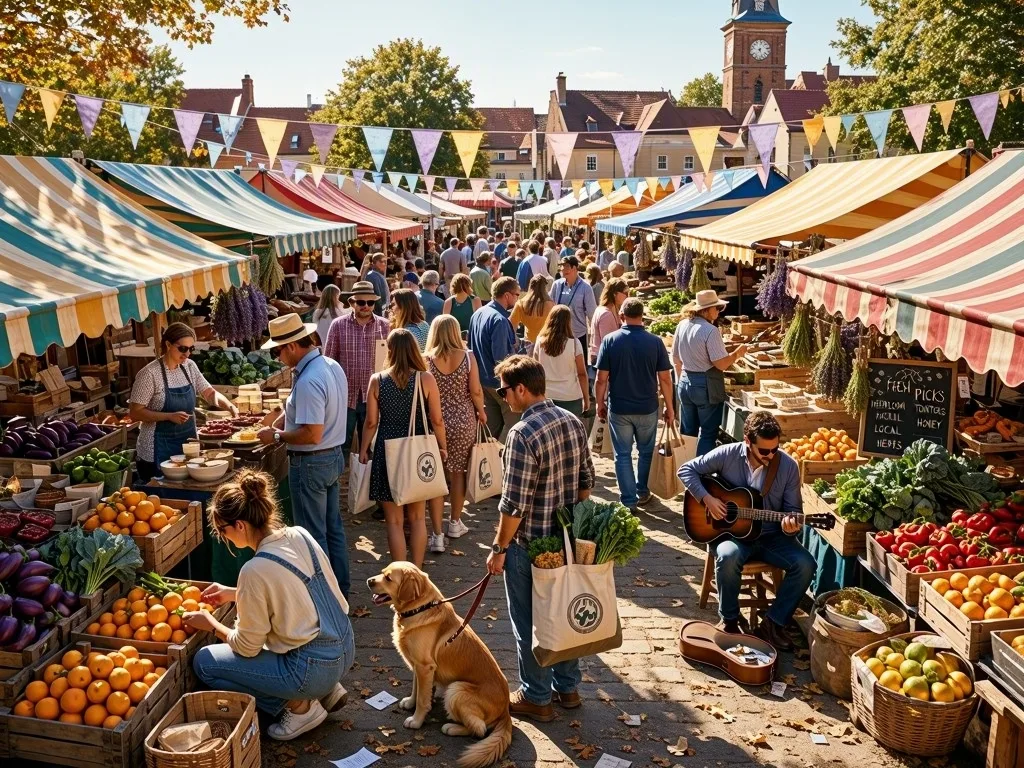
Many distinct objects and people in one frame without merging or duplicating them.
›What we asked for
A crowded Saturday farmers market seen from slightly above: at least twelve stalls with striped awnings, shoppers carrying tote bags, a dog on a leash, crates of oranges, a musician with a guitar, bunting overhead, late morning light.
microsoft/mai-image-2.5
aspect_ratio: 4:3, output_format: png, num_images: 1
returned 1024 by 768 pixels
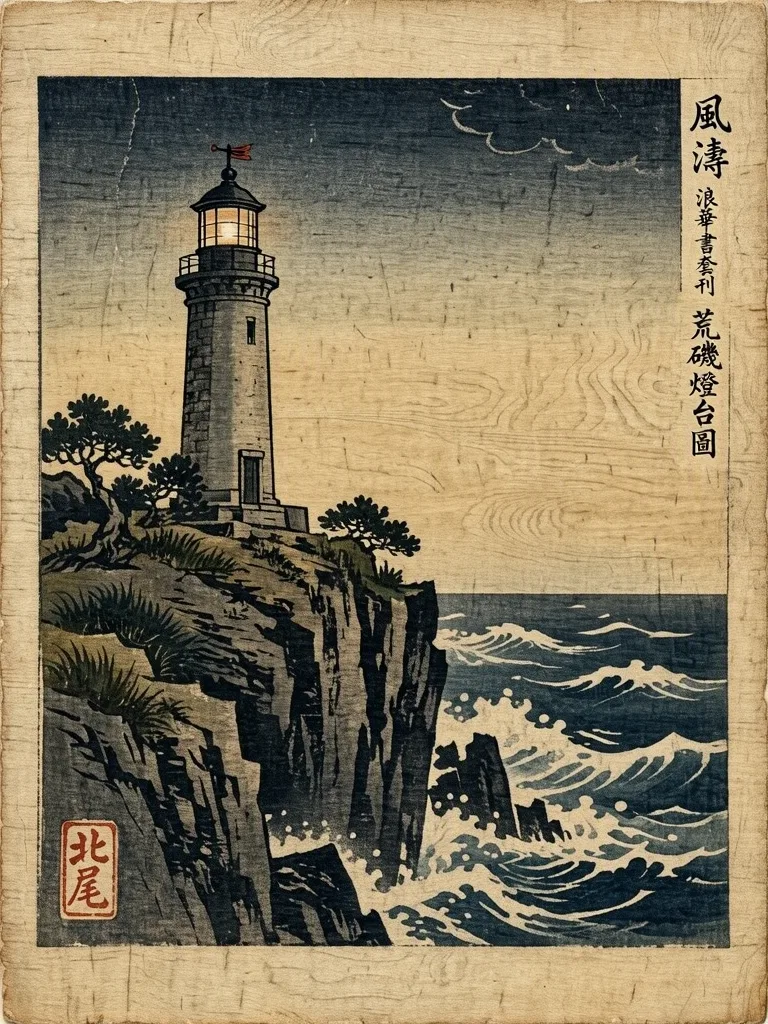
A named historical style applied faithfully rather than a generic painterly look.
›What we asked for
A lighthouse on a rocky cliff during a storm, in the style of a Japanese ukiyo-e woodblock print, with visible wood grain texture, flat colour areas and a bokashi gradient sky.
microsoft/mai-image-2.5
aspect_ratio: 3:4, output_format: png, num_images: 1
returned 768 by 1024 pixels
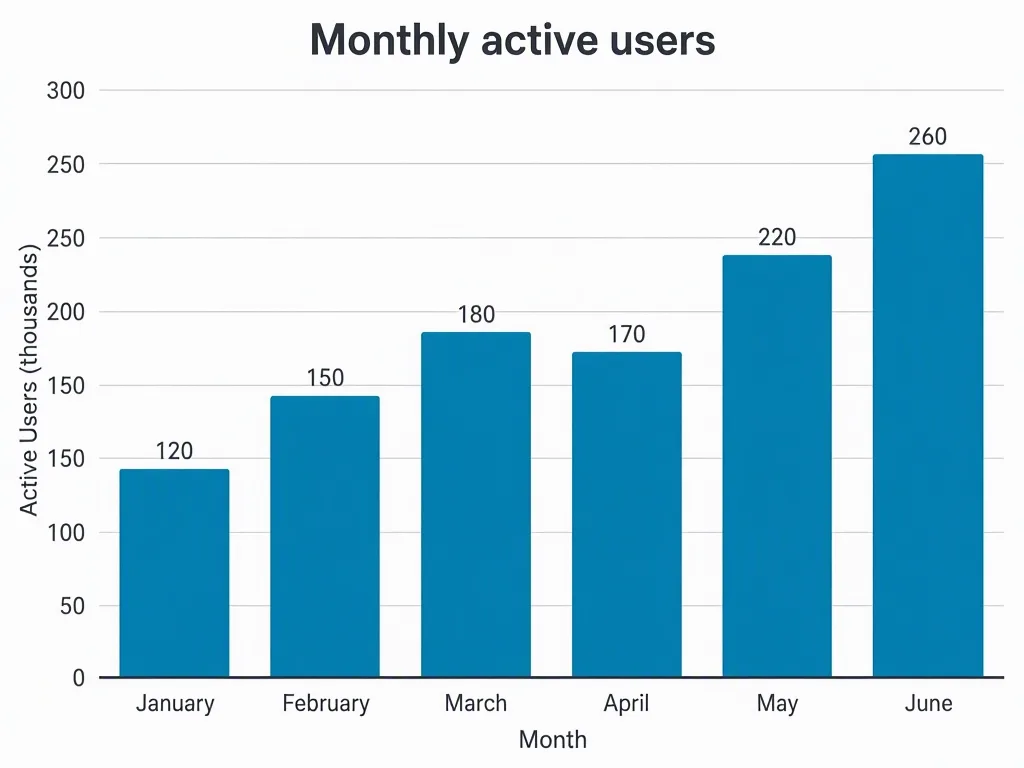
Six labelled bars at the stated heights, in order, with readable axes.
›What we asked for
A clean bar chart titled 'Monthly active users' showing six months, January through June, with the values 120, 150, 180, 170, 220 and 260, labelled axes, white background, one accent colour, no 3D effects.
microsoft/mai-image-2.5
aspect_ratio: 4:3, output_format: png, num_images: 1
returned 1024 by 768 pixels
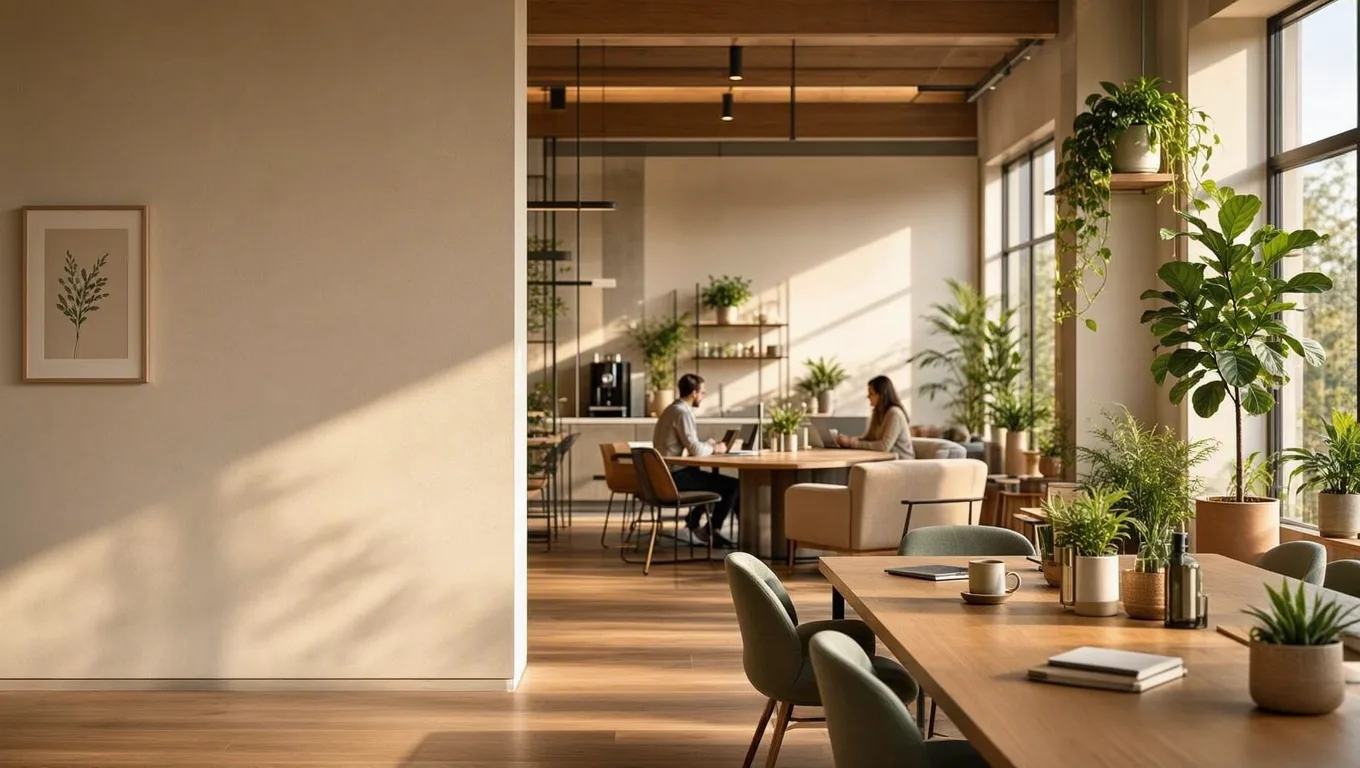
A 21:9 composition that leaves the left third clear for headline text.
›What we asked for
Website hero banner: a wide panorama of a sunlit modern co-working space with plants, the left third of the frame kept as clear wall space for text, warm neutral palette.
microsoft/mai-image-2.5
aspect_ratio: 16:9, output_format: png, num_images: 1
returned 1360 by 768 pixels
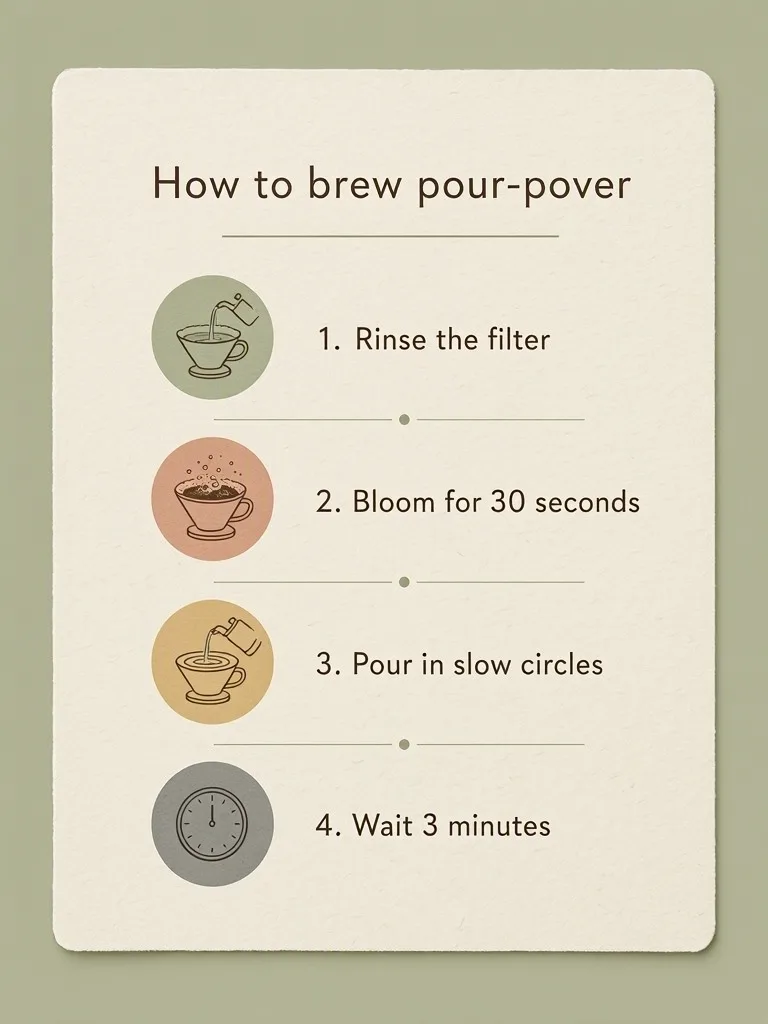
Four numbered steps in the given order with their exact wording, plus an icon each.
›What we asked for
An infographic card titled 'How to brew pour-over' with four numbered steps in this order: 1. Rinse the filter, 2. Bloom for 30 seconds, 3. Pour in slow circles, 4. Wait 3 minutes. A simple icon beside each step, muted palette, clean sans-serif type.
microsoft/mai-image-2.5
aspect_ratio: 3:4, output_format: png, num_images: 1
returned 768 by 1024 pixels
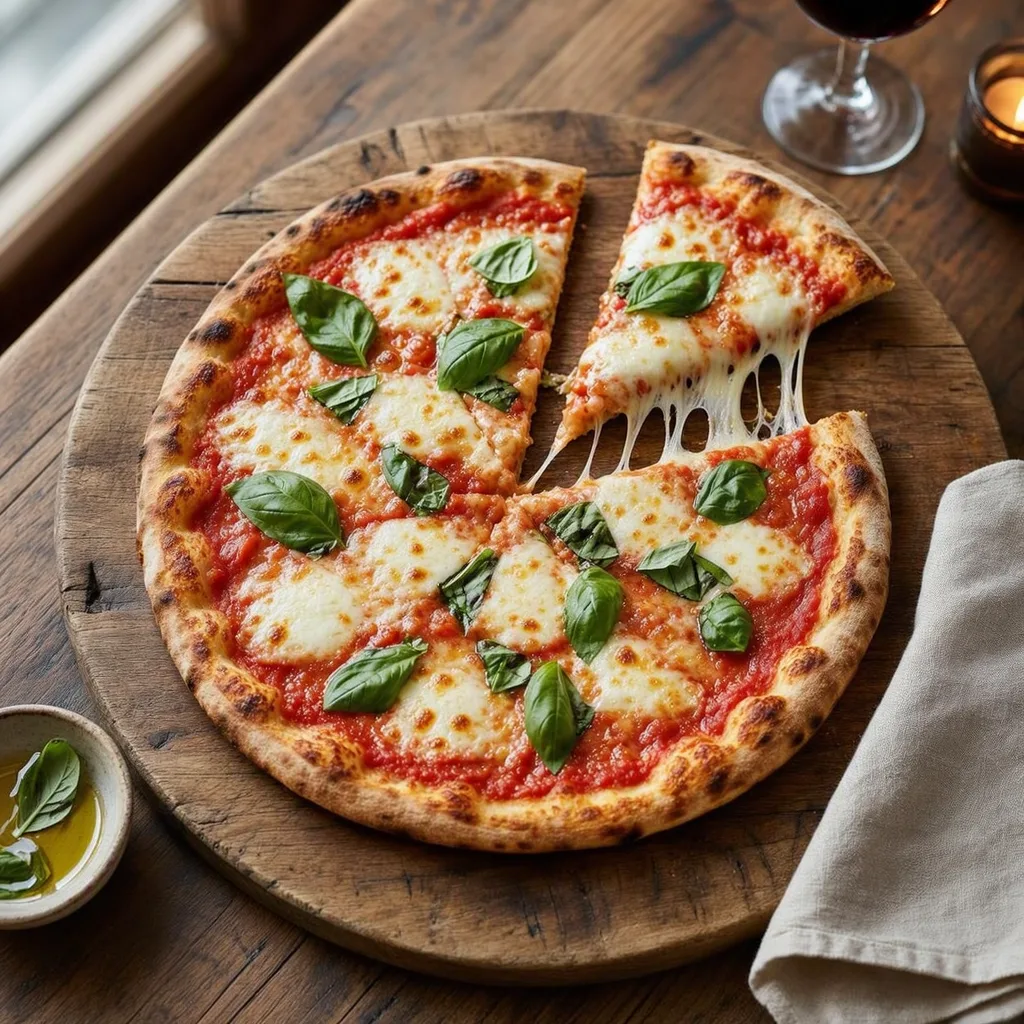
Appetising, menu-grade food with correct textures and no melted anatomy.
›What we asked for
Overhead photograph of a margherita pizza on a wooden board, fresh basil leaves, one slice pulled out with the cheese stretching, restaurant menu photography, natural light.
microsoft/mai-image-2.5
aspect_ratio: 1:1, output_format: png, num_images: 1
returned 1024 by 1024 pixels
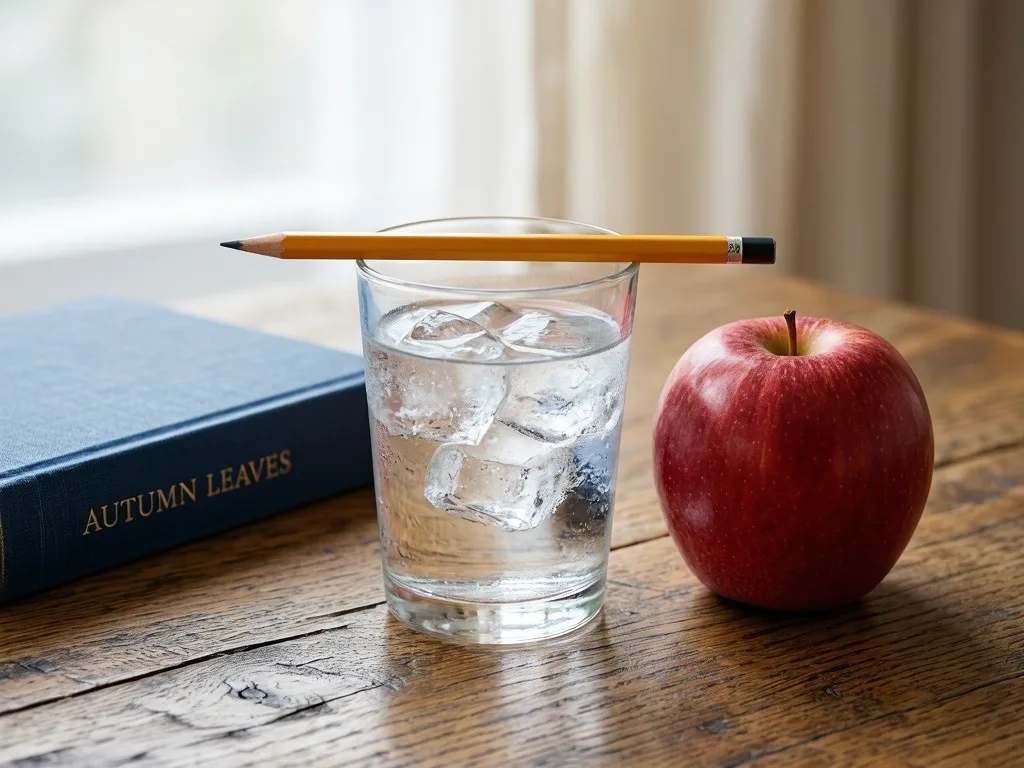
Exact counts and left-right placement of five named objects.
›What we asked for
A glass of water on a wooden table with exactly three ice cubes in it, a yellow pencil resting across the rim of the glass, a blue book to the left of the glass and a red apple to the right, photographed from table height.
microsoft/mai-image-2.5
aspect_ratio: 4:3, output_format: png, num_images: 1
returned 1024 by 768 pixels
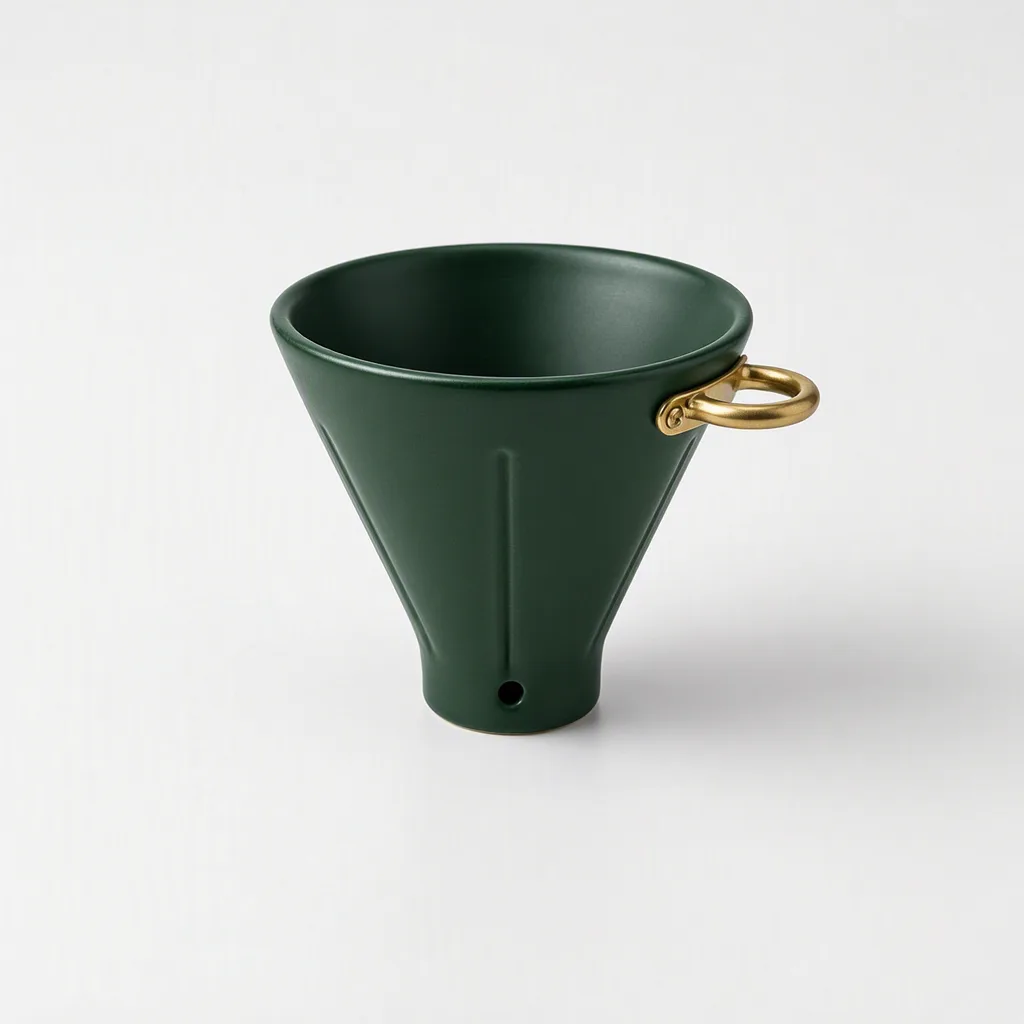
Change one object's colour and add a part while leaving background, light and framing untouched.
›What we asked for
Change the coffee dripper to a deep forest green and add a small brass handle on its right side. Keep the background, lighting and composition exactly as they are. (applied to the product on white result above)
microsoft/mai-image-2.5/edit
aspect_ratio: auto, output_format: png, num_images: 1
returned 1024 by 1024 pixels
How the cost under each picture was worked out: fal's published ~$0.05 per generated image for MAI-Image-2.5 (billed as 1,024 output tokens), plus prompt tokens at $5 per million, a fraction of a cent (fal.ai/models/microsoft/mai-image-2.5, read 2026-10-22); fal does not return the charge.
Compare MAI-Image-2.5
MAI-Image-2.5 pricing
| Where | Unit | Price | Source |
|---|---|---|---|
| fal | Image fal's approximate figure: 1,024 image output tokens, plus text input at $5 per million tokens. Each requested image is billed separately. | $0.05 | fal model page, read |
| fal | Edited image, output tokens At fal's fallback rate of $47 per million image output tokens, before input costs ($8 per million image input tokens, $5 per million text tokens). fal bills the provider-reported cost when it has one. | $0.04813 | fal model page, edit, read |
| Microsoft Foundry | Million image output tokens Text input $5 and image input $8 per million tokens. MAI-Image-2.5-Flash is $19.50 per million image output tokens. | $47.00 | Microsoft AI announcement, read |
Is MAI-Image-2.5 free?
Microsoft offers the model to try in its MAI Playground and builds it into PowerPoint and OneDrive. Developer access through Foundry and hosts like fal is billed by tokens.
- •MAI Playground: direct access to try the model.
- •PowerPoint: image generation; OneDrive: editing, rolling out.
- •Foundry and fal: token-based billing, about $0.05 an image on fal.
Where to use MAI-Image-2.5
- Microsoft Foundry · Microsoft's developer platform, with the Flash variant too.
- fal · microsoft/mai-image-2.5 and /edit, token-billed; the endpoints used for the samples below.
- Voyager · Runs inside Voyager, the agent for creative work, with your own fal key.
Voyager
Run MAI-Image-2.5 inside Voyager
Voyager is an agent for creative work that runs every model in this reference, MAI-Image-2.5 included. Brief it, and it picks the model, makes the thing and hands back something you can edit. Create an account to get started.
What we noticed running MAI-Image-2.5
- •The four steps are exact with an icon each, but the title reads 'How to brew pour-pover'. See the infographic with steps picture.
- •All six values and months printed correctly, but the axis repeats 250 and 150, and it added '(thousands)'. See the chart picture.
- •Forest green, with a small brass ring on the rim rather than a handle; shape and background unchanged. See the edit an existing image picture.
- •All three lines spelled right, but the date and ticket lines are set in capitals, with a dancer, the Roundhouse, a compass and a tree. See the text in an image picture.
- •Book left, apple right, pencil across the rim, but four or five ice cubes, and the book has an invented title, 'AUTUMN LEAVES'. See the hard composition picture.
- •A convincing print, but signed with a column of characters and a red seal. See the specific art style picture.
- •A warm, dense market with striped awnings, a 'FRESH PICKS' chalkboard, a seated busker and a golden retriever on a lead. See the busy scene picture.
- •Appetising, with a slice pulled and the cheese stretching, but shot at an angle, not overhead, with a wine glass and candle added. See the food photography picture.
- •16:9, the widest ratio offered, at 1360 by 768. The left side is a plain wall with one small framed print on it. See the wide aspect ratio picture.
- •A plain cone with a single seam and a hole near the base, no handle or stand, small in the frame. See the product on white picture.
MAI-Image-2.5 limits and API parameters
| Limit | Value |
|---|---|
| Aspect ratios | Seven, from 16:9 to 9:16; nothing wider. fal API schema, read |
| Edit inputs | One image per edit request. fal API schema, edit, read |
| Prompt length | Up to 5,000 characters. fal API schema, read |
›Every setting, for developers
fal (microsoft/mai-image-2.5 and /edit)
fal API schema, read
| Parameter | Type | Values | Default |
|---|---|---|---|
| prompt | string | Up to 5,000 characters Required. On the edit endpoint, the instruction. | |
| aspect_ratio | enum | auto, 1:1, 4:3, 3:4, 16:9, 9:16, 3:2, 2:3 auto lets the model decide, or match the input when editing. | auto |
| image_urls | list of URLs | Exactly one image Edit endpoint only, where it is required. | |
| num_images | integer | 1 to 4 | 1 |
| output_format | enum | jpeg, png, webp | png |
What MAI-Image-2.5 will not draw
Microsoft's model card for MAI-Image-2.5 Pro, the same line, describes alignment aimed at reducing harmful or inappropriate images, such as violent, gory or sexual content, even when requested, with mitigations in the training data and at deployment. Terms are those of the product or service it is used through, such as Azure AI Foundry or MAI Playground. fal marks it for commercial use and exposes no safety setting.
Alternatives to MAI-Image-2.5
Frequently asked questions
What is MAI-Image-2.5?
Microsoft AI's image generation and editing model, launched widely on 2 June 2026. It powers image generation in PowerPoint and is sold to developers through Microsoft Foundry.
How much does MAI-Image-2.5 cost?
About $0.05 an image on fal, billed by tokens, read on 22 October 2026. On Foundry it is $47 per million image output tokens.
Does MAI-Image-2.5 do 21:9?
No. Its ratios stop at 16:9 and 9:16, and our 21:9 banner prompt ran at 16:9.
MAI-Image-2.5 or 2.5 Pro?
2.5 for photographs and scenes at about $0.05 an image. Pro, at about $0.17, spelled our infographic right, drew a real handle on the edit and placed the composition test correctly, all things 2.5 missed.
How this page is made
Prices, limits and settings are read from the linked vendor and host pages on the dates shown. Every picture was generated by us through fal with the request shown under it, and the original files are kept unedited. A generation that failed is shown as a failure. Model and vendor names are used to identify the products; no vendor imagery appears on this page.