A car commercial lives or dies in the cuts. Eight shots in ten seconds only feel fast if every cut shows the car somewhere new, and the music hits where the picture changes.
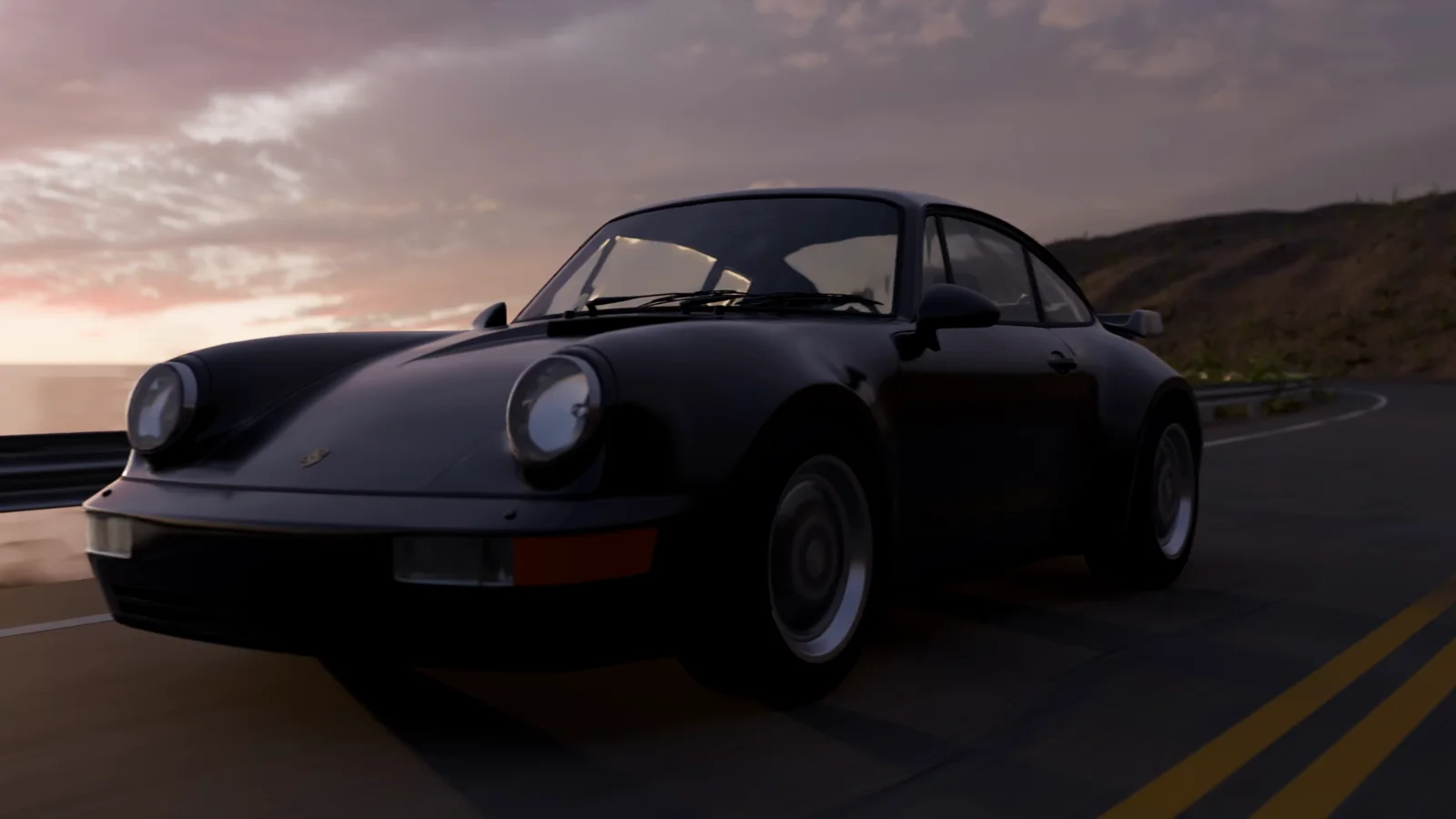
For this example, we made a 10.67-second film of a black 1990s coupe on a coastal road at sunset, rendered in Blender with 2x anamorphic optics and scored to the cut.
Description / transcript
Instrumental. A progressive intro builds over the opening shots, drops into a half-time beat on the cut at six seconds, and is cut off on the last frame.
Plan the cuts on paper before you place a single camera. Most of the problems we fixed were cut problems: two shots that showed the same part of the car, or two angles so similar the car seemed to jump backward. A shot table catches those before an hour of rendering does.
What you need
- Skills:
edit-in-blender,make-music,make-soundandgpu-machines. - Plan: Starter or higher, for the generated engine and ambience sound. Rendering on Voyager GPUs, as we did for the final, needs Creator or higher.
- Tools: Blender with Cycles, FFmpeg for the assembly, and optionally Voyager's built-in DAW for the score.
- Made in Voyager: this example is a real Voyager run of the workflow, from the first still to the scored final.
Start with a model you can use
We used a Porsche 911 (964) model by DRIVER-FIRE, based on a 1993 911 Turbo model by tonielpro520, both under CC BY 4.0. The road, rocks, shrubs and the Belfast Sunset sky come from Poly Haven under CC0. The film is an independent study, not an advertisement, and the license does not grant any trademark rights.
Make a [duration]-second cinematic film of a [color] [car model]
driving a winding [location] road about 20 minutes before sunset,
[sky]. Fast hard cuts, close to the car, aggressive camera moves
(follow-car crane push-in, FPV drone), shallow depth of field on
close-ups, [21:9 anamorphic or 16:9]. Score: [music direction],
drop on a cut, music runs to the last frame. Record every asset
license in CREDITS.md. Ask before any render over 10 minutes or
any paid job.
Then build one continuous road path that every shot shares, and constrain the car to it. Roll the body with the road's camber, drive the wheels from distance travelled and add a little suspension. At 45 km/h the car read as slow; about 100 km/h worked. Audit tire contact too: two tires floated 14 to 15 mm above the road until we checked.
Approve one still before any motion
Render a single front-quarter frame at final quality and native resolution, and iterate on it until the sky and mood are right. A low sun, under two degrees, plus a photographic sunset sky for the reflections looked real. An orange-tinted sun with haze looked fake.
Fix detail here too. A render with draft settings (subdivision capped at zero, 32 samples) looked like a 2005 video game. More pixels would not have helped; scene detail and lighting did.
Give each cut a reason
Write a table with each shot's frames, subject and purpose, and the reason it cuts to its neighbors. Every adjacent pair should change the part of the car, the scale and the viewing direction.
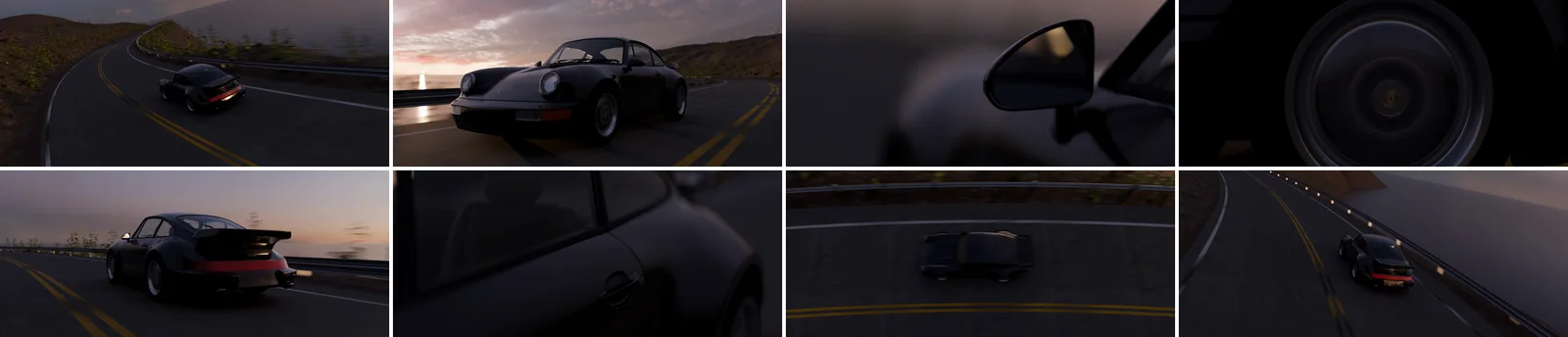
Before animating cameras, write a paper edit: shot number, frames,
subject, purpose and why it cuts to the next shot. Adjacent shots
must change the part of the car, the scale and the viewing direction.
Keep the car moving forward in road order across every cut.
Build camera rigs that behave like real equipment. The crane push rides a follow vehicle with a swinging, telescoping boom and closes the distance by moving, not zooming. The FPV drone banks with the path. Close-ups use a long lens at f/1.4 with focus pinned to the part in frame on every frame.
For true anamorphic, a 21:9 crop is not enough. We used an OSL camera with a 2x horizontal squeeze and an oval pupil, desqueezed in the edit. Test it on one shot first; it needed CPU Cycles locally.
Review the motion, not just the frames
Render a low-resolution preview of the whole cut. Locally it took 5 to 7 minutes. Watch every cut in motion and save the frames on each side of it.
Three faults only showed in motion. A camera that spun almost 360 degrees between two frames made a one-frame flash. Cameras locked to the car's center kept it pinned in the same screen spot, so cuts felt like match cuts; vary its position, and let some shots hold still while the car crosses frame. And a headlight insert followed by a front-quarter shot repeated the same subject.
When a note arrives, change only what it names. "More aggressive" meant faster motion inside the existing shots, not new shots or a new order.
Score to the cut
Choose a tempo where the cuts fall on beats. At 120 BPM one bar is two seconds, so the drop lands on the cut at 6.0 seconds. We composed in Voyager's built-in DAW, which you can turn on in Settings → Labs: a progressive intro into a half-time drop, in D minor.
Compose an original score for this 10.67-second cut at 120 BPM.
Mark intro, build and drop sections, with the drop on the cut at
6.0 seconds. Write past the end of the picture and cut it at the
last frame with a short fade, rather than ending on a final hit.
Deliver 24-bit WAV at -14 to -16 LUFS, true peak -1 dB.
A proper ending hit landed off the bar, so we kept the groove running and cut it at the last frame. Make one change per listening round; complaints that the melody was staccato meant longer attack and release, not a new track. Generated engine and ambience sound sits underneath.
Quote the final render
Benchmark three frames, then quote local time against cloud credits before rendering. Locally, 240 frames at 2520×1080 and 32 samples took about 99 minutes on the CPU of an Apple-silicon Mac. The finished film is 256 frames; on Voyager's cloud, the main shots and two close-up jobs for all 256 used about 2,715 credits in about an hour.
Assemble from the rendered frames: map each output frame to its source, desqueeze, add the one-second fade-in and mux the audio. Re-cutting the edit from existing frames needs no new render.
Bring your own car model and road, and make every cut show the car somewhere new.
Technique
Make your own in Voyager
Opens a new chat with “Car film with a score” attached and the steps from this post. Nothing runs until you send it.
Needs Voyager 2026.10.17-0 or later.