When the camera moves and a person walks in front of your CG, a good match is not enough. Three things have to hold on every frame: the camera, the shadows and the edge where the person passes over the CG.
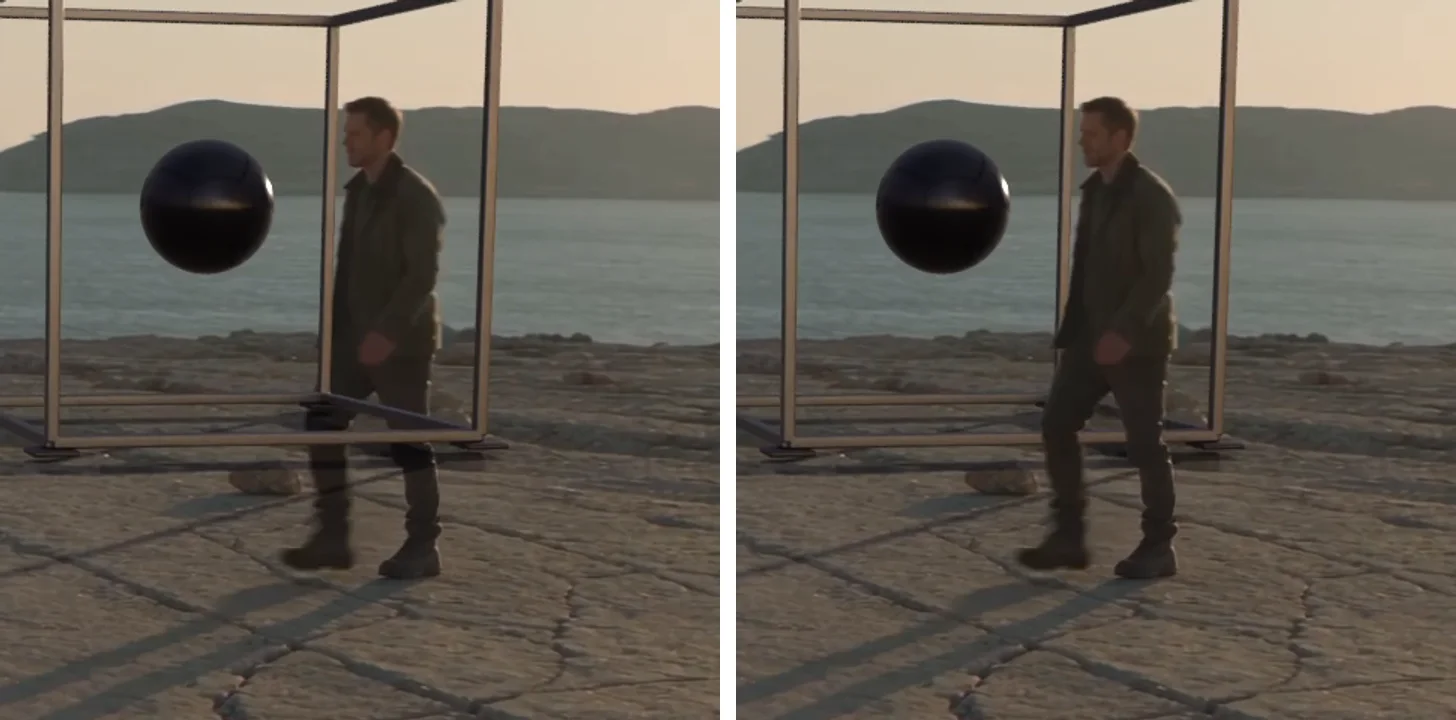
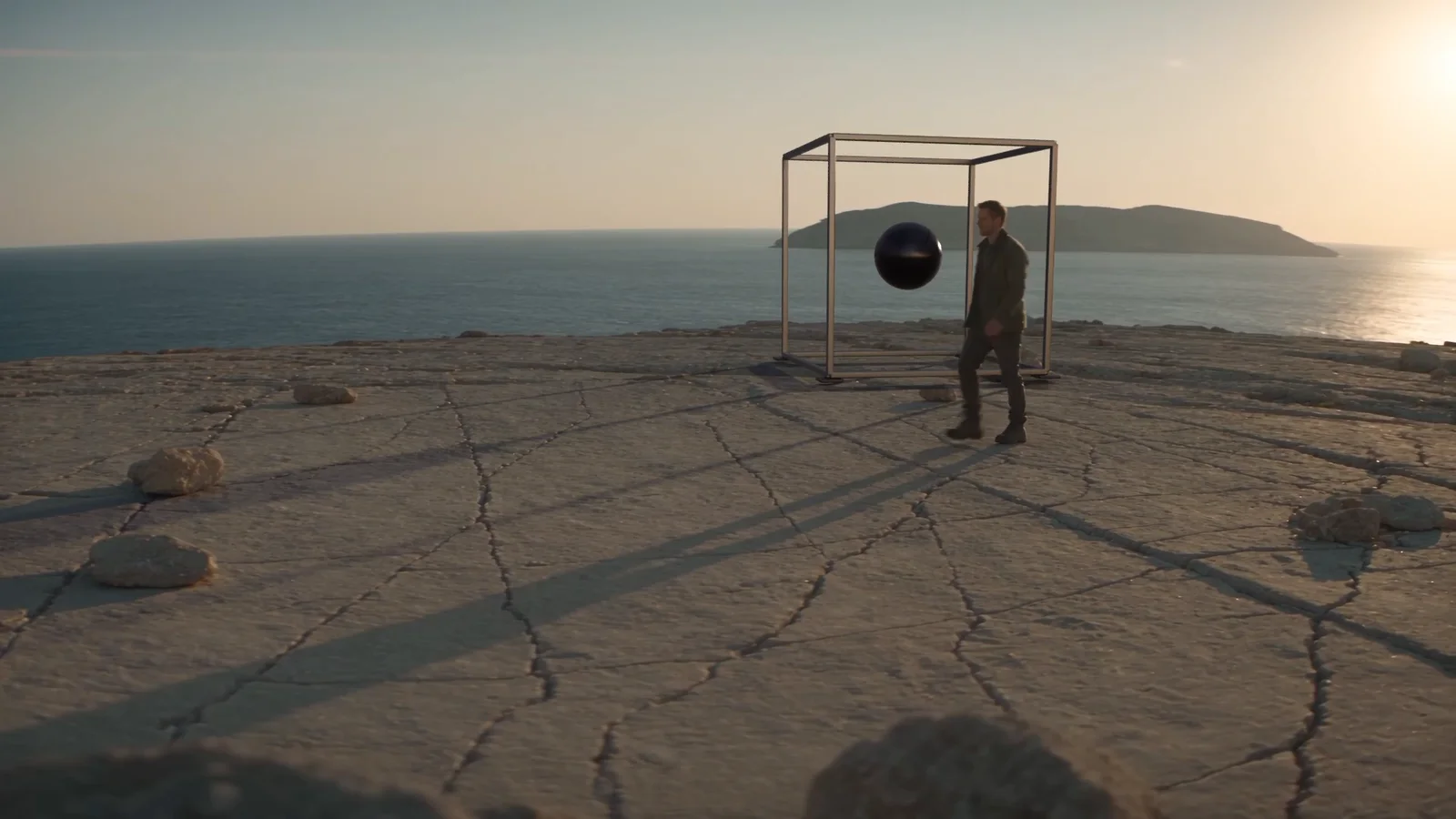
For this example, we generated a four-second plate of a man crossing a coastal overlook while the camera arcs, then added an open metal cube with a floating black orb behind him.
Description / transcript
No audio.
Check what is inside every mask, not just that the masks exist. Every one of our 95 person masks was on disk, and many of them were empty. That is why the first version drew the cube's bottom bar across the man's legs, and no file count would have caught it.
What you need
- Skills:
make-ai-video,edit-in-blenderandedit-in-resolve. - Plan: Creator or higher, because the plate uses Seedance 2.5. The renders run locally.
- Tools: Blender with Cycles, DaVinci Resolve Studio for the Fusion composite, and a Mac for the person mattes, which use macOS Vision. We used Blender 5.2 and Resolve Studio 21.1.
- Made in Voyager: this example is a real Voyager run, with Codex as the agent, from the research brief to the final composite.
Generate a plate built for VFX
Write the plate prompt for the work that comes after it. Ask for textured ground the solver can track, open space where the CG will stand, a stated lens and camera move, and an occluder you plan for. Rule out anything that would fight the composite: cuts, zooms, structures where the CG goes.
A single uninterrupted [duration]-second photoreal live-action shot
of [location] in [light]. A fictional [person] walks from [side] to
[side], full body visible, crossing the foreground halfway through.
The camera makes an obvious smooth [move], about [distance], with
strong parallax in the foreground. [Lens] at [height]; keep the
horizon level. Leave open ground in the middle distance for a
[object] to be composited later, behind the person. No zoom, no
cuts, no structures, no text or logos. Silent.
We used Seedance 2.5 text-to-video at 1080p. The four-second plate cost 414 credits and took under three minutes. Generated gait has some foot sliding, so judge the plate in motion before you build on it.
Fit the camera, then check it
A full 3D camera solve went unstable on this arc. Masked ground features gave a steadier answer: track the ground only and fit the camera to it frame by frame. The ground features stayed within 0.58 pixels of reprojection error. Our fit also refined the focal length per frame; on a plate with no zoom, treat any real drift in it as a sign of a bad solve, not a lens change.
Solve the camera from ground features only, with the person masked
out. Report the residual per frame. Then project a test marker into
the first, middle and last frames and check it stays put on the
ground before any CG is built.
Check the solve against the plate independently, not just its own error number. On an earlier test, a solve that looked fine at 0.15 pixels of reprojection error used a 35 mm sensor where the plate called for 36 mm; a projection check caught it.
Render the CG as passes
Build the object by script in Blender, place it, and check placement at the first, middle and last frames before rendering everything. Render the CG and a shadow pass as separate EXR sequences, so the shadows can darken the real ground instead of a painted copy of it.
Ours rendered in Cycles at 12 samples with denoising, about seven minutes for 95 frames on an M4 Max GPU. EXR passes are large: save them with lossless ZIP compression, which shrank one test's frames from 1.41 GB to 75 MB.
Composite in linear light, then put the person back
In Fusion, keep the order fixed: multiply the plate by the shadow pass, merge the CG over it, restore the person through a matte, and convert for display last. The person goes back on top, so everything behind them stays editable.
We made the person mattes with macOS Vision person segmentation. Run on the full frame, it returned empty masks on many frames once the man was small in the shot. Running it on a 600-pixel crop around him fixed every frame.
Before compositing, open the person masks at the start, the middle
and every frame where the person overlaps the CG. Fail the step if
any mask is empty or covers less of the person than the plate shows.
Review in motion, then measure
Have the composite reviewed as video, at full frame rate, and look at the frames where the person crosses the CG. Then measure anything the review is unsure about. On one test, the review said the camera barely moved; the tracked ground moved a median of about 49 pixels and turned about 5 degrees.
Our final review confirmed the layering and stable shadows. Two limits remain: the move is a lateral track with a modest arc, and the flat shadow receiver ignores small cracks in the ground.
Add layers from the same plate
With the camera fit and the masks done, more CG costs only a render. We added a giant fish in the sky behind the cube and the man, with no new generation.
Description / transcript
No audio.
It also showed where estimates go wrong: the fish took 39 minutes to render against a 5 to 9 minute estimate. Benchmark a few frames of every new layer before you quote the full render.
The research brief behind these tests started from ILM's breakdown of the visual effects of The Creator; everything here is original CG on generated footage. Start with one rigid object and one crossing, and check the masks before you trust the composite.
Technique
Make your own in Voyager
Opens a new chat with “CG behind a walking actor” attached and the steps from this post. Nothing runs until you send it.
Needs Voyager 2026.10.17-0 or later.
Robert Torres