A third-person action game lives or dies on how the character moves: the run that leans into a turn, the roll out of a long drop, the shuffle along a ledge. You want to feel that before anyone models a level. A greybox course with a mannequin answers it, and building one used to take a week of wiring animations to a controller.
We asked Voyager for one in Godot. Thirty-six minutes after the first prompt, it had a playable course with a station for each move, a Mixamo mannequin that walks, sneaks, runs, takes cover, sidles and rolls, and an automated playtest that drove it through with real input. A main menu and editable map scenes followed seven minutes later.
Description / transcript
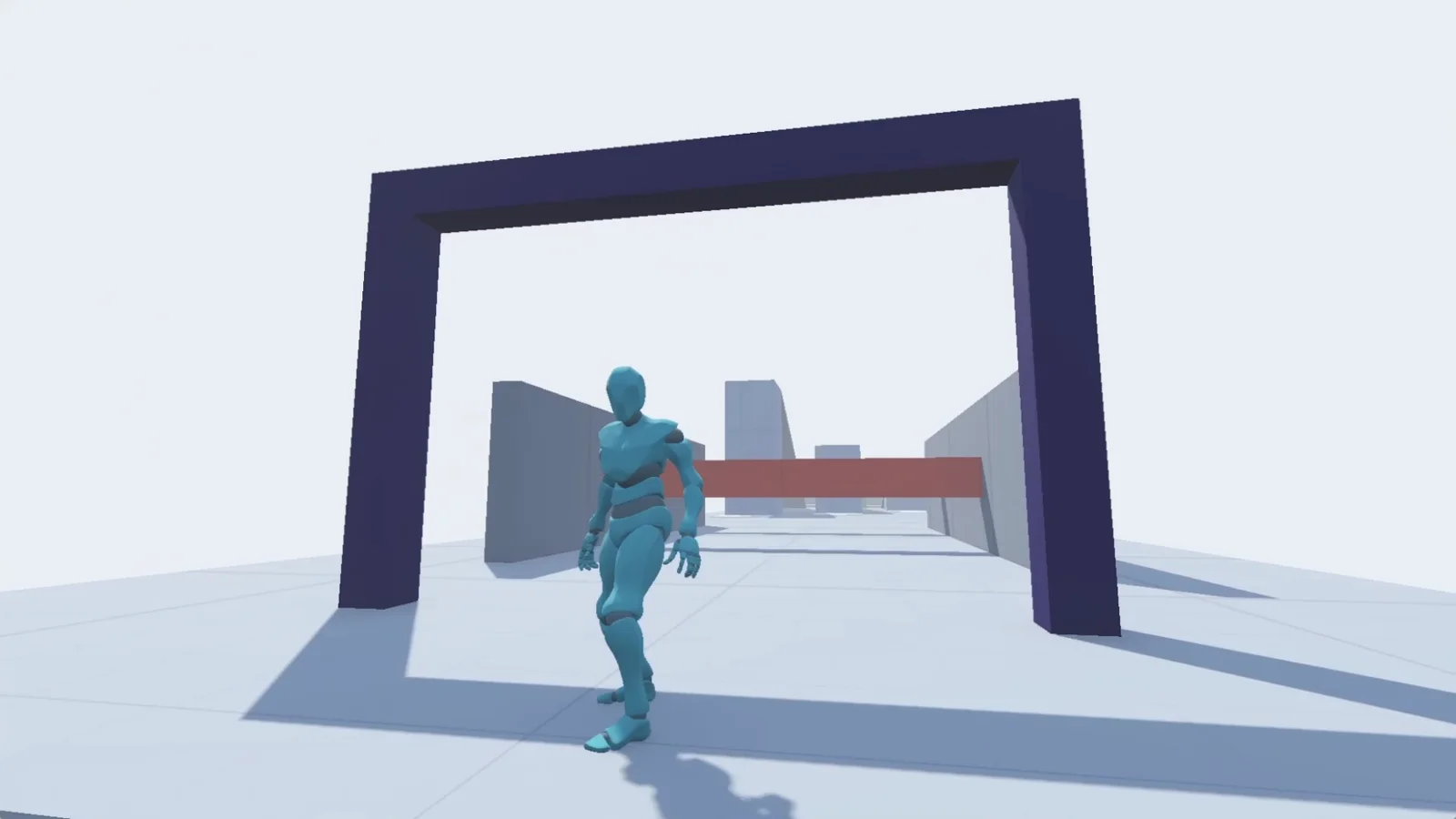
The mannequin runs up a pale blue ramp, jumps off the high platform at the top, falls and rolls out of the landing. It sneaks out of a low tunnel, then flattens against a green wall and shuffles along an orange ledge. It sprints at two red bars and rolls under both, then walks toward the camera under a navy arch before the loop starts again.
Test the movement before the world. Every box on this course exists to make one move happen, so the first playtest tells you whether the character feels right, not whether the level looks good.
What you need
- Skills:
make-gamefor the Godot project and its playtests, andedit-videofor the highlight reel. - Godot 4.7: the course was built and exported with Godot 4.7.2.
- A Mixamo account: the free Mixamo library supplies the Y Bot mannequin and its animations. You download them yourself; the files are free to use in a game but cannot be redistributed raw, so they stay out of any public repository.
- Plan: any plan. Nothing here is a paid generation.
- Made in Voyager: this example is a real Voyager run, from the brief to the Mac build and the highlight reel.
Brief the agent with moves, not levels
Name the engine, the moves you want to feel and what you do not need yet. Ask which assets to get before anything is built, because the animation set decides what the course can test.
Let's create a third-person platformer like [reference game] using
[engine]. Pick a library with basic scaffolding for a third-person
character on a level. Build a test level for [moves: running over
obstacles, vaulting, climbing, sidling on a ledge, an action roll].
The character should be able to walk, move quietly and run. The test
level doesn't need textures, and use a mannequin for the character.
Tell me which assets or libraries to get before you start.
Ours first suggested an open-source controller and a camera add-on. When we asked which Mixamo clips we needed, it changed the plan: use Mixamo's own Y Bot as the mannequin, so every clip shares one skeleton and nothing needs retargeting. It also gave the download settings for each clip (FBX binary, without skin, 30 fps). In the end it wrote the controller itself, and the project uses no third-party add-ons.
Then we found Mixamo's Action Adventure Pack, 22 clips covering idles, walk, run, sprint, sneak, jumps, falls, landings, rolls and cover, and told it to build the level around those.
Let the animation set decide the stations
Give each move its own station, in order along the course, so a run tests them one after another and a failure points at one move.
- Obstacle lane: zigzag walls, a pillar slalom and hurdles to jump.
- Ramp and stairs: let go at full speed to see the run-to-stop.
- Listening post: a ring shows how far you can be heard; running near the post sends you back, and a low roof forces a sneak.
- Ledge sidle: stepping onto the orange ledge flattens you against the wall.
- Drop tower: 2 m, 4.5 m and 8 m drops. Roll just before landing, or take a hard landing from 3.6 m up.
- Roll lane: red bars that only a rolling body clears.
A seventh station, stepping stones between pillars, didn't earn its place and was cut later. The pack has no ladder, vault or ledge-hang clips, so those stations waited. Ask for the list of missing clips rather than letting the agent fake them with the wrong animation:
Build one station per move, in course order, using only the clips we
have. For any move the pack can't animate, leave the station out and
tell me which Mixamo clips would unlock it.
The detail that makes it feel right is where the movement comes from. Mixamo bakes travel into the hips, so the agent strips that travel out of the pose and keeps it as a curve. For walk, run, sprint and sneak, the controller moves the body and matches each loop's playback speed to its real speed, so the feet do not slide. Rolls, landings and the run-to-stop move the body by the clip's own hip travel, so walls still stop them.
Have the agent play every station
A movement prototype that only compiles proves nothing. Voyager's playtests drive the game with real key presses, take screenshots at checkpoints and fail when an assertion fails. The course's HUD helps: a checklist ticks off each of the 29 clips as it plays, and a status line shows the controller state, clip, speed and noise.
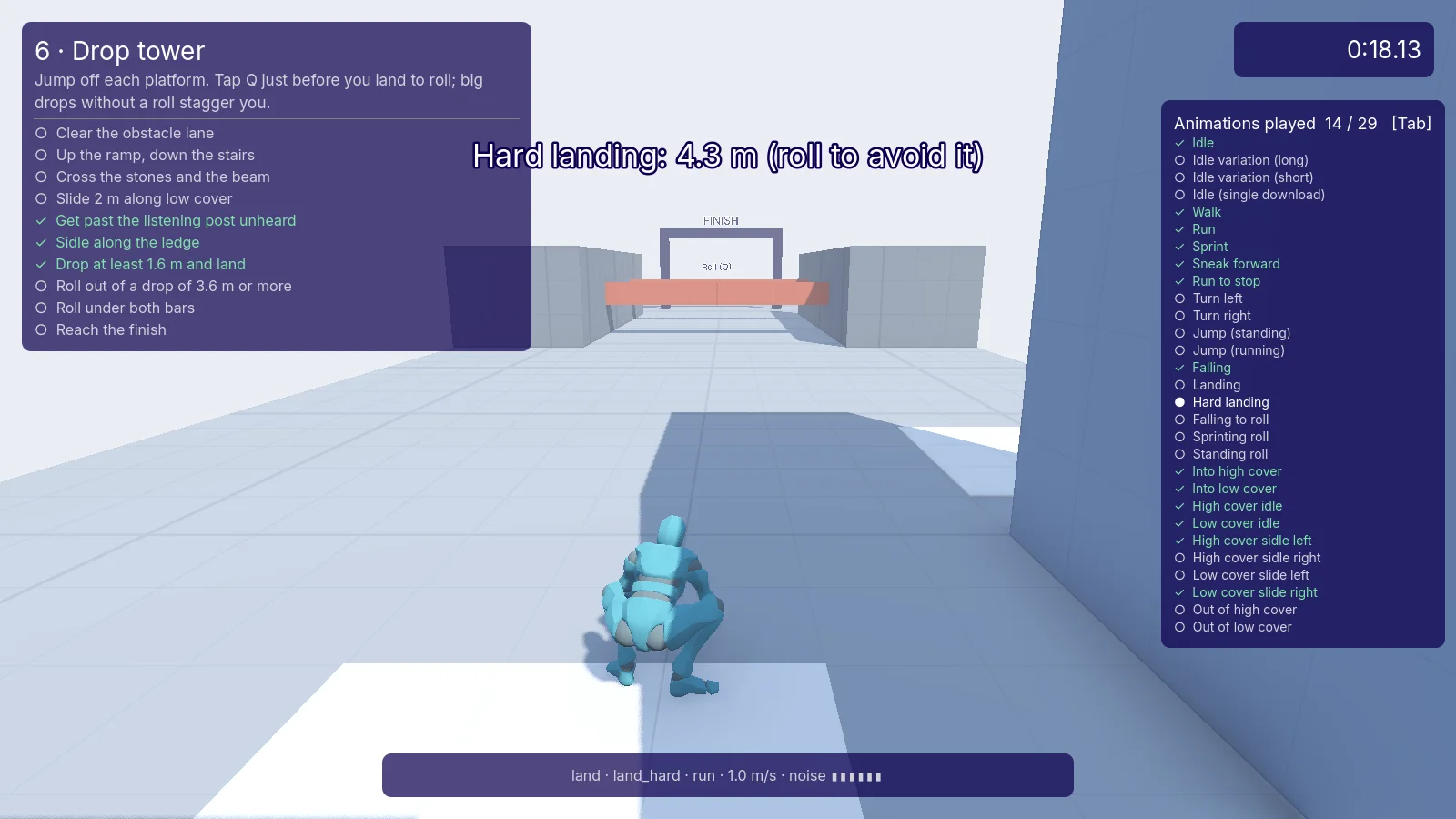
Write a playtest for each station that drives it with real keyboard
input: run the lane, sneak past the post, sidle the ledge, drop from
each height with and without a roll, and roll under the bars. Take a
screenshot at each checkpoint and fail if a clip on the checklist
never plays. Fix what fails, then show me the screenshots.
Make the map editable
Ask for each map as its own scene before you start tuning, so you can open it in the Godot editor and move boxes yourself. Ours put every map in scenes/maps/, built from boxes with collision on, so resizing an obstacle is just its size. A main menu lists the maps, and any new scene in that folder shows up there automatically.
Put each map in its own scene under scenes/maps so I can edit it in
the Godot editor. Make the main scene a menu that lists the maps.
Keep the player, camera and HUD in a gameplay scene that loads
whichever map I pick.
A second map came almost free: a clean version with no signs, HUD or prompts, for recording. It inherits the course scene and only flips one switch, so every edit to the course shows up in both.
Tune it by playing it
Play it yourself and say what feels wrong in plain words. The agent finds the cause in the code. A few of ours, after the first hour:
- "His normal jumps are way too high." The running-jump clip lifted the hips about 1 m and the physics jump added another 1.3 m. Now the clip only supplies the pose, and the jump is a 0.75 m hop.
- Turning around in cover made him spin. The left and right sidle clips turn the hips to opposite sides of 180°, so the blend went the long way round. In cover, the hips' rest pose is re-based by a quarter turn.
- The vault didn't blend into the walk. The walk or run loop now starts on the frame whose leg pose best matches the vault's last frame.
- "How come he doesn't take cover on the first walls?" The agent made a rule, green means cover, and painted every cover wall green, so the level tells you where you can hide.
We also dropped in two single Mixamo clips we found, a dynamic jump and a wall run, and asked for them by name. The jump became the vault on walls between 0.6 m and 1.35 m, and the wall run got its own wall and a camera that swings behind the player.
When I describe something that feels wrong, find the cause in the
movement code before changing numbers. Tell me what was happening,
fix it, and add or update a playtest that would catch it again.
Ship a build and a highlight reel
When the course feels right, ask for a desktop build. Ours exported a Mac app for Apple Silicon with an icon rendered from the game's own mannequin mid-sprint. It is unsigned, so on another Mac the first launch needs right-click, Open. Windows and Linux builds use the same export with a different target.
For the highlight at the top of this page, we recorded the screen while playing and gave Voyager the recording:
Make a highlight clip from this screen recording of the game. Remove
the window bar, crop to 16:9 and use short dissolves between cuts.
Open on [the best moment] and make it loop seamlessly.
It kept the ramp run, jump and roll as one continuous shot and ended on a few frames from just before the opening, so the end runs straight back into the start.
Start with the moves you want to feel, give each one a station, and let the agent play every station before you add a single texture.
Technique
Make your own in Voyager
Opens a new chat with “Third-person platformer” attached and the steps from this post. Nothing runs until you send it.
Needs Voyager 2026.10.17-0 or later.